FLEXISPOT ET365W

FLEXISPOT E6 Essential Dual Motor Standing Desk Frame User Manual

Model: ET365W (White Frame, 3 Stage Little Leg)

Маанилүү коопсуздук маалыматы

Чогултуудан жана колдонуудан мурун бардык көрсөтмөлөрдү окуп чыгып, түшүнүп алыңыз. Бул көрсөтмөлөрдү аткарбоо жаракат алууга же продуктунун бузулушуна алып келиши мүмкүн.

Продукт бүттүview

The FLEXISPOT E6 Essential Dual Motor Standing Desk Frame provides a versatile and ergonomic workspace solution. Featuring a robust 3-stage lift system and quiet dual motors, it allows for seamless transitions between sitting and standing positions.

Негизги өзгөчөлүктөрү:

FLEXISPOT E6 Essential Standing Desk Frame with controller

Image: The FLEXISPOT E6 Essential Dual Motor Standing Desk Frame in white, featuring the integrated control panel.

Пакеттин мазмуну

Чогултууну баштоодон мурун, бардык компоненттердин бар экенин жана бузулбаганын текшериңиз. Эгерде кандайдыр бир тетиктер жок болсо же бузулган болсо, кардарларды колдоо кызматына кайрылыңыз.

Components of the FLEXISPOT E6 Essential Standing Desk Frame

Image: All frame components laid out for inspection.

Монтаждоо көрсөтмөлөрү

Follow these steps carefully to assemble your FLEXISPOT E6 Essential Standing Desk Frame. It is recommended to have two people for assembly.

Video: Official FLEXISPOT E6 Essential Standing Desk Installation Guide. This video provides a visual walkthrough of the assembly process.

  1. Step 1: Assemble the Cross Beams

    Connect the left and right beams (parts 2 and 3) using the provided screws (C) and the T-Socket Wrench (11). Ensure screws are aligned with square holes and pressed tightly. The length of the cross beams can be adjusted to fit a desktop of 51-59 inches (1300-1500mm).

    Assembly of cross beams for desk frame

    Image: Illustration showing the connection of the left and right beams.

  2. Step 2: Attach Columns to Cross Beams

    Attach the two columns (part 4) to the assembled cross beams using screws (A) and the T-Socket Wrench (11). Pre-tighten all screws for the cross beams, then tighten them simultaneously for a secure fit. Prioritize installing diagonal screws first.

    Attaching columns to cross beams

    Image: Visual guide for attaching the columns to the cross beams.

  3. Step 3: Install Pedestals

    Secure the pedestals (part 7) to the bottom of the columns using screws (E) and the T-Socket Wrench (11).

    Installing pedestals to the desk columns

    Image: Diagram showing the attachment of the pedestals to the columns.

  4. Step 4: Attach Adapter Bracket and Keypad

    Mount the adapter bracket (part 12) and the keypad (part 5) to the underside of your chosen desktop. Ensure the curved edge of the keypad is flush with the edge of the table top. Use screws (F) and a drill for this step. Make sure the keypad is on the same side as the adapter bracket.

    Attaching adapter bracket and keypad to desktop

    Image: Illustration of attaching the adapter bracket and keypad to the desktop.

  5. 5-кадам: Зымдарды туташтыруу

    Connect all necessary cables: the keypad to the control box, the motors to the control box, the power adapter (part 6) to the control box, and the AC power cable (part 8) to the power adapter. Use cable clips (part 10) to manage and secure the cables neatly under the desktop.

    Wiring connections for the standing desk

    Image: Diagram showing the proper routing and connection of all electrical cables.

Иштөө нускамалары

The FLEXISPOT E6 Essential features an intuitive programmable controller for easy height adjustment.

Close-up of the intelligent keypad with LED display and memory buttons

Image: The intelligent keypad with LED display and buttons for height adjustment and memory presets.

Контроллердин функциялары:

Продукт спецификациялары

ӨзгөчөлүкДеталь
Модель номериET365W
БрендFLEXISPOT
ТүсАк алкак
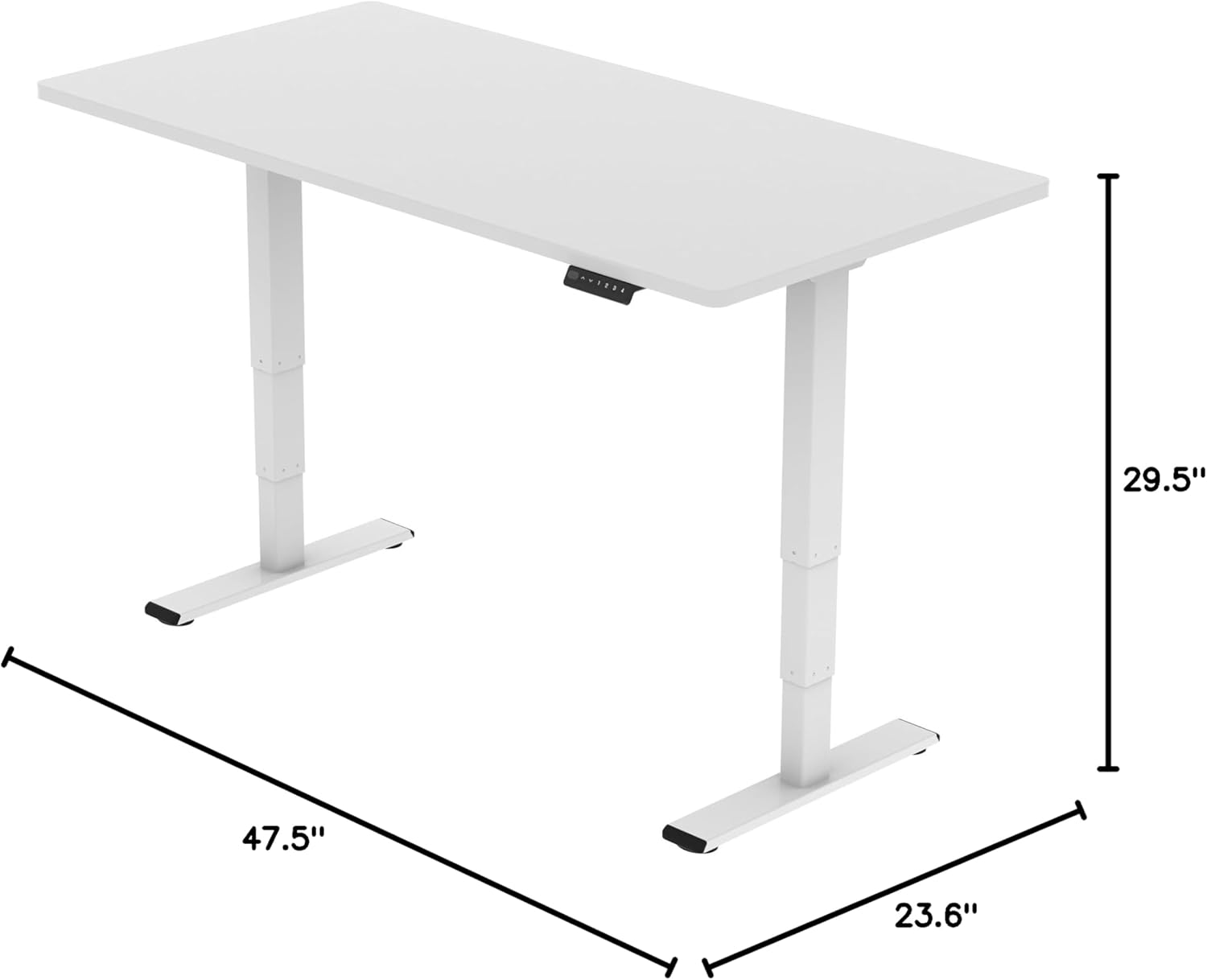
Продукциянын өлчөмдөрү (алкак)43.3"D x 23.6"W x 23.6"H (Adjustable width for desktop)
Бийиктигин тууралоо диапазону23.6 inches (Minimum) to 48.8 inches (Maximum)
Көтөрүү механизмиElectric Dual Motor, 3-Stage Lift System
Максималдуу Салмак сыйымдуулугу220 фунт (100 кг)
Ызы-чуу деңгээли50 дБден аз
Негизги материалМеталл
Камтылган компоненттерInstallation Tools and Wire
UPC810072845221
FLEXISPOT E6 Essential Standing Desk Frame dimensions

Image: Diagram illustrating the adjustable dimensions of the desk frame.

Техникалык тейлөө

Үзгүлтүксүз техникалык тейлөө сиздин турган столуңуздун алкагынын узак мөөнөттүү иштешин жана оптималдуу иштешин камсыз кылат.

Проблемаларды чечүү

If you encounter any issues with your FLEXISPOT E6 Essential Standing Desk Frame, refer to the common problems and solutions below.

Кепилдик жана колдоо

FLEXISPOT жогорку сапаттагы өнүмдөрдү жана эң сонун кардарларды тейлөөнү камсыз кылууга умтулат.

Video: "Welcome to FLEXISPOT'S Mega Factory" - Showcasing the manufacturing process and commitment to quality.

Тектеш документтер - ET365W

Preview FlexiSpot EH1-EU Электр тик турган столдун алкагы Колдонуучунун колдонмосу
FlexiSpot EH1-EU электр тик үстөл алкагы үчүн комплекстүү колдонуучу нускама, оптималдуу пайдалануу үчүн спецификациялар, монтаждоо көрсөтмөлөрү, зымдарды өткөрүү, иштетүү жана көйгөйлөрдү чечүү.
Preview FlexiSpot EC1 Электр бийиктиги жөндөлүүчү Туруктуу Үстелди чогултуу үчүн колдонмо
Бул монтаждоо колдонмосу FlexiSpot EC1 электрдик бийиктиги жөндөлүүчү турган үстөлдү орнотуу боюнча этап-этабы менен көрсөтмөлөрдү берет. Ал спецификацияларды, бөлүктөрдүн тизмегин, монтаждоо процедураларын, баскычтоптун иштешин, бузулууларды жоюу боюнча кеңештерди жана кепилдик маалыматын камтыйт.
Preview FlexiSpot E2Q Электр Туруктуу Үстел: Орнотуу боюнча колдонмо жана Техникалык мүнөздөмөлөр
FlexiSpot E2Q электр тик үстөлү үчүн комплекстүү орнотуу көрсөтмөсү жана спецификациялар. Бийиктиги жөндөлүүчү үстөлүңүздү кантип чогултууну, иштетүүнү жана оңдоону үйрөнүңүз.
Preview FlexiSpot EG1S/EG1W/EG1B сериясынын бийиктиги жөндөлүүчү стол: Орнотуу боюнча колдонмо жана Чектелген Кепилдик
FlexiSpot EG1S, EG1W жана EG1B серияларынын бийиктиги жөндөлүүчү столдор үчүн комплекстүү орнотуу көрсөтмөсү жана чектелген кепилдик чоо-жайы, орнотууларды, спецификацияларды, бузулууларды оңдоону жана кепилдикти камтыган.
Preview FlexiSpot E7QB Standing Desk User Manual
FlexiSpot E7QB туруктуу үстөлү үчүн комплекстүү колдонуучу нускама, компоненттерди, орнотууну, колдонууну, бузулууларды аныктоону жана кепилдик маалыматын камтыйт.
Preview FlexiSpot E7-Flow электр бийиктиги жөндөлүүчү столдун кадры - Колдонуучунун колдонмосу
FlexiSpot E7-Flow электр бийиктиги жөндөлүүчү столдун алкагы үчүн комплекстүү колдонуучу нускама, спецификацияларды, энергияны керектөөнү, орнотууну, иштетүүнү жана бузулууларды аныктоону камтыйт.