1. Киришүү
This manual provides essential information for the safe and efficient operation, installation, and maintenance of your Durastar DRAW06F1B Mini Split Wall Mount Indoor Unit. This unit is designed to provide both cooling and heating capabilities for your space. Please read this manual thoroughly before installation and operation, and keep it for future reference.
Маанилүү эскертүү: This is an indoor evaporator unit only. An outdoor condenser unit is required for proper functionality. Mini split systems must be installed by a qualified HVAC professional in accordance with all local codes and regulations. Failure to do so will void the manufacturer's warranty.
2. Коопсуздук маалыматы
Your safety and the safety of others are very important. Please read and follow all safety messages outlined in this manual.
- Кесиптик орнотуу талап кылынат: Installation, maintenance, and repair of this unit must be performed by a certified HVAC technician. Improper installation can lead to electric shock, fire, water leakage, or other serious injuries.
- Электр камсыздоо: Ensure the power supply matches the unit's specifications (208 / 230 Volt). Always disconnect power before performing any maintenance or service.
- Негиздөө: Электр шоктун алдын алуу үчүн аппарат туура негизделиши керек.
- Тазалоолор: Maintain adequate clearances around the indoor unit for proper airflow and maintenance access.
- Балдар жана үй жаныбарлары: Иштөө жана тейлөө учурунда балдарды жана үй жаныбарларын блоктон алыс кармаңыз.
- Күйүүчү материалдар: Агрегаттын жанына күйүүчү материалдарды койбоңуз же аэрозолдорду чачпаңыз.
3. Product Features and Technologies
The Durastar DRAW06F1B unit incorporates several features designed for enhanced comfort and efficiency:
- Swing/Gentle Airflow: Allows for optimized air circulation and direction throughout the room, ensuring even temperature distribution.
- Уйку режими: Reduces energy consumption by gradually adjusting the temperature and automatically turning off after 8 hours, returning to normal operation.
- Wireless Remote Control with "Follow Me" Technology: The remote control features a built-in temperature sensor. When activated, the unit will optimize the temperature based on the remote's location, providing maximum comfort where you are.
- Автоматтык түрдө өчүрүү: In the event of a power failure, the unit will automatically restart with the previously set operating parameters once power is restored.
- 24-Hour Timer Feature: Allows you to program the unit to automatically turn on or off at a specified time within a 24-hour period.
- Anti-Corrosive Fin Coating (Golden Fin Coating): Both indoor and outdoor units feature this specialized coating to protect against corrosion, enhancing the longevity and reliability of the system.
- Тынч иштөө: Engineered for low noise levels, ensuring a peaceful indoor environment.
4. Орнотуу жана орнотуу
As previously stated, the installation of this mini split indoor unit requires professional expertise. This section provides a general overview for informational purposes.
4.1. Орнотууга чейинки текшерүү
- Бардык компоненттер бар экенин жана бузулбаганын текшериңиз.
- Ensure the installation location meets clearance requirements and can support the unit's weight.
- Confirm compatibility with your outdoor condenser unit.
4.2. Орнотуу кадамдары (ашыкview Кесипкөйлөр үчүн)
- Mounting Plate Installation: Securely attach the mounting plate to the wall, ensuring it is level.
- Wall Hole Drilling: Drill a hole through the wall for refrigerant piping, drain hose, and electrical wiring.
- Piping and Wiring Connection: Connect the refrigerant lines, drain hose, and electrical cables between the indoor and outdoor units. This step requires specialized tools and knowledge.
- Indoor Unit Mounting: Carefully mount the indoor unit onto the mounting plate.
- Vacuuming and Refrigerant Charging: Evacuate the refrigerant lines and charge the system with the correct amount of refrigerant.
- Test Run: Perform a test run to ensure proper operation and check for leaks.

Image: The Durastar mini split indoor unit seamlessly integrated into a modern living room, demonstrating its wall-mounted design. Adjacent to this, an outdoor condenser unit is shown installed on the side of a house, illustrating the complete system setup.
5. Иштөө нускамалары
Your Durastar mini split unit is operated primarily via the wireless remote control.

Image: The Durastar indoor unit, a sleek white rectangular device designed for wall mounting, is shown alongside its compact wireless remote control. The remote features a digital display and various buttons for mode selection, temperature adjustment, and fan speed.
5.1. Алыстан башкаруу функциялары
- Кубат баскычы: Агрегатты күйгүзөт же өчүрөт.
- Режим баскычы: Иштөө режимдери боюнча циклдик циклдер: Автоматтык, Муздатуу, Кургатуу, Жылуулук, Вентилятор.
- Температураны жөндөө баскычтары (өйдө/төмөн жебелер): Белгиленген температураны жогорулатат же азайтат.
- Желдетүүчү ылдамдык баскычы: Желдеткичтин ылдамдыгын тууралайт (Авто, Төмөн, Орто, Жогорку).
- Селкинчек баскычы: Activates or deactivates the automatic louver swing for even air distribution.
- Уйку баскычы: Activates Sleep Mode for energy-efficient nighttime operation.
- Таймер баскычы: 24 сааттык күйгүзүү/өчүрүү таймерин орнотот.
- "Follow Me" Button: Activates the "Follow Me" function, allowing the unit to sense temperature at the remote's location.
5.2. Негизги операция
- Point the remote control directly at the indoor unit.
- Аспапты күйгүзүү үчүн Кубат баскычын басыңыз.
- Press the Mode button to select your desired operating mode (e.g., Cool for cooling, Heat for heating).
- Use the Temperature Adjustment buttons to set your desired room temperature.
- Adjust the Fan Speed or activate the Swing function as needed for comfort.
6. Техникалык тейлөө
Regular maintenance ensures optimal performance and longevity of your mini split system. Always disconnect power to the unit before performing any maintenance.
6.1. Аба чыпкасын тазалоо
- The air filters should be cleaned every two weeks, or more frequently depending on usage and air quality.
- Ички блоктун алдыңкы панелин ачыңыз.
- Аба чыпкаларын алып салыңыз.
- Чыпкаларды чаң соргуч менен тазалаңыз же жылуу суу жана жумшак жуучу каражат менен жууңуз.
- Кайра орнотуудан мурун чыпкаларды толугу менен кургатууга уруксат бериңиз.
6.2. Coil Cleaning
- The indoor coil should be inspected and cleaned annually by a professional technician.
- The outdoor coil should also be cleaned regularly to remove dirt, leaves, and debris.
6.3. Жалпы текшерүү
- Check for any unusual noises or odors.
- Ensure the drain hose is clear and not obstructed.
- Inspect electrical connections for any signs of wear or damage.
7. Кыйынчылыктарды
Before contacting customer support, please refer to the following common issues and solutions. For complex problems, always consult a qualified technician.
| Көйгөй | Мүмкүн себеп | Чечим |
|---|---|---|
| Түзмөк күйбөйт. | Электр менен камсыздоо жок; Алыстан башкаруу пультунун батареялары түгөнгөн; Автоматтык өчүргүч өчүп калган. | электр байланышын текшерүү; Алыскы батареяларды алмаштыруу; Автоматтык өчүргүчтү баштапкы абалга келтирүү. |
| Жетишсиз муздатуу/жылытуу. | Кир аба чыпкалары; Тыгылып калган сырткы блок; Туура эмес режим жөндөөсү; Муздаткычтын аз көлөмү. | Clean air filters; Clear obstructions from outdoor unit; Select correct mode; Contact technician for refrigerant check. |
| Түзмөктөн адаттан тыш ызы-чуу. | Loose parts; Obstruction in fan; Normal expansion/contraction sounds. | Check for loose parts (professional); Remove obstructions; Normal sounds are usually minor clicks or gurgles. |
| Ички блоктон суунун агып чыгышы. | Clogged drain hose; Improper installation angle. | Clear drain hose; Contact technician for re-installation or inspection. |
8. Техникалык шарттар
Key technical specifications for the Durastar DRAW06F1B Mini Split Indoor Unit:
| Спецификация | Нарк |
|---|---|
| Бренд | Durastar |
| Модель номери | DRAW06F1B |
| Муздатуу кубаттуулугу | 6,000 BTU |
| Жылытуу кубаттуулугу | 7,000 BTU |
| Тtage | 208 / 230 Вольт |
| Орнотуу түрү | Дубалга орнотуу |
| Ызы-чуу деңгээли | 56 дБ (Макс) |
| Өлчөмдөр (D x W x H) | 7.88"D x 11.5"W x 11.5"H |
| Түс | Ак |
| Өзгөчөлүктөр | Remote Controlled, Auto Restart, 24-Hour Timer, Anti-Corrosive Fin Coating |
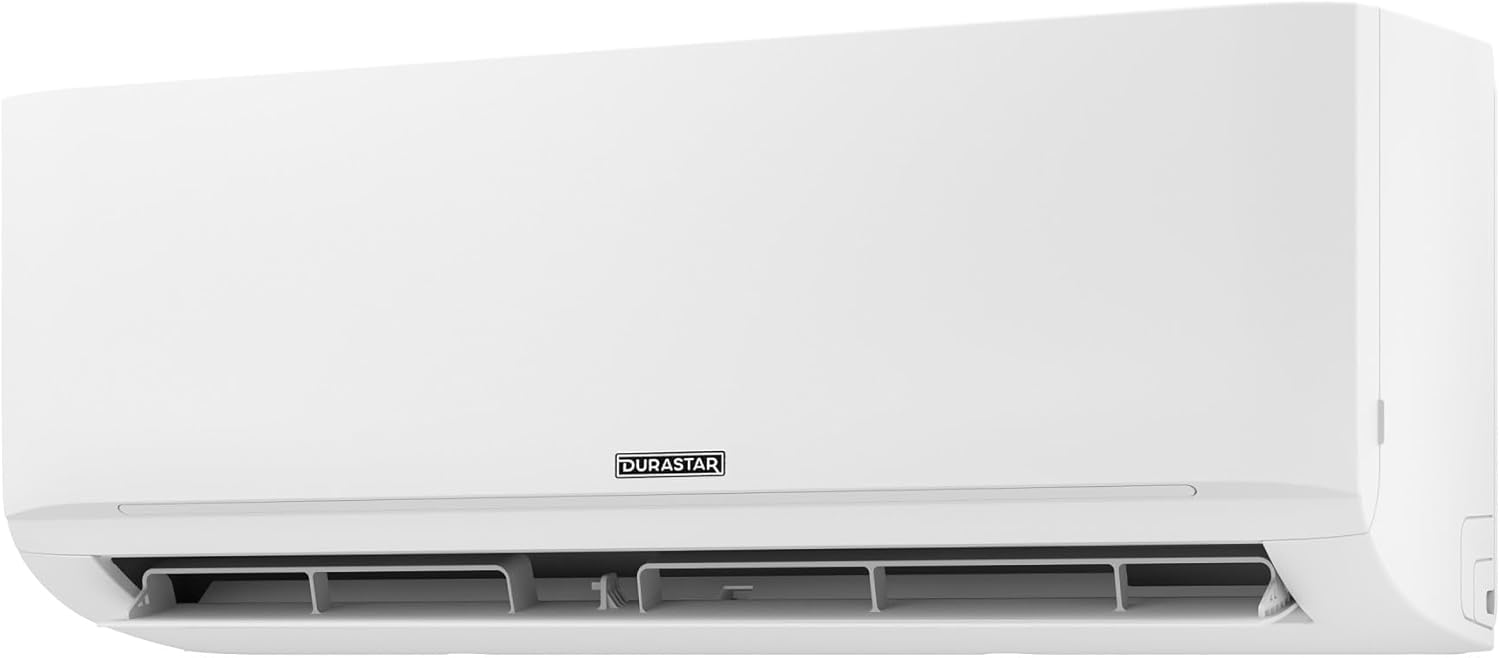
Сүрөт: А тарап профессионалfile view of the Durastar indoor unit, highlighting its slim design and wall-mounting capabilities.
9. Кепилдик жана колдоо
Durastar products are engineered for durability and performance.
9.1. Кепилдик маалыматы
Please note that any manufacturer warranty for this mini split unit will be voided if the installation is not performed by a professional in accordance with local codes. For specific warranty terms and conditions, please refer to the warranty card included with your product or contact Durastar customer service.
9.2. Кардарларды колдоо кызматы
For questions, assistance with multi-zone systems, or technical support, please contact Durastar experts at:
Телефон: (855) 484-3292
Our support team is available to assist you with any inquiries regarding your Durastar mini split system.


