1. Киришүү
CZE тандаганыңыз үчүн рахматview ZY-D4 Indoor Surveillance Camera. This manual provides comprehensive instructions to help you set up, operate, and maintain your camera for optimal performance and security. Please read this manual carefully before use and retain it for future reference.
2. Продукт бүтүп калдыview
Чехияview ZY-D4 is a high-definition indoor surveillance camera designed to provide clear and reliable monitoring of your home or office. It features advanced capabilities such as dual-band Wi-Fi connectivity, motion tracking, two-way audio, and enhanced night vision.
2.1 Пакеттин мазмуну
- CZEview ZY-D4 Indoor Surveillance Camera
- Кубаттуу адаптер
- USB кубат кабели
- Кронштейн орнотуу
- Монтаждоо бурамалар
- Колдонуучунун Колдонмосу (бул документ)
2.2 Камеранын компоненттери

2.2.1-сүрөт: CZEview ZY-D4 Indoor Surveillance Camera. This image shows the camera unit alongside a smartphone screen, illustrating its connectivity and monitoring capabilities.

Figure 2.2.2: Internal Components of the Camera. This diagram illustrates the sophisticated internal design and lens system that contribute to the camera's high performance.
- Объектив: Video foo тартатtage.
- Микрофон: Аудио киргизүү жана эки тараптуу байланыш үчүн.
- Баяндамачы: Аудио чыгаруу жана эки тараптуу байланыш үчүн.
- Статус индикаторунун жарыгы: Indicates camera status (e.g., connected, recording).
- Электр порту: Кубат адаптерине туташат.
- Калыбына келтирүү баскычы: Used to reset the camera to factory settings. (Located by tilting the camera lens upwards)
- Микро SD карта слоту: For local storage of recordings (supports up to 128GB, not included). (Located by tilting the camera lens upwards)
3. Орнотуу
3.1 Күйгүзүү
- USB кубат кабелин камеранын кубат портуна туташтырыңыз.
- Кубат адаптерин стандарттуу электр розеткасына сайыңыз.
- The camera will power on, and the status indicator light will illuminate.
3.2 Колдонмону орнотуу жана аккаунт түзүү
- Расмий CZE жүктөп алыңызview application from your mobile device's app store (iOS App Store or Google Play Store).
- Колдонмону ачып, жаңы каттоо эсебин түзүү үчүн экрандагы нускамаларды аткарыңыз же сизде мурунтан эле бар болсо кириңиз.
3.3 Wi-Fiга туташуу
Чехияview ZY-D4 supports both 2.4 GHz and 5 GHz Wi-Fi networks for flexible connectivity.

Figure 3.3.1: Dual-Band Wi-Fi Connectivity. This image highlights the camera's compatibility with both 2.4 GHz and 5 GHz Wi-Fi networks, ensuring a stable and smooth connection.
- In the CZEview app, tap on "Add Device" or the "+" icon.
- Тизмеден камераңыздын моделин тандаңыз.
- Follow the app's instructions to connect the camera to your Wi-Fi network. This typically involves scanning a QR code displayed on your phone with the camera's lens or entering your Wi-Fi password.
- Ensure your Wi-Fi password is correct to avoid connection issues.
- Once connected, the status indicator light will change, and the app will confirm successful pairing.
3.4 Камераны орнотуу
The camera can be placed on a flat surface or mounted to a ceiling using the provided bracket and screws.
- For Ceiling Mount:
- Choose a suitable location on the ceiling.
- Берилген бурамаларды колдонуп, бекитүүчү кронштейнди шыпка бекитиңиз.
- Secure the camera to the mounting bracket by twisting it into place until it clicks.
- For Flat Surface Placement:
- Place the camera on a stable, flat surface with a clear view сиз көзөмөлдөгүңүз келген аймак.
4. Камераны иштетүү
4.1 Live View жана панорамалоо/кыйшайтуу башкаруусу
Access the live video feed and control the camera's movement through the CZEview колдонмо.

Figure 4.1.1: Ultra Clarity and Zoom. This image demonstrates the camera's 3K 5MP resolution and 4X zoom capability, providing clear and detailed visuals.
- CZE ачыңызview app and select your camera from the device list.
- Жандуу видео каналы пайда болот.
- Use the on-screen controls to pan (355° horizontal) and tilt (100° vertical) the camera to adjust the viewбурч.
- You can switch between SD, HD, 5MP, and AUTO resolution modes in the live view орнотуулар.
4.2 Эки тараптуу аудио
Эки тараптуу аудио функциясын колдонуп, камеранын жанындагы адамдар менен байланышыңыз.

Figure 4.2.1: Two-Way Talk Functionality. This image humorously depicts the camera's ability to enable two-way communication, allowing users to speak through the camera.
- Түз эфирде view, камеранын динамиги аркылуу сүйлөө үчүн микрофон сүрөтчөсүн таптаңыз.
- Tap the speaker icon to listen to audio from the camera's microphone.
4.3 Кыймылды жана үндү аныктоо
Receive instant alerts on your phone when motion or sound is detected.

Figure 4.3.1: AI-Driven Tracking and Alerts. This image illustrates the camera's intelligent motion and sound detection, providing real-time alerts for activity in monitored areas.
- Enable motion detection and sound detection in the camera settings within the app.
- Configure alert sensitivity and notification preferences.
- The camera will automatically track detected movements.
4.4 Түнкү көрүнүш
The camera automatically switches to night vision mode in low-light conditions, providing clear video footage.

Figure 4.4.1: Clear Night Vision. This image demonstrates the camera's ability to capture clear video in low-light environments, ensuring continuous monitoring day and night.
- Night vision is automatically activated when ambient light is insufficient.
4.5 Купуялык режими
Activate privacy mode to temporarily disable live streaming and recording for enhanced privacy.
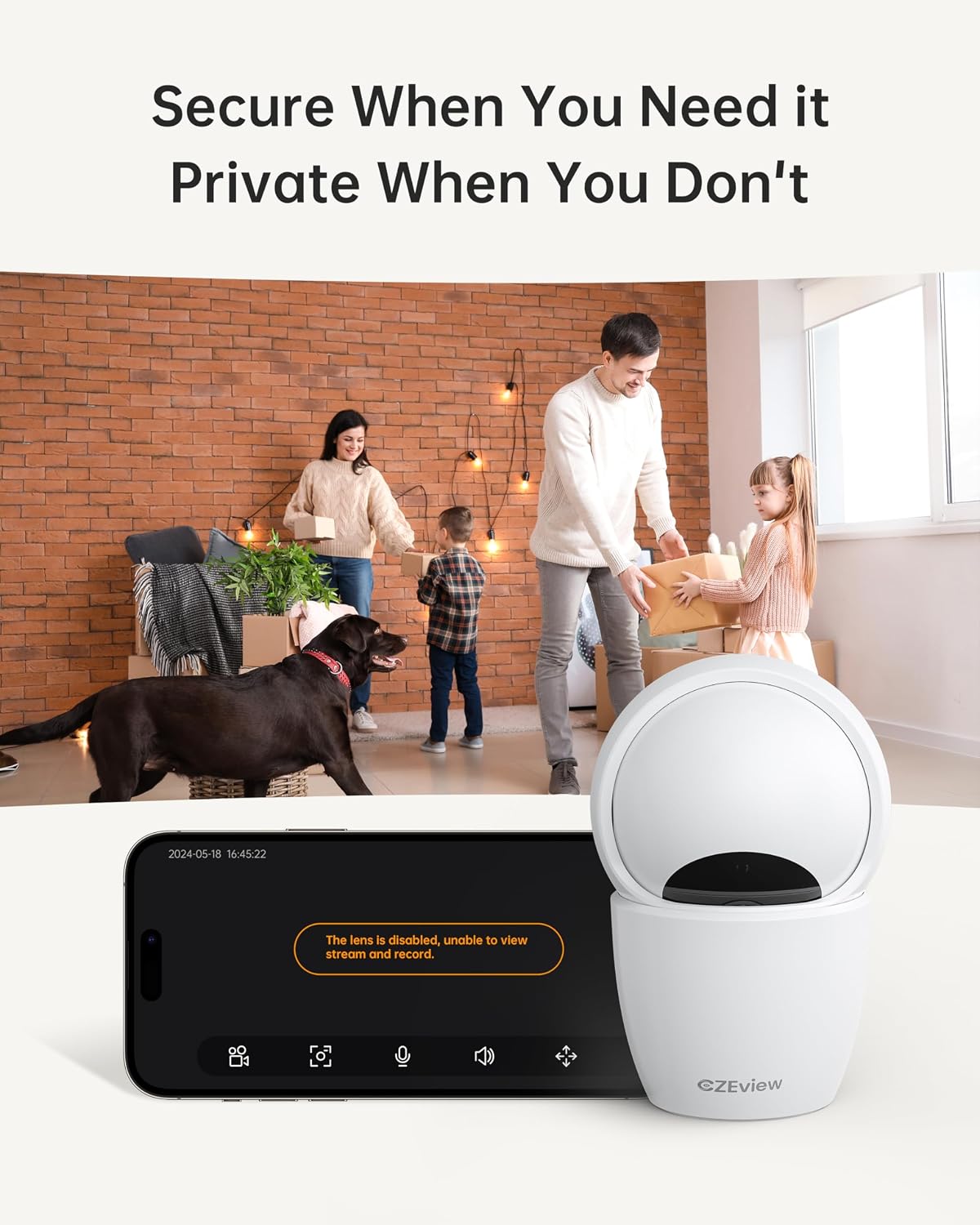
Figure 4.5.1: Privacy Mode Activation. This image illustrates the camera's privacy feature, allowing users to disable the lens for temporary suspension of streaming and recording.
- In the app, locate the privacy mode setting.
- Tap to activate or deactivate privacy mode. When active, the camera lens may physically retract or turn away.
4.6 Сактоо параметрлери
The camera supports local storage via a Micro SD card and optional cloud storage.
- Micro SD картасы: Insert a Micro SD card (up to 128GB, not included) into the designated slot. Ensure the camera is powered off before inserting or removing the card. The slot is located by tilting the camera lens upwards.
- Булуттагы сактагыч: Refer to the CZEview app for details on available cloud storage plans and subscription options.
5. Техникалык тейлөө
5.1 Камераны тазалоо
- Тазалоодон мурун камеранын өчүк экенин текшериңиз.
- Камеранын корпусун сүртүү үчүн жумшак, кургак чүпүрөктү колдонуңуз.
- For the lens, use a lens cleaning cloth specifically designed for optics to avoid scratches.
- Суюк тазалагычтарды же абразивдүү материалдарды колдонбоңуз.
5.2 Микропрограмма жаңыртуулары
- Periodically check the CZEview app for available firmware updates.
- Follow the app's instructions to update the camera's firmware to ensure optimal performance and access to new features.
6. Кыйынчылыктарды
| Көйгөй | Мүмкүн себеп | Чечим |
|---|---|---|
| Камера Wi-Fi'га туташпай жатат | Incorrect Wi-Fi password; Camera too far from router; Router issues; Incorrect Wi-Fi band (2.4GHz vs 5GHz) | Double-check Wi-Fi password. Move camera closer to router. Restart router. Ensure you are connecting to the correct Wi-Fi band (camera supports both). |
| Жандуу видео түрмөгү жок | Camera offline; Network issue; Privacy mode active | Check camera's power and Wi-Fi connection. Verify internet connectivity. Disable privacy mode in the app. |
| Видеонун сапаты начар | Low bandwidth; App resolution setting; Dirty lens | Ensure stable Wi-Fi connection. Change video quality setting to HD or 5MP in the app. Clean the camera lens. |
| Кыймылды аныктоо иштебей жатат | Detection sensitivity too low; Feature disabled in app; Obstruction in view | Adjust motion detection sensitivity in app settings. Ensure motion detection is enabled. Clear any obstructions from the camera's view. |
| Cannot insert Micro SD card | Incorrect orientation; Lens not tilted up | Ensure the card is oriented correctly. Tilt the camera lens upwards to reveal the SD card slot. |
If you encounter issues not listed here, please refer to the CZEview app's help section or contact customer support.
7. Техникалык шарттар
| Өзгөчөлүк | Деталь |
|---|---|
| Модел | ZY-D4 |
| Бренд | CZEview |
| Резолюция | 5 МП (3К) |
| Байланыш | Wi-Fi (2.4 GHz & 5 GHz) |
| Pan/Tilt диапазону | Горизонталдуу 355°, Вертикалдуу 100° |
| Сактагыч | Micro SD картасы (128 ГБ чейин, кошулган эмес), булут сактагычы (милдеттүү эмес) |
| Күч | 3 Ватт |
| Өлчөмдөрү (L x W x Y) | 7.62 x 7.62 x 12.7 см |
| Салмагы | 322 грамм |
| Материал | Металл |
| Монтаж түрү | Шыпка орнотуу |
| Түс | Экру |
8. Кепилдик жана колдоо
For warranty information and technical support, please refer to the CZEview расмий website or contact their customer service directly. Details can typically be found within the CZEview application or on the product packaging.


