1. Киришүү
The NEWFAST N300 WiFi Extender is designed to expand the coverage of your existing wireless network, eliminating Wi-Fi dead zones and providing a more reliable internet connection throughout your home or office. This device operates on the 2.4GHz band, offering data transfer rates up to 300Mbps. It supports multiple devices simultaneously, ensuring stable connectivity for streaming, gaming, and general browsing.
2. Коопсуздук маалыматы
- Аппаратты сууга же нымга тийгизбеңиз.
- Аппаратты жылуулук булактарынын жанына же тике күн нуруна коюудан алыс болуңуз.
- Use only the power adapter provided or specified by the manufacturer.
- Аппаратты балдардан алыс кармаңыз.
- Ашыкча ысып кетүүнүн алдын алуу үчүн туура желдетүүнү камсыз кылыңыз.
3. Пакеттин мазмуну
Пакетиңизде төмөнкү заттар бар экенин текшериңиз:
- NEWFAST N300 WiFi Extender x 1
- Ыкчам орнотуу колдонмосу x 1
4. Продукт бүтүп калдыview
The NEWFAST N300 WiFi Extender features a compact design with two external antennas for enhanced signal transmission and reception. It includes indicator lights for power and signal status, and a WPS button for quick setup.
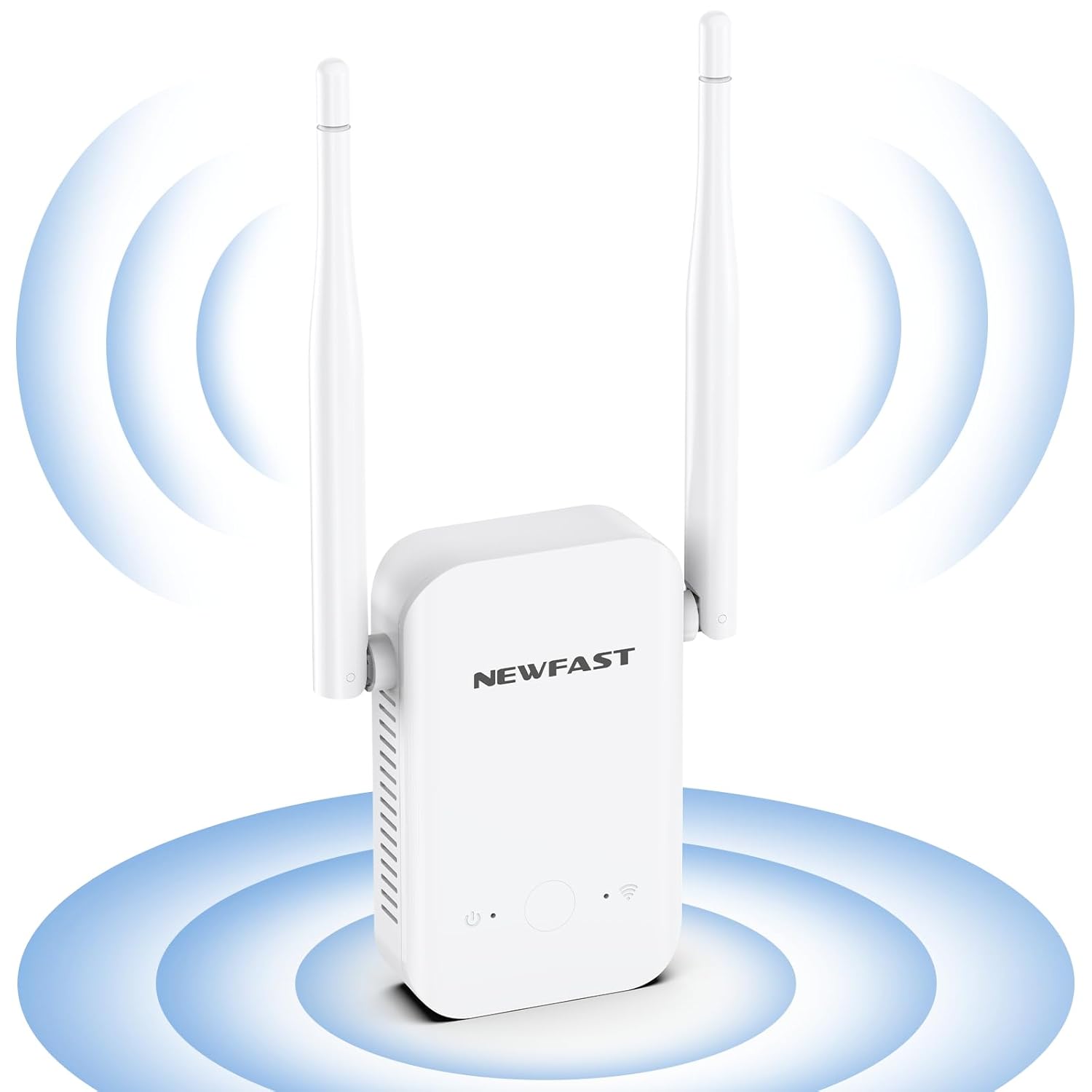
Сүрөт: алдыңкы view of the NEWFAST N300 WiFi Extender, illustrating its two external antennas and the area of signal expansion.

Сүрөт: каптал view of the NEWFAST N300 WiFi Extender, highlighting its dimensions (6.1in x 3in x 1.7in) and the heat dissipation holes designed for stable, long-term operation.
5. Орнотуу нускамалары
The NEWFAST N300 WiFi Extender can be set up using the WPS button or through a web браузер.
5.1. WPS (Wi-Fi менен корголгон орнотуу) ыкмасы
- Plug the WiFi Extender into a power outlet near your main router.
- Кеңейтүүчүдөгү Power LED катуу күйгүчө күтүңүз.
- Press the WPS button on your existing router.
- Within two minutes, press the WPS button on the NEWFAST N300 WiFi Extender.
- The Signal LED on the extender will blink and then turn solid, indicating a successful connection.
- Relocate the extender to an optimal position between your router and the Wi-Fi dead zone. Ensure the Signal LED is blue for an appropriate placement, or red if placed too far away.

Image: Step-by-step guide for WPS setup, illustrating pressing the WPS button on the router, then on the extender, and finally enjoying expanded Wi-Fi. It also shows the meaning of blue (appropriate) and red (too far) signal lights.
5.2. Web Browser Method (Manual Setup)
- Plug the WiFi Extender into a power outlet.
- On your computer or smartphone, connect to the extender's default Wi-Fi network (e.g., "NEWFAST_Ext"). No password is required initially.
- ачуу а web браузерди ачып, демейки IP дарегин (адатта 192.168.1.1 же 192.168.0.1) же орнотууну киргизиңиз URL provided in the Quick Installation Guide.
- Учурдагы Wi-Fi тармагыңызды тандап, анын сырсөзүн киргизүү үчүн экрандагы көрсөтмөлөрдү аткарыңыз.
- Configure the extender's network name (SSID) and password. You can choose to keep the same as your main network or create a new one.
- Конфигурациялангандан кийин, кеңейткич кайра жүктөлөт. Түзмөктөрүңүздү жаңы кеңейтилген тармакка кайра туташтырыңыз.
6. Иштөө нускамалары
The NEWFAST N300 WiFi Extender supports two main operating modes: Repeater Mode and AP Mode.
6.1. Repeater Mode
This is the default mode, used to extend the coverage of an existing wireless network. The extender connects wirelessly to your main router and rebroadcasts the signal, expanding its range.
6.2. AP (Кирүү чекити) режими
In AP Mode, the extender converts a wired internet connection into a wireless network. This is useful if you have an Ethernet port with internet access but need to create a Wi-Fi hotspot.
6.3. Түзмөктүн шайкештиги
The extender is compatible with any wireless network devices that comply with the 802.11b/g/n standard. This includes most routers, modems, smartphones, tablets, laptops, and smart TVs.

Image: Illustration of the NEWFAST N300 WiFi Extender providing connectivity to multiple devices such as phones, iPads, laptops, smart cameras, game consoles, and smart bulbs.

Сүрөт: үстүнкү view of a house layout demonstrating how the NEWFAST N300 WiFi Extender expands the existing Wi-Fi coverage range, eliminating dead spots and providing 360-degree network access.
7. Техникалык тейлөө
- Тазалоо: Аппаратты тазалоо үчүн жумшак, кургак чүпүрөктү колдонуңуз. Суюк тазалагычтарды же аэрозолдорду колдонбоңуз.
- Программалык камсыздоонун жаңыртуулары: Мезгил-мезгили менен өндүрүүчүнүн текшерүү webоптималдуу аткарууну жана коопсуздукту камсыз кылуу үчүн микропрограммаларды жаңыртуу үчүн сайт.
- Жайгашкан жери: Ensure the extender is placed in an open area, away from obstructions and other electronic devices that may cause interference.
8. Кыйынчылыктарды
If you encounter issues with your NEWFAST N300 WiFi Extender, refer to the following common problems and solutions:
- Сигнал жок же алсыз сигнал:
- Ensure the extender is plugged into a working power outlet.
- Relocate the extender closer to your main router. The Signal LED should be blue.
- Негизги роутериңиздин Wi-Fi тармагы туура иштеп жатканын текшериңиз.
- Cannot Connect to the Extender's Wi-Fi:
- Туура Wi-Fi сырсөзүн киргизип жатканыңызды текшериңиз.
- Restart both the extender and your device.
- Try resetting the extender to factory defaults (refer to the Quick Installation Guide for instructions) and setting it up again.
- Жай Интернет ылдамдыгы:
- While extenders improve coverage, they do not increase the original internet speed from your router.
- Ensure the extender is placed in an optimal location, not too far from the router and not too close.
- Reduce the number of devices connected to the extended network.
- Башка электрондук шаймандардын кийлигишүүсүн текшериңиз.
- WPS орнотуудагы каталар:
- Ensure you press the WPS button on both the router and extender within the specified time frame (usually 2 minutes).
- Айрым роутерлерде WPSти активдештирүү ыкмасы башкача болушу мүмкүн; роутериңиздин колдонмосун караңыз.
- Try the manual web browser setup method instead.
9. Техникалык шарттар
| Өзгөчөлүк | Деталь |
|---|---|
| Бренд | NEWFAST |
| Модел | N300 |
| Зымсыз байланыш стандарты | IEEE 802.11b/g/n |
| Маалыматтарды өткөрүү ылдамдыгы | Секундасына 300 Мегабитке чейин |
| Жыштык тилкесинин классы | Бир тилкелүү (2.4 ГГц) |
| Антенналар | 2 External High Gain Antennas |
| Коопсуздук протоколдору | WEP, WPA/WPA2 |
| Шайкеш түзмөктөр | Laptop, Smart Television, Smartphone, Tablet |
| Өзгөчөлүктөр | LED Indicator, Heat Dissipation Design |
10. Кепилдик жана колдоо
NEWFAST products are carefully inspected before shipping. For warranty information and technical support, please refer to the contact details provided in your product packaging or visit the official NEWFAST webсайт. Сатып алуу квитанциясын кепилдик дооматтары үчүн сатып алуунун далили катары сактаңыз.


