1. Киришүү
Thank you for choosing the THOKWOK TK-X2 Motorcycle Bluetooth Headset. This manual provides detailed instructions for the proper installation, operation, and maintenance of your device. Please read this manual thoroughly before use to ensure optimal performance and safety.
Коопсуздук чаралары:
- Always prioritize road safety. Do not operate the device in a manner that distracts you from riding.
- Айдоодон мурун аппарат туулгаңызга бекем орнотулганын текшериңиз.
- Adjust volume to a safe level that allows you to hear ambient traffic sounds.
- Түзмөктү бөлүктөргө бөлүүгө же өзгөртүүгө аракет кылбаңыз. Бул кепилдикти жокко чыгарып, зыян келтириши мүмкүн.
2. Кутуда эмне бар
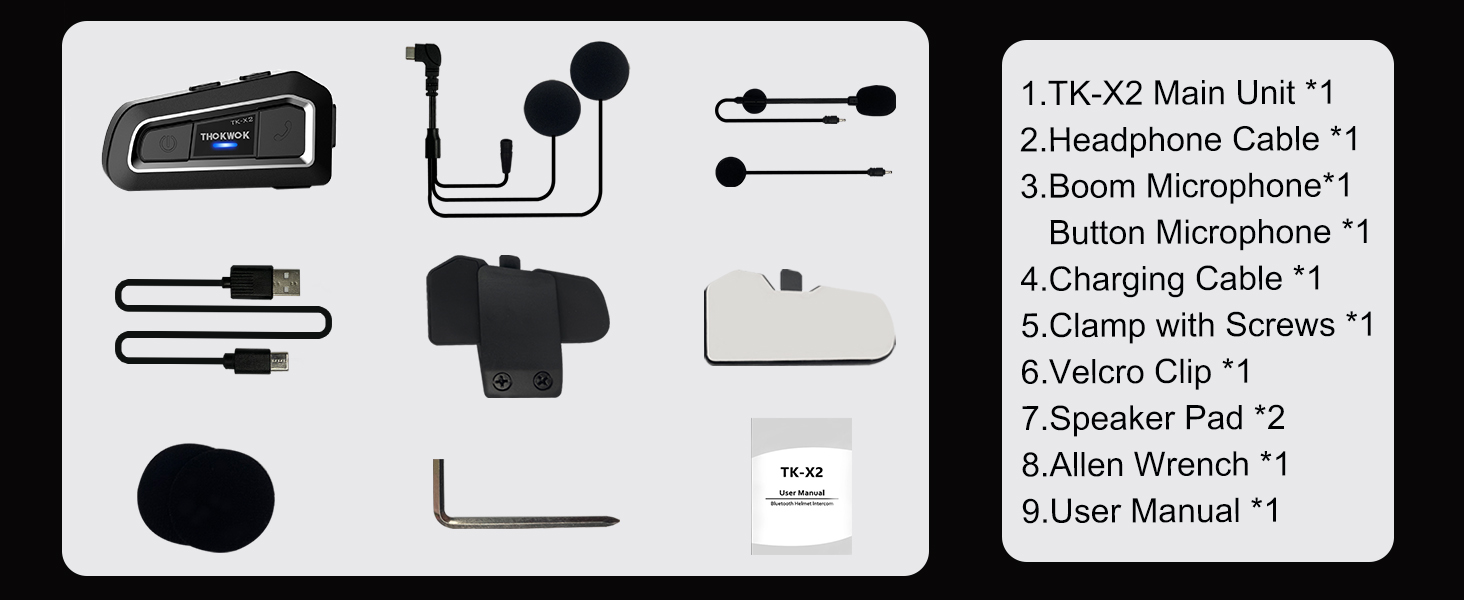
Орнотууну улантуудан мурун бардык компоненттер бар экенин текшериңиз.

TK-X2 Main Unit

Boom микрофону

Button Microphone

Headphone Cable & Charging Cable
Clamp бурамалар менен
Velcro Clip
Динамик площадкалары
Аллен Wrench
User Manual
3. Продукт бүтүп калдыview
The THOKWOK TK-X2 features an intuitive button layout for easy operation even with gloves. Below is a diagram highlighting the main unit and its components.
Main Unit: Power Button (left), Function Button (middle), Phone Button (right).
Key Features: Bluetooth 5.0, 3 Riders' Group, FM Radio, Hi-Fi Stereo, DSP&CVC Noise Reduction, Voice Assistant, IP67 Waterproof, 650mAh Battery.
4. Орнотуу
The TK-X2 offers flexible installation options to suit various helmet types.
4.1. Негизги блокту монтаждоо
Cl же дал ушул эки варианттын бирин колдонуңузamp with screws or the velcro clip to attach the main unit to the side of your helmet. Ensure it is securely fastened and does not obstruct your vision or helmet functionality.
4.2. Microphone Options
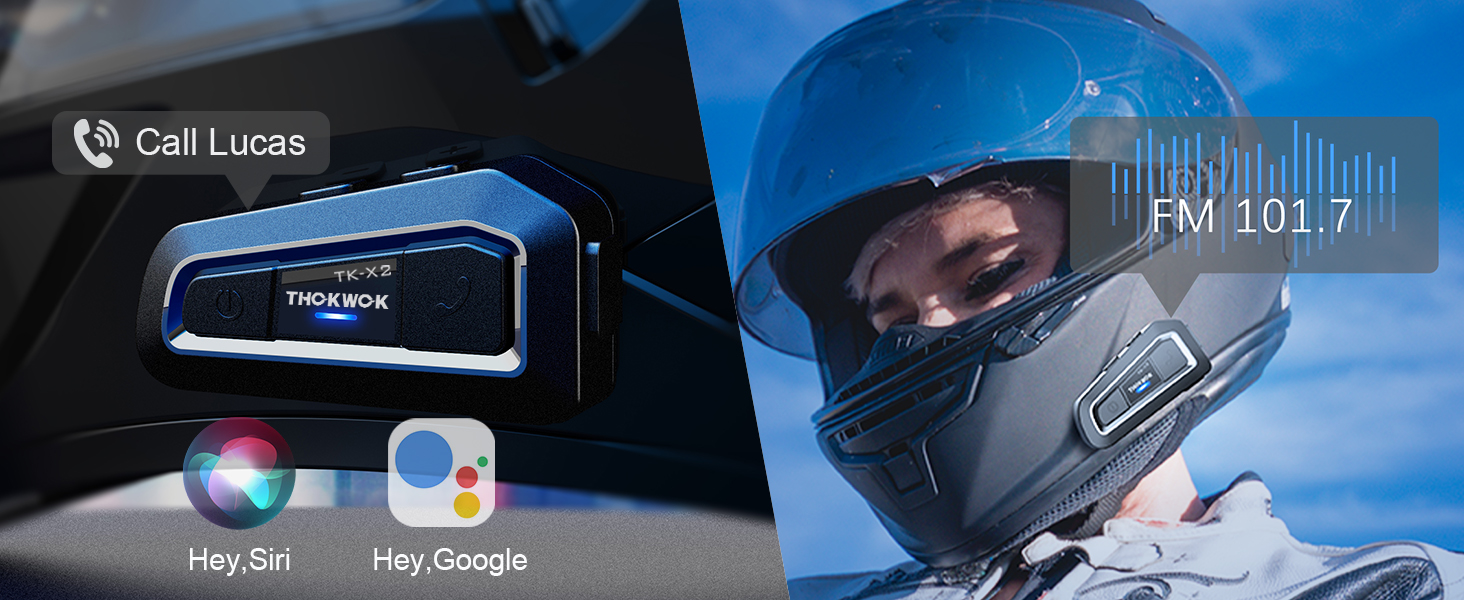
The TK-X2 includes two interchangeable microphones for different helmet styles:
- Бум микрофону: Ideal for open-face or flip-face (modular) helmets.
- Button Microphone: Бетти толук жаап турган туулгаларга ылайыктуу.

Choose the appropriate microphone for your helmet type.
5. Орнотуу жана жупташтыруу
5.1. Телефон менен Bluetooth жупташтыруу
To connect your TK-X2 headset to your smartphone:
- Ensure the TK-X2 is powered off.
- Long press the Power button for 4 seconds until the red and blue lights flash alternately. This indicates pairing mode.
- On your phone, turn on Bluetooth and search for "TK-X2".
- Select "TK-X2" to connect. Once connected, the blue light on the headset will flash slowly.
Video: Demonstrates pairing the TK-X2 with a smartphone for music and call functions.
5.2. Intercom Pairing (Multiple Units)
The TK-X2 supports intercom communication for up to 3 riders, with 2 riders talking simultaneously. Before pairing, ensure all units have their previous Bluetooth pairing records cleared by long pressing the Power and Phone buttons simultaneously for 8 seconds until pink lights flash twice.
5.2.1. Two-Way Intercom Pairing
- Turn on both TK-X2 units.
- On both units, long press the Power button for 4 seconds until red and blue lights flash alternately (pairing mode).
- Click the Power button on one of the units to initiate pairing.
- Once paired, the blue lights on both units will flash slowly, and you will hear "Intercom connected".
5.2.2. Three-Way Intercom Pairing
- Clear all previous pairing records on all three units (A, B, C) as described above.
- Turn on all three units.
- Pairing A and B: On units A and B, long press the Power button for 4 seconds until red and blue lights flash alternately. Click the Power button on unit A to pair. Once paired, blue lights flash slowly.
- Pairing B and C: On unit B, click the Power button to hang up the intercom. On units B and C, long press the Power button for 4 seconds until red and blue lights flash alternately. Click the Power button on unit B to pair. Once paired, blue lights flash slowly.
- Pairing C and A: On unit C, click the Power button to hang up the intercom. On units C and A, long press the Power button for 4 seconds until red and blue lights flash alternately. Click the Power button on unit C to pair. Once paired, blue lights flash slowly.
- Initiating 3-Way Intercom: Double-click the Power button on unit A to talk with C. Click the Power button on unit C to talk with B.
Video: Illustrates the process of pairing two and three TK-X2 units for intercom communication.
6. Операция
6.1. Негизги башкаруу элементтери
- Күйгүзүү/өчүрүү: Кубат баскычын 2 секунд басып туруңуз.
- Музыканы ойнотуу/тындыруу: Click the Function button.
- Кийинки ыр: Click the Phone button.
- Мурунку ыр: Кубат баскычын чыкылдатыңыз.
- Көлөмү: Long press the Phone button. You will hear a "Di" sound when maximum volume is reached.
- Үнүн азайтуу: Кубат баскычын көпкө басып туруңуз.
- Чалууга жооп берүү/аяктоо: Click the Phone button.
- Чакырууну четке кагуу: Long press the Phone button for 2 seconds.
- Voice Assistant (Siri/S-Voice): Long press the Function button for 2 seconds. You will hear "Voice Dial".
- FM радио күйгүзүү/өчүрүү: Double-click the Function button. You will hear "Turn on radio" or "Turn off radio".
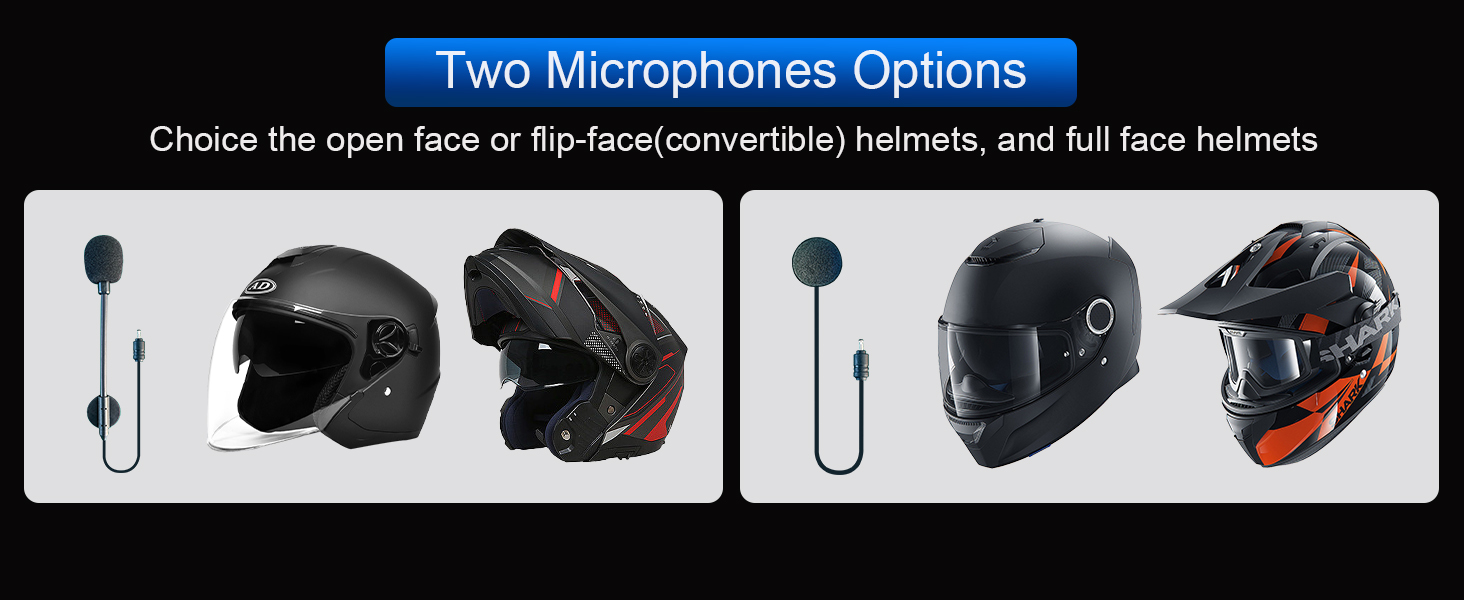
Access voice assistant and FM radio with simple button presses.
6.2. Домофонду колдонуу
- Домофонду баштоо: Click the Power button (after successful pairing).
- Домофондун аягы: Кубат баскычын чыкылдатыңыз.
- When an intercom call is active, music playback will automatically pause. Music will resume when the intercom call ends.
7. Техникалык тейлөө
7.1. Заряддоо
The TK-X2 features a built-in 650mAh Lithium Polymer battery. Connect the charging cable to the Type-C port on the unit and a suitable USB power source. A full charge takes approximately 2.5 hours. The device will broadcast battery status upon power-on: "Battery full", "Battery medium", or "Battery low".

Enjoy up to 24 hours of music or intercom time and 280 hours of standby time.
7.2. Тазалоо жана сактоо
The TK-X2 has a waterproof design (IP67 rated), allowing use in various weather conditions. To clean, wipe the unit with a soft, damp cloth. Avoid using harsh chemicals or abrasive materials. Store the device in a cool, dry place when not in use.
The waterproof design ensures durability in various riding environments.
8. Кыйынчылыктарды
| Көйгөй | Мүмкүн себеп | Чечим |
|---|---|---|
| Күйгүзүлбөй жатат | Батарея аз | Аппаратты кеминде 2.5 саатка заряддаңыз. |
| Телефон менен жупташтыруу мүмкүн эмес | Device not in pairing mode / Phone Bluetooth off / Previous pairing conflict | Ensure TK-X2 is in pairing mode (red & blue flashing). Turn on phone Bluetooth. Clear previous pairing records on TK-X2 and try again. |
| Домофон туташпай жатат | Units not in pairing mode / Previous pairing conflict | Ensure all units are in pairing mode. Clear all previous pairing records on all units and re-pair. |
| Үн сапаты начар / Ызы-чуу | Microphone/speaker placement / Environmental noise | Adjust microphone and speaker position inside the helmet. Ensure microphone is close to your mouth. The device features DSP & CVC noise cancellation for high-speed clarity. |
| FM радио иштебейт | Weak signal / Feature not activated | Move to an area with better signal. Double-click the Function button to activate FM radio. |
9. Техникалык шарттар
| Өзгөчөлүк | Деталь |
|---|---|
| Модель аты | TK-X2 Single |
| Bluetooth версиясы | 5.1 |
| Домофон аралык | Up to 1000m (no obstacles) |
| Макс Райдерс (домофон) | 3 (2 simultaneous talk) |
| Noise Control | Active Noise Cancellation (DSP & CVC) |
| Батарея түрү | Литий Полимер (650mAh) |
| Music/Intercom Time | 24 саатка чейин |
| Күтүү убактысы | 280 саатка чейин |
| Заряддоо убактысы | Болжол менен 2.5 саат |
| Сууга туруктуулук деңгээли | Суу өткөрбөйт (IP67) |
| Наушник уясы | Type-C |
| Өлчөмдөр | 3 x 1.6 x 0.83 дюйм |
| Элемент Салмагы | 8.4 унция |
| Материал | Акрилонитрил бутадиен стирол (ABS) |
10. Кепилдик жана колдоо
THOKWOK products are designed and manufactured to the highest quality standards. For warranty information, technical support, or customer service inquiries, please refer to the contact information provided on your product packaging or visit the official THOKWOK webсайт.
Кепилдик дооматтары үчүн сатып алганыңыздын далилин сактап коюңуз.


