1. Киришүү
This manual provides detailed instructions for the installation, operation, and maintenance of your Agunto AGU-OC1 & AGU-IC1 Security Camera Set. Please read this manual thoroughly before using the product to ensure proper functionality and safety.
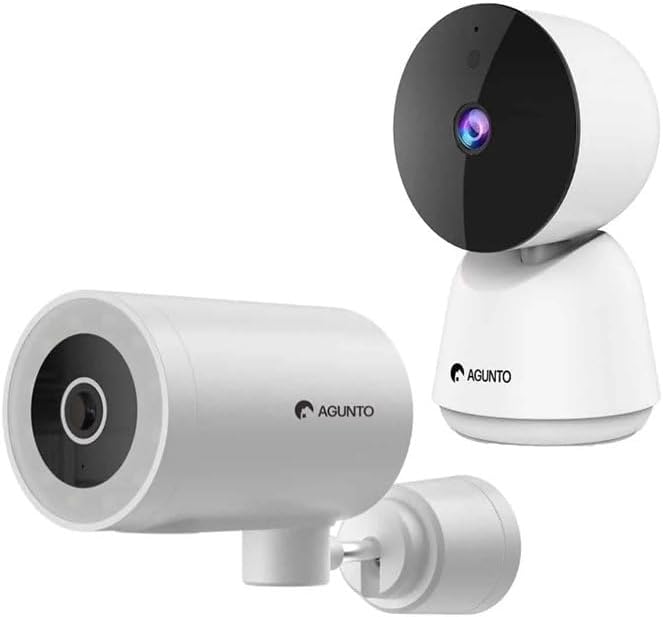
Image: The Agunto AGU-OC1 outdoor camera (left) and AGU-IC1 indoor camera (right), forming the complete security camera set.
2. Продукт бүтүп калдыview
The Agunto Security Camera Set includes two primary components: the AGU-OC1 outdoor camera and the AGU-IC1 indoor camera. This system is designed to provide comprehensive surveillance for both indoor and outdoor environments.
2.1. AGU-OC1 Outdoor Camera
- Чечим: 1080P
- Объектив: 180-degree rotatable lens
- Аба ырайынын туруктуулугу: IP66 суу жана чаң өткөрбөйт
- Түнкү көрүнүш: Infrared night vision and color night vision (due to built-in lamp)
- Аныктоо: Кыймыл жана үн аныктоо
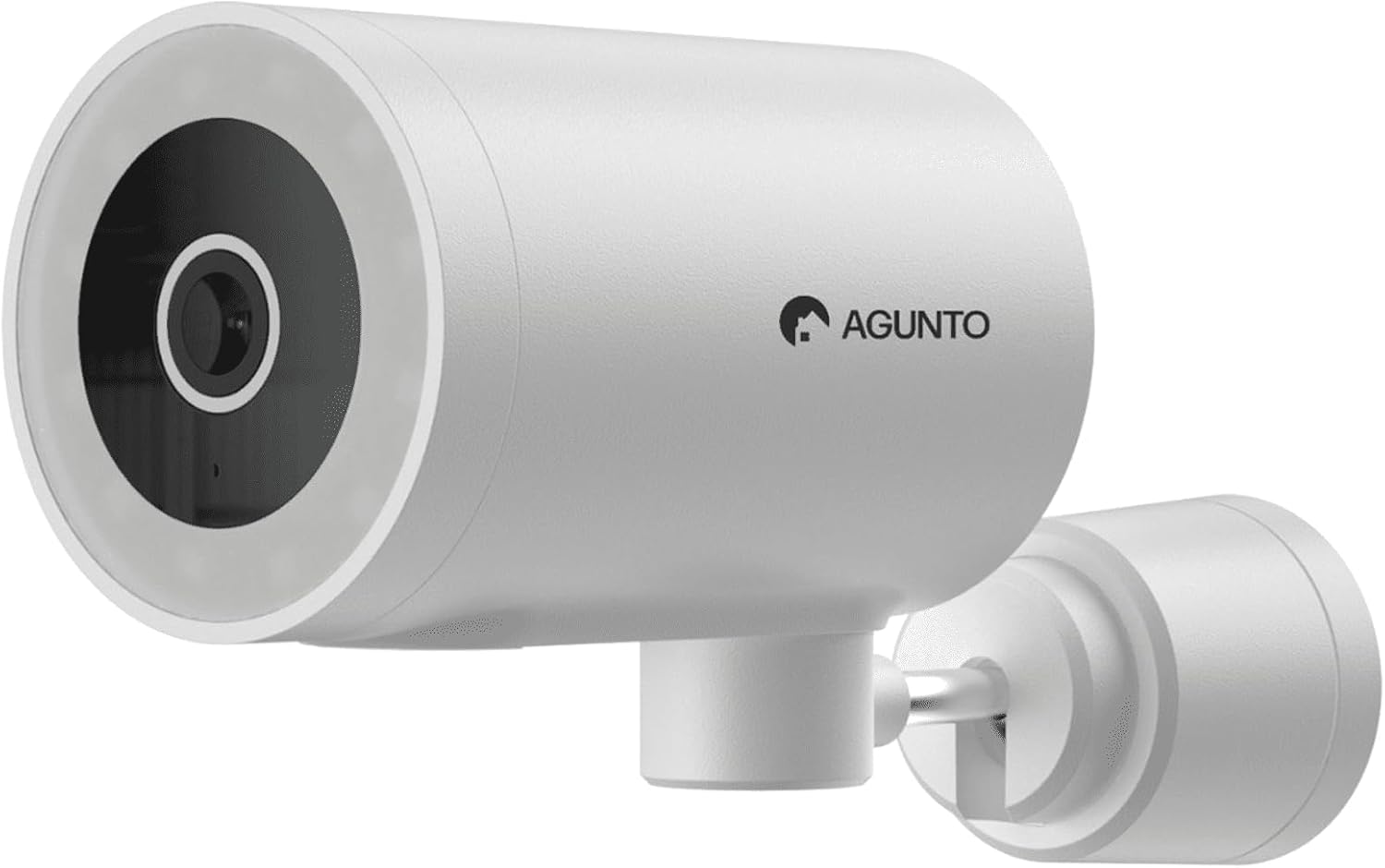
Сүрөт: деталдуу view of the Agunto AGU-OC1 outdoor camera, highlighting its robust design and lens.
2.2. AGU-IC1 Indoor Camera
- Чечим: 1080P
- Объектив: 359-degree rotatable lens
- Түнкү көрүнүш: Инфракызыл түнкү көрүнүш
- Аныктоо: Кыймыл жана үн аныктоо

Image: The Agunto AGU-IC1 indoor camera, shown with its product packaging, indicating Wi-Fi connectivity and Google Assistant compatibility.
3. Орнотуу жана орнотуу
3.1. Баштоодон мурун
- Ensure you have a stable Wi-Fi connection.
- Download the free Agunto app from the App Store (iOS) or Google Play Store (Android).
- Unpack all components and verify contents against the packing list.

Image: A screenshot of the Agunto mobile application interface, demonstrating remote control capabilities and links to download the app from the App Store and Google Play.
3.2. Колдонмону орнотуу жана каттоо эсебин түзүү
- Издөө "Agunto" in your device's app store and install the application.
- Open the Agunto app and follow the on-screen prompts to create a new account or log in if you already have one.
3.3. Камераны жайгаштыруу жана орнотуу
AGU-OC1 Outdoor Camera:
- Түшүнүктүү жерди тандаңыз view сиз көзөмөлдөгүңүз келген аймак.
- Камеранын Wi-Fi тармагыңыздын чегинде экенин текшериңиз.
- Mount the camera securely to a wall using the provided mounting hardware. The camera supports wall mounting.
AGU-IC1 Indoor Camera:
- Place the camera on a flat surface or mount it to a wall/ceiling in a central location for optimal coverage.
- Ensure it is within Wi-Fi range.
3.4. Connecting Cameras to the App
- Open the Agunto app.
- Жаңы түзмөк кошуу үчүн "+" сөлөкөтүн таптаңыз.
- Select the appropriate camera model (AGU-OC1 or AGU-IC1).
- Follow the in-app instructions to connect each camera to your Wi-Fi network. This typically involves scanning a QR code displayed on your phone with the camera's lens or entering Wi-Fi credentials.
- Once connected, you can name each camera for easy identification.
4. Иштөө нускамалары
4.1. Түз эфир View жана Алыстан башкаруу
- Open the Agunto app.
- Select the desired camera from the device list to view анын жандуу тоюту.
- For AGU-OC1, use the app to rotate the 180-degree lens.
- For AGU-IC1, use the app to control the 359-degree pan/tilt function.
4.2. Жаздыруу жана сактоо
The camera set supports two storage options:
- Micro SD картасы: Insert a Micro SD card (not included) into the designated slot on each camera for local storage of recordings.
- Булуттагы сактагыч: Utilize the cloud storage options provided through the Agunto app (subscription may be required).
4.3. Түнкү көрүнүш
- Both cameras feature infrared night vision for clear images in low-light conditions.
- The AGU-OC1 outdoor camera also has a built-in lamp for color night vision, providing enhanced visibility at night.
4.4. Кыймыл жана үн аныктоо
- Enable motion and sound detection in the Agunto app settings for each camera.
- Receive real-time alerts on your smartphone when motion or sound is detected.
- Жалган коңгуроолорду азайтуу үчүн сезгичтик жөндөөлөрүн тууралаңыз.
5. Техникалык тейлөө
- Тазалоо: Gently wipe the camera lenses and body with a soft, dry cloth. Do not use harsh chemicals or abrasive cleaners.
- Программалык камсыздоонун жаңыртуулары: Regularly check the Agunto app for available firmware updates to ensure optimal performance and security.
- Тармактын туруктуулугу: Ensure your Wi-Fi network remains stable for uninterrupted camera operation.
6. Кыйынчылыктарды
6.1. Камера Wi-Fiга туташпай жатат
- Wi-Fi сырсөзүңүздүн туура киргизилгенин текшериңиз.
- Камераны Wi-Fi роутериңизге жакыныраак жылдырыңыз.
- Роутериңизди жана камераңызды өчүрүп күйгүзүңүз.
- Verify that your Wi-Fi network is 2.4GHz, as these cameras may not support 5GHz networks.
6.2. No Live View / Offline Camera
- Интернет байланышыңызды текшериңиз.
- Камера күйгүзүлгөнүн текшериңиз.
- Restart the camera from its power source.
- Эгер көйгөй чечилбесе, камераны колдонмо менен кайра жупташтырып көрүңүз.
6.3. Кыймылды аныктоо иштебей жатат
- Колдонмонун жөндөөлөрүндө кыймылды аныктоо иштетилгенин текшериңиз.
- Сезгичтик деңгээлин тууралаңыз.
- Камераны тоскон эч кандай тоскоолдуктар жок экенин текшериңиз view.
6.4. Сүрөттүн сапаты начар
- Камера линзасын тазалаңыз.
- Көзөмөлгө алынган аймакта шайкеш жарыктандырууну камсыз кылуу.
- Check your internet speed, as low bandwidth can affect streaming quality.
7. Техникалык шарттар
| Өзгөчөлүк | Деталь |
|---|---|
| Бренд | Agunto |
| Модель аты | AGU-OC1IC1 |
| Connectivity Protocol | Wi-Fi |
| Шайкеш түзмөктөр | Смартфон |
| Монтаж түрү | Дубалга орнотуу |
| Материал | Пластик |
| Продукциянын өлчөмдөрү (У x Б x Б) | 10 x 4.4 x 7.3 см |
| Элемент Салмагы | 78 грамм |
| Батареялар талап кылынат | Жок |
| Outdoor Camera (AGU-OC1) Features | 1080P, 180-degree rotatable lens, IP66 waterproof/dustproof, Infrared & Color Night Vision |
| Indoor Camera (AGU-IC1) Features | 1080P, 359-degree rotatable lens, Infrared Night Vision |
| Сактагыч параметрлери | Micro SD card (local), Cloud storage |
8. Кепилдик жана колдоо
For warranty information and technical support, please refer to the official Agunto website or contact their customer service. The product is designed for long-term use with proper care and maintenance.
Кайтаруу саясаты: The buybox winner indicates a 30-day return policy for refund/replacement.
Өндүрүүчү: Agunto
Сатуучу: Homevitaal (via Amazon.nl)
Кошумча жардам алуу үчүн, сиз иш сапары менен болот Agunto Store on Amazon.


