Introduction
This manual provides essential information for the safe and effective operation of your Gemini Sound GSP-L2200PK Powered DJ Speaker System. This bundle includes a 2200W 15-inch powered Bluetooth PA speaker with sound-reactive LED lighting, a speaker stand, a Polsen M-85 microphone with cable, two Auray MS-5230F tripod microphone stands, and an XLR-XLR cable. Please read this manual thoroughly before use and retain it for future reference.
Маанилүү коопсуздук нускамалары
- Бул нускамаларды окуңуз.
- Бул көрсөтмөлөрдү сактаңыз.
- Бардык эскертүүлөргө кулак сал.
- Бардык нускамаларды аткарыңыз.
- Бул аппаратты суунун жанында колдонбоңуз.
- Кургак чүпүрөк менен гана тазалаңыз.
- Эч кандай желдетүүчү тешиктерди жаап албаңыз. Өндүрүүчүнүн көрсөтмөлөрүнө ылайык орнотуу.
- Радиаторлор, жылуулук регистрлери, мештер же башка аппараттар (анын ичинде) сыяктуу жылуулук булактарынын жанына орнотпоңуз ampкөтөргүчтөр) жылуулукту пайда кылуучу.
- Поляризацияланган же жерге туташтыруучу сайгычтын коопсуздук максатын жокко чыгарбаңыз. Поляризацияланган сайгычтын эки бычагы бар, бири экинчисинен кенен. Жерге туташтыруучу түрдөгү сайгычтын эки бычак жана үчүнчү жерге туташтыруучу тиштери бар. Кең бычак же үчүнчү тиш сиздин коопсуздугуңуз үчүн берилген. Эгерде берилген сайгыч розеткага туура келбесе, эскирген розеткаңызды алмаштыруу үчүн электрикке кайрылыңыз.
- Электр шнурунун басылып кетүүсүнөн же кысып калуудан сактаңыз, айрыкча сайгычтарга, розеткаларга жана алар аппараттан чыга турган жерине.
- Өндүрүүчү тарабынан көрсөтүлгөн тиркемелерди/аксессуарларды гана колдонуңуз.
- Өндүрүүчү белгилеген же аппарат менен бирге сатылган араба, стенд, штатив, кронштейн же үстөл менен гана колдонуңуз. Араба колдонулганда, оодарылып кетүүдөн жаракат албаш үчүн арабаны/аппаратты айкалыштырууда этият болуңуз.
- Бул аппаратты чагылгандуу бороондордо же узак убакыт бою колдонбогондо электр розеткасынан ажыратыңыз.
- Бардык тейлөөлөрдү квалификациялуу тейлөө кызматкерлерине тапшырыңыз. Аппарат кандайдыр бир зыянга учураганда, мисалы, кубат берүүчү шнур же сайгыч бузулганда, суюктук төгүлгөндө же аппараттын ичине нерселер түшкөндө, аппарат жамгырга же нымдуулукка дуушар болгондо, нормалдуу иштебей калганда тейлөө талап кылынат. , же түшүрүлгөн.
Пакеттин мазмуну
Төмөндө тизмеленген нерселердин баары пакетиңизге камтылганын текшериңиз:
- 1x Gemini 2200W 15" Powered Bluetooth PA Speaker with Lights
- 1x Динамик стенд
- 1x Polsen M-85 Professional Dynamic Handheld Microphone
- 1x Microphone Cable (XLR to 1/4")
- 1x Кубат Сымы
- 1x XLR-XLR Cable (20")
- 2x Auray MS-5230F Tripod Microphone Stand with Fixed Boom
- 2x Cable-Guide Clip (for mic stands)
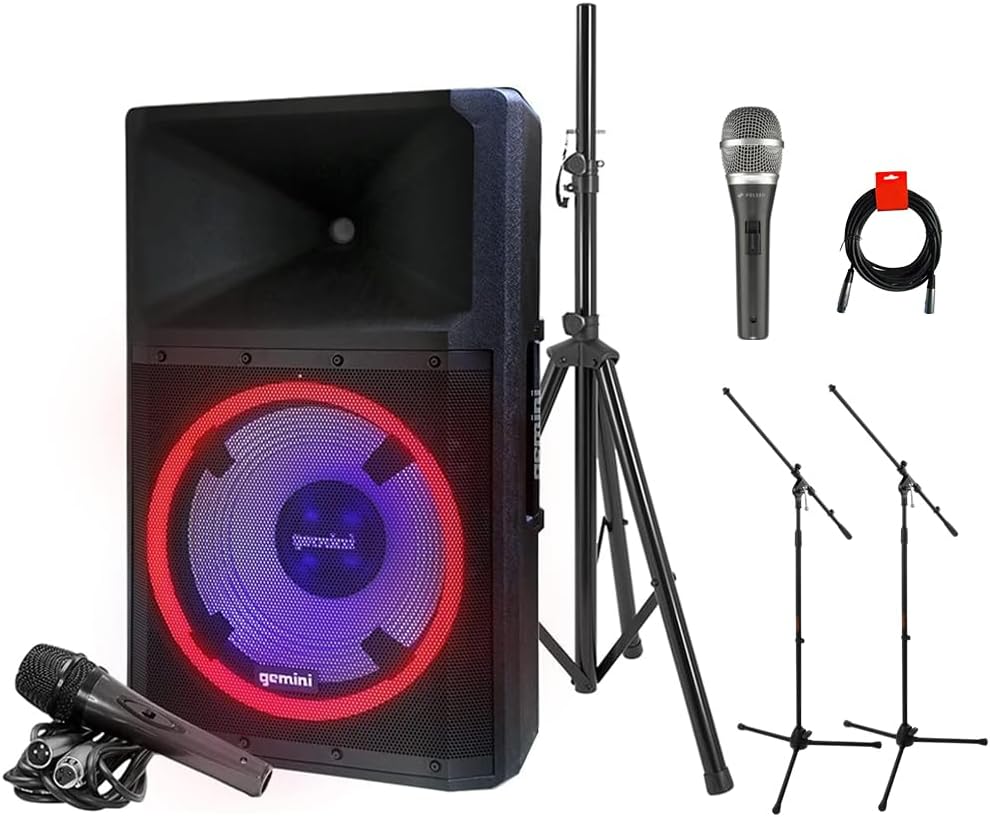
Image: The complete GSP-L2200PK bundle, showing the main speaker, a speaker stand, a Polsen M-85 microphone, two tripod microphone stands, and an XLR cable.
Продукт бүттүview
Gemini GSP-L2200PK Powered Speaker
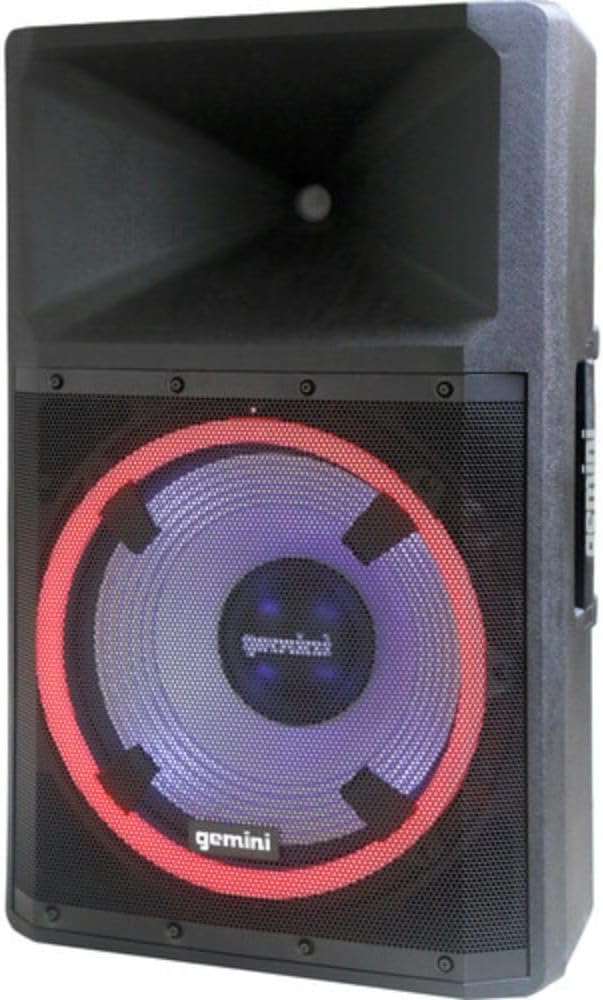
Сүрөт: алдыңкы view of the Gemini GSP-L2200PK speaker, highlighting the 15-inch woofer with its illuminated LED ring and the horn tweeter.

Image: Rear panel of the Gemini GSP-L2200PK speaker, displaying the various input and output connections, volume controls, and the built-in media player interface.
The GSP-L2200PK is a powerful 15-inch bi-amped PA speaker featuring a 2200W peak output. It includes a 15" low-frequency woofer, a 3" voice coil, and a 1.35" tweeter for clear audio reproduction. The speaker is equipped with a three-channel mixer, individual gain controls, and a built-in media player that supports Bluetooth, SD cards, and USB drives. It also features adjustable full-color LED party lighting and a telescopic handle with wheels for portability.
Polsen M-85 Professional Dynamic Handheld Microphone

Image: The Polsen M-85 Professional Dynamic Handheld Microphone, a cardioid microphone with durable all-metal construction and an on/off switch.
The Polsen M-85 is a cardioid dynamic microphone designed for clear vocal reproduction. It features durable all-metal construction and a balanced XLR output connector for reliable performance.
Auray MS-5230F Tripod Microphone Stands
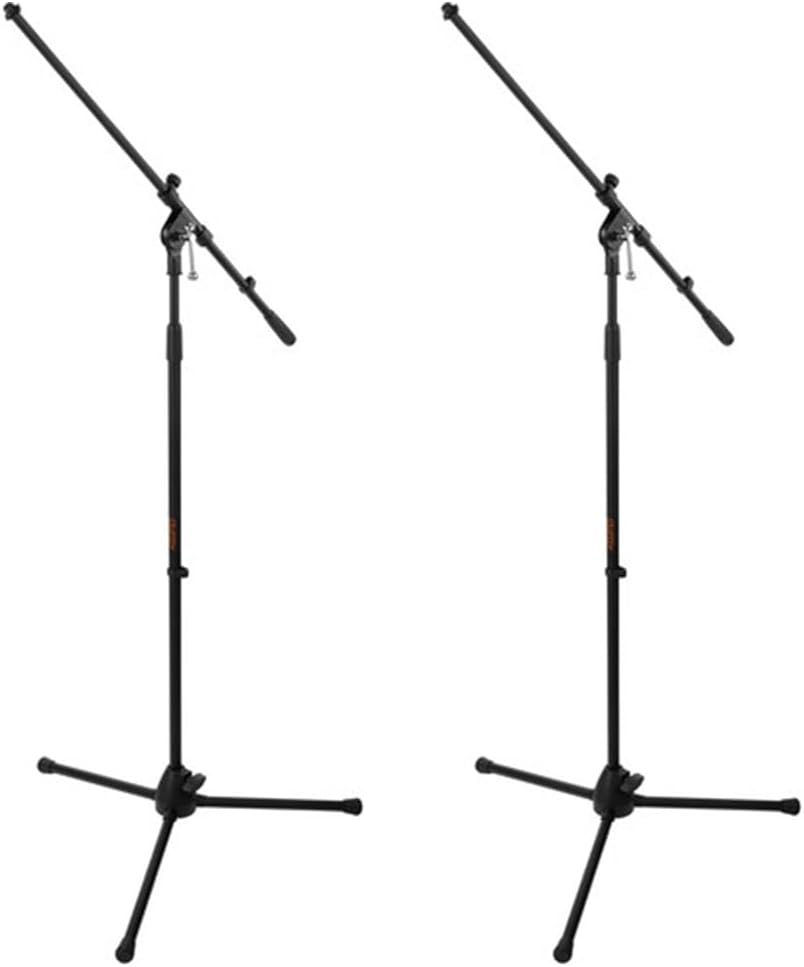
Image: Two Auray MS-5230F Tripod Microphone Stands, featuring a stable tripod base and a fixed boom arm for microphone positioning.
The MS-5230F stands feature durable steel construction with a stable tripod base and a fixed boom arm, ideal for various microphone placements.
Кабельдер

Image: A coiled 20-inch XLR-XLR cable, used for connecting audio equipment.
The bundle includes a power cord for the speaker, an XLR to 1/4" cable for the Polsen M-85 microphone, and a 20-inch XLR-XLR cable for linking speakers or other audio devices.
Орнотуу колдонмосу
1. Спикердин жайгашуусу
- Unpack the GSP-L2200PK speaker and the speaker stand.
- Extend the legs of the speaker stand to form a stable tripod base. Ensure the locking mechanisms are securely fastened.
- Carefully lift the GSP-L2200PK speaker and place it onto the pole of the speaker stand. Ensure it is seated firmly and securely.
- Position the speaker in a central location, elevated for optimal sound dispersion. Avoid placing it directly against walls or in corners, which can affect bass response.
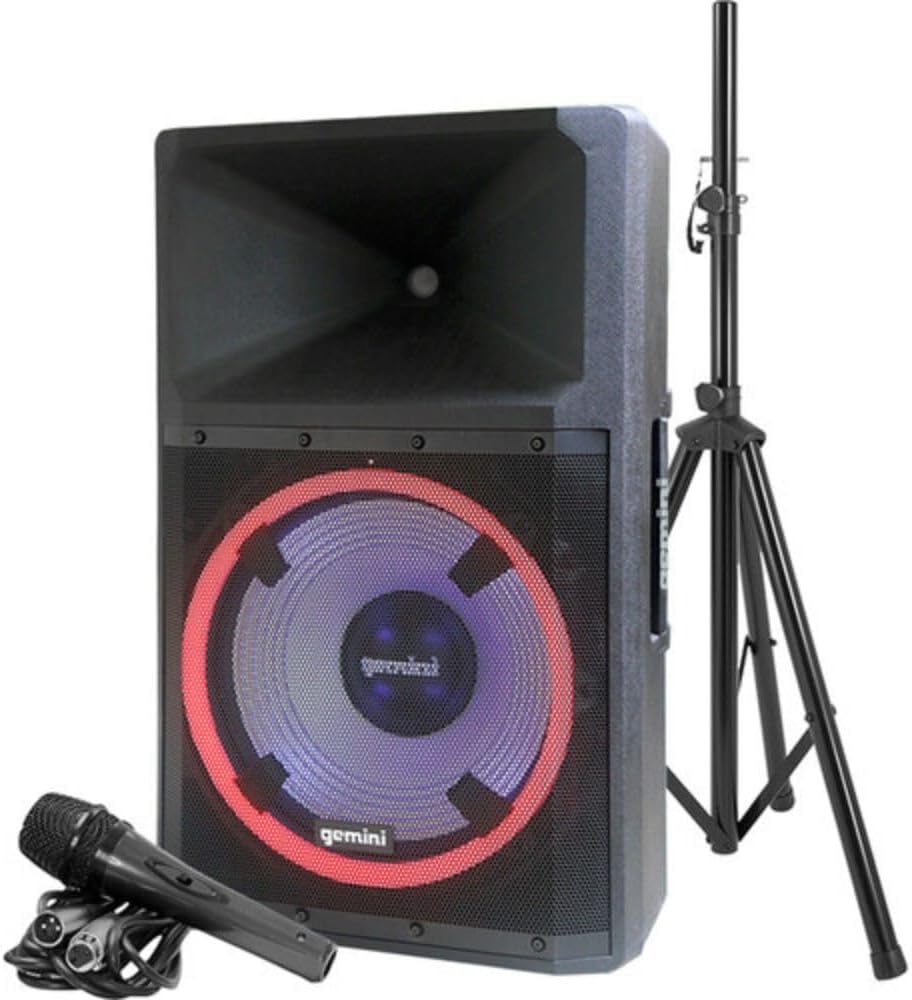
Image: The Gemini GSP-L2200PK speaker correctly mounted on its included stand, with the Polsen M-85 microphone positioned in front.
2. Микрофонду орнотуу
- Assemble the Auray MS-5230F tripod microphone stands by extending the legs and attaching the fixed boom arm.
- Attach the microphone clip to the boom arm of the stand.
- Insert the Polsen M-85 microphone into the microphone clip.
- Connect the XLR end of the provided microphone cable (XLR to 1/4") to the Polsen M-85 microphone.
- Connect the 1/4" end of the microphone cable to one of the Microphone Input (XLR/1/4" Combo) jacks on the rear panel of the GSP-L2200PK speaker.
3. Power Connection
- Динамиктин кубат которгучу ӨЧҮРҮҮ абалында экенин текшериңиз.
- Connect the provided power cord to the AC INLET on the rear panel of the speaker.
- Электр шнурунун экинчи учун ылайыктуу AC розеткага сайыңыз.
Иштөө нускамалары
1. Powering On and Initial Volume Settings
- Before powering on, ensure all volume knobs (Master, Mic, Line, Media Player) are set to their minimum (counter-clockwise) position.
- Flip the POWER switch on the rear panel to the ON position. The power indicator light will illuminate.
- Slowly increase the MASTER VOLUME to a low listening level.
2. Bluetooth Жупташтыруу
- On the speaker's media player, select the Bluetooth mode. The Bluetooth indicator will flash, indicating it's ready for pairing.
- Смартфонуңузда, планшетиңизде же компьютериңизде Bluetooth'ду күйгүзүп, жеткиликтүү түзмөктөрдү издеңиз.
- Select "GSP-L2200PK" from the list of devices. Once paired, the Bluetooth indicator on the speaker will become solid.
- You can now stream audio wirelessly to the speaker. Adjust the MEDIA PLAYER VOLUME knob for the desired level.
3. Wired Audio Inputs
- Микрофон кириштери: Connect your Polsen M-85 microphone (or other XLR/1/4" microphones) to the MIC INPUT 1 or MIC INPUT 2 jacks. Adjust the corresponding MIC VOLUME knob.
- Line Inputs: For other audio sources (e.g., mixer, instrument, non-Bluetooth player), use the LINE INPUTS (XLR, RCA, or 3.5mm AUX). Connect your device and adjust the LINE VOLUME knob.
- Гитара киргизүү: The 1/4" input can also be used for guitar connection.
4. LED жарыктандыруу башкаруу
The GSP-L2200PK features built-in LED lights with several operational modes. Refer to the controls on the rear panel to cycle through different lighting effects, including sound-reactive modes, or to turn the lights off.
5. TWS Linking (True Wireless Stereo)
For a stereo sound experience, you can wirelessly link two GSP-L2200PK speakers. Consult the speaker's specific TWS linking instructions, usually involving pressing a dedicated TWS button on both units until they pair.
6. XLR чыгаруу
The XLR OUTPUT allows you to link additional powered speakers or send the mixed audio signal to another sound system. Use the provided XLR-XLR cable for this connection.
Техникалык тейлөө
- Тазалоо: Always unplug the speaker before cleaning. Use a soft, dry cloth to wipe down the exterior surfaces. Do not use abrasive cleaners, waxes, or solvents.
- Сактагыч: When not in use for extended periods, store the speaker and accessories in a cool, dry place, away from direct sunlight and extreme temperatures.
- Кабелдер: Inspect all cables regularly for signs of wear or damage. Replace any damaged cables immediately to ensure safe operation.
- Вентиляция: Ensure that the ventilation openings on the speaker are not blocked to prevent overheating.
Проблемаларды чечүү
| Көйгөй | Мүмкүн себеп | Чечим |
|---|---|---|
| Күч жок | Power cord not connected; Power outlet not active; Speaker power switch off. | Ensure power cord is securely connected; Test outlet with another device; Turn speaker power switch ON. |
| Үн чыгышы жок | Volume knobs too low; Incorrect input selected; Source device not playing; Damaged cable. | Increase MASTER, MIC, LINE, or MEDIA PLAYER volume; Ensure correct input is active; Check source device playback; Replace cable if damaged. |
| Bluetooth жупташкан жок | Динамик жупташтыруу режиминде эмес; Аппарат өтө алыс; Туура эмес түзмөк тандалды. | Ensure speaker is in Bluetooth pairing mode (flashing indicator); Move device closer to speaker; Select "GSP-L2200PK" from device list. |
| Бурмаланган үн | Volume too high (clipping); Input signal too strong; Damaged speaker component. | Reduce MASTER or input volume; Lower output level from source device; Contact customer support if distortion persists at low volumes. |
| Микрофон иштебей жатат | Microphone switch off; Cable not connected properly; MIC VOLUME too low. | Ensure microphone switch is ON; Check cable connection at both ends; Increase MIC VOLUME. |
Техникалык шарттар
| Өзгөчөлүк | Деталь |
|---|---|
| Модель номери | GSP-L2200PK |
| Чыгуу Wattage | 2200 Ватт (чоку) |
| Вуфердин өлчөмү | 15 дюйм |
| Tweeter өлчөмү | 1.35 дюйм |
| Каналдардын саны | 3 (Mic 1, Mic 2, Line/Media Player) |
| Байланыш технологиясы | Bluetooth, XLR, 1/4" TRS or TS, RCA |
| Аудио киргизүү | XLR microphones, 1/4'' instrument inputs, RCA, 3.5mm auxiliary inputs |
| Аудио чыгаруу | XLR Link Output |
| Power Source | Электр зымдары |
| Материал | Steel (stands), Durable Enclosure (speaker) |
| Түс | Кара |
| Элемент Салмагы | 58 фунт (жалпы таңгак) |
| Пакеттин өлчөмдөрү | 30.5 x 21 x 16.13 дюйм |
| Монтаж түрү | Полюс тоо |
| Сунушталган Колдонуулар | Events, speaking engagements, fitness programs, DJ parties, karaoke, indoor events |
Кепилдик жана колдоо
For warranty information and technical support, please refer to the warranty card included with your product or visit the official Gemini Sound webсайт. Ар кандай кепилдик дооматтары үчүн сатып алганыңыздын далилин сактаңыз.
Gemini Customer Support: For assistance with your GSP-L2200PK system, please contact Gemini customer support. Contact details can typically be found on the manufacturer's webсайтында же продуктунун таңгагында.


