1. Киришүү
This manual provides essential information for the safe and efficient operation of your Promethean UST-P1 DLP Projector. The Promethean UST-P1 is a WXGA Ultra Short Throw (UST) Projector designed for various applications, capable of displaying 3,300 Lumens at its brightest setting with a native resolution of 1280x800. It features DLP technology for higher contrast and reduced pixel visibility, and is 3D capable.
Кутуда эмне бар
Таңгактан чыгаргандан кийин, төмөндө көрсөтүлгөн нерселердин бардыгы бар экенин жана жакшы абалда экендигин текшериңиз:
- Promethean UST-P1 DLP Projector
- HDMI кабели
- Алыстан башкаруу
- Электр кабели
- Колдонуучунун Колдонмосу (бул документ)

Figure 1.1: Promethean UST-P1 Projector with its bundled accessories, including the projector unit, HDMI cable, remote control, and power cord.

1.2-сүрөт: Жогорку view of the Promethean UST-P1 Projector, showing the lens assembly and control panel area.
2. Орнотуу
2.1 Проекторду жайгаштыруу
The Promethean UST-P1 is an Ultra Short Throw (UST) projector, designed to project a large image from a very short distance. Place the projector on a stable, flat surface directly in front of the projection screen or wall. Ensure there are no obstructions between the projector lens and the projection surface.
2.2 Кубатка туташуу
- Connect the supplied power cord to the AC IN port on the rear of the projector.
- Электр шнурунун экинчи учун жерге туташтырылган электр розеткасына сайыңыз.
2.3 Видео булактарын туташтыруу
The projector offers multiple connectivity options. Refer to the rear panel diagram for port locations.
- HDMI: Connect an HDMI cable from your video source (e.g., laptop, Blu-ray player) to the HDMI port on the projector. The projector supports HDMI 1.4a.
- VGA: Connect a VGA cable from your computer to one of the VGA In ports (VGA In 1 or VGA In 2).
- Композиттик видео: Use an RCA cable to connect to the Composite Video port for standard definition video sources.
- Тармак (RJ-45): For network control and monitoring, connect an Ethernet cable to the RJ-45 port.
- RS232 (DB-9pin): For serial control, connect a DB-9pin cable to the RS232 port.
- USB B: For service or specific control functions.
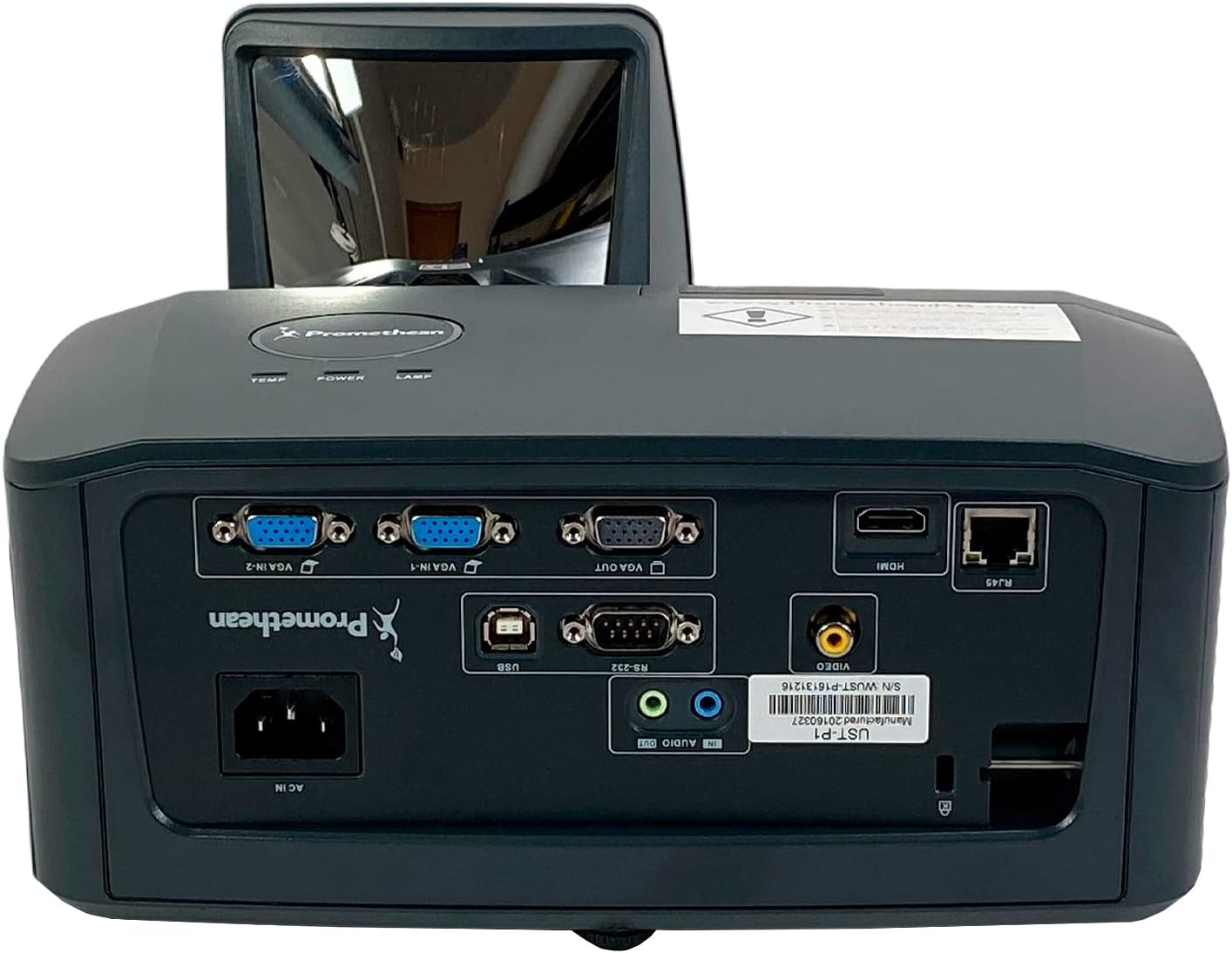
2.1-сүрөт: Детальдуу view of the Promethean UST-P1 projector's rear panel, highlighting the HDMI, VGA, Composite, Network (RJ-45), RS232, and USB B connectivity options.
3. Иштөө нускамалары
3.1 Күйгүзүү/өчүрүү
- Күйгүзүү: Press the Power button on the projector's control panel or the remote control. The power indicator light will illuminate.
- Өчүрүү: Press the Power button again. A confirmation message may appear; press Power again to confirm shutdown. Allow the projector to cool down completely before unplugging it.
3.2 Киргизүү булагын тандоо
To switch between connected video sources, use the "Source" or "Input" button on the remote control or the projector's control panel. Cycle through the available inputs (HDMI, VGA1, VGA2, Video) until your desired source is displayed.
3.3 Сүрөттү тууралоо
- Фокус: Adjust the focus ring on the projector lens until the image is sharp and clear.
- Негизги ташты оңдоо: If the image appears trapezoidal, use the keystone correction function (usually found in the projector's OSD menu or via dedicated buttons on the remote) to square the image.
- Аспект катышы: The projector has a native aspect ratio of 16:10 (WXGA). You can adjust the aspect ratio settings in the menu to match your content (e.g., 4:3, 16:9) if necessary.
3.4 Supported Video Modes
The Promethean UST-P1 supports various video modes, including 720p, 1080i, 1035i, 575i, 576i, 480p, and 480i.
4. Техникалык тейлөө
Үзгүлтүксүз тейлөө оптималдуу иштешин камсыз кылат жана проекторуңуздун иштөө мөөнөтүн узартат.
4.1 Проекторду тазалоо
- Сырткы: Бир аз жумшак, түксүз кездемени колдонуңуз dampened with water to clean the projector's casinг. Абразивдүү тазалагычтардан же эриткичтерден качыңыз.
- Объектив: Gently wipe the projector lens with a lens cleaning cloth or lens paper. Do not use abrasive materials or excessive force, as this can scratch the lens.
- Аба желдеткичтери: Periodically check and clean the air vents to prevent dust buildup, which can impede airflow and cause overheating. Use a soft brush or compressed air to remove dust.
4.2 Лamp Алмаштыруу
The Promethean UST-P1 is a lamp-based projector. The lamp has a finite lifespan and will eventually need replacement. The projector will typically display a warning message when the lamp is nearing the end of its life. Refer to the projector's on-screen display (OSD) menu for lamp сааттык маалымат.
Абайлаңыз: Lamp replacement should only be performed when the projector is completely cool and unplugged from the power source. Consult a qualified technician if you are unsure about the replacement procedure.
5. Кыйынчылыктарды
This section addresses common issues you might encounter with your projector. If the problem persists after trying these solutions, please contact customer support.
| Көйгөй | Мүмкүн себеп | Чечим |
|---|---|---|
| Экранда сүрөт жок |
|
|
| Сүрөт бүдөмүк же фокуста эмес |
|
|
| Image is trapezoidal (not square) |
|
|
| Пульт иштебей жатат |
|
|
6. Техникалык шарттар
| Өзгөчөлүк | Деталь |
|---|---|
| Модел | УСТ-П1 |
| Дисплей технологиясы | DLP |
| Жарыктык | 3,300 ANSI челинин |
| Native Resolution | 1280x800 (WXGA) |
| Аспект катышы | 16:10 (Түпкү) |
| Контраст катышы | 10,000:1 |
| 3D мүмкүнчүлүгү | Ооба |
| Connectivity Inputs | HDMI 1.4a, Composite (RCA), Network (RJ-45), RS232 (DB-9pin), VGA In (Dsub-15pin x 2), USB B |
| Колдоого алынган видео режимдери | 720p, 1080i, 1035i, 575i, 576i, 480p, 480i |
| Өзгөчөлүктөр | Crestron бөлмөсүView™ |
| Продукциянын өлчөмдөрү | 14.5 x 11.4 x 6.3 дюйм |
| Элемент Салмагы | 10.6 фунт |
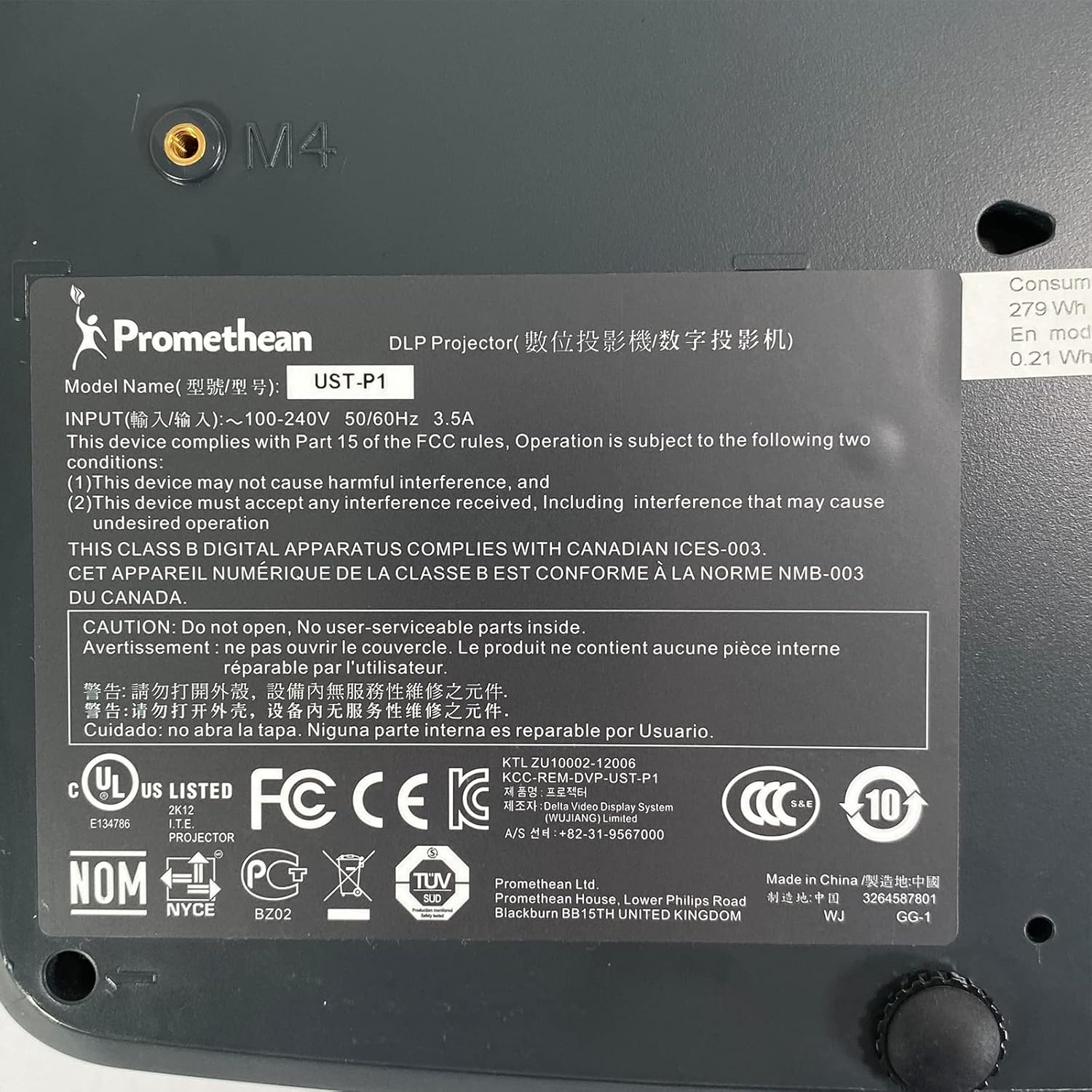
Figure 6.1: The bottom label of the Promethean UST-P1 projector, displaying the model number, input power requirements, and various regulatory compliance marks.
7. Кепилдик жана колдоо
For specific warranty information regarding your Promethean UST-P1 DLP Projector, please refer to the documentation provided at the time of purchase or contact the seller directly. Warranty terms and conditions may vary.
For technical support, troubleshooting assistance beyond this manual, or inquiries about replacement parts (such as lamps), please contact the seller, Tekswamp, or the official Promethean support channels.
кире аласыз Tekswamp Amazon'до дүкөн for more information or to contact their support.


