1. Киришүү
Thank you for choosing the Havit H2038U RGB Wired Gaming Headset. This manual provides essential information for setting up, operating, and maintaining your headset. Please read it carefully to ensure optimal performance and longevity of your product.
Маанилүү коопсуздук маалыматы:
- Угуу жөндөмүнө зыян келтирбөө үчүн катуу үн менен көпкө угуудан алыс болуңуз.
- Гарнитураны экстремалдык температурага, нымдуулукка же жегич заттардын таасирине тийгизбеңиз.
- Keep the headset away from water and liquids.
- Гарнитураны ажыратууга же өзгөртүүгө аракет кылбаңыз. Бул кепилдикти жокко чыгарат.
2. Продукт бүтүп калдыview
2.1 Пакеттин мазмуну
- Havit H2038U RGB Wired Gaming Headset
- Алынуучу микрофон
- Колдонуучунун Колдонмосу (бул документ)
2.2 Гарнитуранын компоненттери
The Havit H2038U headset features a comfortable over-ear design with soft earcups and an adjustable headband. It includes a detachable microphone for clear communication and integrated RGB lighting for an enhanced gaming experience.

2.1-сүрөт: Фронт view of the Havit H2038U RGB Wired Gaming Headset. This image displays the white over-ear headphones with RGB lighting elements on the earcups and the adjustable headband.
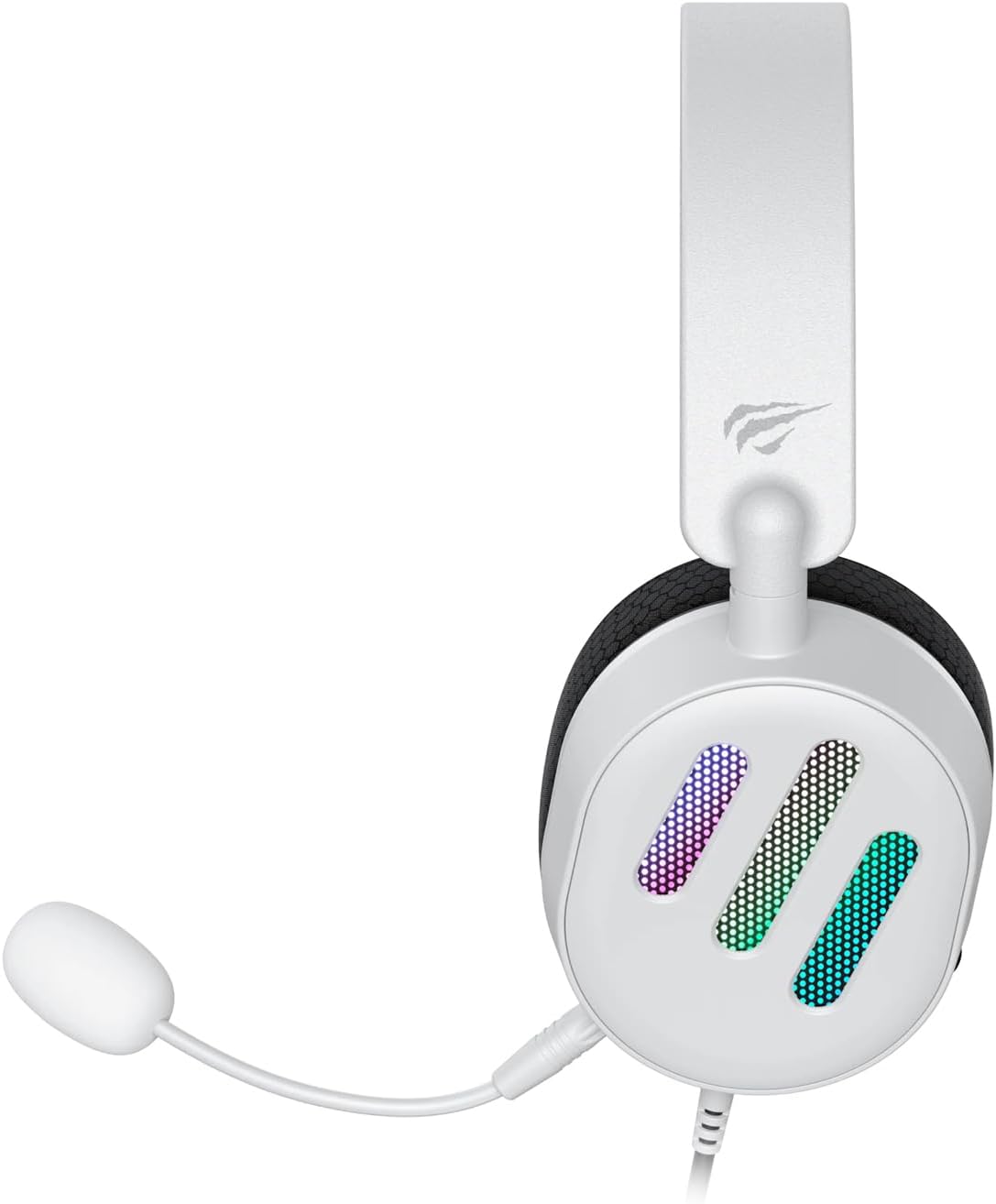
2.2-сүрөт: Side view of the Havit H2038U RGB Wired Gaming Headset, showing the detachable microphone connected to the left earcup. The volume control wheel is also visible on the earcup.

2.3-сүрөт: Жогорку view of the Havit H2038U RGB Wired Gaming Headset, highlighting the adjustable headband and the soft, breathable earcups.
3. Орнотуу
The Havit H2038U headset utilizes a dual-connection system for full functionality: a 3.5mm jack for audio and a USB connection for RGB lighting and virtual 7.1 surround sound.

3.1-сүрөт: Жакын план view illustrating the detachable microphone connection (3.5mm jack) and the USB connection for the Havit H2038U headset. This image also indicates 360-degree sound direction and 7.1 USB connectivity.
- Микрофонду туташтыруу: Insert the detachable microphone into the 3.5mm microphone jack located on the left earcup until it clicks into place. Ensure it is securely connected.
- Connect for Audio: Plug the 3.5mm audio jack from the headset into the corresponding audio output port on your computer, gaming console, or mobile device.
- Connect for RGB Lighting and 7.1 Surround Sound: Plug the USB connector from the headset into an available USB port on your computer or gaming console. This connection powers the RGB lighting and enables the virtual 7.1 surround sound feature.
- Гарнитураны тууралоо: Adjust the headband to ensure a comfortable and secure fit over your ears. The earcups should fully enclose your ears for optimal sound isolation.
- System Configuration (for PC):
- Аудио чыгаруу: Go to your operating system's sound settings and ensure the Havit H2038U is selected as the default playback device.
- Микрофон киргизүү: In the sound settings, select the Havit H2038U as the default recording device.
- 7.1 Айлана үн: If applicable, install any necessary drivers from the Havit official website to enable and configure the virtual 7.1 surround sound feature.
4. Иштөө нускамалары
4.1 Үндү башкаруу
The headset features an integrated volume control wheel, typically located on the left earcup or inline on the cable. Rotate the wheel to increase or decrease the audio volume.
4.2 Микрофонду колдонуу
The detachable microphone can be positioned for optimal voice pickup. Adjust its flexible arm to bring the microphone close to your mouth, ensuring clear communication. For privacy, you may mute the microphone using software settings on your device if no physical mute button is present on the headset.
4.3 RGB жарыктандыруу
The RGB lighting on the earcups is powered via the USB connection. Once connected, the lighting will activate automatically. Specific control options for lighting patterns or colors may be available through dedicated software, if provided by Havit.

4.1-сүрөт: The Havit H2038U RGB Wired Gaming Headset displayed with its active RGB lighting feature, showcasing the illuminated earcups.
4.4 Virtual 7.1 Surround Sound
When connected via USB, the headset supports virtual 7.1 surround sound. This feature enhances spatial audio awareness in games and media. Ensure relevant drivers are installed and configured through your system's sound settings or Havit's software for optimal experience.

4.2-сүрөт: An illustrative image demonstrating the virtual 7.1 surround sound capability of the Havit H2038U headset, enhancing immersive audio experiences.
5. Техникалык тейлөө
5.1 Тазалоо
- Use a soft, dry cloth to wipe the exterior surfaces of the headset.
- Кулакчындар үчүн бир аз d менен акырын сүртүңүзamp кездемеге ороп, колдонуудан мурун толугу менен кургатыңыз.
- Катуу химиялык заттарды, эриткичтерди же абразивдүү тазалагычтарды колдонбоңуз.
5.2 Сактоо
When not in use, store the headset in a clean, dry place, away from direct sunlight and extreme temperatures. Avoid tangling the cables to prevent damage.
6. Кыйынчылыктарды
| Көйгөй | Мүмкүн себеп | Чечим |
|---|---|---|
| Гарнитурадан аудио жок | 3.5mm jack not fully inserted; incorrect audio output selected; volume too low. | Ensure 3.5mm jack is fully connected. Check system sound settings to select Havit H2038U as default playback device. Increase volume using the headset's control wheel and system volume. |
| Микрофон иштебей жатат | Microphone not fully inserted; incorrect input device selected; microphone muted. | Ensure microphone is securely attached. Check system sound settings to select Havit H2038U as default recording device. Unmute microphone in software settings. |
| RGB жарыктандыруу иштебейт | USB cable not connected; faulty USB port. | USB кабели иштеген USB портуна бекем сайылганын текшериңиз. Башка USB портун колдонуп көрүңүз. |
| 7.1 Surround Sound not active | USB cable not connected; drivers not installed/configured. | Ensure the USB cable is connected. Install and configure necessary drivers from the Havit official webсайт. |
7. Техникалык шарттар
| Өзгөчөлүк | Спецификация |
|---|---|
| Модел | H2038U |
| Байланыш технологиясы | Wired (3.5mm Jack + USB) |
| Наушник форма фактору | Кулак үстүндө |
| Импеданс | 24 Ом |
| Frequency Response | 20 Гц - 20 КГц |
| Сезимталдуулук | 114 дБ |
| Башкаруу түрү | Үндү башкаруу, баскыч |
| Материал | Пластик |
| Элемент Салмагы | 550 г |
| Продукциянын өлчөмдөрү | 11.2 x 21.9 x 28.5 см |
| Түс | Ак |
| Өзгөчөлүктөр | RGB Lighting, Detachable Microphone, Virtual 7.1 Surround Sound |
8. Кепилдик жана колдоо
Havit products are designed for reliability and performance. For information regarding warranty coverage, technical support, or service, please refer to the warranty card included with your product or visit the official Havit webсайт. Сатып алуу квитанциясын кепилдик дооматтары үчүн сатып алуунун далили катары сактаңыз.
Байланыш маалыматы:
- Official Havit Webсайт: www.havit.com (Аймактык текшерүү websites for specific support)


