Introduction
Thank you for choosing the Twisted Minds 32 FHD 240Hz VA Gaming Monitor. This manual provides essential information for setting up, operating, maintaining, and troubleshooting your new monitor. Please read this manual thoroughly before use to ensure proper operation and to maximize your viewтажрыйбасы.
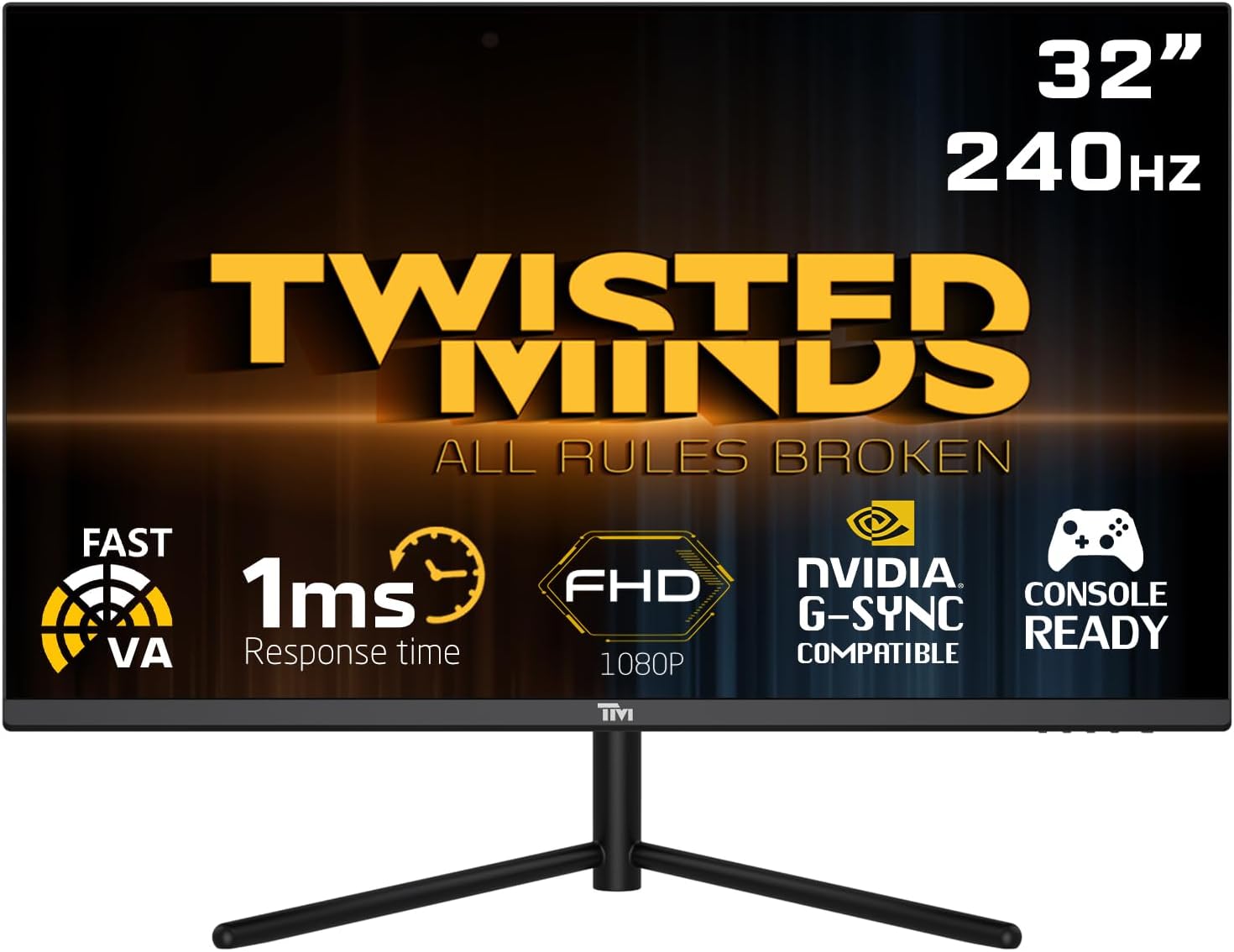
Фронт view of the Twisted Minds 32-inch Gaming Monitor, highlighting its 32-inch display, 240Hz refresh rate, 1ms MPRT response time, FHD 1080p resolution, NVIDIA G-SYNC compatibility, and console readiness.
Орнотуу колдонмосу
1. Кутудан чыгаруу жана Пакеттин мазмуну
Бардык компоненттерди таңгактан кылдаттык менен алып салыңыз. Төмөндө саналып өткөн нерселердин бардыгы бар экенин текшериңиз:
- Twisted Minds 32-inch Gaming Monitor
- Монитор стенд (негизги жана моюн)
- Кубаттуу адаптер жана кабель
- HDMI кабели
- DisplayPort кабели
- Колдонуучунун Колдонмосу (бул документ)
2. Стендди чогултуу
- Чийип кетпеши үчүн мониторду жумшак, таза бетке ылдый каратып кой.
- Монтаждык тешиктерди тегиздеп, монитордун артына стенд мойнуна бекитиңиз. Берилген болсо, бурамалар менен бекитиңиз.
- Connect the stand base to the stand neck and tighten the thumb screw or screws from the bottom of the base.
3. Мониторду туташтыруу
The monitor supports multiple input options. Choose the appropriate cable for your device.

Арткы view of the monitor displaying its various input/output ports, including DC power, HDMI 2.1 (x2), DisplayPort 1.4 (x2), and Audio Out, along with menu buttons and a quick release base.
- Кубат туташуу: Connect the power adapter to the monitor's DC input port, then plug the power cable into a wall outlet.
- Видео туташуу:
- For PC: Connect one end of the DisplayPort cable to your computer's graphics card and the other end to a DisplayPort 1.4 input on the monitor.
- For PC/Console: Connect one end of the HDMI cable to your computer's graphics card or game console and the other end to an HDMI 2.1 input on the monitor.
- Аудио чыгаруу: If desired, connect external speakers or headphones to the Audio Out port on the monitor.
4. Баштапкы күйгүзүү
After all connections are made, press the power button on the monitor. The power indicator light will illuminate, and the display will turn on. If no signal is detected, ensure your source device is powered on and correctly configured.
Иштөө нускамалары
1. Негизги операция
- Күйгүзүү/өчүрүү: Аны күйгүзүү же өчүрүү үчүн монитордо жайгашкан кубат баскычын басыңыз.
- Киргизүүнү тандоо: Use the OSD (On-Screen Display) menu buttons to navigate and select the desired input source (HDMI 1, HDMI 2, DP 1, DP 2).
2. Экрандагы дисплей (OSD) менюсу
The OSD menu allows you to adjust various display settings. Use the menu buttons (typically located on the back or bottom of the monitor) to navigate.
- Жарыктык/Контраст: Дисплейдин жалпы жарыктыгын жана контрастын тууралаңыз.
- Түс жөндөөлөрү: Түс температурасын, гамма жана жеке RGB деңгээлин өзгөртүү.
- Сүрөт режими: Select from preset modes (e.g., Standard, Game, Movie, Text) optimized for different content.
- Response Time/Overdrive: Adjust the pixel response time for reduced ghosting in fast-paced content. This monitor features a 1ms MPRT response time for smooth visuals.
- Жаңыртуу ылдамдыгы: The monitor supports up to 240Hz refresh rate. Ensure your graphics card settings are configured to utilize this high refresh rate for optimal gaming performance.
- HDR (жогорку динамикалык диапазон): Enable or disable HDR for enhanced contrast and color depth with compatible content.
- FreeSync/G-SYNC Compatibility: This monitor is compatible with adaptive sync technologies. Enable this feature in the OSD and your graphics card control panel for tear-free gaming.

Illustration demonstrating the 1ms quick response time of the monitor, showing a fast-paced gaming scene with reduced motion blur and low input lag.

Image showcasing the monitor's frameless design, ideal for multi-monitor setups, with a wide 178-degree viewбурч.

A user engaged in gaming on the Twisted Minds monitor, emphasizing the immersive experience provided by the 1920x1080 resolution, 300 nits brightness, 4000:1 contrast ratio, and 240Hz refresh rate.
3. Эргономикалык тууралоо
The monitor stand allows for tilt adjustment to optimize your viewбурч жана чыңалуу азайтат.

Diagram illustrating the ergonomic tilt adjustment range of the monitor stand (-5 to 15 degrees) for optimal viewing comfort, and highlighting VESA wall-mount compatibility (100x100mm).
- Россия: Gently tilt the monitor screen forward or backward to find your preferred viewing angle. The tilt range is typically -5° to 15°.
- VESA тоосу: For alternative mounting solutions, the monitor is VESA compatible (100x100mm). Remove the stand and attach a compatible VESA mount (sold separately).
Техникалык тейлөө
Proper care and maintenance will extend the life of your monitor.
- Экранды тазалоо: Экранды жумшак, түксүз чүпүрөк менен акырын сүртүңүз. өжөр белгилер үчүн, гampчүпүрөккө бир аз суу же аммиаксыз, алкоголсуз экран тазалоочу каражат менен. Эч качан суюктукту түздөн-түз экранга чачпаңыз.
- Тазалоо Casing: Мониторду сүртүү үчүн жумшак, кургак чүпүрөктү колдонуңуз casinг. Абразивдүү тазалагычтарды же эриткичтерди колдонуудан алыс болуңуз.
- Вентиляция: Монитордогу желдетүү тешиктери жабылбагандыгын текшериңиз. Мониторду тийиштүү аба агымы жок жабык жайга койбоңуз.
- Колдонулбаганда өчүрүү: Энергияны үнөмдөө жана анын иштөө мөөнөтүн узартуу үчүн мониторду узак убакытка колдонбогондо өчүрүңүз.
Проблемаларды чечүү
Мониторуңузда көйгөйлөргө туш болсоңуз, төмөнкү жалпы көйгөйлөрдү жана чечимдерди караңыз.
| Көйгөй | Мүмкүн себеп | Чечим |
|---|---|---|
| Экранда сүрөт жок | Монитор күйгөн эмес; Туура эмес киргизүү тандалды; Видео кабель бошоп калган. | Ensure power cable is connected and monitor is on. Select correct input source. Check video cable connections. |
| Сүрөт бүдөмүк же бурмаланган | туура эмес чечим; Графикалык драйвер маселеси. | Set display resolution to 1920x1080. Update graphics card drivers. |
| Динамиктерден/наушниктерден үн чыкпайт | Аудио кабель туташкан эмес; Үнү өтө төмөн; Компьютерде туура эмес аудио чыгышы тандалды. | Ensure audio cable is connected to the monitor's audio out port. Adjust volume. Select monitor as audio output device in PC settings. |
| Экрандын бүлбүлдөөсү | Жаңыртуу ылдамдыгы дал келбейт; Бузулган кабель. | Ensure refresh rate is set correctly (e.g., 240Hz). Try a different video cable. |
| Баскычтар жооп бербейт | OSD lock enabled. | Refer to OSD menu section for unlocking button functions (if applicable). Power cycle the monitor. |
Бул чечимдерди колдонуп көргөндөн кийин көйгөй чечилбесе, кардарларды колдоо менен байланышыңыз.
Техникалык шарттар
Detailed technical specifications for the Twisted Minds 32 FHD 240Hz VA Gaming Monitor.
| Өзгөчөлүк | Спецификация |
|---|---|
| Бренд | Twisted Minds |
| Модель номери | TM32 FHD 240Hz VA |
| Дисплей өлчөмү | 32 дюйм |
| Screen Resolution | 1920 x 1080 (FHD 1080p) |
| Жаңыртуу ылдамдыгы | 240Hz |
| Жооп убактысы | 1 мс MPRT |
| Панел түрү | VA |
| Аспект катышы | 16:9 |
| Жарыктык | 300 нит |
| Контраст катышы | 4000:1 |
| Түс гаммасы | 77.29% NTSC |
| Байланыш | 2 x HDMI 2.1, 2 x DisplayPort 1.4, Audio Out |
| VESA шайкештиги | 100 x 100 мм |
| Продукциянын өлчөмдөрү | 10 x 63 x 44 см |
| Элемент Салмагы | 8.8 килограмм |
| Түс | Кара |
Кепилдик жана колдоо
Кепилдик маалымат
Twisted Minds products are manufactured to the highest quality standards. This monitor comes with a standard manufacturer's warranty. Please refer to the warranty card included in your package or visit the official Twisted Minds webСиздин аймакка тиешелүү деталдуу кепилдик шарттары жана шарттары үчүн сайт.
Кардарларды колдоо
If you require technical assistance or have questions regarding your monitor, please contact Twisted Minds customer support. Have your model number (TM32 FHD 240Hz VA) and purchase information ready when contacting support.
For the most up-to-date contact information, please visit the official Twisted Minds webсайт же сиз продуктуну сатып алган чекене сатуучунун колдоо барагы.


