1. Киришүү
The MITO Infinity Dodecahedron Light L-1 is a unique decorative lighting device designed to enhance various environments such as gaming rooms, bedrooms, and living spaces. It features RGBW color-changing LEDs, an infinity mirror effect, and advanced sound responsiveness for an immersive visual experience. This manual provides essential information for the safe and effective use of your new light.
2. Коопсуздук маалыматы
- Үй ичинде гана колдонуу: Бул продукт имараттын ичинде колдонуу үчүн иштелип чыккан. Аны сууга же жогорку нымдуулукка тийгизбеңиз.
- Кубат булагы: Use only the provided USB power cable. Ensure the power source is compatible with 5V.
- Колдонуу: Handle the light with care. The acrylic panels can be fragile.
- Тазалоо: Disconnect power before cleaning. Use a soft, dry cloth. Avoid abrasive cleaners or liquids.
- Вентиляция: Ашыкча ысып кетүүнүн алдын алуу үчүн түзмөктүн айланасында жетиштүү желдетүүнү камсыз кылыңыз.
- Балдар жана үй жаныбарлары: Кокусунан бузулуп же жаракат алып калбоо үчүн кичинекей балдар жана үй жаныбарлары жетпеген жерде сактаңыз.
3. Пакеттин мазмуну
Сураныч, төмөнкү нерселер үчүн кутучаны белгилеңиз:
- MITO Infinity Dodecahedron Light L-1
- USB кубат кабели
- Алыстан башкаруу
- Тазалоочу кездеме
- Колдонуучунун Колдонмосу (бул документ)

Image: The MITO Infinity Dodecahedron Light L-1 with its retail packaging.
4. Орнотуу нускамалары
- Аппаратты таңгактан чыгаруу: Carefully remove the Infinity Dodecahedron Light from its packaging.
- Коргоочу пленканы алып салуу: Gently peel off any protective film from the acrylic panels to reveal the mirror surfaces.
- Туташуу кубаты: Insert the small end of the USB power cable into the port on the light and the larger USB-A end into a compatible 5V USB power adapter (not included) or a USB port on a computer/gaming console.
- Download the App (Optional but Recommended): For full control and customization, download the "Magic Lantern" app. Scan the QR code found on the USB cable or search for "Magic Lantern" in your device's app store.

Image: The light displayed alongside a smartphone showing the 'Magic Lantern' app interface.
- Колдонмо менен жупташтыруу: Open the Magic Lantern app, navigate to the device pairing section (often indicated by a menu icon or 'scan' option), and follow the on-screen instructions to connect to your light.
5. Иштөө нускамалары
5.1 Күйгүзүү/өчүрүү
Connect the light to a power source. It should illuminate automatically. Use the remote control or the mobile app to turn the light on or off.
5.2 Adjusting Colors and Effects
The light offers 258 dynamic ambiance effects and a wide range of RGBW colors. You can control these settings using either the included remote control or the Magic Lantern mobile app.
- Алыстан башкаруу: The remote allows you to change colors, switch between various modes, and adjust brightness.
- Мобилдик колдонмо: The app provides more extensive customization options, including fine-tuning colors, adjusting brightness and speed of light changes, and selecting from a broader array of dynamic modes.

Image: The light displaying various RGBW effects in a living room setting.
5.3 Музыканы синхрондоштуруу
The light features a built-in microphone that allows it to react and move to the beat of music, movies, or gaming audio. This creates an immersive sound and light experience. This feature can be activated and adjusted via the mobile app.

Image: The light showcasing its sound-responsive capabilities with musical notes in the background.
5.4 Таймер функциясы
Utilize the mobile app to set a timer for the light to automatically turn on or off at specified times.
5.5 Gaming Environment Enhancement
The light is suitable for gaming setups, providing dynamic lighting that can enhance the immersive experience.
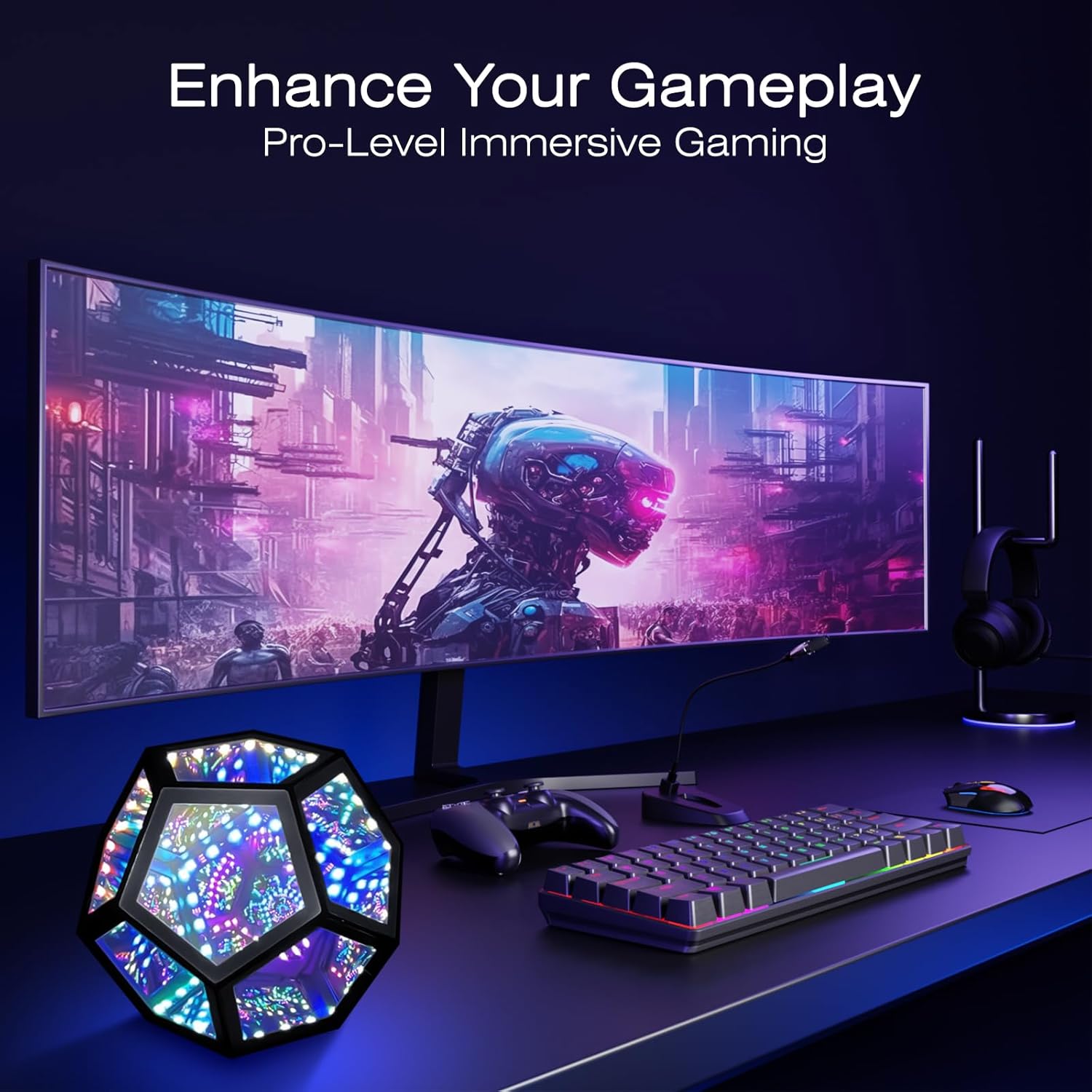
Image: The light integrated into a gaming desk setup.
5.6 Көчүрүү
Its lightweight design and standard USB interface make it portable for use in various locations, such as during travel or outdoor gatherings (ensure it remains protected from elements).

Image: The light being used in an outdoor setting, highlighting its portability.
6. Техникалык тейлөө
To maintain the appearance and functionality of your MITO Infinity Dodecahedron Light:
- Тазалоо: Use the provided cleaning cloth or a soft, dry, lint-free cloth to wipe the acrylic surfaces. Do not use harsh chemicals, abrasive materials, or excessive moisture, as this can damage the mirrors and electronics.
- Сактагыч: Узак мөөнөткө колдонулбаганда жарыкты салкын, кургак жерде, тике күн нурунан жана экстремалдык температурадан алыс сактаңыз.
7. Кыйынчылыктарды
- Жарык күйбөйт:
- USB кабели жарыкка да, кубат булагына да туташтырылганын текшериңиз.
- Verify that the power source (USB adapter, computer port) is functional.
- Пульт иштебей жатат:
- Пульттун батарейкасын алмаштыруу керекпи же жокпу текшериңиз.
- Ensure there are no obstructions between the remote and the light's sensor.
- Колдонмого туташуу маселелери:
- Мобилдик түзмөгүңүздө Bluetooth иштетилгенин текшериңиз.
- Колдонмону өчүрүп күйгүзүп, кайра туташтырып көрүңүз.
- Check if the app has necessary permissions (e.g., location, Bluetooth) on your device.
- Lights flickering or behaving erratically:
- Try disconnecting and reconnecting the power.
- Эгер көйгөй чечилбесе, кардарларды колдоо менен байланышыңыз.
8. Техникалык шарттар
| Өзгөчөлүк | Деталь |
|---|---|
| Модель номери | L-1 |
| Өлчөмдөр (D x W x H) | 7.5"D x 7.5"W x 6.3"H |
| Элемент Салмагы | 0.41 килограмм (14.4 унция) |
| Материал | Акрил |
| Жарык булагы түрү | LED |
| Power Source | Зымдуу электрдик зым (USB 5V) |
| Ватtage | 5 ватт |
| Башкаруу ыкмасы | Колдонмо, алыстан |
| Өзгөчө өзгөчөлүк | RGBW, Music Sync |
| Ички/тышкы колдонуу | Indoor |
| Сууга туруктуулук деңгээли | Сууга чыдамдуу эмес |
9. Кепилдик жана колдоо
This product comes with a manufacturer's warranty. For specific warranty details, please refer to the product packaging or contact the retailer where the item was purchased. For technical support or further assistance, please reach out to MITO customer service through their official channels.


