1. Киришүү
This manual provides essential information for the proper setup, operation, and maintenance of your TECLAST T40HD 10.4-inch Android 13 Tablet. Please read this manual thoroughly before using the device to ensure optimal performance and longevity. Keep this manual for future reference.

Сүрөт 1.1: Алдыңкы жана арткы view of the TECLAST T40HD tablet, showcasing its slim design and camera module.
2. Пакеттин мазмуну
Төмөндө көрсөтүлгөн бардык буюмдар продуктуңуздун таңгагында бар экенин текшериңиз:
- TECLAST T40HD Tablet
- Кубат адаптери (аймакка жараша өзгөрүшү мүмкүн)
- Маалымат кабели (USB түрү-C)
- Drive Out Pin (for SIM/Micro SD tray)
- Техникалык тейлөө картасы
- Колдонуучунун Колдонмосу (бул документ)
- Экран коргоочу (алдын ала колдонулган же өзүнчө камтылган)

Image 2.1: Illustration of the TECLAST T40HD tablet and its standard accessories included in the box.
3. Баштапкы орнотуу
3.1 Планшетти заряддоо
Before first use, fully charge the tablet using the provided power adapter and USB Type-C cable. Connect the cable to the tablet's USB-C port and the adapter to a power outlet. The charging indicator will typically show progress on the screen.

Image 3.1: The tablet connected to a charger, indicating battery status, and a user operating the tablet while traveling.
3.2 Күйгүзүү/өчүрүү
- Күйгүзүү үчүн: Press and hold the Power button (located on the side) until the TECLAST logo appears on the screen.
- Өчүрүү үчүн: Кубат параметрлеринин менюсу пайда болгонго чейин Кубат баскычын басып, кармап туруңуз. "Өчүрүү" дегенди тандаңыз.
- Кайра баштоо үчүн: Кубат параметрлери менюсунан "Кайра баштоо" дегенди тандаңыз.
3.3 Inserting SIM and Micro SD Cards
The TECLAST T40HD supports dual SIM cards and a Micro SD card for expanded storage. Use the provided drive out pin to open the card tray.
- Locate the SIM/Micro SD card tray on the side of the tablet.
- Insert the drive out pin into the small hole next to the tray and press gently until the tray ejects.
- лотокту кылдаттык менен сууруп алыңыз.
- Place your Nano-SIM cards and/or Micro SD card into the designated slots on the tray, ensuring correct orientation.
- Табакты акырын кайра планшеттин ичине чыкылдатмайынча түртүңүз.

Image 3.2: The SIM/Micro SD card tray, illustrating the placement of SIM cards.
3.4 Android'дин баштапкы орнотуулары
Upon first power-on, the tablet will guide you through the Android 13 setup process. This includes selecting your language, connecting to Wi-Fi, setting up your Google account, and configuring security options like face unlock.
4. Планшетти иштетүү
4.1 Навигация жана жаңсоолор
The TECLAST T40HD runs on Android 13, offering intuitive navigation through gestures and on-screen buttons. Common gestures include:
- таптаңыз: Бир нерсени тандаңыз же колдонмону ачыңыз.
- Серпүү: Барактарды же тизмелерди жылдырыңыз.
- Чымчып чоңойтуу: Экрандагы мазмунду чоңойтуңуз же кичирейтиңиз.
- Төмөндөн өйдө карай серпиңиз: Go to Home screen or open app drawer.
- Swipe from left/right edge: Артка кайрыл.
4.2 Тармактарга туташуу
- Wi-Fi: Go to Settings > Network & internet > Wi-Fi. Select your network and enter the password.
- Мобилдик интернет (4G LTE): Эгер SIM-карта салынган болсо, Орнотуулар > Тармак жана интернет > Мобилдик тармак бөлүмүнөн мобилдик маалыматтарды иштетиңиз.
- Bluetooth: Pair with Bluetooth devices (e.g., headphones, keyboards) via Settings > Connected devices > Bluetooth.
4.3 Мультимедиа жана оюндар
The tablet's 2K HD display and Unisoc T606 Octa-core processor provide a smooth experience for media consumption and gaming.
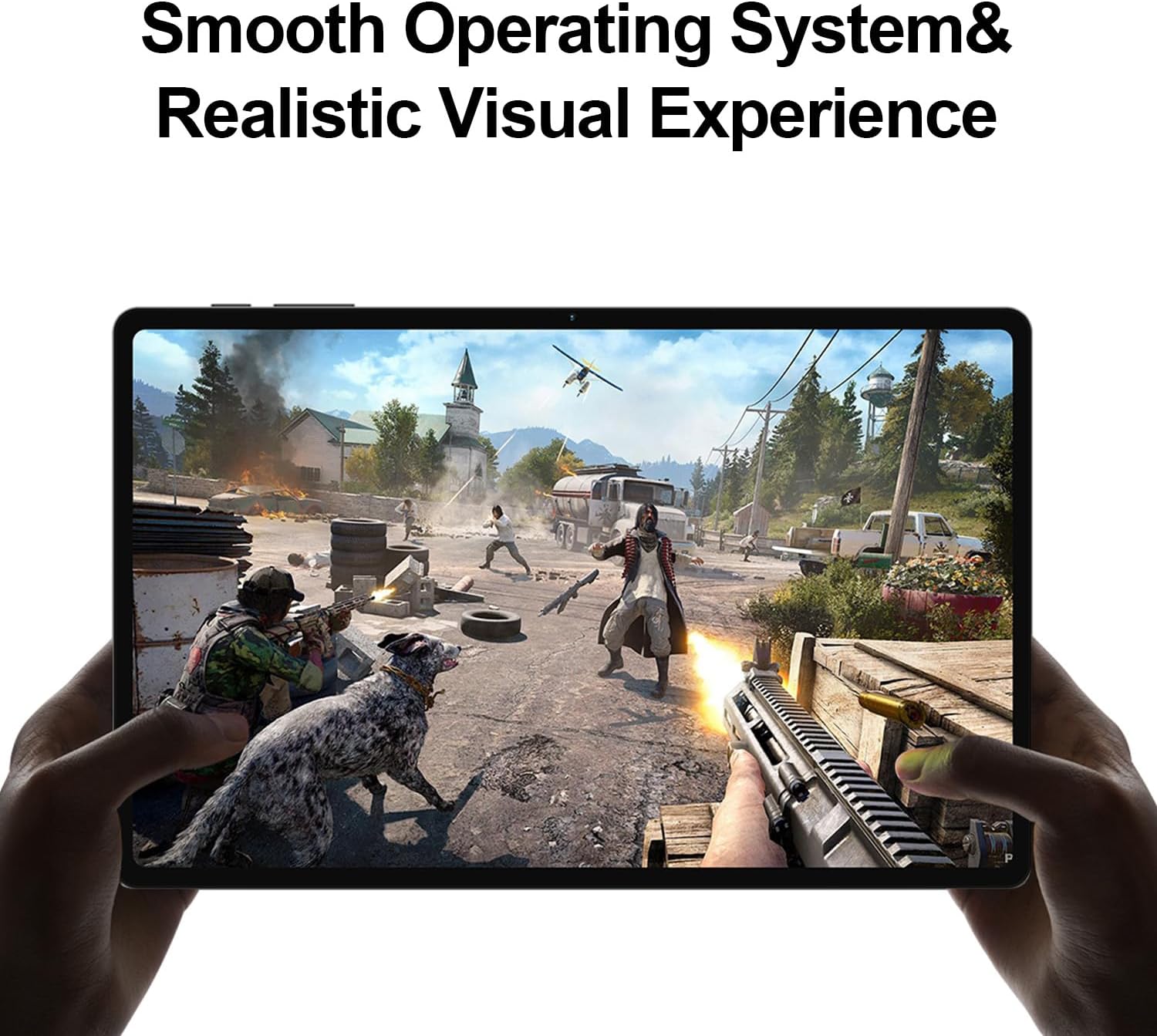
Image 4.1: The tablet displaying a high-fidelity video game, demonstrating its graphical capabilities.

Image 4.2: The tablet showcasing its battery performance for different usage scenarios.
4.4 Көп тапшырмалуулук
Android 13 supports split-screen mode, allowing you to use two apps simultaneously. To activate, open an app, then swipe up slightly from the bottom of the screen to reveal the recent apps. Tap the app icon at the top of the window and select 'Split top'. Choose another app to fill the second half of the screen.

Image 4.3: The tablet demonstrating split-screen functionality for enhanced productivity.
4.5 Ата-энелик көзөмөл
Utilize Android's built-in parental control features to manage screen time, restrict app access, and filter content. Access these settings through the Google Family Link app or directly in the tablet's Settings menu under 'Digital Wellbeing & parental controls'.

Image 4.4: Parental control features displayed on the tablet, enabling management of usage for children.
4.6 GPS навигациясы
The integrated GPS functionality allows for precise location tracking and navigation. Use pre-installed map applications or download your preferred navigation apps from the Google Play Store.

Image 4.5: The tablet used for GPS navigation in a vehicle.
4.7 Android 13 Features Overview
The TECLAST T40HD operates on Android 13, offering enhanced privacy controls, improved battery efficiency, smoother overall operation, and various user interface improvements. It also expands compatibility with a wide range of devices and applications.

Image 4.6: Visual representation of the Android 13 operating system interface on the tablet.
4.8 Расмий продукт Video
Video 4.1: An official product video from Teclast USA Official Store, showcasing the key features and design of the TECLAST T40HD Android 13 Tablet.
5. Техникалык тейлөө
- Тазалоо: Экранды жана денени тазалоо үчүн жумшак, түксүз чүпүрөктү колдонуңуз. Абразивдүү материалдардан же катуу химиялык заттардан алыс болуңуз.
- Программалык камсыздоо жаңыртуулары: Оптималдуу аткарууну жана коопсуздукту камсыз кылуу үчүн системанын жаңыртууларын дайыма текшерип, орнотуңуз. Орнотуулар > Система > Системанын жаңыртууларына өтүңүз.
- Батареяга кам көрүү: To prolong battery life, avoid extreme temperatures and do not let the battery fully discharge frequently.
- Сактагычты башкаруу: Мезгил-мезгили менен ачык-айкын керексиз fileс жана сактагыч мейкиндигин бошотуу үчүн колдонулбаган колдонмолорду чыгарып салыңыз.
6. Кыйынчылыктарды
| Маселе | Мүмкүн чечим |
|---|---|
| Планшет күйбөйт | Ensure the tablet is charged. Connect to the charger for at least 30 minutes before attempting to power on again. |
| Экран жооп бербей жатат | Perform a force restart by holding the Power button for approximately 10-15 seconds. If the issue persists, contact support. |
| Wi-Fi туташуу маселелери | Restart the tablet and your Wi-Fi router. Forget the network in Wi-Fi settings and reconnect. Ensure you are within range. |
| Колдонмолор бузулуп же катып жатат | Clear the cache for the problematic app (Settings > Apps > [App Name] > Storage & cache > Clear cache). Update the app or uninstall and reinstall it. Ensure sufficient free storage. |
| Жай аткаруу | Колдонулбаган фондук колдонмолорду жабыңыз. Кэшти жана убактылууну тазалаңыз files. Consider a factory reset if performance issues are severe and persistent (back up data first). |
| SIM карта табылган жок | Ensure the SIM card is correctly inserted into the tray. Restart the tablet. Verify that mobile data is enabled in settings. |
7. Техникалык шарттар

Сүрөт 7.1: Бүттүview of the TECLAST T40HD tablet's key technical specifications.
| Өзгөчөлүк | Деталь |
|---|---|
| Модел | T40HD |
| Операция системасы | Android 13 (GMS тастыкталган) |
| Дисплей | 10.4-inch 2K (2000x1200) TDDI IPS, TÜV Rheinland Certified |
| Процессор | Unisoc T606 сегиз ядролуу (1.6 ГГц) |
| RAM | 16 ГБ (8 ГБ физикалык + 8 ГБ кеңейтилген) |
| Ички сактагыч | 128GB UMCP |
| Кеңейтүүчү сактагыч | 1 ТБ чейинки Micro SD карта |
| Арткы камера | 13MP + 30W auxiliary camera |
| Алдыңкы камера | 8MP |
| Батарея | 7200 мАч литий полимери |
| Байланыш | 4G LTE (Dual SIM), 5G WiFi (2.4/5GHz), Bluetooth 5.0, GPS |
| Порттар | USB Type-C, 3.5 мм гарнитура уячасы |
| Өлчөмдөрү (LxWxH) | 10.4 x 6 x 0.6 дюйм |
| Салмагы | 1.9 фунт |
8. Кепилдик жана колдоо
8.1 Кепилдик маалыматы
TECLAST products typically come with a 1-year warranty from the date of purchase. This warranty covers manufacturing defects. Please refer to the 'Maintenance Card' included in your package for specific warranty terms and conditions. Keep your proof of purchase for warranty claims.
8.2 Кардарларды колдоо
For technical assistance, troubleshooting, or warranty inquiries, please contact TECLAST customer support. You can typically find contact information on the official TECLAST website or through the retailer where you purchased the device. TECLAST aims to respond to inquiries within one working day and offers a 1-year unconditional replacement service for eligible issues.
Маанилүү эскертүү: It is recommended to charge the product for more than 30 minutes before turning it on for the first time.


