1. Киришүү
Thank you for choosing the Phomemo M08F Portable Thermal Printer. This compact and lightweight A4 thermal printer is designed for convenience, allowing you to print documents anytime, anywhere. It is compatible with both mobile devices (iOS and Android via Bluetooth) and computers (Mac OS, Windows, Chrome OS, Linux via USB cable).
This manual provides detailed instructions to help you get started, operate, and maintain your printer for optimal performance.
2. Пакеттин мазмуну
Пакетиңизде бардык буюмдар бар экенин текшериңиз:
- Phomemo M08F портативдик термикалык принтер
- USB Cable (for charging and PC connection)
- Quick Start Guide
- Phomemo A4 Thermal Paper (sampпакет)
3. Продукт бүтүп калдыview
Familiarize yourself with the main components of your Phomemo M08F printer.

3.1-сүрөт: Phomemo M08F Portable Thermal Printer in use, demonstrating its compact size and A4 printing capability. A smartphone displays the Phomemo app, indicating various printing options.

3.2-сүрөт: The Phomemo M08F printer connected to a laptop, highlighting its compatibility with Windows, Mac OS, Chrome OS, and Linux operating systems for versatile use.
4. Орнотуу колдонмосу
4.1 Принтерди заряддоо
Before first use, fully charge the printer. Connect the provided USB cable to the printer's charging port and a power adapter (not included) or a computer's USB port. The indicator light will show charging status.
- Заряддоо көрсөткүчү: Refer to the Quick Start Guide for specific light behavior (e.g., Red for charging, Green for fully charged).
4.2 Термикалык кагазды жүктөө
The Phomemo M08F uses A4 thermal paper. Ensure you load the paper correctly for optimal printing.
- Open the paper cover on the printer.
- Insert a sheet of A4 thermal paper with the printable side facing up.
- Gently push the paper until the printer automatically feeds it slightly.
- Кагаз капкагын бекем жабыңыз.

4.1-сүрөт: Phomemo M08F A4 thermal paper, specifically designed for this printer model to ensure high-quality thermal prints without ink.
4.3 Software Installation (for PC/Mac)
For computer connectivity, you need to install the appropriate drivers.
- Visit the official Phomemo driver download page: https://phomemo.com/pages/m08f
- Download and install the driver compatible with your operating system (Windows, Mac OS, Chrome OS, Linux).
- Орнотууну аяктоо үчүн экрандагы нускамаларды аткарыңыз.

4.2-сүрөт: USB cable connection for the Phomemo M08F printer to a laptop, illustrating the necessity of downloading drivers from the official Phomemo website for PC/Mac compatibility.
4.4 App Installation (for Mobile Devices)
For wireless printing via Bluetooth, download the Phomemo app on your smartphone or tablet.
- Издөө "Phomemo" on the Apple App Store (for iOS) or Google Play Store (for Android).
- Download and install the official Phomemo app.

4.3-сүрөт: The Phomemo M08F printer demonstrating Bluetooth connectivity with a smartphone. The image shows the Phomemo app icon and links to download from the App Store and Google Play, facilitating wireless printing.
5. Иштөө нускамалары
5.1 Bluetooth аркылуу туташуу (Мобилдик)
- Ensure your Phomemo M08F printer is turned on and charged.
- Мобилдик түзмөгүңүздө Bluetooth'ду иштетиңиз.
- Phomemo колдонмосун ачыңыз.
- Within the app, search for available devices and select "M08F" to pair.
- Once connected, the app will indicate a successful connection.
5.2 USB аркылуу туташуу (PC/Mac)
- Ensure the printer drivers are installed on your computer (refer to Section 4.3).
- Connect the Phomemo M08F printer to your computer using the provided USB cable.
- Your computer should recognize the printer. You can now print directly from your applications.
5.3 Документтерди басып чыгаруу
The Phomemo M08F is ideal for printing various documents, including contracts, invoices, and study materials.
5.1-сүрөт: A professional using the Phomemo M08F printer in a mobile office setting, demonstrating its utility for printing documents like sales contracts on the go.

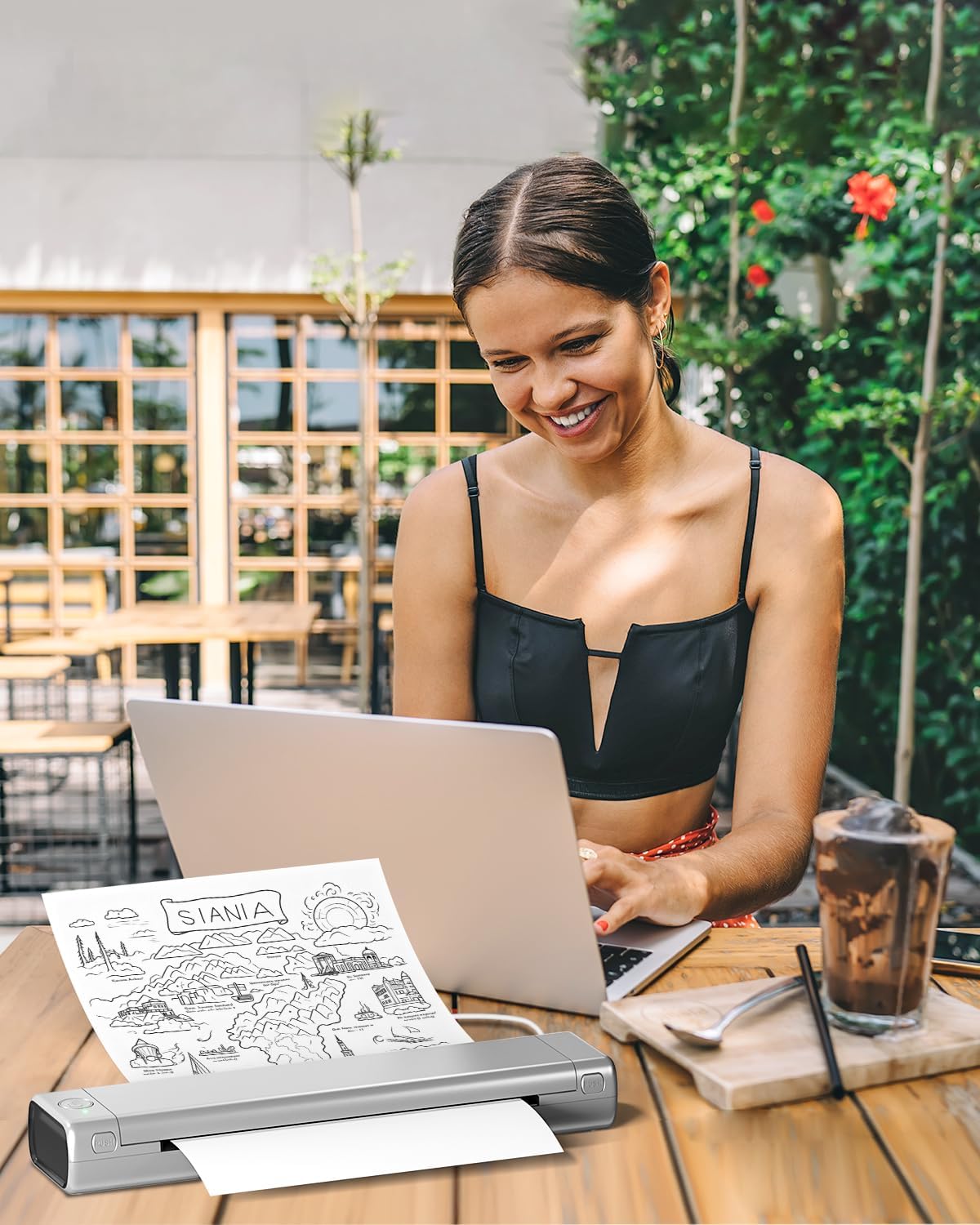
5.2-сүрөт: A woman using the Phomemo M08F printer outdoors with her laptop, illustrating the printer's portability and convenience for travel, study, or remote work.

5.3-сүрөт: Children in a classroom environment interacting with the Phomemo M08F printer, demonstrating its applicability for educational activities and printing learning materials.

5.4-сүрөт: A group of individuals collaborating around a table, utilizing the Phomemo M08F printer to print design mock-ups or planning documents, showcasing its versatility in professional settings.
5.4 Басып чыгаруу сапаты
The Phomemo M08F provides a print clarity of up to 203 DPI with black and white thermal printing. For best results, ensure your thermal paper is of good quality and properly loaded.
6. Техникалык тейлөө
6.1 Басып чыгаруу башын тазалоо
Басып чыгаруу сапатын сактоо үчүн, басып чыгаруучу башты үзгүлтүксүз тазалап туруңуз. Пахта таякчасын жеңил сүртүңүзampened with isopropyl alcohol. Gently wipe the print head surface. Allow it to dry completely before use.
6.2 Батареяга кам көрүү
- Charge the printer regularly, even if not in frequent use, to prolong battery life.
- Принтерди өтө жогорку температурага дуушар кылбаңыз.
- Эгер батарейканы узак убакытка сактасаңыз, сактоодон мурун аны болжол менен 50% га чейин заряддаңыз.
6.3 Paper Storage
Store thermal paper in a cool, dry place away from direct sunlight and heat to prevent premature fading of prints.
7. Кыйынчылыктарды
7.1 Жалпы маселелер жана чечимдер
| Көйгөй | Мүмкүн себеп | Чечим |
|---|---|---|
| Принтер күйбөй жатат | Батареянын аздыгы; Кубат баскычы туура басылган жок. | Принтерди кубаттаңыз; Кубат баскычын бир нече секунд басып туруңуз. |
| Басып чыгаруу сапаты начар / Өчүрүлгөн басып чыгаруулар | Print head dirty; Low battery; Incorrect paper type or orientation; Old thermal paper. | Clean the print head (Section 6.1); Charge the printer; Ensure correct thermal paper is loaded with printable side up; Use fresh thermal paper. |
| Bluetooth аркылуу туташуу мүмкүн эмес | Bluetooth not enabled; Printer not in pairing mode; App issue; Interference. | Ensure Bluetooth is on and printer is discoverable; Restart printer and mobile device; Reinstall Phomemo app; Move closer to printer. |
| Cannot print from PC/Mac | Drivers not installed; Incorrect USB connection; Printer not selected. | Install drivers (Section 4.3); Try a different USB port or cable; Select Phomemo M08F as the printer in your application. |
| Кагаз тыгылышы | Improper paper loading; Damaged paper. | Open paper cover and carefully remove jammed paper; Ensure paper is loaded straight and not wrinkled. |
If you encounter issues not listed here, please refer to the Phomemo official webсайтка же кардарларды колдоо менен байланышыңыз.
8. Техникалык шарттар
| Өзгөчөлүк | Деталь |
|---|---|
| Модель аты | M08F Pro |
| Басма технологиясы | Термикалык |
| Байланыш | Bluetooth, USB |
| Максималдуу медиа өлчөмү | A4 |
| Print Resolution (B&W) | 203 dpi or more |
| Продукциянын өлчөмдөрү | 35P x 6.5lx 4H сантиметр |
| Элемент Салмагы | 34.99 грамм |
| Батарея түрү | Литий-ион (кошулган) |
| Шайкеш түзмөктөр | Ноутбук, компьютер, смартфон, планшет |
| Колдоого алынган OS | Android, iOS, Mac OS, Windows, Chrome OS, Linux |
9. Кепилдик жана колдоо
9.1 Кепилдик маалыматы
The Phomemo M08F Portable Thermal Printer comes with a limited warranty. Please refer to the warranty card included in your package or visit the official Phomemo webдеталдуу кепилдик шарттары жана шарттары үчүн сайт.
Кепилдик түрү: Чектелген Кепилдик
9.2 Кардарларды колдоо
For technical assistance, troubleshooting, or any inquiries regarding your Phomemo M08F printer, please contact Phomemo customer support through their official channels:
- Официалдуу Webсайт: https://phomemo.com
- Driver Download: https://phomemo.com/pages/m08f
- Чиновниктин байланыш бөлүмүнө кайрылыңыз webэлектрондук почта же телефон аркылуу колдоо көрсөтүү үчүн сайт.


