1. Киришүү
This manual provides instructions for the safe and effective use of your UrbanX Bluetooth Speaker FM0190. Please read this manual thoroughly before operating the device and retain it for future reference.
The UrbanX Bluetooth Speaker FM0190 is a portable audio device designed for high-quality sound reproduction. It features Bluetooth V5.2 connectivity, IPX7 waterproofing, and True Wireless Stereo (TWS) pairing capabilities for an enhanced audio experience.

Image: The UrbanX speaker demonstrating its IPX7 waterproof capability in a wet environment.

Image: The UrbanX speaker in a beach setting, showcasing анын компакттуу жана портативдик дизайны.
2. Пакеттин мазмуну
Пакетиңизде бардык буюмдар бар экенин текшериңиз:
- UrbanX Bluetooth Speaker FM0190
- USB Type-C кубаттоочу кабель
- User Manual
- Accessory Kit (e.g., lanyard)
3. Продукт бүтүп калдыview
Спикердин компоненттери жана башкаруу элементтери менен таанышыңыз.

Сүрөт: алдыңкы view of the UrbanX Bluetooth Speaker, highlighting its waterproof design and control buttons.
3.1 Башкаруу баскычтары жана порттор
- Кубат баскычы: Press and hold to power on/off. Short press to play/pause.
- Үнүн жогорулатуу (+): Short press to increase volume. Long press for next track.
- Үнүн азайтуу (-): Short press to decrease volume. Long press for previous track.
- Микрофон: Колсуз чалуу үчүн.
- C түрүндөгү кубаттоо порт: For charging the speaker.
- SD / TF Card Slot: For direct music playback from a memory card.
- AUX киргизүү порту: Зымдуу аудио туташуу үчүн.
4. Орнотуу
4.1 Динамикти заряддоо
- Connect the provided USB Type-C charging cable to the speaker's Type-C port.
- Кабелдин экинчи учун USB кубат адаптерине (кошумча эмес) же компьютердин USB портуна туташтырыңыз.
- Заряддоо индикатору заряддоо учурунда күйөт.
- Charging typically takes 3-4 hours for a full charge. The indicator light will change or turn off once fully charged.
Note: Ensure the speaker is fully charged before first use to maximize battery life.
5. Иштөө нускамалары
5.1 Күйгүзүү/өчүрүү
- Күйгүзүү: Press and hold the Power button for approximately 2-3 seconds until you hear an audible prompt and the indicator light flashes.
- Өчүрүү үчүн: Press and hold the Power button for approximately 2-3 seconds until you hear an audible prompt and the indicator light turns off.
5.2 Bluetooth жупташтыруу
- Динамиктин күйүп турганын жана Bluetooth жупташтыруу режиминде экенин текшериңиз (индикатордун жарыгы тез күйүп-өчөт).
- Мобилдик түзмөгүңүздө Bluetooth иштетип, жеткиликтүү түзмөктөрдү издеңиз.
- Select "UrbanX FM0190" from the list of devices.
- Once paired, you will hear a confirmation sound, and the indicator light will remain solid.
- Динамик күйгүзүлгөндө, эгер диапазондо болсо, акыркы жупташтырылган түзмөккө автоматтык түрдө кайра туташат.
5.3 Чыныгы зымсыз стерео (TWS) жупташтыруу
TWS allows two UrbanX FM0190 speakers to connect wirelessly for a stereo sound experience.

Image: Two UrbanX speakers demonstrating True Wireless Stereo pairing for immersive sound.
- Ensure both UrbanX FM0190 speakers are powered on and not connected to any Bluetooth device.
- On one speaker (this will be the primary speaker), double-press the Power button (or a dedicated TWS button if present). The speaker will enter TWS pairing mode.
- The two speakers will automatically search and connect to each other. You will hear a confirmation tone once connected.
- Once TWS paired, connect your mobile device to the primary speaker via Bluetooth as described in section 5.2.
Note: TWS pairing requires two identical UrbanX FM0190 speakers.
5.4 Музыканы ойнотуу
- Ойнотуу/Тыныгуу: Short press the Power button.
- Үндү көтөрүү: Short press the "+" button.
- Үндү төмөндөтүү: Short press the "-" button.
- Кийинки трек: Long press the "+" button.
- Мурунку трек: Long press the "-" button.
5.5 Hands-Free чалуу
Bluetooth аркылуу туташканда, колонканы колсуз чалуулар үчүн колдонсо болот.
- Чакырууга жооп бер: Short press the Power button.
- Чакырууну аяктоо: Short press the Power button during a call.
- Чакырууну четке кагуу: Long press the Power button.
5.6 AUX киргизүү режими
Connect an audio device directly using a 3.5mm audio cable (not included).
- Connect one end of a 3.5mm audio cable to the speaker's AUX input port.
- Экинчи учун түзмөгүңүздүн аудио чыгышына туташтырыңыз.
- The speaker should automatically switch to AUX mode, or you may need to short press a Mode button (if available) to select AUX.
5.7 SD/TF Card Playback
Insert a microSD (TF) card with music files түз ойнотуу үчүн.
- Insert a formatted SD/TF card (up to 32GB) into the card slot with the contacts facing down.
- The speaker will automatically switch to SD/TF card mode and begin playing music, or you may need to short press a Mode button (if available).

Image: The UrbanX speaker attached to a scooter, illustrating its ultra-compact and lightweight design for on-the-go use.
6. Техникалык тейлөө
- Тазалоо: Динамикти жумшак менен сүртүңүз, damp кездеме. Абразивдүү тазалагычтарды же эриткичтерди колдонбоңуз.
- Сактагыч: Store the speaker in a cool, dry place away from direct sunlight and extreme temperatures.
- Батареяга кам көрүү: To prolong battery life, fully charge the speaker at least once every three months if not in regular use.
- Суу таасири: While IPX7 waterproof, ensure the charging port cover is securely closed before exposing the speaker to water. After exposure to saltwater, rinse with fresh water and dry thoroughly.
7. Кыйынчылыктарды
| Көйгөй | Мүмкүн себеп | Чечим |
|---|---|---|
| Динамик күйбөйт. | Батарея аз. | Динамикти 3-4 саатка заряддаңыз. |
| Bluetooth аркылуу жупташтыруу мүмкүн эмес. | Динамик жупташтыруу режиминде эмес; түзмөк Bluetooth өчүк; спикерден өтө алыс. | Ensure speaker is in pairing mode. Turn Bluetooth on/off on device. Move device closer to speaker (within 10m). |
| Үн жок. | Үн өтө төмөн; туура эмес киргизүү режими; түзмөк ойнобой жатат. | Increase speaker and device volume. Check input mode (Bluetooth, AUX, SD/TF). Ensure music is playing on the source device. |
| TWS жупташтыруу ишке ашпай калды. | Speakers already paired to another device; not identical models. | Disconnect speakers from any other Bluetooth devices. Ensure both are UrbanX FM0190 models. Repeat TWS pairing steps. |
| Үн сапаты начар. | Interference; low battery; source audio quality. | Move speaker away from other electronic devices. Charge speaker. Try a different audio source. |
8. Техникалык шарттар
| Модель аты | Суу өткөрбөгөн Bluetooth динамиги |
| Модель номери | FM0190 |
| Бренд | UrbanX |
| Байланыш технологиясы | Bluetooth V5.2 |
| Зымсыз диапазон | 10 метрге чейин (33 фут) |
| Суу өткөрбөйт рейтинги | IPX7 (submersible up to 1 meter for 30 minutes) |
| Батарея сыйымдуулугу | 1800 мАч литий-ион |
| Ойнотуу убактысы | 20 саатка чейин (50% көлөмдө) |
| Заряддоо убактысы | 3-4 саат |
| Заряддоо порту | USB Type-C |
| Өлчөмдөрү (L x W x Y) | 5.4 x 3.76 x 3.82 дюйм (13.7 x 9.55 x 9.7 см) |
| Салмагы | 11.8 унция (334.5 грамм) |
| Материал | ABS plastic, nylon fabric, rubber oil, metal |
| Колдоого алынган медиа | Bluetooth, AUX, SD/TF Card (up to 32GB) |
| UPC | 788951095404 |
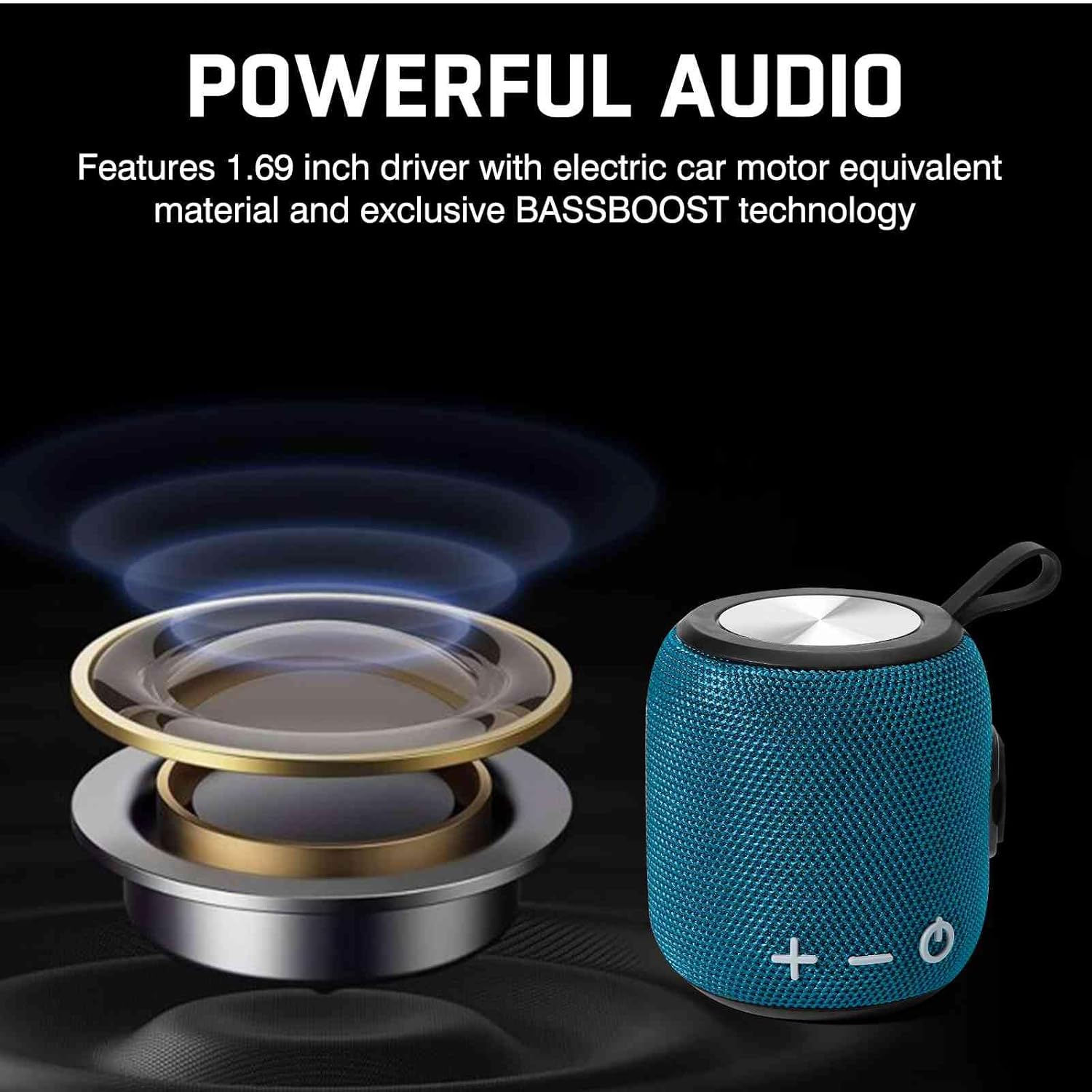
Image: Illustration of the speaker's internal audio components, emphasizing powerful sound output.
9. Коопсуздук маалыматы
- Do not disassemble, repair, or modify the speaker. This may void the warranty and cause damage.
- Динамикти өтө жогорку температурадан, түз күн нурунан жана ачык оттон алыс кармаңыз.
- Do not expose the speaker to corrosive liquids.
- Заряддоодон мурун кубаттоо порту кургак экенин текшериңиз.
- Берилген заряддоо кабелин же тастыкталган Type-C кабелин гана колдонуңуз.
- Угуу жөндөмүнө зыян келтирбөө үчүн узак убакыт бою катуу үн менен угуудан алыс болуңуз.
10. Кепилдик жана колдоо
UrbanX products come with a standard manufacturer's warranty. For specific warranty terms and conditions, please refer to the warranty card included in your package or visit the official UrbanX webсайт.
For technical support, troubleshooting assistance, or warranty claims, please contact UrbanX customer service through the following channels:
- Webсайт: Visit the UrbanX Store on Amazon
- Email: Refer to your product packaging or warranty card for contact email.
Please have your model number (FM0190) and proof of purchase ready when contacting support.
