Introduction
This manual provides comprehensive instructions for the setup, operation, and maintenance of your Geevon Indoor Outdoor Thermometer Wireless Weather Station, Model 238647. This device is designed to monitor indoor and outdoor temperature and humidity, provide a 12-hour weather forecast, and function as an alarm clock with a backlight display.
Коопсуздук маалыматы
- The main unit and the remote sensor must be within 60 meters (200 feet) of each other for optimal wireless communication.
- Ensure both units are placed at least 1 meter (3 feet) away from electronic devices that may interfere with wireless communication, such as televisions, microwaves, computers, or radios.
- Do not use heavy-duty or rechargeable batteries. The outdoor sensor requires lithium batteries in low-temperature conditions, as alkaline batteries may not function properly in cold environments.
- Эски жана жаңы батарейкаларды аралаштырбаңыз.
- Ensure no water or other liquid enters the sensor unit. The outdoor sensor is IP44 splash-proof, but direct exposure to heavy rain or submersion should be avoided.
Пакеттин мазмуну
- Негизги дисплей бирдиги
- Зымсыз тышкы сенсор
- USB кубат кабели
- Колдонуучунун Колдонмосу (бул документ)
Продукт бүттүview
The Geevon Weather Station features a 4-inch color HD display for clear visibility of indoor and outdoor conditions. The system includes a main display unit and a wireless remote sensor.

Image: The main display unit and the wireless outdoor sensor, along with the USB power cable.
Негизги дисплей бирдигинин өзгөчөлүктөрү:
- Color HD Display: Shows indoor/outdoor temperature and humidity, time, alarm status, and weather forecast.
- Backlight: Activated by the SNZ/LIGHT button. Continuous backlight when powered by USB.
- Alarm Clock with Snooze: Features a 5-minute snooze function.
- Max/Min Records: Displays past 24-hour maximum and minimum temperature and humidity.
- Weather Forecast: Provides a 12-hour forecast.
- Temperature Units: Switchable between Celsius (°C) and Fahrenheit (°F).
- Low Battery Indicator: Alerts when batteries need replacement.
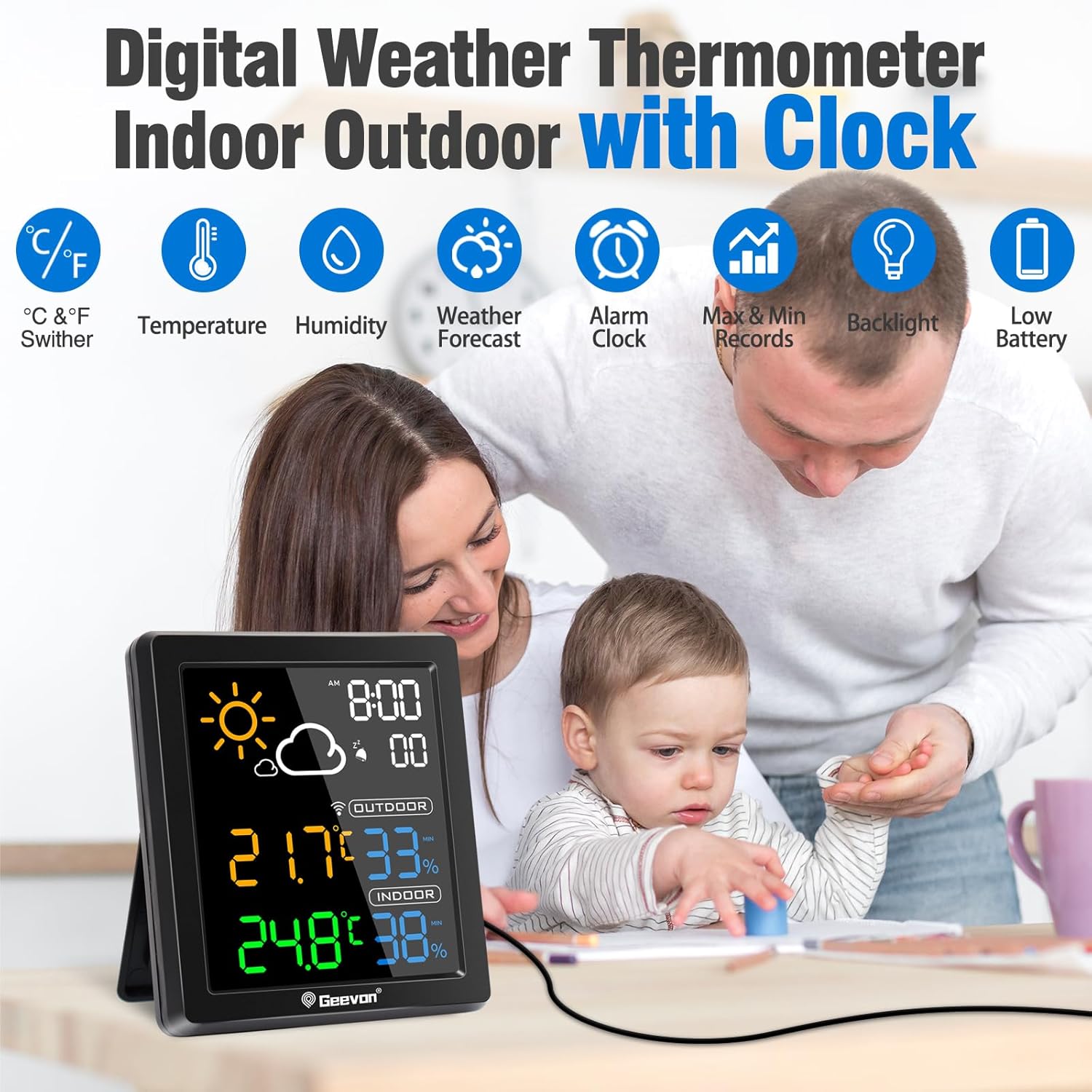
Image: The main display unit highlighting its various features including temperature, humidity, weather forecast, alarm, max/min records, backlight, and low battery indicator.
Зымсыз тышкы сенсор:
- Wireless Transmission: Operates at 433 MHz, with a range of up to 60 meters (200 feet) in open areas.
- IP44 Splash-Proof: Designed to withstand light splashes, but should be protected from direct heavy rain and sunlight.

Image: Diagram illustrating the 200ft/60m wireless transmission range between the main unit and the outdoor sensor, with the sensor mounted on an exterior wall.
Жайгашуу
1. Электр камсыздоо
The main unit can be powered by either the included USB cable or 2 AAA batteries (not included). The outdoor sensor requires 2 AAA batteries (not included).
- Негизги блок: Insert 2 AAA batteries into the battery compartment, observing polarity. For continuous backlight, connect the USB cable to the main unit and a power adapter (not included). When operating on battery power alone, the backlight will turn off after 10 seconds to conserve energy.
- Тышкы сенсор: Insert 2 AAA batteries into the battery compartment, observing polarity.

Image: Illustration showing the two power modes for the main unit: battery-powered (backlight turns off after 10s) and USB cable powered (backlight stays on).
2. Баштапкы синхрондоштуруу
Before placing the sensor outdoors, ensure both the main unit and the sensor are placed together. Once batteries are installed in both units, they should automatically connect. If connection is not established, refer to the Troubleshooting section.
3. Сенсордун жайгашуусу
Place the outdoor sensor in a shaded area, protected from direct sunlight and heavy precipitation, to ensure accurate readings and prolong battery life. The sensor is splash-proof (IP44) but not waterproof. Ensure it is within the 60-meter (200-foot) transmission range of the main unit.

Image: The main unit shown with both wall mount and tabletop stand options, demonstrating flexible placement.
Иштөө нускамалары
1. Display Overview
Негизги дисплей бирдиги төмөнкү маалыматты көрсөтөт:
- Убакыт: Current time with AM/PM indicator.
- Аба ырайы: Icons representing sunny, cloudy, overcast, rain, or snow for the next 12 hours.
- Сырттагы температура жана нымдуулук: Readings from the wireless sensor.
- Имараттын температурасы жана нымдуулугу: Readings from the main unit.
- Max/Min Records: Highest and lowest temperature/humidity recorded in the past 24 hours.

Image: The weather station display showing various weather forecast icons for the next 12 hours, including sunny, cloudy, overcast, rain, and snow.
2. Арткы жарыктын иштеши
тийиңиз SNZ/LIGHT button on the top of the main unit to activate the backlight. If the unit is powered by the USB cable, the backlight will remain continuously on. If powered by batteries, the backlight will illuminate for 10 seconds and then turn off to save power.

Image: Comparison of the display with backlight during day and night, demonstrating enhanced visibility.
3. Alarm Clock and Snooze Function
The unit includes an alarm clock with a 5-minute snooze function.
- To activate the snooze function when the alarm sounds, touch the SNZ/LIGHT button on the top.
- To turn off the alarm, press any other button on the back of the unit.

Image: The weather station displaying the alarm clock and snooze icons, with an illustration of pressing the SNZ/LIGHT button for snooze.
4. Температураны өлчөө бирдиктерин которуу (°C/°F)
Refer to the buttons on the back of the main unit to switch between Celsius and Fahrenheit temperature displays. Consult the button labels for specific functionality.
Техникалык тейлөө
- Тазалоо: Дисплей бирдигин жана сенсорду жумшак, кургак чүпүрөк менен сүртүңүз. Абразивдүү тазалагычтарды же эриткичтерди колдонбоңуз.
- Батареяны алмаштыруу: Дисплейде батареянын заряды аз калганын көрсөткөн индикатор пайда болгондо, негизги блоктогу жана сырткы сенсордогу батареяларды алмаштырыңыз. Туура полярдуулукту текшериңиз.
- Сенсор коргоо: Periodically check the outdoor sensor for any debris or moisture accumulation. Ensure it remains in a protected location.
Проблемаларды чечүү
| Маселе | Мүмкүн себеп | Чечим |
|---|---|---|
| Сырткы температура/нымдуулук көрсөткүчү жок | Сенсор диапазондон тышкары, сенсордун батареясы аз, тоскоолдук. | Move sensor closer to main unit. Replace sensor batteries. Relocate units away from electronic interference. |
| Так эмес окуулар | Sensor exposed to direct sunlight/rain, poor ventilation. | Relocate sensor to a shaded, well-ventilated area. Allow time for readings to stabilize after relocation. |
| Backlight not continuous | Main unit running on battery power. | Connect the main unit to a power source using the USB cable for continuous backlight. |
| Аба ырайы так эмес | The weather forecast is based on atmospheric pressure changes and is an estimation for the next 12 hours, not a real-time forecast. | Understand that the forecast is predictive and may not always match current conditions perfectly. |
Техникалык шарттар
- Ички температура диапазону: 14°F ~ 122°F (-10°C ~ 50°C)
- Тышкы температура диапазону: -58 ° F ~ 158 ° F (-50 ° C ~ 70 ° C)
- Температуранын тактыгы: ±1°C (±3°F)
- Ички/тышкы нымдуулук диапазону: 20% - 95%
- Нымдуулуктун тактыгы: ±5%
- Зымсыз берүү жыштыгы: 433 МГц
- Зымсыз берүү диапазону: Up to 60m (200ft) in open area
- Негизги блоктун кубаттуулугу: USB cable (included) or 2 x AAA batteries (not included)
- Сырткы сенсордун кубаты: 2 x AAA батарейкалар (киргизилген эмес)
- Продукциянын өлчөмдөрү: 1 x 8 x 9 см; 200 г
- Модель номери: 238647
Кепилдик жана колдоо
This Geevon product is covered by a 12-month warranty. Additionally, lifetime technical support is provided. For assistance, please contact support@geevon.com.


