WONLINK сырткы WiFi кеңейткичи колдонуучунун колдонмосу
Model: WL-AP7204-USHS1-YAM
Introduction
Thank you for choosing the WONLINK Outdoor WiFi Extender. This device is designed to provide robust and stable wireless internet connectivity in outdoor environments, extending your existing WiFi network to cover large areas such as backyards, farms, parks, and more. This manual will guide you through the installation, setup, and operation of your new WiFi extender.

Figure 1: WONLINK Outdoor WiFi Extender
Негизги өзгөчөлүктөрү
- 1200Mbps Dual-Band WiFi: Compliant with IEEE 802.11ac/a/b/g/n standards, offering speeds up to 867Mbps on 5GHz and 300Mbps on 2.4GHz for high-definition and smooth network performance.
- Flexible Installation with PoE: Integrated Power over Ethernet (PoE) support allows for installation in locations without direct power outlets. Includes a 24V PoE adapter.
- Dual Gigabit Ethernet порттору: Equipped with two 1000Mbps LAN/WAN Ethernet ports for excellent wired network speeds.
- Бир нече иштөө режимдери: Supports Repeater, AP (Access Point), Router, and Bridge modes to suit various network environments and applications.
- Кардарлардын жогорку сыйымдуулугу: A single unit can handle over 40 wireless devices on 2.4GHz and 80 on 5.8GHz concurrently.
- Advanced WiFi Security: Features 128-bit encryption and WPA/WPA2/WPA-PSK/WPA2-PSK protocols to prevent unauthorized access and interference.
- IP66 аба ырайына туруктуу дизайн: Robust weatherproof and heat-resistant casing with a waterproof silicone ring ensures continuous operation in harsh outdoor conditions, including extreme cold (-10°C) to hot (60°C) and humid climates.

Figure 2: High-Speed AC1200 Dual Band Performance
Пакеттин мазмуну
Пакетти ачкандан кийин бардык буюмдар бар экенин жана жакшы абалда экендигин текшериңиз:
- 1 x Outdoor WiFi Extender Unit
- 1 x 24V PoE Adapter
- 2 x Stainless Ties (for mounting)
- 2 x Screws (for mounting)
- 2 x Silicone Seals
- 1 x Ыкчам орнотуу колдонмосу
Орнотуу жана орнотуу
The WONLINK Outdoor WiFi Extender supports Power over Ethernet (PoE) for simplified installation. The main unit is weatherproof, but the PoE adapter must be installed indoors.
PoE туташуусу
The included 24V PoE adapter provides both power and data connectivity to the extender unit via a single Ethernet cable. This allows for flexible placement of the extender up to 100 meters (approximately 328 feet) from the power source.
- Connect one end of an Ethernet cable (up to 100m) to the Poe port on the 24V PoE Adapter.
- Connect the other end of this Ethernet cable to the Ethernet port on the Outdoor WiFi Extender unit.
- Connect your router or network switch to the LAN port on the 24V PoE Adapter using another Ethernet cable.
- Plug the 24V PoE Adapter into a standard indoor power outlet.

Figure 3: Power Over Ethernet Connection
Узарткычты орнотуу
The extender can be mounted on a wall or pole using the provided stainless ties and screws. Ensure the mounting location provides optimal signal coverage and is within the 100m PoE cable limit.
Initial Configuration (Recommended AP Mode for Outdoor Use)
For optimal performance in large outdoor areas, the wired AP (Access Point) mode is strongly advised. This involves connecting the extender directly to your router via an Ethernet cable through the PoE adapter.
- Connect the extender to your computer using an Ethernet cable (via the PoE adapter) for initial setup.
- ачуу а web browser and navigate to the default IP address provided in the Quick Installation Guide (typically 192.168.1.1 or similar).
- Демейки эсептик дайындарды колдонуу менен кириңиз (көбүнчө админ/админ).
- Follow the on-screen wizard to configure the device. Select AP режими сыртта колдонуу үчүн.
- Set your desired WiFi network name (SSID) and password.
- Save settings and restart the device if prompted.
Иштөө режимдери
The WONLINK Outdoor WiFi Extender supports four primary operating modes to adapt to various network requirements:
- AP режими (кирүү чекити): Converts a wired network connection into a wireless one. Ideal for creating a new WiFi hotspot or extending a wired network wirelessly. This is the recommended mode for large outdoor deployments.
- Кайталоо режими: Extends the coverage of an existing wireless network by receiving the WiFi signal and re-transmitting it. Best used when the extender is placed within 3-5 meters of the main router for optimal signal reception.
- Багыттоочу режим: Functions as a primary router, connecting to a modem and providing both wired and wireless internet access to multiple devices.
- Көпүрө режими: Connects two separate wired networks wirelessly, acting as a wireless bridge between them.

Figure 4: Multiple Working Modes Diagram
Техникалык тейлөө
The WONLINK Outdoor WiFi Extender is designed for durability and minimal maintenance due to its IP66 weatherproof enclosure.
- Аба ырайынын туруктуулугу: The IP66 rating ensures protection against dust ingress and powerful water jets. It is built to withstand rain, snow, wind, and extreme temperatures (-10°C to 60°C).
- Тазалоо: Мезгил-мезгили менен аппараттын сыртын жумшак, гamp Топтолгон кирди же таштандыларды кетирүү үчүн чүпүрөк колдонуңуз. Катуу химиялык заттарды же абразивдүү тазалоочу каражаттарды колдонбоңуз.
- Программалык камсыздоонун жаңыртуулары: WONLINK расмий өкүлүн текшериңиз webсайтты микропрограммалык камсыздоону жаңыртуу үчүн мезгил-мезгили менен текшерип туруңуз. Микропрограммалык камсыздоону жаңыртып туруу оптималдуу иштөөнү, коопсуздукту жана жаңы функцияларга жетүүнү камсыз кылат.
- Кабелдик текшерүү: Regularly inspect the Ethernet cable connecting the extender to the PoE adapter for any signs of wear, damage, or degradation, especially if exposed to direct sunlight or physical stress.
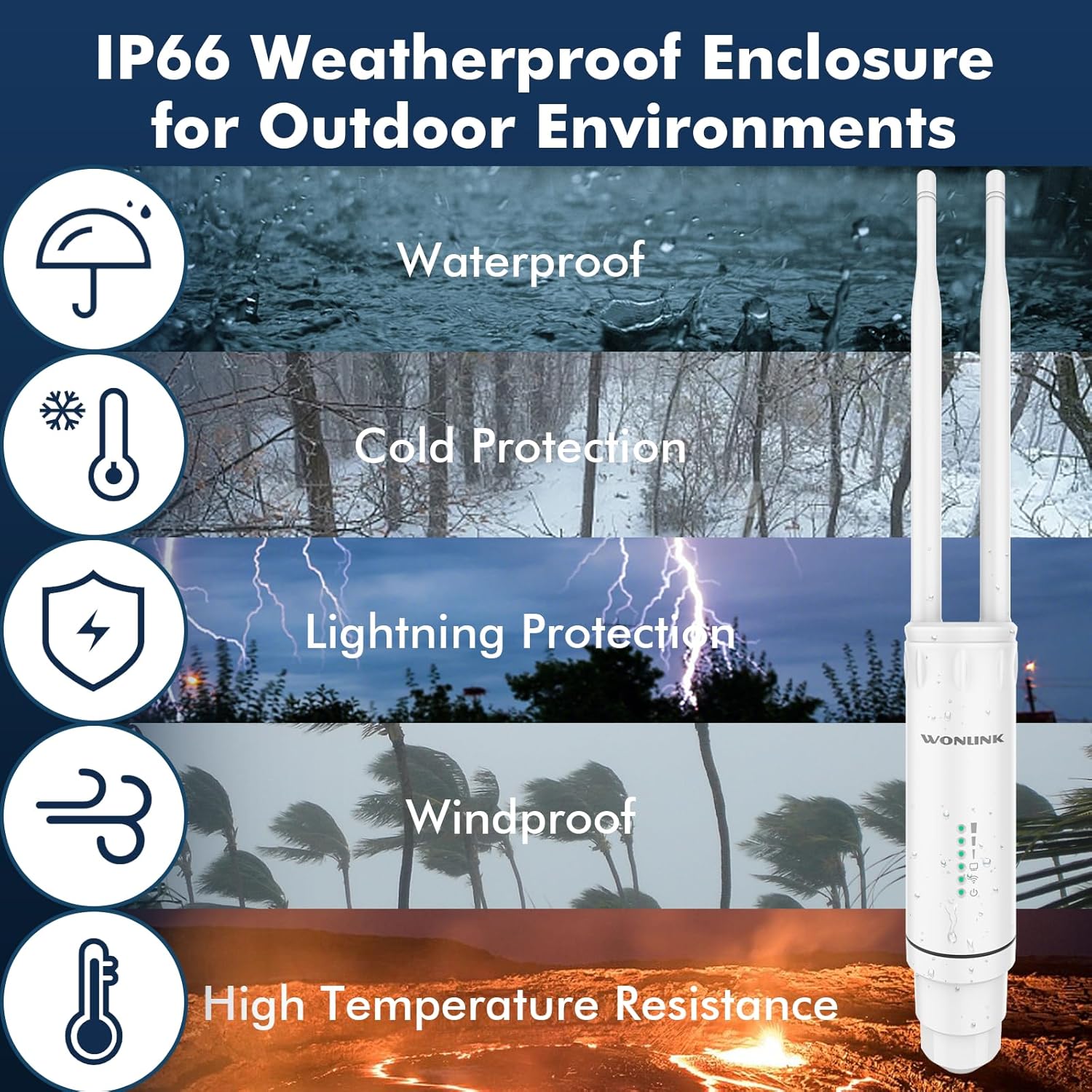
Figure 5: IP66 Weatherproof Enclosure Features
Проблемаларды чечүү
If you encounter issues with your WONLINK Outdoor WiFi Extender, try the following troubleshooting steps:
- No Power/Lights Off:
- Ensure the PoE adapter is securely plugged into a working power outlet.
- Check the Ethernet cable connection between the PoE adapter and the extender unit.
- Verify the PoE adapter is functioning correctly.
- Интернетке кирүү жок:
- In AP/Router mode, ensure the LAN port of the PoE adapter is connected to your main router/modem.
- Check if your main router/modem has internet access.
- If in Repeater mode, ensure the extender is receiving a strong signal from your main router. Try repositioning the extender closer to the router.
- Restart both the extender and your main router.
- Weak Signal/Slow Speed:
- Ensure the extender is placed in an optimal location, away from obstructions and sources of interference (e.g., thick walls, large metal objects, microwaves).
- For Repeater mode, ensure the extender is not too far from the main router.
- Микропрограмма жаңыртууларын текшериңиз.
- Антенналардын бекем орнотулганын жана туура багытталганын текшериңиз.
- Кирүү мүмкүн эмес Web Башкаруу баракчасы:
- Ensure your computer is connected to the extender (either directly via Ethernet or its WiFi network).
- Verify you are using the correct IP address (refer to the Quick Installation Guide).
- Браузериңиздин кэшин тазалап көрүңүз же башка браузерди колдонуп көрүңүз.
- Компьютериңиздеги брандмауэрди же антивирустук программаларды убактылуу өчүрүңүз.
- Заводдун баштапкы абалга келтирүү: If issues persist, you may need to perform a factory reset. Locate the reset button (usually a small pinhole) on the device. With the device powered on, press and hold the reset button for 5-10 seconds until the lights flash, then release. The device will revert to its default factory settings.
Техникалык шарттар
| Бренд | WONLINK |
| Модель номери | WL-AP7204-USHS1-YAM |
| Зымсыз байланыш стандарты | 802.11a/b/g/n/ac |
| Маалыматтарды өткөрүү ылдамдыгы | 1200 Мегабит/секунда (Мбит/сек) |
| Жыштык тилкесинин классы | Кош тилкелүү (2.4 ГГц жана 5 ГГц) |
| Электр камсыздоо | 24V PoE адаптери |
| Аба ырайына каршы рейтинг | IP66 |
| Иштөө температурасы | -10°Cден 60°Cге чейин |
| Элемент Салмагы | 1.17 фунт |
| Пакеттин өлчөмдөрү | 9.33 x 6.02 x 2.4 дюйм |
Кепилдик жана колдоо
For warranty information and technical support, please refer to the documentation included with your product or visit the official WONLINK webсайт. Сиз да зыярат кылсаңыз болот Amazon'догу WONLINK дүкөнү for more product details and customer service options.


