1. Продукт бүтүп калдыview
The WONLINK Outdoor WiFi Extender (Model: WL-AP7202-CAHS1-YAM) is a high-performance, dual-band (2.4GHz and 5GHz) wireless device designed to extend your WiFi network coverage outdoors. It supports speeds up to 1200Mbps and features Power over Ethernet (PoE) for flexible installation. Its IP66 weatherproof and robust design ensures reliable operation in various outdoor environments.

Сүрөт 1.1: Алдыңкы view of the WONLINK Outdoor WiFi Extender, illustrating its wireless signal propagation.
Негизги өзгөчөлүктөрү
- Dual Band AC1200: Simultaneous 2.4GHz (300Mbps) and 5GHz (867Mbps) for high-speed connectivity.
- Ethernet аркылуу күч (PoE): Бир Ethernet кабели аркылуу кубаттуулукту жана маалыматтарды жеткирүү менен орнотууну жөнөкөйлөтөт.
- IP66 аба ырайы: Designed to withstand harsh outdoor conditions, including rain, dust, and extreme temperatures.
- Бир нече иштөө режимдери: Supports Access Point (AP), Repeater, Bridge, and Router modes for versatile network deployment.
- Жогорку күч Ampжашагандар: Enhances signal strength and coverage for long-range outdoor applications.
- Gigabit Port: Ensures high-speed wired connections.
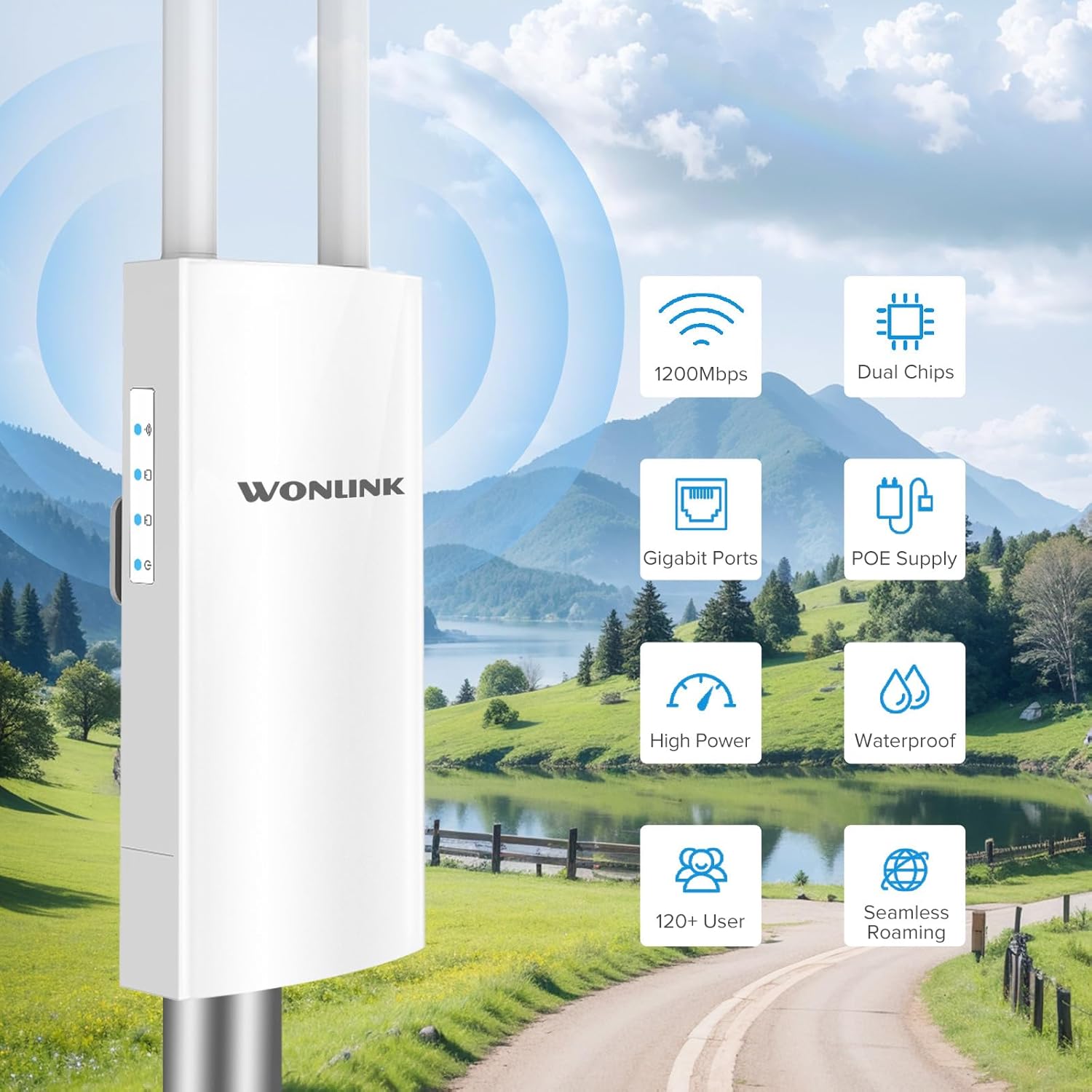
Figure 1.2: ашыкview of key features including 1200Mbps speed, dual chips, Gigabit ports, PoE supply, high power, waterproof design, support for 120+ users, and seamless roaming.

Figure 1.3: Breakdown of Dual Band AC1200 speeds, showing 5GHz (867Mbps) for less interference and faster speed, and 2.4GHz (300Mbps) for strong compatibility and better penetration.
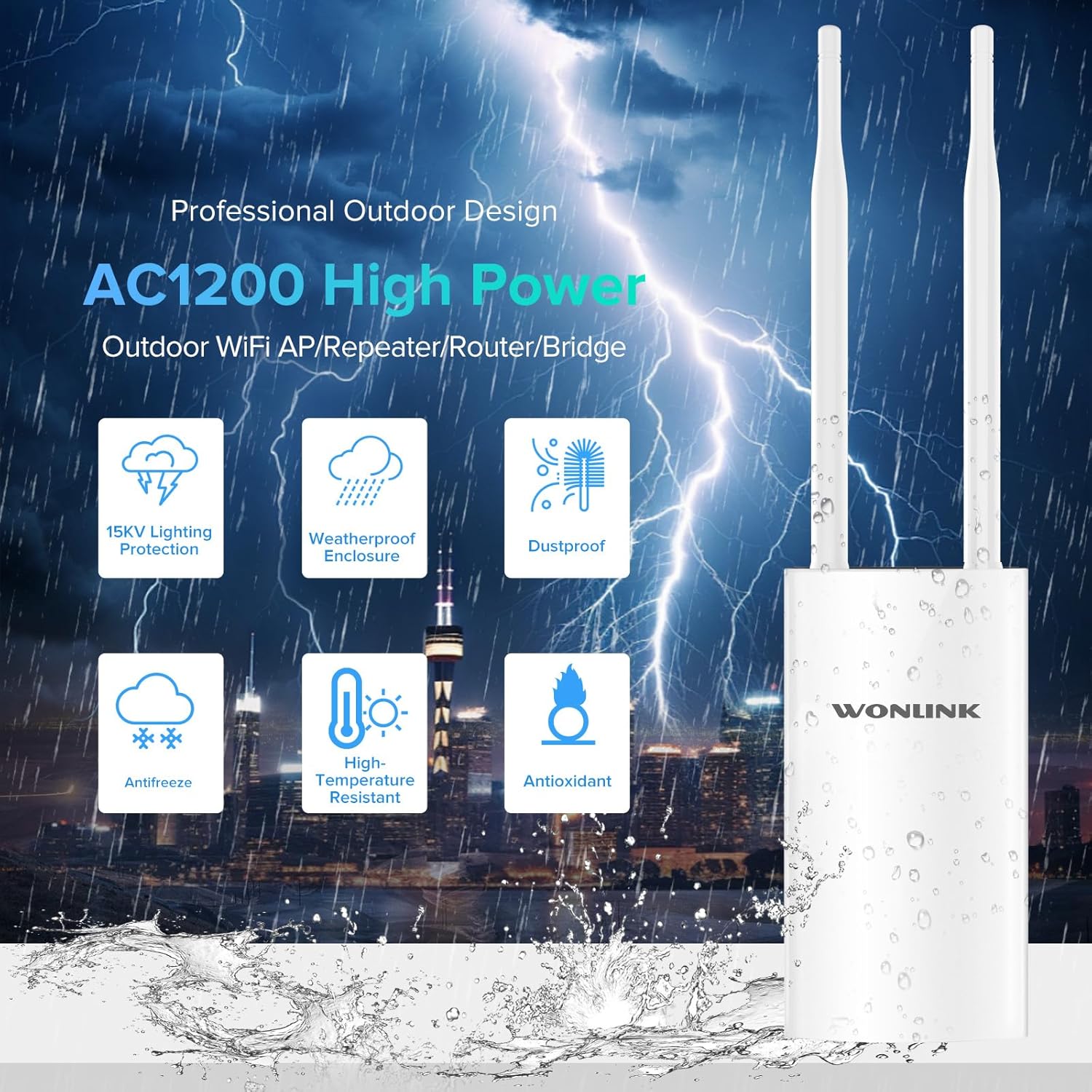
Figure 1.4: Features of the professional outdoor design, including 15KV lighting protection, weatherproof enclosure, dustproof, antifreeze, high-temperature resistance, and antioxidant properties.
2. Орнотуу жана орнотуу
This section guides you through the physical installation and initial configuration of your WONLINK Outdoor WiFi Extender.
2.1 Пакеттин мазмуну
Баштоодон мурун, пакетте бардык буюмдар бар экенине ынаныңыз:
- 1 x Outdoor WiFi Extender
- 1 x 48V PoE адаптери
- 2 х бурамалар
- 1 x Ыкчам орнотуу колдонмосу
- 2 x Силикон пломбалары
- 2 x Stainless Ties
2.2 Физикалык орнотуу
The device can be mounted on a pole or wall using the provided accessories. Choose a location that offers optimal signal coverage and is within 80 meters of the PoE adapter.
- Attach the antennas to their respective ports on the device.
- Use the stainless ties to secure the device to a pole, or use screws with the bracket for wall mounting.
- Connect an Ethernet cable from the device's WAN/PoE port to the "PoE" port on the 48V PoE Adapter.
- Connect another Ethernet cable from the "LAN" port on the PoE Adapter to your router or network switch.
- Plug the power cord of the PoE Adapter into an electrical outlet.

Figure 2.1: Diagram illustrating the Power Over Ethernet (PoE) connection, showing the 48V PoE Adapter connecting the device to the network and power source.

2.2-сүрөт: Мисamples of multiple application scenarios, including yard, swimming pool area, park, and farm, demonstrating the versatility of the outdoor WiFi extender.
2.3 Баштапкы конфигурация
Refer to the Quick Installation Guide for detailed steps on accessing the web management interface and configuring the device for your desired operating mode (AP, Repeater, Bridge, or Router).

Figure 2.3: Visual representation of the four main operating modes: Access Point (AP) Mode, Repeater Mode, Bridge Mode, and Router Mode, showing how the device integrates into different network setups.
3. Operating Modes and Indicators
The WONLINK Outdoor WiFi Extender supports various operating modes to suit different network requirements.
3.1 Иштөө режимдери
- Кирүү чекити (AP) режими: Connects to a wired network and broadcasts a wireless signal, allowing wireless devices to connect.
- Кайталоо режими: Extends the range of an existing wireless network by re-broadcasting its signal.
- Көпүрө режими: Connects two wired networks wirelessly.
- Багыттоочу режим: Ал негизги роутер катары иштейт, туташкан түзмөктөргө интернетке кирүү мүмкүнчүлүгүн берет.
3.2 LED көрсөткүчтөрү
Түзмөктүн абалын көрсөтүү үчүн бир нече LED индикаторлору бар:
| Индикатор | Статус | Description |
|---|---|---|
| Power Indicator | Катуу күйүк | Түзмөк күйгүзүлгөн. |
| LAN көрсөткүчү | Solid On/Blinking | LAN портунун ишин көрсөтөт. |
| WAN көрсөткүчү | Solid On/Blinking | WAN портунун активдүүлүгүн көрсөтөт. |
| WiFi сигнал көрсөткүчү | Solid On/Blinking | Indicates wireless signal activity. |

3.1-сүрөт: Продукциянын толук сүрөттөлүшүview showing the location of power, LAN, WAN, and WiFi signal indicators, antennas, bracket, LAN port, reset button, and WAN port.
4. Техникалык тейлөө
Proper maintenance ensures the longevity and optimal performance of your outdoor WiFi extender.
- Тазалоо: Түзмөктүн сыртын мезгил-мезгили менен жумшак,amp кездеме. Катуу химиялык заттарды же абразивдүү тазалоочу каражаттарды колдонбоңуз. Бардык порттордо таштандылар жок экенин текшериңиз.
- Программалык камсыздоонун жаңыртуулары: Өндүрүүчүнү текшериңиз website (szwonlink.com) for available firmware updates. Keeping the firmware updated can improve performance and security.
- Курчап турган чөйрөнү коргоо: While the device is IP66 weatherproof, ensure proper installation to prevent water ingress into cable connections. Use the provided silicone seals for port protection.
5. Кыйынчылыктарды
Эгер сиз түзмөгүңүздө көйгөйлөргө туш болсоңуз, төмөнкү жалпы көйгөйлөрдү чечүү кадамдарын караңыз:
- Кубат жок:
- PoE адаптери розеткага жана түзмөккө туура туташтырылганын текшериңиз.
- Verify the power indicator LED is on.
- PoE адаптерин түзмөккө туташтырган Ethernet кабелин текшериңиз.
- Интернетке кирүү жок:
- Confirm your main router has internet access.
- Check the WAN/LAN indicator LEDs on the device and PoE adapter for activity.
- Ensure the device is configured correctly for its operating mode (AP, Repeater, Bridge, Router).
- Weak or Unstable WiFi Signal:
- Relocate the device to a more central position or higher elevation.
- Антенналардын бекем орнотулганын жана туура багытталганын текшериңиз.
- Check for physical obstructions between the device and client devices.
- Кирүү мүмкүн эмес Web Башкаруу интерфейси:
- Verify your computer is connected to the device's network (either wirelessly or via Ethernet).
- Ensure you are using the correct IP address for the device (refer to the Quick Installation Guide).
- Компьютериңиздеги брандмауэрди же антивирустук программаларды убактылуу өчүрүңүз.
- Заводдун баштапкы абалга келтирүү: If issues persist, you can perform a factory reset.
- With the device powered on, use a paperclip or pin to press and hold the Reset button (located near the ports) for approximately 5-10 seconds until the LEDs flash.
- The device will restart with factory default settings. You will need to reconfigure it.
6. Техникалык шарттар
Detailed technical specifications for the WONLINK Outdoor WiFi Extender (WL-AP7202-CAHS1-YAM).
| Өзгөчөлүк | Деталь |
|---|---|
| Бренд | WONLINK |
| Модел | WL-AP7202-CAHS1-YAM |
| Маалыматтарды өткөрүү ылдамдыгы | 1200 Мегабит/секунда (Мбит/сек) |
| Зымсыз стандарт | 802.11n, 802.11ac |
| Жыштык тилкесинин классы | Кош тилкелүү (2.4 ГГц жана 5 ГГц) |
| Жыштык | 2412 MHz (2.4GHz band) |
| Порттардын саны | 1 (Гигабиттик Ethernet) |
| Байланыш технологиясы | Wi-Fi (802.11ac, 802.11n), Ethernet |
| Шайкеш түзмөктөр | Ноутбук, персоналдык компьютер, смартфон |
| Коопсуздук протоколу | WPA2, WPA3 |
| Кирүү коргоо (IP) рейтинги | IP66 Аба ырайы |
| Электр камсыздоо | 48V PoE адаптери |
| Түс | Беж ак |
| Почталардын өлчөмдөрү | 22.7 x 19.8 x 5.2 см |
| Элемент Салмагы | 580 г |
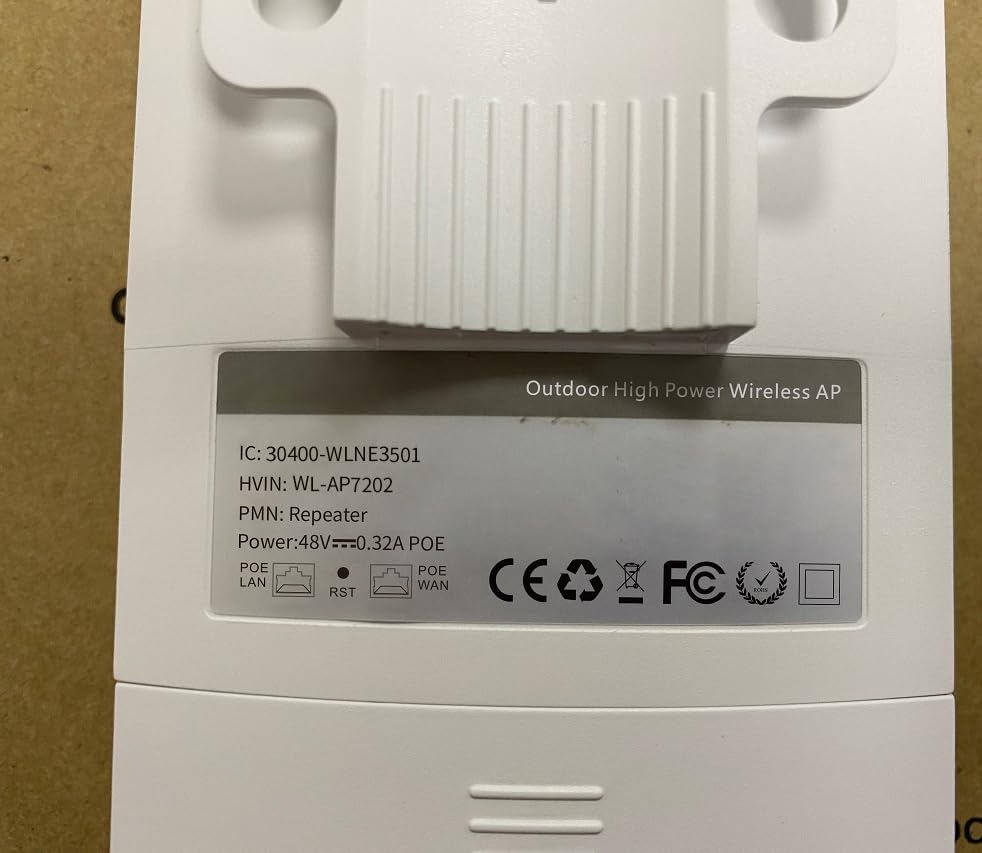
Figure 6.1: Back label of the device, displaying model number (WL-AP7202) and power specifications (48V PoE).
7. Кепилдик жана колдоо
For warranty information, technical support, or further inquiries, please contact WONLINK customer service through their official website or the retailer from whom you purchased the product. Keep your purchase receipt for warranty claims.
Официалдуу Webсайт: szwonlink.com


