1. Продукт бүтүп калдыview
The GardePro E8 WiFi 48MP Trail Camera is designed for capturing high-quality images and videos of wildlife or for property surveillance. It features Wi-Fi and Bluetooth connectivity for easy management via a mobile application, robust night vision capabilities, and a durable, waterproof design.

Figure 1: GardePro E8 Trail Camera and Mobile App Interface
This image shows the GardePro E8 trail camera alongside a smartphone displaying its mobile application. The camera features a camouflage pattern, an external antenna, and multiple sensors on its front face. The phone screen illustrates a live view from the camera, showing a deer in a forest setting, with control options at the bottom.
2. Пакеттин мазмуну
Пакетте бардык буюмдар бар экенин текшериңиз:
- 1 x GardePro E8 Trail Camera
- 1 Антеннаны х
- 1 x Монтаждык боо
- 1 x Instruction Manual
- 1 x Mini-USB Cord
Note: An SD card and 8 AA batteries are required for operation and are not included.
3. Орнотуу
3.1 Батареяны жана SD картаны орнотуу
- Каптал клиптерди бошотуу менен камеранын корпусун ачыңыз.
- Туура полярдуулукту камсыз кылуу менен 8 AA батарейканы батарейка уясына салыңыз.
- Insert a compatible SD card (up to 512GB, Class 10 or higher recommended) into the SD card slot. Ensure it clicks into place.
- Close the camera housing and secure the side clips to maintain the IP66 waterproof seal.

2-сүрөт: Ички View of GardePro E8 Camera
This image displays the interior of the GardePro E8 trail camera when opened. It shows the LCD screen, control buttons (Menu, OK, navigation arrows), the SD card slot, and the battery compartment. The layout is designed for user access to settings and media.
3.2 Антеннаны бекитүү
Screw the provided antenna onto the designated port on the top of the camera. Ensure it is securely fastened for optimal Wi-Fi signal strength.
3.3 Камераны орнотуу
The GardePro E8 can be mounted using the included strap or a wall mount (not included). Position the camera to capture the desired area, ensuring a clear line of sight for optimal motion detection and Wi-Fi connectivity.
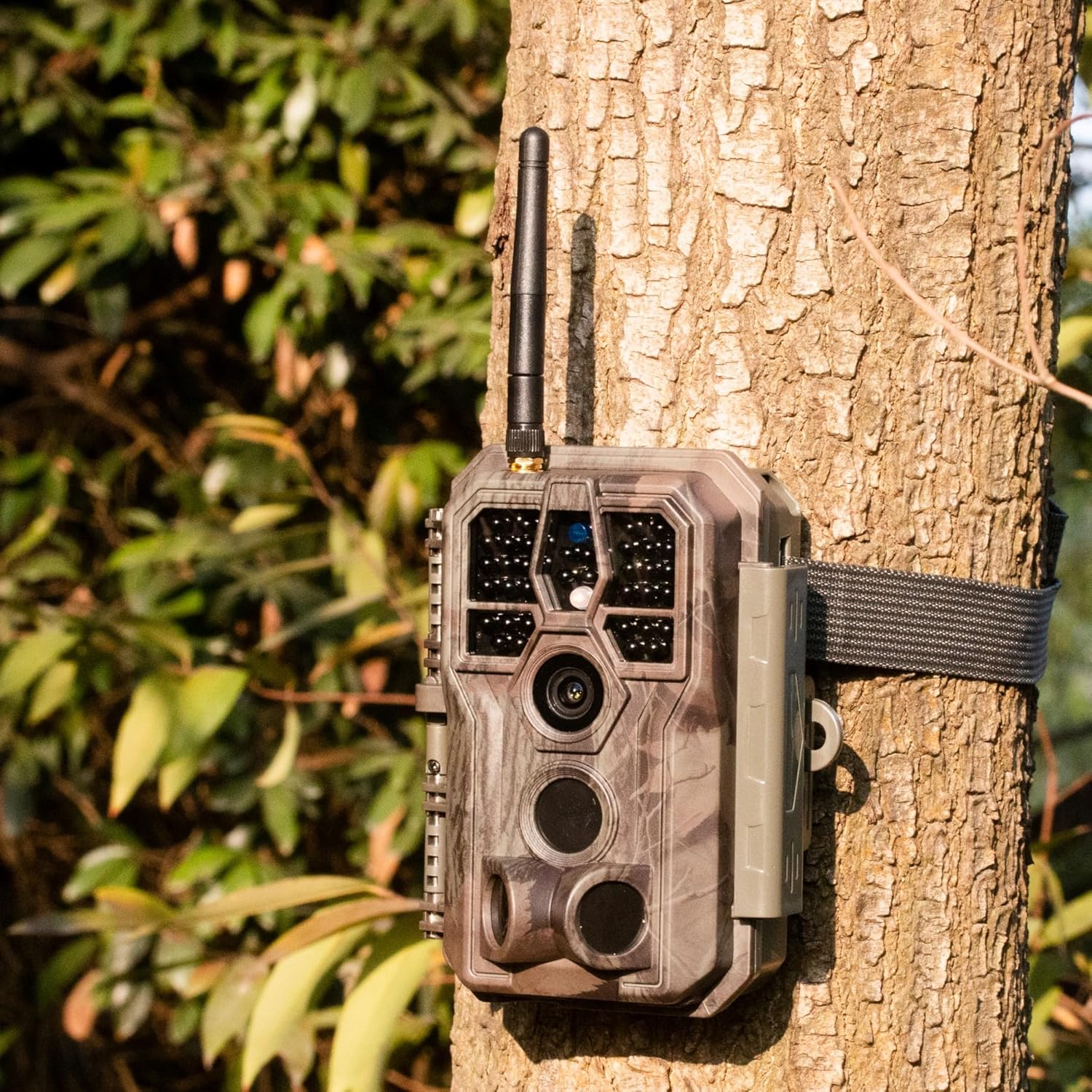
Figure 3: GardePro E8 Camera Mounted on a Tree
This image shows the GardePro E8 trail camera securely mounted to a tree trunk using its included strap. The camera's camouflage design blends with the natural environment, and its external antenna is visible at the top.
3.4 App Download and Initial Connection
- Download the free GardePro Mobile app from your device's app store (iOS & Android compatible).
- Смартфонуңузда Bluetooth'ду иштетиңиз.
- Камераны КҮЙГҮЗҮҮ.
- Open the GardePro app and follow the on-screen instructions to connect to your camera via Bluetooth, which will then establish a Wi-Fi connection.
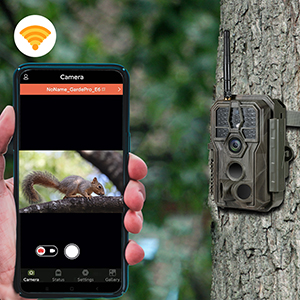
Figure 4: App Connection and Live View
This image illustrates the GardePro E8 trail camera positioned next to a smartphone displaying the GardePro mobile app. The app shows a live feed of a squirrel, demonstrating the camera's connectivity and real-time viewжөндөмдүүлүктөрүн.
4. Иштөө нускамалары
4.1 Using the GardePro Mobile App
The GardePro Mobile app allows you to:
- View жаша фооtage камерадан.
- Adjust camera settings (e.g., photo resolution, video length, trigger sensitivity).
- Preview captured photos and videos without downloading them.
- Download media to your smartphone.
Ensure your smartphone is within the Wi-Fi signal range of the camera (approximately 75 feet with clear line of sight) for stable connection.
4.2 Motion Detection and Trigger Speed
The E8 camera features 3 motion detection zones and an ultra-fast 0.1-second trigger speed to capture events quickly. Adjust sensitivity settings via the app to optimize detection for your environment.
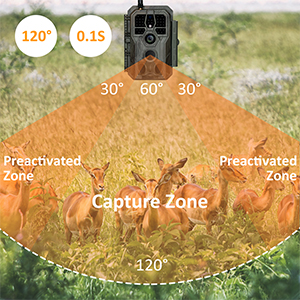
Figure 5: Motion Detection Zones
This diagram illustrates the GardePro E8 trail camera's motion detection capabilities, showing a 120-degree field of view divided into a central capture zone and two preactivated zones. This setup ensures a wide detection area and quick trigger response.
4.3 Сүрөт жана видео тартуу
- Сүрөттөр: Capture up to 48MP photos using the starlight-level optical lens and advanced image sensor.
- Видеолор: Record smooth H.264 1296p or 1080p videos with sound. The H.264 format provides efficient storage.

Figure 6: High-Resolution Capture
This image showcases the GardePro E8's capture quality, featuring a 48MP still image of a hedgehog and an H.264 video frame of a wild boar. This demonstrates the camera's ability to record both high-resolution photos and smooth videos.
4.4 Түнкү көрүнүш
The E8 utilizes enhanced 940nm infrared technology for stealthy operation and adaptive illumination to prevent overexposure or underexposure. It delivers clear night vision up to 100 feet.
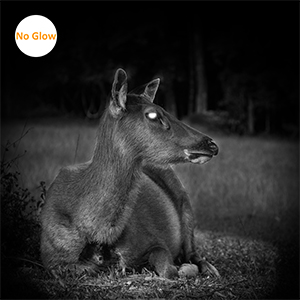
7-сүрөт: Түнкү көрүү мүмкүнчүлүгү
This image demonstrates the GardePro E8's night vision, showing a deer in a dark, outdoor setting. The 'No Glow' feature ensures the camera remains discreet while capturing clear black and white images at night.
5. Техникалык тейлөө
5.1 Батареянын иштөө мөөнөтү
Battery life can vary based on usage, temperature, and settings. With typical usage (e.g., 15-second videos), batteries can last several months. The camera will automatically adjust video duration to conserve power when battery levels are low.
5.2 Гидроизоляция
The E8 camera has an IP66 waterproof rating, protecting it from dust and powerful water jets. Ensure the housing is securely closed and latched to maintain this protection.
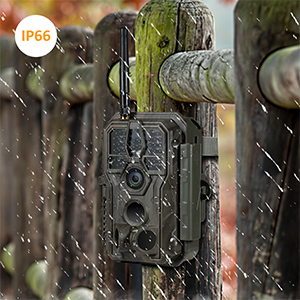
8-сүрөт: IP66 суу өткөрбөй турган дизайн
This image shows the GardePro E8 trail camera mounted on a wooden fence post during rainfall, highlighting its IP66 waterproof rating. Water droplets are visible on the camera's surface, indicating its resistance to outdoor elements.
5.3 Тазалоо
Periodically clean the camera lens and sensors with a soft, dry cloth to ensure optimal image quality. Avoid using abrasive cleaners or solvents.
6. Кыйынчылыктарды
6.1 Жалпы маселелер жана чечимдер
- Камера күйбөй жатат: Батареялар туура салынганын жана толук заряддалганын текшериңиз.
- Motion detection not working or inconsistent: Check sensitivity settings in the app. Ensure no obstructions are blocking the sensor's view. Perform a factory reset if issues persist.
- Photos/Videos not saving: Verify that an SD card is properly inserted and not full. Format the SD card if necessary (this will erase all data).
- Difficulty accessing menu: Ensure the camera is in the correct mode (e.g., SETUP mode) to access menu options.
- Wi-Fi байланышы начар: Ensure your smartphone is within approximately 75 feet of the camera with a clear line of sight. Obstacles like thick walls or dense foliage can reduce range.
6.2 Заводдук абалга кайтаруу
If you encounter persistent issues, a factory reset may resolve them. Refer to the camera's internal menu or the GardePro Mobile app for instructions on performing a factory reset. This will revert all settings to their default values.
7. Техникалык шарттар
| Өзгөчөлүк | Спецификация |
|---|---|
| Модель номери | E8 |
| Натыйжалуу дагы эле чечим | 48 депутат |
| Видео тартуунун резолюциясы | 1296p / 1080p (H.264) |
| Триггер ылдамдыгы | 0.1 секунд |
| Түнкү көрүү диапазону | 100 Feet (940nm IR) |
| Байланыш | Bluetooth, WiFi |
| Шайкеш түзмөктөр | iOS & Android Smartphone |
| Power Source | Батарея менен иштейт (8 AA батарейка) |
| Эл аралык коргоо рейтинги | IP66 |
| Монтаж түрү | Tree Mount, Wall Mount |
| Өлчөмдөрү (L x W x Y) | 4.2 x 2.86 x 5.6 дюйм |
| Элемент Салмагы | 10.8 унция (305 грамм) |
| Камтылган компоненттер | Trail Camera, Antenna, Mounting Strap, Instruction Manual, Mini-USB Cord |
8. Кепилдик жана колдоо
GardePro products are manufactured to high standards. For warranty claims or technical assistance, please contact GardePro customer service. Support is typically provided via email, and the manufacturer aims to assist with product issues, including replacements for defective units under warranty.
Please refer to the official GardePro webЭң акыркы байланыш маалыматы жана кепилдик чоо-жайы үчүн сайтка же сатып алуу документтерине кайрылыңыз.


