1. Киришүү
Thank you for choosing the Baseus E13 TWS Bowie Headphones. This manual provides essential information for setting up, operating, and maintaining your new wireless earbuds. Please read it carefully before use to ensure optimal performance and longevity of your device.
2. Пакеттин мазмуну
Пакетиңизде бардык буюмдар бар экенин текшериңиз:
- Baseus E13 TWS Bowie Headphones (Left and Right Earbuds)
- Заряддоо кутусу
- USB заряддоо кабели
- Кулак жаздыктары (ар кандай өлчөмдөгү)
- Колдонуучунун Колдонмосу (бул документ)

Image: The Baseus E13 TWS Bowie Headphones, including the earbuds, charging case, and the included USB charging cable.
3. Продукт бүтүп калдыview
The Baseus E13 TWS Bowie Headphones feature a compact design with a charging case for portability and extended battery life.

Image: The Baseus E13 TWS Bowie Headphones, showing both earbuds resting in their open charging case.
4. Орнотуу
4.1 Кулакчындарды жана кутучаны заряддоо
- Баштапкы төлөм: Биринчи колдонуудан мурун, кулакчындарды жана кубаттоочу кутучаны толук заряддаңыз.
- Ишти заряддоо: Connect the provided USB charging cable to the charging port on the case and a compatible USB power source. The indicator light on the case will show charging status.
- Кулакчындарды заряддоо: Place the earbuds into the charging case. Ensure they are correctly seated; the indicator lights on the earbuds will confirm charging.
A full charge provides up to 30 hours of total playback time with the charging case.
4.2 Bluetooth жупташтыруу
- Күйгүзүү: Заряддоо кутучасын ачыңыз. Кулакчындар автоматтык түрдө күйүп, жупташтыруу режимине өтөт.
- Bluetooth иштетүү: Түзмөгүңүздө (смартфон, планшет ж.б.) Bluetooth иштетиңиз.
- Түзмөктү тандоо: Издөө "Baseus E13" in the list of available Bluetooth devices and select it to connect.
- Ырастоо: Үн менен билдирүү ийгиликтүү жупташууну тастыктайт.
Эгер түзмөктө Bluetooth иштетилген болсо, кулакчындар кутудан чыгарылганда акыркы жупташтырылган түзмөккө автоматтык түрдө кайра туташат.
4.3 Колдонмону башкаруу
Enhance your experience by downloading the official Baseus app. The app allows for customizable controls, EQ settings, and other features.
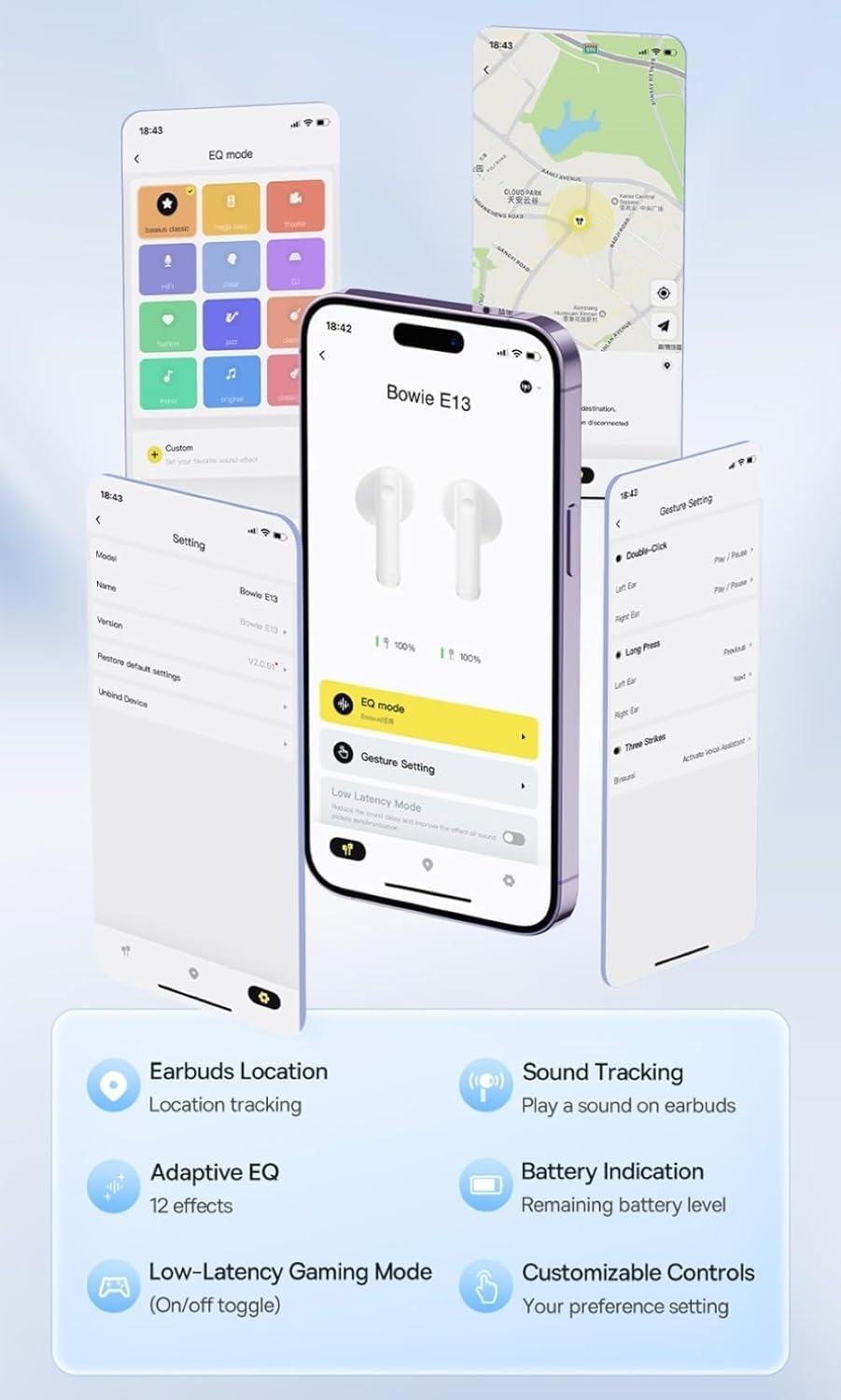
Image: Multiple smartphone screens displaying the Baseus app interface, highlighting features such as EQ mode, gesture settings, low-latency gaming mode, earbud location tracking, sound tracking, adaptive EQ with 12 effects, battery indication, and customizable controls.
5. Операция
5.1 Негизги башкаруу каражаттары
The Baseus E13 TWS Bowie Headphones feature touch controls for easy management of audio and calls. Specific gestures can be customized via the Baseus app.
- Ойнотуу/тындыруу: Кулакчындарды бир жолу таптаңыз.
- Кийинки трек: Оң кулакчынды эки жолу таптаңыз.
- Мурунку трек: Сол кулакчынды эки жолу таптаңыз.
- Чалууга жооп берүү/аяктоо: Кулакчындарды бир жолу таптаңыз.
- Чакырууну четке кагуу: Кулакчындардын бирин дагы көпкө басыңыз.
- Үн Жардамчысын жандыруу: Кулакчындарды үч жолу таптаңыз.
5.2 Low-Latency Gaming Mode
For an optimized gaming experience, activate the 0.06s ultra-low latency gaming mode through the Baseus app. This reduces audio delay, providing faster response times.
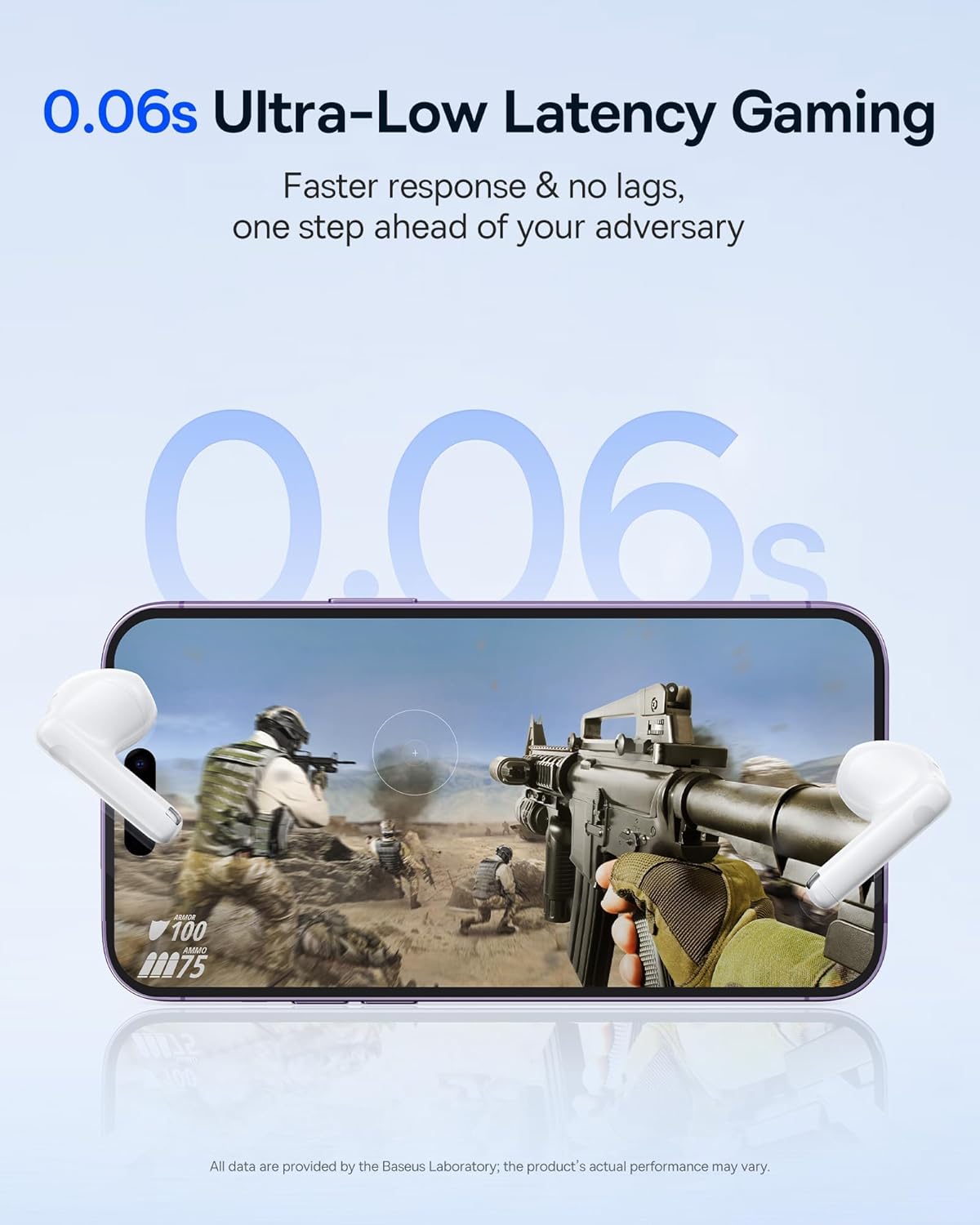
Image: The Baseus E13 TWS Bowie Headphones positioned near a smartphone screen displaying a fast-paced first-person shooter game, emphasizing the 0.06s ultra-low latency feature for gaming.
5.3 Аудио ойнотуу
Enjoy up to 30 hours of continuous audio playback with the assistance of the charging case. Each earbud provides several hours of playback on a single charge, with the case offering multiple recharges.

Image: The Baseus E13 TWS Bowie Headphones and their charging case, overlaid with a graphic prominently displaying '30H', signifying the total audio playback time achievable with the case.
5.4 Үн сапаты
The earbuds are equipped with a large 12mm diaphragm, designed to restore each note with remarkable depth and accuracy, providing a powerful low-frequency audio experience.

Image: A detailed cutaway diagram of a Baseus E13 TWS earbud, focusing on the internal structure of the large 12mm diaphragm and its contribution to sound quality.
5.5 Байланыш
Utilizing Bluetooth 5.3 technology, the headphones offer a faster and more stable wireless connection, ensuring smooth audio transmission and enhanced sound quality.

Сүрөт: Ачык view of a Baseus E13 TWS earbud, revealing its internal circuitry and specifically highlighting the integrated Bluetooth 5.3 chip for advanced wireless connectivity.
6. Кулакчын тагынуу
The earbuds are designed with a mini stem and a lightweight profile, featuring a 45° wearing angle for a comfortable and secure fit.

Image: A woman wearing a Baseus E13 TWS earbud, illustrating the ergonomic design with a mini stem and lightweight construction for a comfortable user experience.
7. Техникалык тейлөө
- Тазалоо: Кулакчындарды жана заряддоо кутусун жумшак, кургак, түксүз чүпүрөк менен дайыма тазалап туруңуз. Катуу химиялык заттарды же абразивдүү материалдарды колдонбоңуз.
- Суу каршылык: The earbuds are water resistant. Avoid submerging them in water or exposing them to excessive moisture. Dry thoroughly if they come into contact with liquids.
- Сактагыч: Колдонулбаганда, кулакчындарды коргоо жана кубаттоо үчүн кубаттоочу кутучага сактаңыз. Салкын, кургак жерде, экстремалдык температурадан алыс сактаңыз.
- Батареяга кам көрүү: Батареянын кубатын сактоо үчүн, кулакчындарды жана кутучаны тез-тез толук зарядсыздандырбаңыз. Аларды үзгүлтүксүз колдонбосоңуз да, үзгүлтүксүз кубаттап туруңуз.
8. Кыйынчылыктарды
If you encounter issues with your Baseus E13 TWS Bowie Headphones, refer to the following common solutions:
- Үн жок:
- Кулакчындардын кубатталганын текшериңиз.
- Түзмөгүңүзгө Bluetooth байланышын текшериңиз.
- Үндү кулакчындарда жана туташкан түзмөктө тууралаңыз.
- Кулакчындар жупташкан жок:
- Кулакчындарды кайра кутуга салып, жаап, анан кайра жупташтыруу режимине кирүү үчүн кайра ачыңыз.
- Forget "Baseus E13" from your device's Bluetooth list and attempt to pair again.
- Кулакчындар түзмөгүңүздүн диапазонунда экенин текшериңиз.
- кубаттоо маселелери:
- Кубаттоочу кабелдин корпуска жана кубат булагына бекем туташтырылганын текшериңиз.
- Башка USB портун же кубат адаптерин колдонуп көрүңүз.
- Кулакчындардагы заряддоо контакттары таза жана калдыктары жок экенин текшериңиз.
- Бир кулакчын иштебей жатат:
- Эки кулакчындын тең кубатталганын текшериңиз.
- Try resetting the earbuds (refer to app or Baseus support for specific instructions).
9. Техникалык шарттар
| Бренд | Baseus |
| Модель аты | E13 TWS |
| Байланыш технологиясы | Зымсыз (Bluetooth 5.3) |
| Кулак жайгаштыруу | Кулакта |
| Форма фактору | Чыныгы зымсыз |
| Импеданс | 32 Ом |
| Башкаруу түрү | Touch controls, App |
| Материал | Пластик |
| Элемент Салмагы | 0.07 килограмм |
| Сууга туруктуулук деңгээли | Сууга чыдамдуу |
| Максималдуу операциялык аралык | 10 метр |
| Батареянын орточо иштөө мөөнөтү | 30 саатка чейин (кубаттоочу корпусу менен) |
| Өзгөчөлүктөр | 0.06s ultra-low latency, Faster and more stable 5.3 wireless chip, Lightweight and Mini Design, Powerful low frequency controller |
10. Кепилдик жана колдоо
Baseus products are designed for reliability and performance. For warranty information, please refer to the warranty card included with your purchase or visit the official Baseus website. For technical support or further assistance, please contact Baseus customer service or visit the Amazon'догу Baseus дүкөнү.


