Introduction
Thank you for choosing the FASTWD M820 10.1-inch Android 13 Tablet. This manual provides essential information for setting up, operating, maintaining, and troubleshooting your new device. The FASTWD M820 tablet features an octa-core processor, 19GB RAM, 128GB ROM (expandable to 1TB), a 1920x1200 FHD incell display, and an 8000mAh battery, designed for a smooth and efficient user experience. It comes bundled with a keyboard and mouse for enhanced productivity.

Image: The FASTWD M820 tablet shown with its included keyboard, stylus, and other accessories, highlighting its comprehensive package.
Жайгашуу
Пакеттин мазмуну
Баштоодон мурун, пакетиңизде бардык элементтер бар экенин текшериңиз:
- FASTWD M820 Tablet
- Bluetooth баскычтоп
- Чычкан
- OTG адаптер
- Заряддагыч
- Экран коргоочусу (алдын ала колдонулган же кошулган)
- Конденсатор калеми (Стилус)
- Маалымат кабели
- Тери корпус
- Tablet User Manual (this document)

Image: A visual representation of the FASTWD M820 tablet alongside its complete set of accessories, including the keyboard, mouse, charger, and case.
Баштапкы заряддоо
It is recommended to fully charge the tablet before first use. Connect the charger to the tablet's Type-C port and plug it into a power outlet. The battery indicator on the screen will show charging status.
Күйгүзүү/өчүрүү
- Күйгүзүү үчүн: FASTWD логотиби пайда болгонго чейин Кубат баскычын басып, кармап туруңуз.
- Өчүрүү үчүн: Кубат баскычын басып, кармап туруңуз, андан кийин экрандагы параметрлерден "Өчүрүү" дегенди тандаңыз.
Connecting Peripherals (Keyboard & Mouse)
The tablet comes with a Bluetooth keyboard and mouse. To connect them:
- Планшетиңизде Bluetooth иштетилгенин текшериңиз (Орнотуулар > Туташкан түзмөктөр > Bluetooth).
- For the mouse, insert the OTG adapter into the tablet's USB port, then connect the mouse's USB receiver to the OTG adapter. Install the battery into the mouse if not already done.
- For the keyboard, turn on the keyboard and put it into pairing mode (refer to the keyboard's specific instructions, usually a function key combination).
- On the tablet, search for available Bluetooth devices and select the keyboard to pair.
Иштөө нускамалары
Android 13 операциялык системасы
Your tablet runs on the Android 13 OS, certified with GMS (Google Mobile Services), providing access to the Google Play Store and a wide range of applications. Android 13 offers features like a customizable taskbar, floating windows, and split-screen functionality for enhanced multitasking.
Дисплей жана Визуалдар
The 10.1-inch incell HD eye-care display with a 1920x1200 resolution provides clear and vibrant images. For eye comfort, activate Night Mode or Eye Protection Mode via the quick settings panel or display settings.

Image: This image illustrates the tablet's display quality, camera specifications (8MP front, 13MP rear), and screen-to-body ratio, emphasizing its visual capabilities.
Аткаруу жана сактоо
Equipped with 19GB RAM (8GB physical + 11GB extended) and 128GB ROM, the tablet ensures smooth operation across various applications. Storage can be expanded up to 1TB with a microSD card (not included).

Image: The tablet screen displaying multiple applications and media content, demonstrating its powerful storage and multitasking capabilities.
Байланыш
The tablet supports 2.4GHz and 5GHz dual-band Wi-Fi for stable and fast internet access, and Bluetooth 5.0 for connecting wireless accessories. It also features GPS for navigation.

Image: The tablet connected to a large screen via wireless projection, illustrating its multimedia capabilities, along with screenshots showing Wi-Fi and Bluetooth settings.
Камеранын өзгөчөлүктөрү
The tablet is equipped with a 13MP rear camera and an 8MP front camera. The rear camera supports hovering and smile detection, with AI scene recognition to optimize photo quality.
Аудио
Experience immersive sound with two symmetrical stereo speakers and five integrated sound holes. AI noise cancellation technology helps filter out surrounding noise for clearer audio.
Коопсуздук
The tablet supports facial recognition for convenient and secure unlocking.
Техникалык тейлөө
Планшетти тазалоо
- Экранды жана денени тазалоо үчүн жумшак, түксүз чүпүрөктү колдонуңуз.
- Do not use abrasive cleaners, alcohol, or solvents, as they may damage the surface.
- өжөр тактар үчүн, бир аз гampчүпүрөктү суу менен.
Батареяга кам көрүү
- Планшетти экстремалдык температурага (ысык же муздак) тийгизүүдөн сактаңыз.
- Батареянын бат-баттан толук зарядсызданышына жол бербеңиз.
- Берилген кубаттагычты же сертификатталган шайкеш кубаттагычты гана колдонуңуз.
- The 8000mAh battery, combined with AI intelligent power management, dark theme, and night light mode, helps reduce unnecessary power consumption.
Программалык камсыздоо жаңыртуулары
Regularly check for system updates to ensure optimal performance and security. Go to Settings > System > System update to check for and install available updates.
Проблемаларды чечүү
Жалпы маселелер жана чечимдер
| Көйгөй | Чечим |
|---|---|
| Планшет күйбөйт. | Ensure the tablet is charged. Connect the charger and wait a few minutes before attempting to power on again. If unresponsive, press and hold the power button for 10-15 seconds for a forced restart. |
| Wi-Fi'га туташпай жатат. | Check if Wi-Fi is enabled in settings. Restart your Wi-Fi router. Forget the network and try reconnecting. Ensure you are within range of the Wi-Fi signal. |
| Bluetooth devices not pairing. | Ensure Bluetooth is enabled on both the tablet and the device. Put the Bluetooth device into pairing mode. Restart both devices and try again. |
| Планшет жай иштеп жатат же жооп бербей жатат. | Close unnecessary background applications. Clear cache from apps. Restart the tablet. If the issue persists, consider a factory reset (back up your data first). |
| Батарея бат эле түгөнөт. | Reduce screen brightness. Turn off Wi-Fi/Bluetooth when not in use. Close background apps. Use power-saving modes. |
Техникалык шарттар
| Өзгөчөлүк | Деталь |
|---|---|
| Бренд | FASTWD |
| Модель номери | M820 |
| Операция системасы | Android 13 |
| Процессор | Octa-Core Unisoc (up to 2.0 GHz) |
| RAM | 19 ГБ (8 ГБ физикалык + 11 ГБ кеңейтилген) |
| Ички сактагыч (ROM) | 128 ГБ |
| Кеңейтүүчү сактагыч | Up to 1 TB (via microSD card) |
| Screen Size | 10.1 дюйм |
| Display Resolution | 1920 x 1200 pixels (FHD Incell) |
| Арткы камера | 13 депутат |
| Алдыңкы камера | 8 депутат |
| Батарея сыйымдуулугу | 8000 мАч |
| Байланыш | 2.4GHz/5GHz Dual-Band Wi-Fi, Bluetooth 5.0, GPS |
| Порттар | USB Type-C |
| Түс | Кара |
| Өлчөмдөр | 33.79 x 19.8 x 4.2 см (Пакет) |
| Салмагы | 1.31 kilograms (Package) |

Image: A diagram highlighting eight key features of the FASTWD tablet, including its eye-protective incell screen, octa-core processor, 8000mAh battery, and dual-band Wi-Fi.
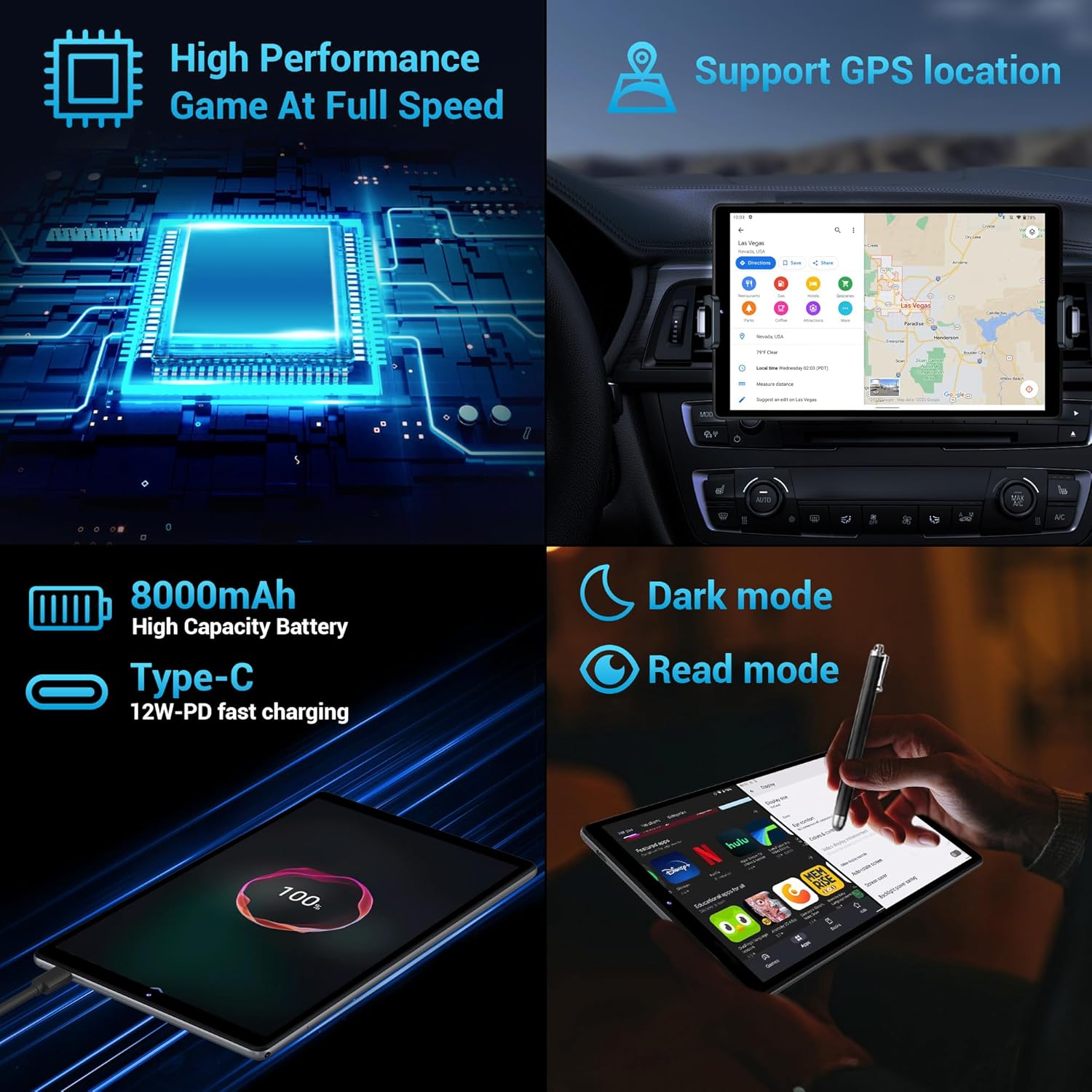
Сүрөт: Коллаж көрсөтүүasing the tablet's high performance for gaming, GPS support, 8000mAh high-capacity battery with fast charging, and options for dark mode and read mode.
Кепилдик жана колдоо
The FASTWD M820 tablet comes with a lifetime warranty, ensuring long-term support for your product.
If you encounter any problems during use, please do not hesitate to contact us directly via Amazon. Our professional support staff will be available to assist you in resolving any issues you may experience.
For further assistance, please visit the product page on Amazon or contact FASTWD customer service through the Amazon messaging system.


