1. Киришүү
This manual provides comprehensive instructions for the setup, operation, and maintenance of your TouchWo 75-inch 4K Interactive Smart Board (Model: JPRZB75WA). This device is designed to enhance interactive presentations, collaborative work, and digital display applications in various environments, including offices and classrooms. Please read this manual thoroughly before using the product to ensure proper functionality and safety.

The TouchWo 75-inch Interactive Smart Board, shown here mounted on its portable stand, features a 4K display and a user-friendly interface for quick access to functions.
2. Негизги өзгөчөлүктөрү
- 20-Point Touch Screen: Supports multi-finger gestures for zooming, drawing, and annotation. Includes a stylus for precise input. Operates with gloves and offers a response time within 5ms.
- Эки операциялык система: Equipped with both Android 13 (RAM 4GB + ROM 32GB) and Windows 10 (Core i5, RAM 4GB + SSD 256GB) for versatile application use. Systems can be switched as needed.
- 4K Display & Multi-Interface: Features a 4K screen and integrates multiple connectivity options including HDMI, USB, VGA, RJ45, Wi-Fi, and Bluetooth 5.0. Built-in speakers are included. HDMI IN and USB OTG ports enable screen casting from external devices with touch functionality.
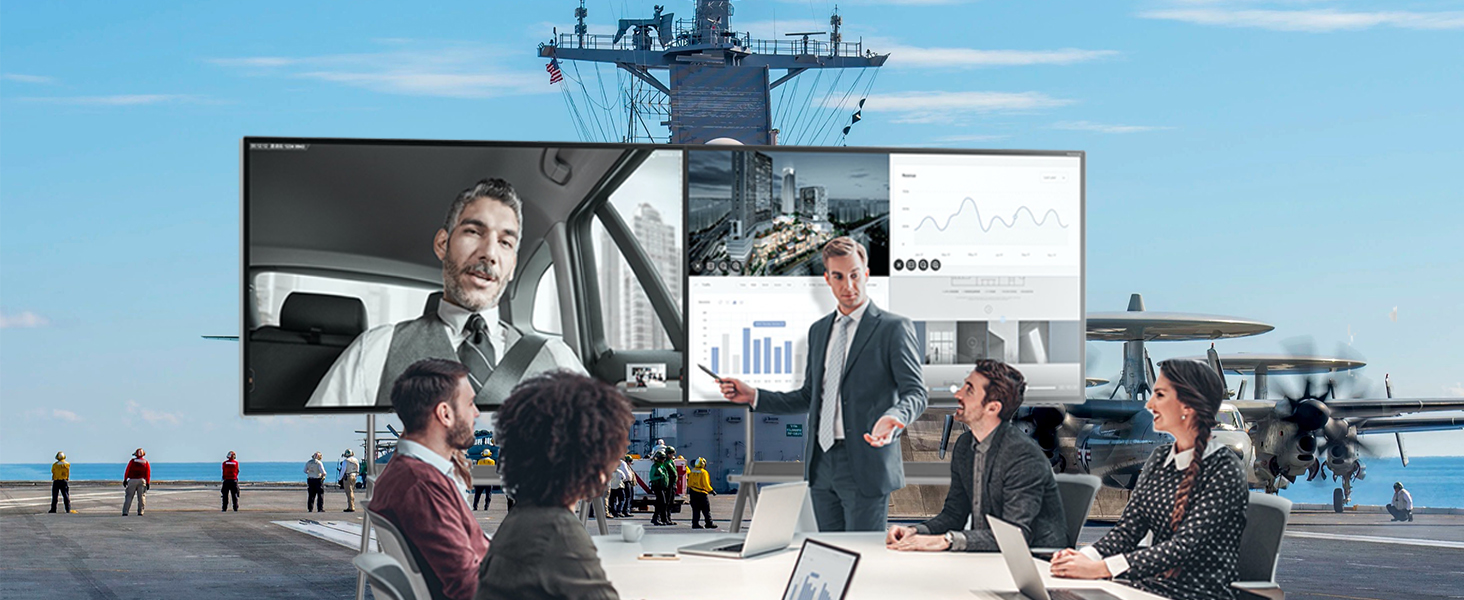
- Screen Mirroring & Digital Signage: Supports wireless screen mirroring from smartphones, laptops, and tablets. Teachers can annotate on an infinite canvas. The display supports horizontal and vertical placement for smart TV playback and digital signage. Connect an external camera and microphone for video conferencing.

This image demonstrates the 20-point touch capability of the smart board, allowing for precise and multi-user interaction through various finger gestures.
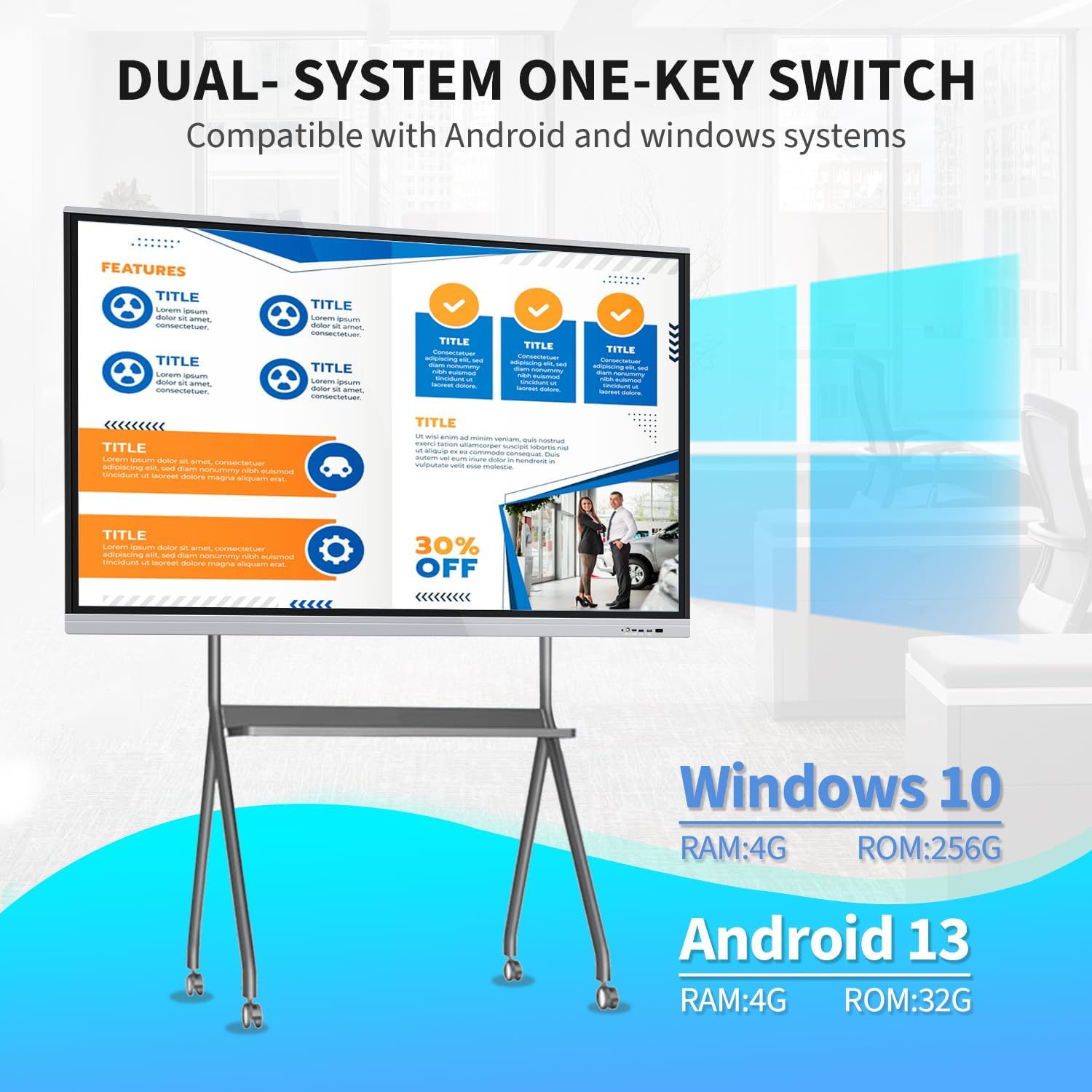
The smart board supports a dual operating system setup, allowing users to switch between Windows 10 (Core i5, 4GB RAM, 256GB SSD) and Android 13 (4GB RAM, 32GB ROM) as needed for different applications.
3. Пакеттин мазмуну
Төмөндө тизмеленген нерселердин баары пакетиңизге камтылганын текшериңиз:
- 1 x Smart Whiteboard
- 1 x Электр линиясы
- 1 x Presenter Pen
- 1 x Портативдик стенд
- 1 x WiFi антеннасы
- 1 x Capacitive Stylus (as per feature bullets)
- 1 x Screen Mirroring Device (as per feature bullets)

The smart board offers flexible installation with both a mobile stand for portability and a wall mount bracket for fixed setups. Essential accessories such as a power line, WiFi antenna, capacitive stylus, presenter pen, and screen mirroring device are included.
4. Орнотуу колдонмосу
4.1. Монтаждоо параметрлери
The TouchWo Smart Board can be installed using two methods:
- Mobile Stand Installation: Assemble the portable stand according to its separate instructions. Securely attach the smart board to the stand. This option provides flexibility for moving the board between locations.
- Дубалга орнотуу: Use the provided wall mount bracket to fix the smart board to a sturdy wall. Ensure the wall can support the weight of the unit (approximately 94.6 pounds or 43 kg). Professional installation is recommended for wall mounting.
4.2. Баштапкы байланыш
- Кубат туташуу: Connect the power line to the smart board and then to a standard 110V AC power outlet.
- WiFi антеннасы: Attach the WiFi antenna to the designated port on the smart board to enable wireless network connectivity.
- Перифериялык түзүлүштөр: Connect any desired external devices such as a keyboard, mouse, or external storage via the available USB ports.
- Күйгүзүү: Press the power button located on the smart board. The system will boot up, typically starting with the Android operating system.
5. Иштөө нускамалары
5.1. System Switching (Android/Windows)
The smart board features a dual operating system. To switch between Android and Windows 10:
- Locate the system switch option on the main interface or through the quick settings menu.
- Select the desired operating system (Android or Windows) to initiate the switch. The board will restart into the selected OS.
5.2. Touchscreen Functionality
The 20-point touch screen allows for intuitive interaction:
- Негизги жаңсоолор: Use single tap for selection, double tap for opening, and press and hold for context menus.
- Көп тийүү: Utilize two fingers for zooming in/out of images or documents, and for other multi-touch commands.
- Стилус колдонуу: The included capacitive stylus can be used for precise writing, drawing, and annotation directly on the screen. No driver installation is required.
5.3. Экранды чагылдыруу
To mirror content from your devices:
- Ensure your smartphone, laptop, or tablet is connected to the same Wi-Fi network as the smart board.
- Use the included screen mirroring device or the built-in screen mirroring application on the smart board to connect your device.
- Follow the on-screen prompts to establish the connection and display your device's content on the smart board.
5.4. Digital Signage Mode
The smart board can function as a digital signage display:
- Content can be displayed in both horizontal and vertical orientations.
- Utilize the Android system to run digital signage applications or display media files.
5.5. Аксессуарларды колдонуу
- Presenter Pen: Use the presenter pen for navigating presentations (e.g., PowerPoint) wirelessly. Refer to the presenter pen's specific instructions for pairing and function.
- Калем: The capacitive stylus is for direct interaction with the touchscreen, ideal for writing and drawing.
5.6. Байланыш
The smart board offers various ports for external connections:
- HDMI IN: Connect external video sources (e.g., laptops, media players) to display content on the smart board. Touch functionality can be enabled for connected devices via USB OTG.
- USB порттору: For connecting USB drives, keyboards, mice, and other peripherals.
- VGA: Connect older video sources.
- RJ45: Зымдуу тармак туташуусу үчүн.
- Wi-Fi жана Bluetooth: For wireless network access and connecting Bluetooth devices.
6. Техникалык тейлөө
- Экранды тазалоо: Электрондук экрандар үчүн атайын иштелип чыккан жумшак, мамыксыз кездемени колдонуңуз. Dampкездемени суу же экран тазалоочу эритме менен бир аз сүртүңүз. Катуу химиялык заттардан же абразивдүү материалдардан алыс болуңуз.
- Жалпы тазалоо: Wipe the exterior surfaces with a dry, soft cloth. Ensure all vents are clear of dust and debris to prevent overheating.
- Сактагыч: If storing the smart board for an extended period, ensure it is powered off and disconnected from the power source. Store in a cool, dry place.
- Программалык камсыздоо жаңыртуулары: Periodically check for and install system updates for both Android and Windows to ensure optimal performance and security.
7. Кыйынчылыктарды
| Маселе | Мүмкүн себеп | Чечим |
|---|---|---|
| Күч жок | Электр кабели үзүлдү; розеткада бузук | Check power cable connection; try a different outlet; ensure power button is pressed. |
| Сенсордук экран жооп бербейт | Программалык камсыздоодогу ката; калибрлөө көйгөйү | Restart the device; check for system updates; recalibrate the touchscreen if an option is available in settings. |
| No display from external device | Incorrect input source selected; cable issue | Ensure the correct HDMI/VGA input is selected on the smart board; check the connection cable. |
| Wi-Fi туташуу маселелери | Antenna not connected; incorrect password; router issue | Ensure WiFi antenna is securely attached; verify Wi-Fi password; restart router and smart board. |
| Cannot switch OS | Системалык ката | Restart the smart board and try again. If the issue persists, contact support. |
8. Техникалык шарттар

This diagram provides key technical specifications for the 75-inch smart board, including its physical dimensions (170.7 cm width, 101.3 cm height, 8.3 cm depth), 4K (3840x2160) resolution, 350 cd/m2 brightness, 16:9 aspect ratio, and 43 kg weight.
| Өзгөчөлүк | Спецификация |
|---|---|
| Бренд | TouchWo |
| Модель номери | JPRZB75WA |
| Screen Size | 75 дюйм |
| Резолюция | 4K UHD (3840 x 2160 пиксел) |
| Сүрөттүн жарыктыгы | 350 lm (cd/m2) |
| Аспект катышы | 16:9 |
| Контраст катышы | 5000:1 |
| Жаңыртуу жыштыгы | 60 Гц |
| Viewбурч | 178° |
| Операция системасы | Android 13 & Windows 10 (Core i5, RAM 4GB, SSD 256GB) |
| Touch Points | 20 упай |
| Камтылган динамик | Ооба |
| Байланыш | HDMI, USB (6 total), VGA, RJ45, Wi-Fi, BT5.0 |
| Продукциянын өлчөмдөрү | 3.2 x 67.2 x 40 дюйм (8.3 x 170.7 x 101.3 см) |
| Элемент Салмагы | 94.6 фунт (43 кг) |
| Тtage | 110 вольт |
9. Колдоо жана кепилдик
For technical assistance, warranty inquiries, or any other support needs, please contact TouchWo customer service:
- Расмий электрондук почта: touchwoamz@outlook.com
- Seller Page: зыярат кылыңыз TouchWo seller page on Amazon көбүрөөк маалымат алуу үчүн.
The manufacturer aims to respond to inquiries within 24 hours. Please retain your proof of purchase for warranty claims.
For any assistance, users can contact support via the official email address provided or scan the QR code for more information. The manufacturer aims to respond within 24 hours.


