Introduction
Сатып алганыңыз үчүн рахматasing the Mesqool Vibrating Alarm Clock. This device is designed to provide a reliable and discreet wake-up experience through powerful vibration, sound, or a combination of both. Its compact, cordless design and long-lasting battery make it ideal for various settings, including bedrooms, living rooms, and offices. This manual provides detailed instructions for setup, operation, and maintenance to ensure optimal performance.
Коопсуздук маалыматы
- Аппаратты суудан жана жогорку нымдуулуктан алыс кармаңыз.
- Ашыкча температурага же түз күндүн нуруна дуушар кылбаңыз.
- Аппаратты түшүрүүдөн же катуу таасирлерден сактаныңыз.
- Берилген Type-C кубаттоочу кабелин гана колдонуңуз.
- Аппаратты өз алдынча бөлүүгө же оңдоого аракет кылбаңыз.
- Keep out of reach of small children to prevent accidental operation or damage.
Пакеттин мазмуну
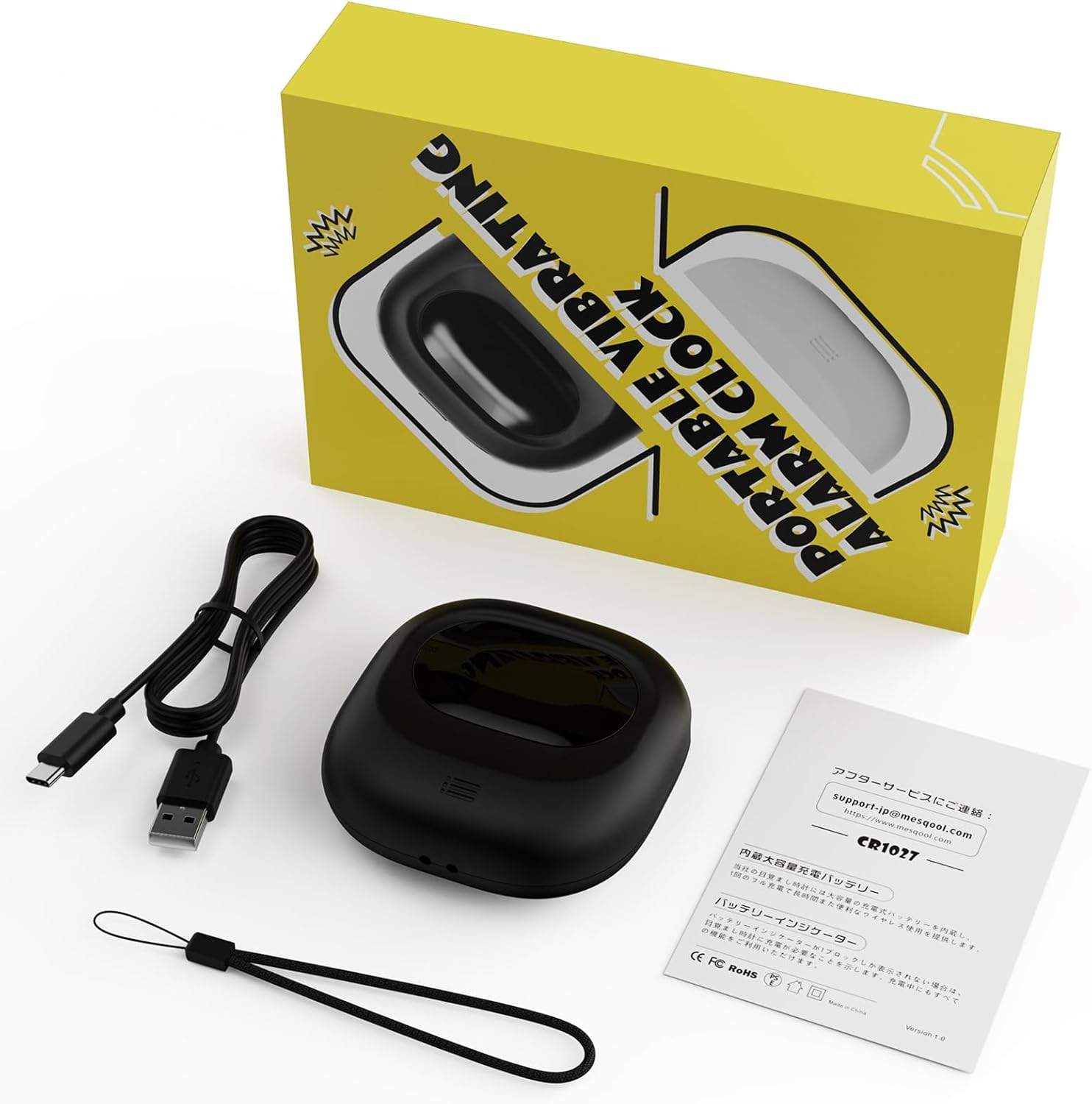
Image: Mesqool Vibrating Alarm Clock package contents, showing the black alarm clock, a Type-C charging cable, and the user manual.
- Mesqool Vibrating Alarm Clock (Model: CR1027)
- Type-C USB заряддоо кабели
- User Manual
Продукт бүттүview
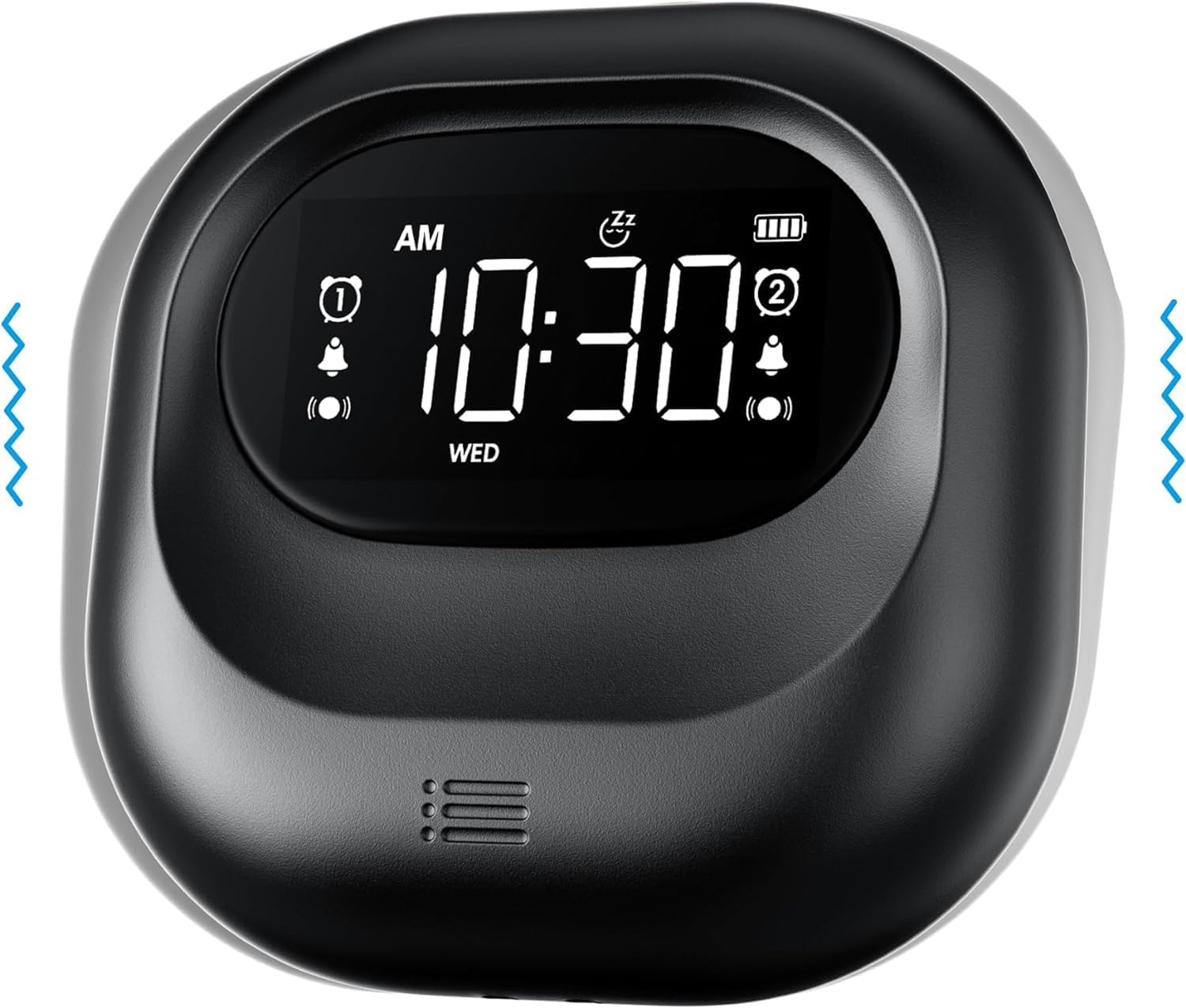
Сүрөт: алдыңкы view of the Mesqool Vibrating Alarm Clock, highlighting the digital display with time, alarm indicators, and battery level.
Башкаруу жана дисплей:
- Digital LCD дисплей: Shows time, alarm status, day of the week, and battery level. Features a backlight for visibility in the dark.
- Time/Snooze Button: Used to set time and activate snooze.
- +/- баскычтары: Adjust values (time, alarm, volume, vibration intensity).
- Ойготкуч 1/2 баскычтары: Жеке ойготкучтарды иштетүү/өчүрүү жана коюу.
- Режим которуу: Select alarm mode (Buzzer, Vibration, Both).
- Vibration Intensity Switch: Adjust vibration strength (Low, Medium, High).
- Кулпу которуштуруу: Кокус баскычтарды басуулардын алдын алат.
- Type-C заряддоо порту: Ички батареяны заряддоо үчүн.
Жайгашуу
1. Алгачкы кубаттоо:
Before first use, fully charge the alarm clock. Connect the provided Type-C USB cable to the charging port on the device and the other end to a USB power adapter (not included), computer, or power bank. The battery indicator on the display will show charging status. A full charge ensures optimal battery life.
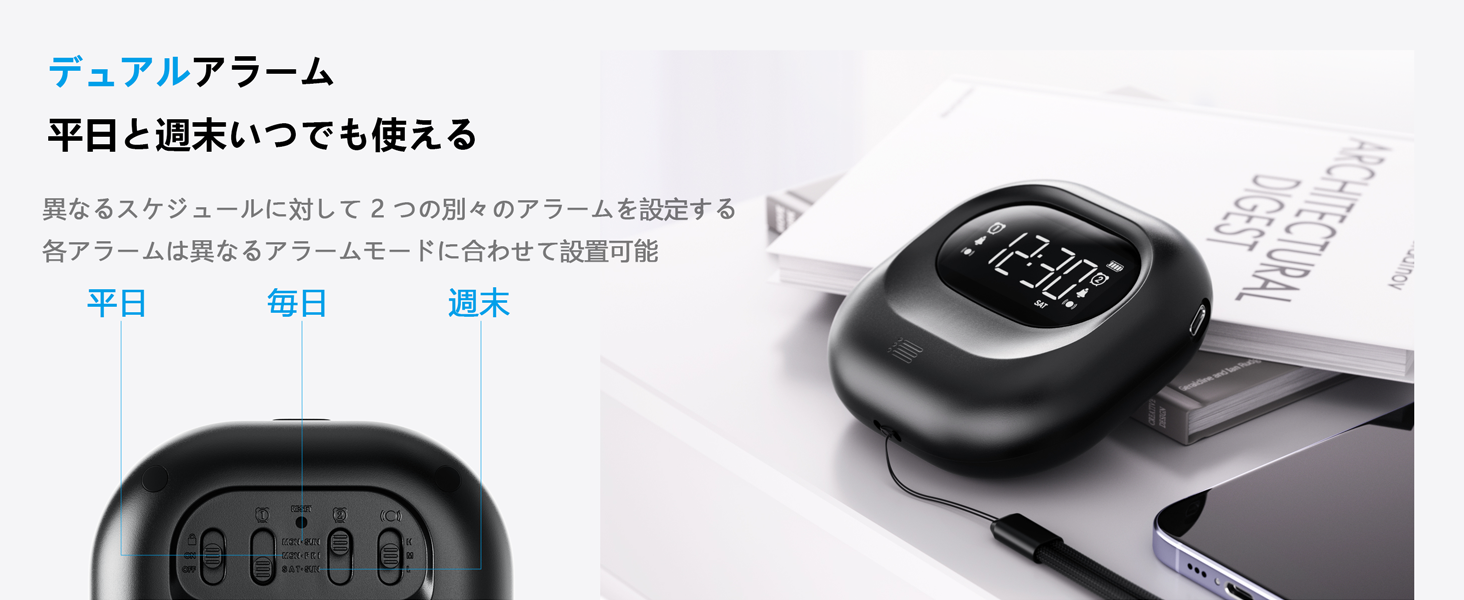
Image: The alarm clock connected to a Type-C charging cable, illustrating the charging process and battery indicator on the display.
2. Күйгүзүү/өчүрүү:
The device powers on automatically when charged or a button is pressed. It enters an automatic standby mode after 30 seconds of inactivity to conserve power. To fully power off, use the dedicated power switch if available (refer to product overview for specific button layout).
Иштөө нускамалары
1. Убакытты коюу:
- басып, кармап туруңуз УБАКЫТ/ТЫНЧТЫК баскычын сааттын саны күйүп-өчкөнгө чейин басыңыз.
- колдонуу +/- саатты тууралоо үчүн баскычтар.
- Басыңыз УБАКЫТ/ТЫНЧТЫК мүнөттөргө жылдыруу үчүн кайрадан, андан кийин тууралаңыз +/-.
- Repeat for year, month, and day settings.
- Басыңыз УБАКЫТ/ТЫНЧТЫК ырастоо жана чыгуу.
- 12 сааттык жана 24 сааттык форматтын ортосунда которулуу үчүн, басыңыз УБАКЫТ/ТЫНЧТЫК button briefly during normal time display.
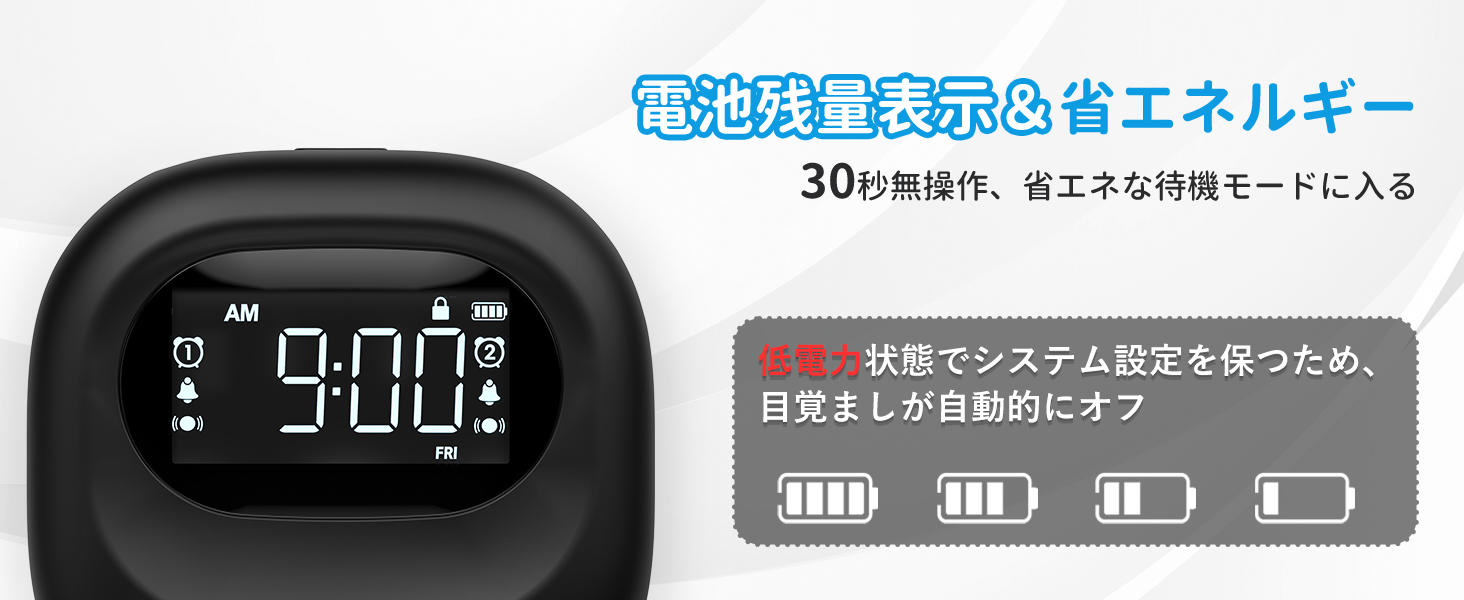
Image: The alarm clock displaying time in both 12-hour and 24-hour formats, demonstrating the adjustable time format feature.
2. Ойготкучтарды коюу (1-ойготкуч жана 2-ойготкуч):
The clock features two independent alarms. You can set different times for weekdays, weekends, or every day.
- басып, кармап туруңуз 1-ДАБЛ or 2-ДАБЛ ойготкуч убактысы жаркылдаганга чейин баскычты басыңыз.
- колдонуу +/- ойготкуч саатын тууралоо үчүн баскычтар.
- Тиешелүү баскычты басыңыз АЛАРМ button again to move to minutes, then adjust with +/-.
- басыңыз АЛАРМ button again to select the alarm frequency:
- ДШ-ЖУМ: Alarm activates on weekdays.
- ИШЕМБИ-ЖЕКШЕМБИ: Alarm activates on weekends.
- АР КҮН: Alarm activates daily.
- басыңыз АЛАРМ ырастоо жана чыгуу үчүн баскыч.
- To activate/deactivate an alarm, briefly press the corresponding 1-ДАБЛ or 2-ДАБЛ баскычы. Дисплейде ойготкучтун сөлөкөтү пайда болот/жок болот.
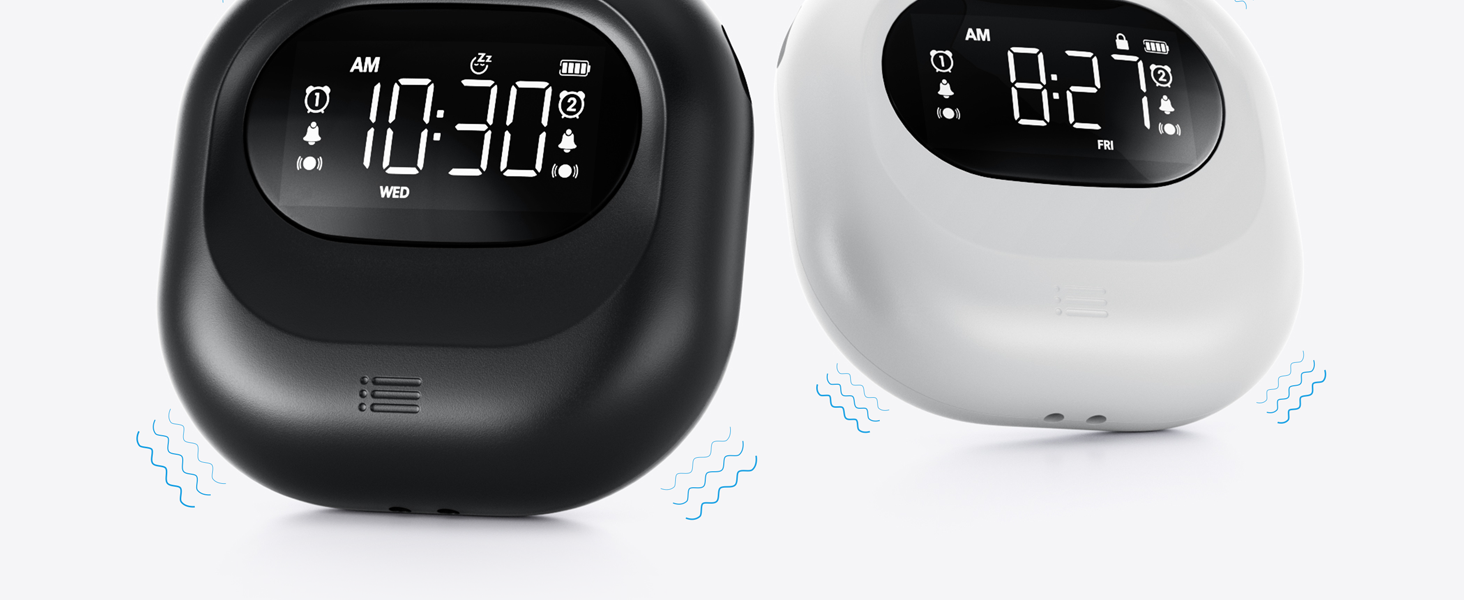
Image: The alarm clock illustrating the dual alarm feature with options for weekday, weekend, and everyday settings.
3. Alarm Modes:
Choose from three wake-up modes to suit your preference:
- Зымдоо гана: Стандарттык үн сигнализациясы.
- Вибрация гана: Тынч ойгонуу үчүн үнсүз титирөө.
- Buzzer + Vibration: Both audible and vibrating alarm for heavy sleepers.
колдонуу РЕЖИМ switch on the side/back of the device to select your desired mode.
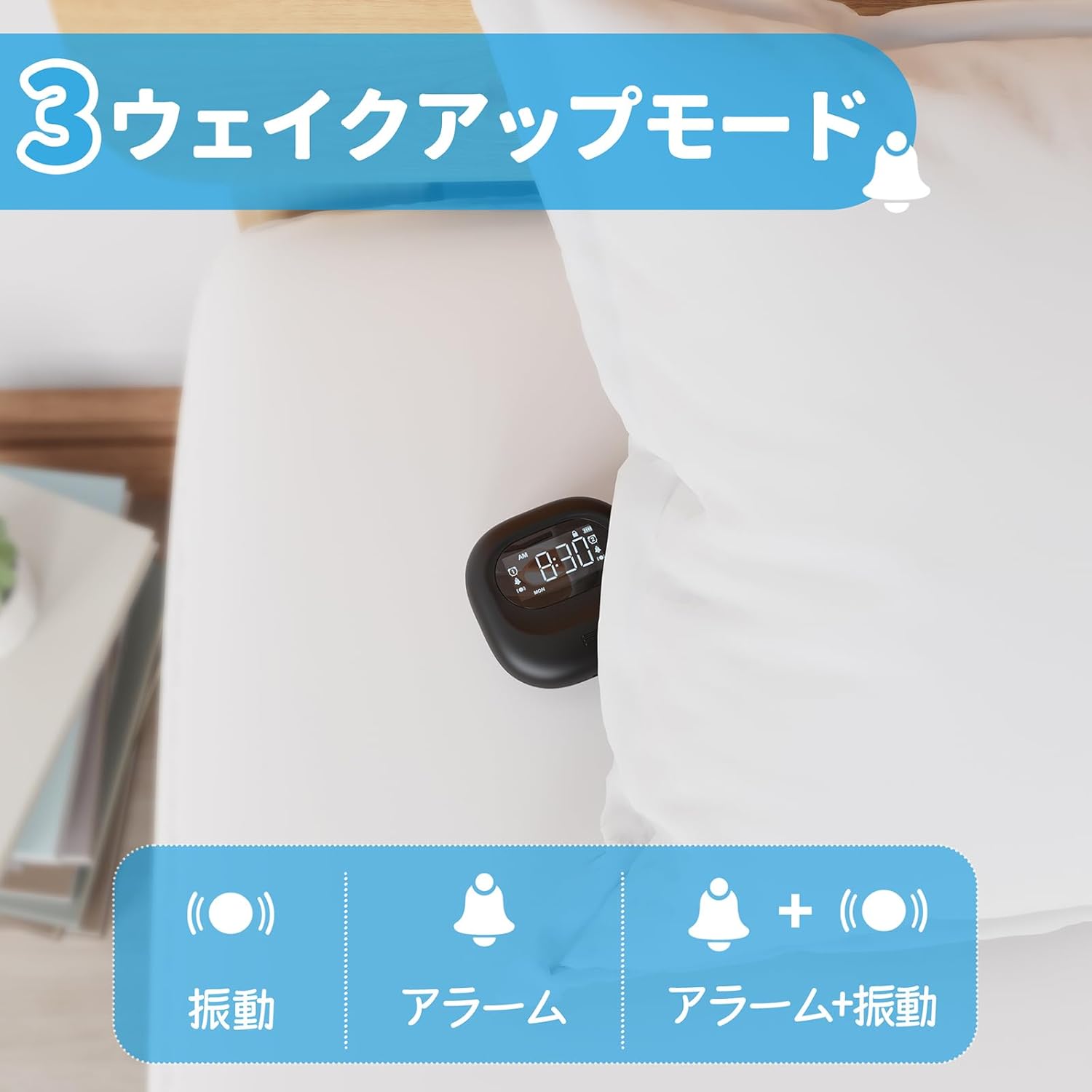
Image: A visual representation of the three alarm modes available on the Mesqool alarm clock: vibration only, buzzer only, and a combination of buzzer and vibration.
4. Vibration Intensity:
Adjust the vibration strength to your comfort level (Low, Medium, High) using the dedicated switch on the device. This is particularly useful for heavy sleepers or those who prefer a gentler wake-up.

Image: The alarm clock demonstrating its three adjustable vibration intensity levels (Low, Medium, High) for personalized wake-up.
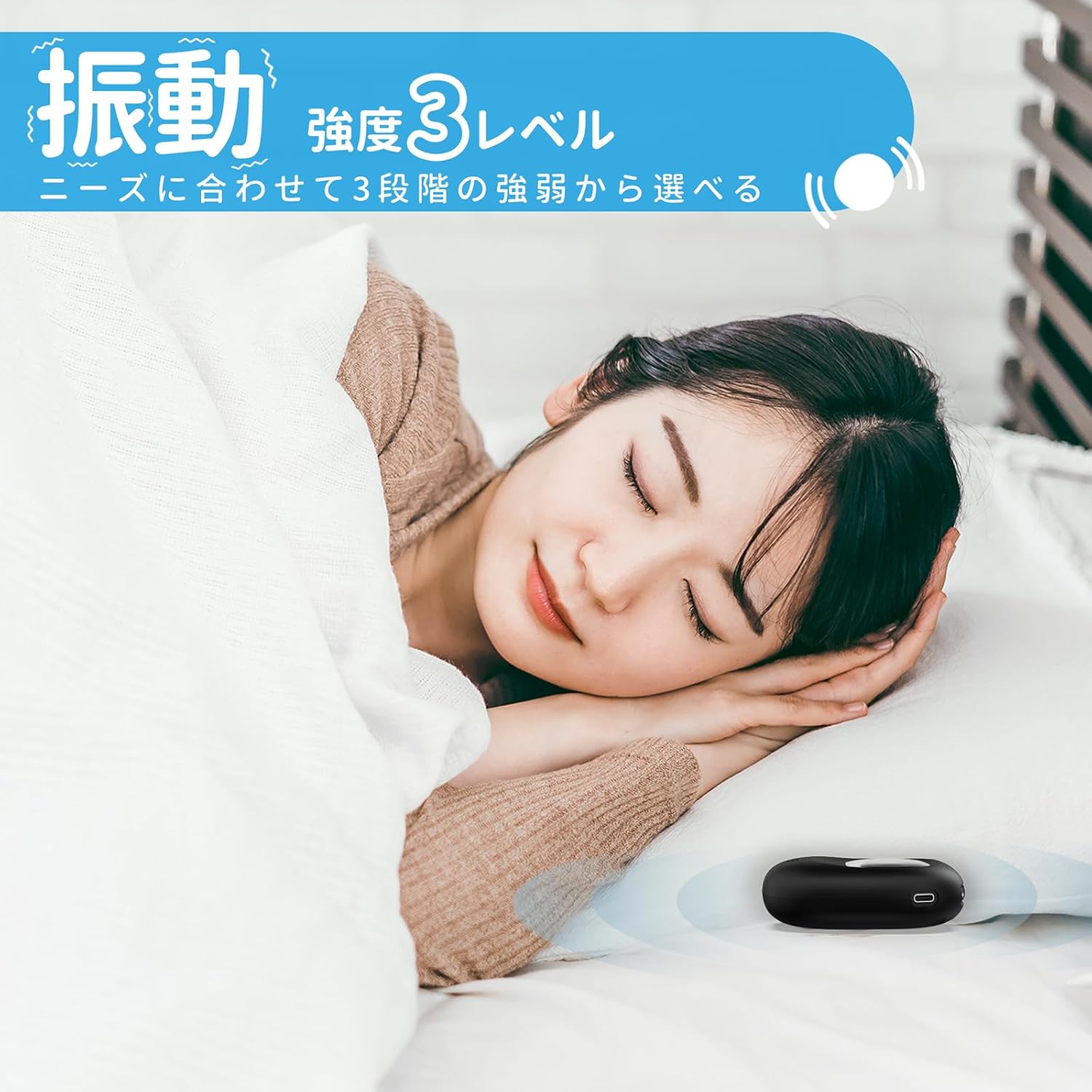
Image: A woman sleeping peacefully with the Mesqool Vibrating Alarm Clock positioned discreetly under her pillow, highlighting its silent wake-up capability.
5. Тындыруу функциясы:
Ойготкуч басылганда, басыңыз УБАКЫТ/ТЫНЧТЫК "Тынчтануу" функциясын иштетүү үчүн баскычын басыңыз. Ойготкуч 9 мүнөткө тыныгуу жасап, андан кийин кайра иштейт. Муну 9 жолуга чейин кайталоого болот.
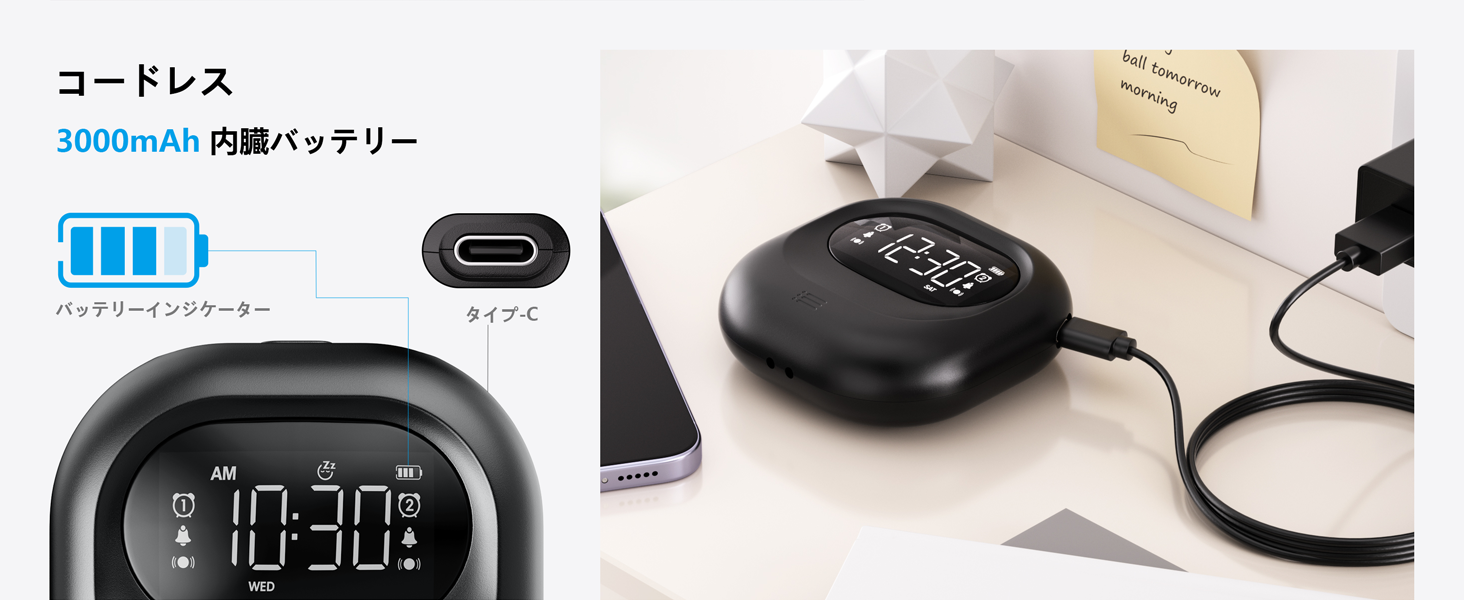
Image: The alarm clock illustrating its snooze feature, which allows for a 9-minute delay before the alarm sounds again.
6. Display Backlight and Lock Mode:
- Арткы жарык: The LCD display features a backlight for easy viewing in low light conditions. It automatically enters standby mode after 30 seconds of inactivity to save power and prevent sleep disturbance.
- Кулпу режими: To prevent accidental changes to settings, especially during sleep or when handled by children, activate the lock mode using the БУЛПОО switch. Once locked, buttons will not respond to presses.
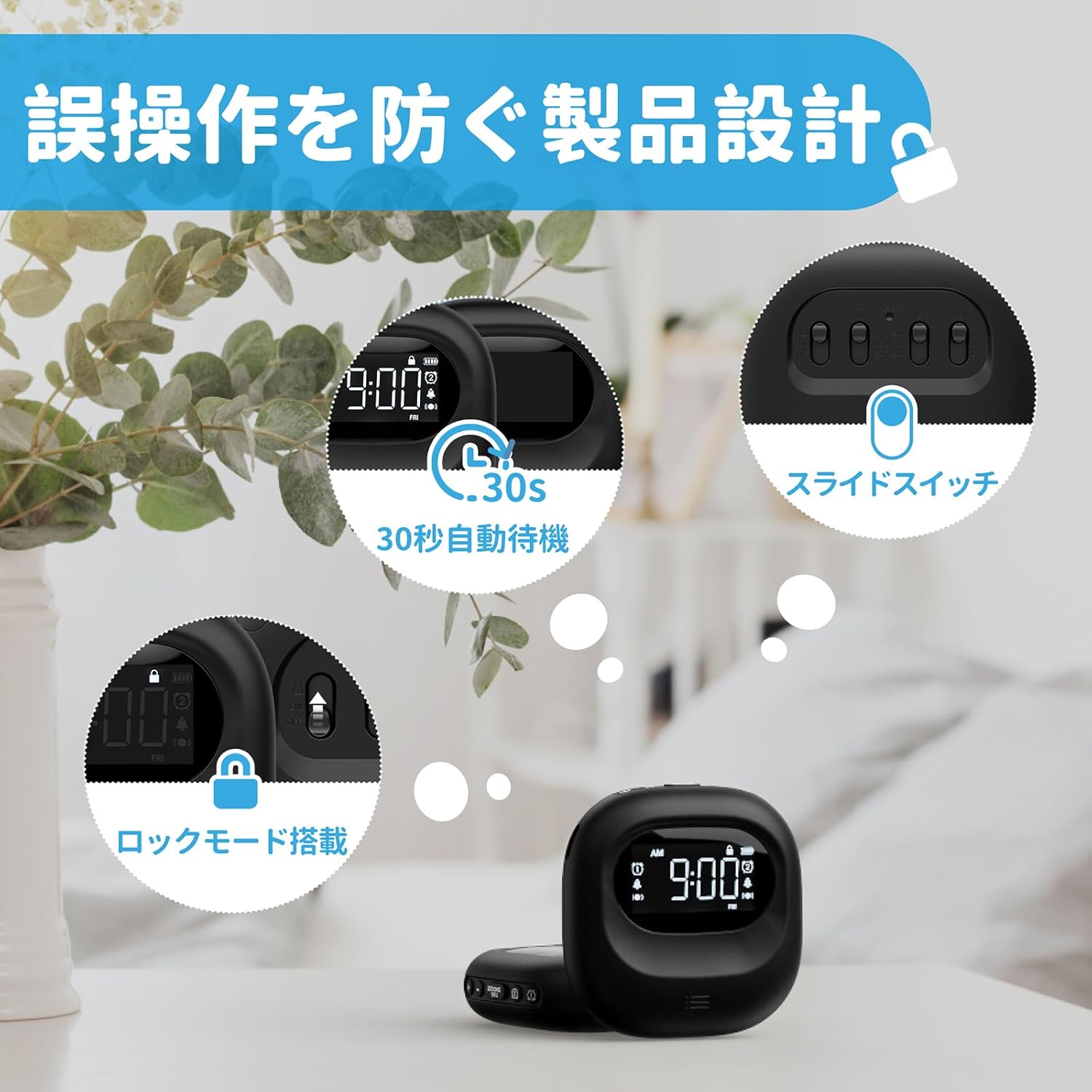
Image: The alarm clock highlighting its lock mode, designed to prevent unintended changes to settings, particularly useful when placed under a pillow or near children.
Техникалык тейлөө
- Аппаратты жумшак, кургак чүпүрөк менен тазалаңыз. Абразивдүү тазалагычтарды же эриткичтерди колдонбоңуз.
- Аппаратты экстремалдык температурага же түз күн нуруна узак убакытка калтыруудан сактаңыз.
- Колдонулбаганда салкын, кургак жерде сактаңыз.
Проблемаларды чечүү
| Көйгөй | Мүмкүн себеп | Чечим |
|---|---|---|
| Түзмөк күйбөй жатат. | Батарея түгөнүп калды. | Аппаратты Type-C кабели аркылуу толук заряддаңыз. |
| Сигнализация үн чыгарбайт/дирилдебейт. | Alarm is not activated or mode is incorrect. | Ensure the alarm icon is displayed and the alarm mode switch is set correctly (Buzzer, Vibration, or Both). |
| Баскычтар жооп бербейт. | Lock mode is enabled. | Disable the lock mode using the БУЛПОО которуу. |
| Дисплей күңүрт же өчүк. | Device is in power-saving standby mode. | Press any button to reactivate the display. Ensure battery is charged. |
Техникалык шарттар
- Модел: CR1027
- Бренд: Meskool
- Өлчөмдөрү: 8.5 cm (width) x 2.7 cm (height)
- Пакеттин көлөмү: 14.7 x 10.1 x 3.4 см
- Салмагы: 0.19 кг
- Түсү: Кара
- Дисплей түрү: Санарип LCD
- Кубат булагы: Батарея менен иштейт (Кайра заряддалуучу литий-ион)
- Батарея сыйымдуулугу: 3000mAh (ички)
- Өзгөчөлүктөрү: Large Capacity Battery, Vibration, Dual Alarm, Snooze, Backlight, 12/24H Time Format, Lock Mode.
- Рамка материалы: Пластик
Расмий продукт Video
Video: An official product video demonstrating the features and usage of the Mesqool Vibrating Alarm Clock, including its vibration function and dual alarm capabilities.
Кепилдик жана колдоо
Mesqool products are designed for durability and performance. For warranty information, technical support, or any inquiries regarding your device, please refer to the contact information provided on the product packaging or visit the official Mesqool webсайт. Кепилдик боюнча дооматтар үчүн сатып алуу квитанцияңызды сактап коюңуз.


