1. Киришүү
This manual provides essential information for the proper use and maintenance of your Freewell Bright Day QuickSwap ND/PL Hybrid Filter Kit for the Osmo Pocket 3. This kit is designed to enhance your videography and photography by offering precise control over light and reflections, ensuring vibrant colors and sharp details in various lighting conditions.
2. Продукциянын өзгөчөлүктөрү
- Effortless QuickSwap Installation: Magnetic design allows for quick and secure attachment/detachment without screwing or unscrewing.
- ND/PL Hybrid Functionality: Combines Neutral Density (ND) for exposure control and Polarizer (PL) for reducing glare and enhancing color saturation.
- Гимбалдын шайкештиги: Lightweight design ensures seamless operation with the Osmo Pocket 3 gimbal, maintaining smooth and stable footage.
- Durable Multi-Coating: Filters feature a color-neutral coating that provides resistance against dust, scratches, oil, and water, preserving natural colors.
- Bright Day Kit Filters: Includes ND8/PL, ND16/PL, ND32/PL, and ND64/PL filters, suitable for various bright daylight scenarios.
3. Пакеттин мазмуну
- 1x ND8/PL Hybrid Filter
- 1x ND16/PL Hybrid Filter
- 1x ND32/PL Hybrid Filter
- 1x ND64/PL Hybrid Filter
- 1x Protective Storage Case
- 1x Тазалоочу чүпүрөк
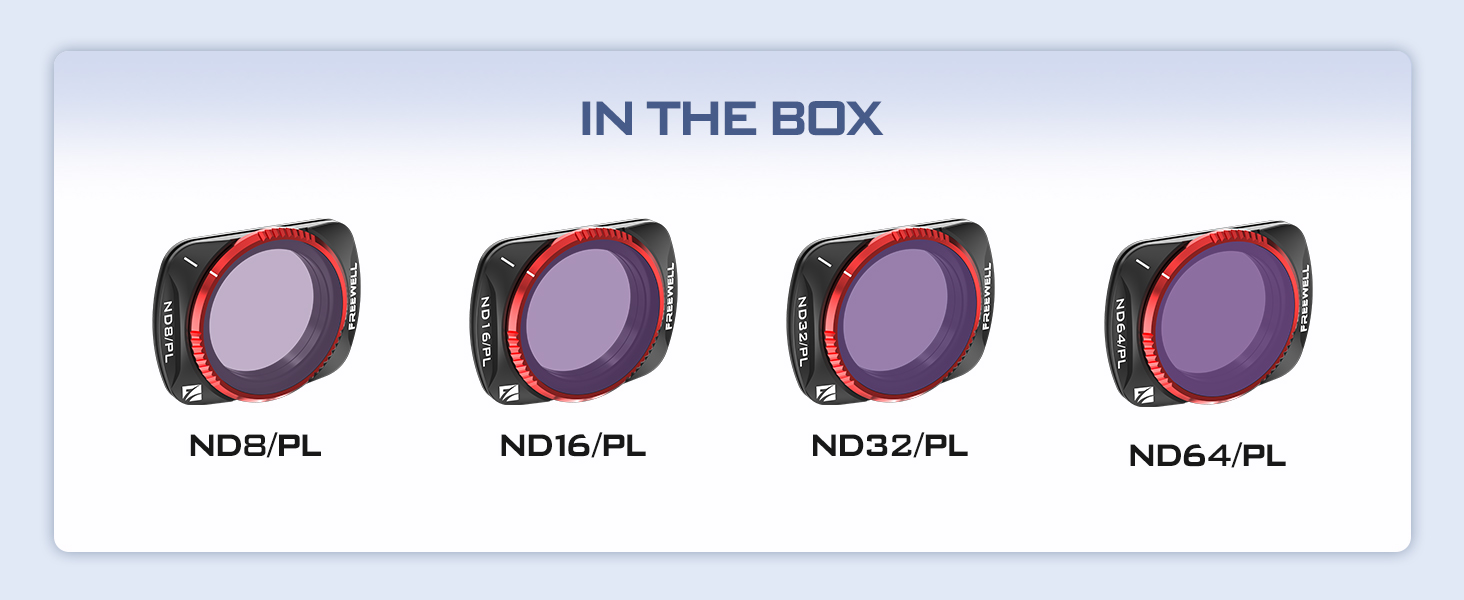
Figure 1: The Freewell Bright Day Kit includes four ND/PL filters, each designed for specific light reduction and polarization needs.
4. Орнотуу жана орнотуу
- Ensure your Osmo Pocket 3 is powered off or the gimbal is locked to prevent accidental movement during installation.
- Select the appropriate ND/PL filter (ND8/PL, ND16/PL, ND32/PL, or ND64/PL) based on your lighting conditions.
- Gently align the chosen filter with the lens of your Osmo Pocket 3. The magnetic QuickSwap system will snap the filter securely into place.
- To remove, gently pull the filter away from the lens.

Figure 2: A Freewell ND/PL filter magnetically attached to the Osmo Pocket 3 lens, ready for use.

Figure 3: The Osmo Pocket 3 with an attached filter, displaying resolution and frame rate settings on its screen.
5. Иштөө нускамалары
ND/PL hybrid filters serve two primary functions: reducing light (Neutral Density) and managing reflections/enhancing colors (Polarizer). The 'Bright Day Kit' provides filters for various bright light scenarios.
- ND (Neutral Density) Function: Reduces the amount of light entering the camera sensor, allowing you to use slower shutter speeds or wider apertures in bright conditions. This is crucial for achieving cinematic motion blur in videos and preventing overexposure.
- PL (Polarizer) Function: Rotates to reduce glare from non-metallic surfaces like water or glass, and enhances color saturation, making skies bluer and foliage greener. Adjust the filter by gently rotating it while attached to achieve the desired polarization effect.
- Чыпка тандоо:
- ND8/PL: Ideal for cloudy to slightly bright days.
- ND16/PL: Suitable for normal bright days.
- ND32/PL: Best for very bright, sunny conditions.
- ND64/PL: For extremely bright conditions, such as snow or beach scenes.
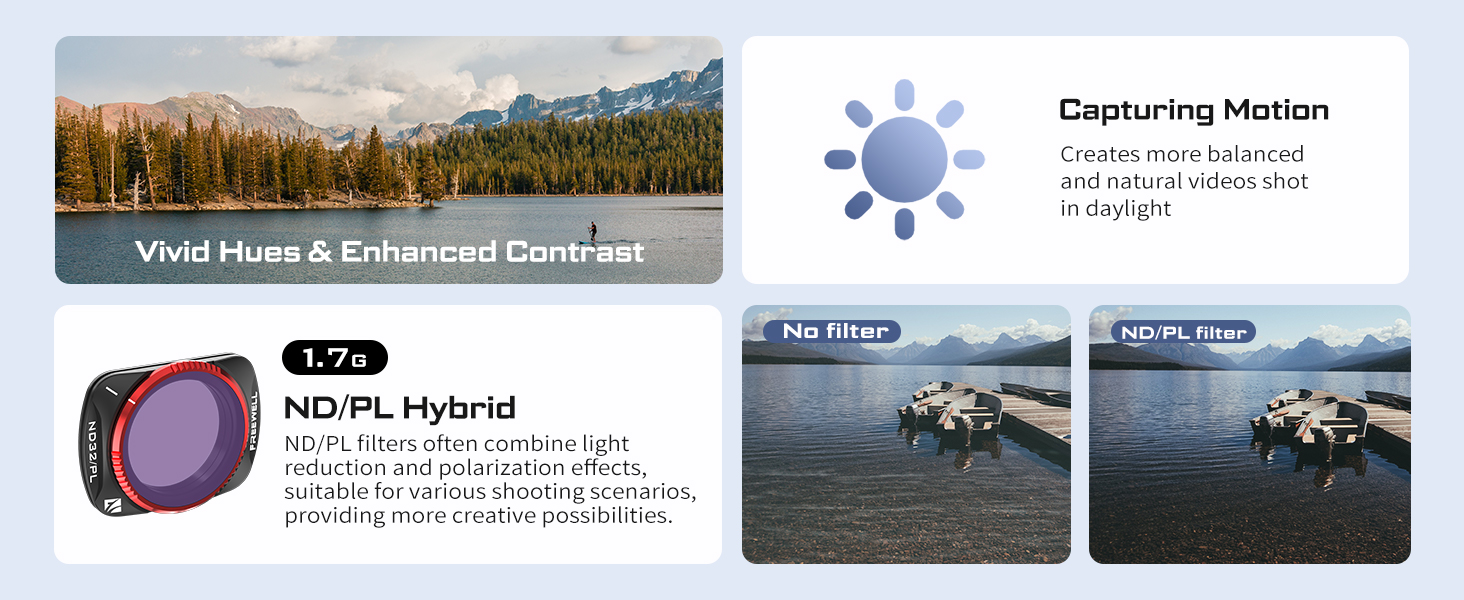
Figure 4: Visual demonstration of how ND/PL filters enhance vivid hues and contrast in outdoor scenes.
Understanding ND/PL Filters
Video 1: This video explains the concept of 'white line' in ND/PL filters, providing insight into their functionality and potential visual effects.
6. Техникалык тейлөө
- Тазалоо: Use the provided cleaning cloth to gently wipe the filter surfaces. For stubborn smudges, a specialized lens cleaning solution can be used with the cloth. Avoid abrasive materials.
- Сактагыч: Always store the filters in their protective case when not in use to prevent dust, scratches, and damage.
- Колдонуу: Handle filters by their edges to avoid leaving fingerprints on the optical surfaces.

Figure 5: The multi-coated design of Freewell filters offers enhanced durability and protection against environmental elements.
7. Кыйынчылыктарды
- Filter not attaching securely: Ensure the lens surface of the Osmo Pocket 3 is clean and free of debris. Check for any obstructions on the filter's magnetic ring.
- Image appears too dark/bright: Adjust your camera's exposure settings (ISO, shutter speed) or select a different ND/PL filter with a higher or lower ND value to match the ambient light.
- Unwanted reflections or glare: Gently rotate the ND/PL filter while observing the Osmo Pocket 3's screen to find the optimal angle for reflection reduction.
8. Техникалык шарттар
| Атрибут | Нарк |
|---|---|
| Бренд | FREEWELL |
| Модель номери | FW-OP3-BRG- |
| Материал | Optical Glass |
| Каптоо сүрөттөмөсү | Көп катмарлуу каптоо |
| Сүрөт чыпкасынын эффектинин түрү | Neutral Density |
| Photo Filter Factor | ND8/PL, ND16/PL, ND32/PL, ND64/PL |
| Даана саны | 4 |
| Элемент Салмагы | 2.82 унция |
| Пакеттин өлчөмдөрү | 3.07 x 3.07 x 0.94 дюйм |
9. Кепилдик жана колдоо
Freewell products are manufactured to high-quality standards. For warranty information, technical support, or service inquiries, please refer to the official Freewell website or contact their customer service directly. Please retain your proof of purchase for any warranty claims.


