1. Киришүү
Welcome to the user manual for your new THE G-LAB Keyz Hydrogen 60% Semi-Mechanical Gaming Keyboard. This manual provides essential information for setting up, operating, maintaining, and troubleshooting your device. Please read it carefully to ensure optimal performance and longevity of your keyboard.
2. Продукт бүтүп калдыview
The THE G-LAB Keyz Hydrogen is a compact 60% semi-mechanical gaming keyboard designed for performance and efficiency. Its space-saving TKL (Tenkeyless) format provides more room for mouse movement, while its responsive and silent keys ensure a comfortable gaming experience. The keyboard features a fixed multicolored backlight and advanced anti-ghosting technology for precise input.

Image 1: THE G-LAB Keyz Hydrogen 60% Semi-Mechanical Gaming Keyboard. This image shows the full keyboard with its compact layout and multicolored backlighting.
3. Орнотуу нускамалары
- Баскычтопту таңгактан чыгаруу: Carefully remove the Keyz Hydrogen keyboard from its packaging.
- Түзмөккө туташуу: Locate an available USB port on your computer (PC, Mac, Linux) or gaming console (PS4, PS5, Xbox One, Xbox Series X). Insert the keyboard's USB cable into the port.
- Plug and Play: The Keyz Hydrogen is a plug-and-play device and does not require any additional drivers or software installation. Your operating system should automatically detect and configure the keyboard.
- Функционалдуулугун текшерүү: Once connected, test the keyboard by typing in a text editor or navigating your system to ensure all keys are responsive.

Image 2: Multi-platform compatibility. This image illustrates the keyboard's compatibility with PC, PlayStation, and Xbox consoles.
4. Иштөө нускамалары
4.1 Негизги терүү
The Keyz Hydrogen functions as a standard AZERTY keyboard. Simply press the desired keys to input text or commands.
4.2 Жарлык баскычтары
This keyboard includes integrated shortcut keys for efficient use without the need for additional software. These functions are typically accessed by holding down the Fn key and pressing a corresponding function key (F1-F12) or other designated keys. Refer to the keycaps for specific shortcut icons and their functions (e.g., media control, volume adjustment).
4.3 Жарыкты башкаруу
The keyboard features a fixed multicolored (rainbow) backlight. Specific keys or key combinations may be available to adjust brightness or toggle the backlight on/off. Consult the keyboard's keycap legends for these controls.
5. Негизги өзгөчөлүктөрү
- Semi-Mechanical Design: Experience a tactile and responsive keystroke feel, combining the best aspects of membrane and mechanical switches for gaming performance.
- 60% Compact Format: Optimize your desk space with this ultra-compact keyboard, providing more room for mouse movements and a minimalist setup.
- Multicolored Backlight: Enjoy a vibrant, fixed rainbow backlight that illuminates each key, enhancing visibility in low-light conditions and adding to the gaming aesthetic.
- Responsive and Silent Keystrokes: Designed for intense gaming sessions, the keys offer quick response times while maintaining a quiet operation, minimizing disturbance.
- Anti-Ghosting (19 Keys): The advanced anti-ghosting technology ensures that up to 19 simultaneous key presses are registered accurately, preventing missed commands during critical gaming moments.
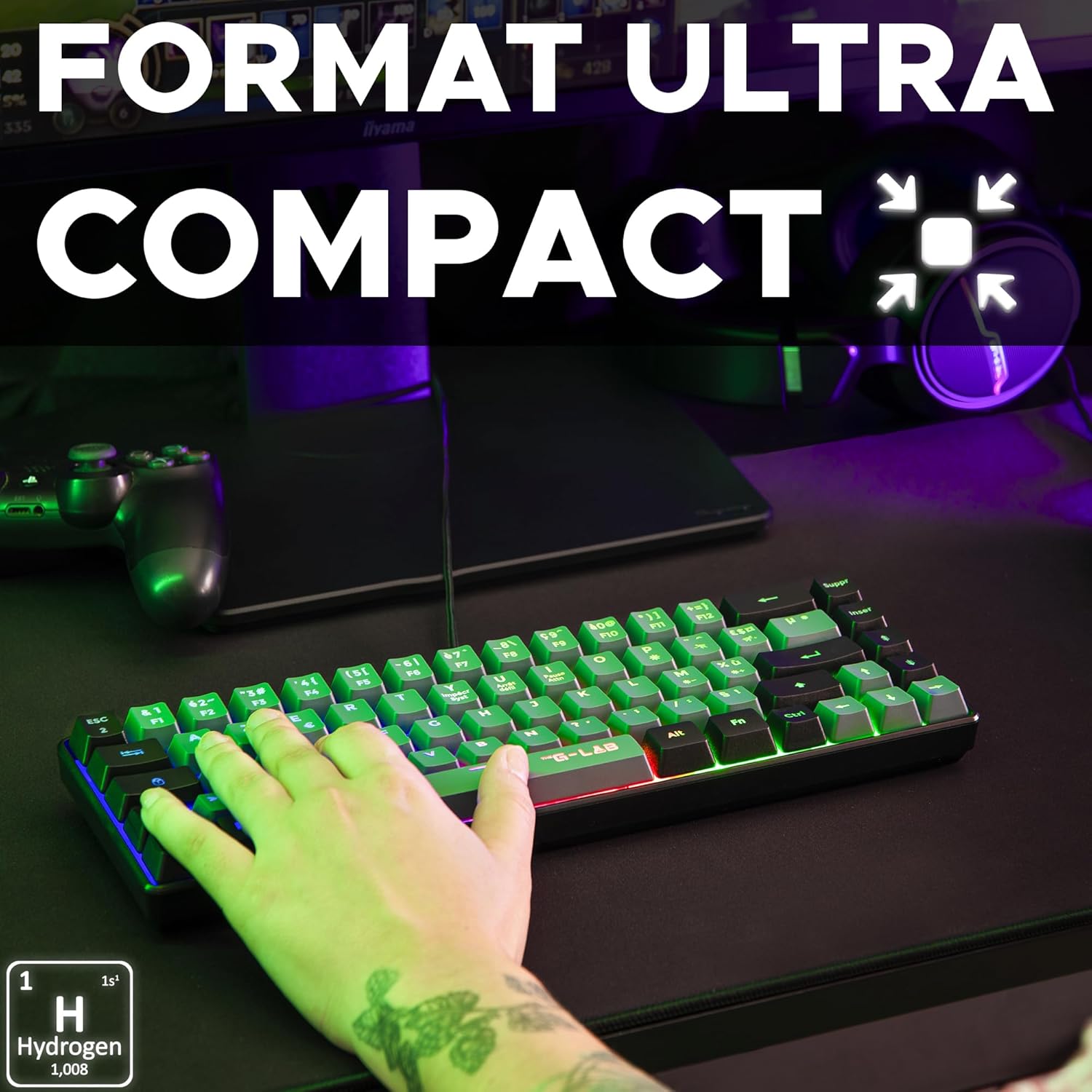
Image 3: Ultra-compact format. This image highlights the small footprint of the keyboard, ideal for gaming setups.

Image 4: Multicolored rainbow backlight. This image displays the keyboard's vibrant, fixed rainbow lighting effect.

Image 5: Precise and silent keystrokes. A close-up view emphasizing the quiet and accurate key presses.

Image 6: Anti-ghosting for 19 keys. This image highlights the anti-ghosting capability, showing multiple keys being pressed simultaneously.
6. Техникалык тейлөө
- Тазалоо: Клавиатуранын бетин жумшак, кургак чүпүрөк менен сүртүңүз. Баскычтардын ортосундагы чаң үчүн кысылган абаны колдонуңуз. Катуу химиялык заттарды же абразивдүү материалдарды колдонуудан алыс болуңуз.
- Суюктук таасири: Клавиатураны суюктуктарга тийгизбеңиз. Кокусунан төгүлүп кетсе, клавиатураны дароо сууруп, кайра туташтыруудан мурун толугу менен кургатыңыз.
- Сактагыч: Клавиатураны күн нурунан жана экстремалдык температурадан алыс, салкын, кургак жерде сактаңыз.
7. Кыйынчылыктарды
7.1 Баскычтоп жооп бербейт
- Ensure the USB cable is securely connected to both the keyboard and your device.
- Баскычтопту башка USB портуна туташтырууга аракет кылыңыз.
- Test the keyboard on another computer or console to rule out device-specific issues.
- Компьютериңизди же консолуңузду өчүрүп күйгүзүңүз.
7.2 Арткы жарык иштебейт
- Check if the backlight has been accidentally turned off using a shortcut key (refer to Operating Instructions).
- Баскычтоп туура туташып жана кубат алып жатканын текшериңиз.
7.3 Keys Not Registering Correctly
- Clean the keyboard to remove any debris that might be obstructing key mechanisms.
- Verify that the issue is not related to software or game settings.
8. Техникалык шарттар
| Бренд | G-LAB |
| Модель номери | KEYZ-HYDROGEN-GRB/FR |
| Түс / Стиль | Black / Grey & Black |
| Байланыш технологиясы | USB Wired |
| Операциялык системанын шайкештиги | Linux, macOS, Windows |
| Шайкеш түзмөктөр | PC, PS4, PS5, Xbox One, Xbox Series X |
| Өзгөчөлүктөр | Lightweight, Portable, Multicolored Backlight, Anti-Ghosting (19 keys) |
| Продукциянын өлчөмдөрү (L x W x Y) | 31.6 x 10.4 x 4 см |
| Салмагы | 430г |
| Баскычты басуу мөөнөтү | 12 миллион басуу |
9. Кепилдик жана колдоо
THE G-LAB offers a 2 жылдык өндүрүүчүнүн кепилдиги on the Keyz Hydrogen keyboard, ensuring peace of mind regarding product quality.
For any questions, issues, or technical support, please contact THE G-LAB customer service. Our team is committed to responding within 24 hours to assist you.
Байланыш маалыматы (мисалы, website, email) can typically be found on the product packaging or the official THE G-LAB webсайт.


