1. Продукт бүтүп калдыview
The VENTION 5-in-1 USB C Hub is a versatile multiport adapter designed to expand the connectivity of your USB-C enabled devices. It integrates essential ports for charging, video output, and data transfer, making it an ideal solution for laptops, tablets, and smartphones with limited port options.

Image: The VENTION 5-in-1 USB C Hub, showcasing its compact design and the various types of cables and devices it can connect to, including USB-A devices and an HDMI cable.
2. Негизги өзгөчөлүктөрү
- 5-ин-1 туташуусу: Combines a 4K HDMI port, 100W USB-C Power Delivery (PD) charging port, and three high-speed USB-A 3.0 data ports.
- Тез кубаттоо: The 100W USB-C PD charging port supports fast charging for compatible laptops and devices.
- Immersive 4K Visuals: HDMI port supports resolutions up to 4K@30Hz for external displays.
- Speedy Data Transfers: USB-A 3.0 ports offer data transfer speeds up to 5 Gbps.
- Туруктуу дизайн: Crafted with an aluminum shell for enhanced durability and heat dissipation.
- Кеңири шайкештик: Compatible with most USB-C enabled devices and various operating systems.

Image: A detailed diagram illustrating the VENTION 5-in-1 USB C Hub connected to a laptop, highlighting its ports: 100W PD, three USB 3.0 (5Gbps) ports, and an HDMI (4K@30Hz) port.
Video: An official product video from Vention showcasing the features and functionality of the USB C Hub, including its various ports, 4K HDMI output, and fast data transfer capabilities.
3. Орнотуу
3.1 Хабды түзмөгүңүзгө туташтыруу
- Locate the USB-C male connector on the VENTION Hub.
- Insert the USB-C connector firmly into an available USB-C port on your laptop, tablet, or smartphone.
- Ensure the connection is secure. The hub is plug-and-play and typically requires no driver installation.
3.2 Перифериялык түзүлүштөрдү туташтыруу
- HDMI дисплей: Мониторуңуздан же телевизоруңуздан чыккан HDMI кабелин хабдагы HDMI портуна туташтырыңыз.
- USB-A түзмөктөрү: Plug your USB flash drives, external hard drives, keyboards, mice, or other USB-A peripherals into the three USB 3.0 ports.
- Кубат жеткирүү (PD): To charge your host device while using the hub, connect your USB-C power adapter to the 100W PD port on the hub.

Image: The VENTION USB C Hub connected to a MacBook Pro, demonstrating its 100W Power Delivery fast charging capability, with a charging progress bar indicating rapid power delivery.
4. Иштөө нускамалары
4.1 HDMI дисплей чыгышы
Once connected, your device should automatically detect the external display. You can configure display settings (e.g., mirror mode, extend mode) through your operating system's display settings.
- MirrorMode: Duplicates your primary screen onto the external display.
- Узартуу режими: Иш тактаңызды бир нече экранга кеңейтип, көбүрөөк жумуш мейкиндигин камсыз кылат.
Note: The 100W PD port on the hub is for power input only and does not support video output.

Image: A visual representation of the VENTION USB C Hub's ability to support multiple display modes (Mirror Mode and Extend Mode) at 4K@30Hz, illustrating how a laptop screen can be duplicated or extended to an external monitor.
4.2 USB аркылуу маалыматтарды өткөрүү
The three USB 3.0 ports enable high-speed data transfer. Simply plug in your USB devices, and they will be recognized by your host system.
- Чоң көлөмдөгү которуу files, photos, and videos at speeds up to 5 Gbps.
- Connect multiple USB peripherals simultaneously.

Image: A close-up of the VENTION USB C Hub's USB 3.0 ports, with an overlay indicating data transfer speeds of 5Gbps, illustrating how files can be transferred in seconds.
4.3 Электр энергиясын жеткирүү (PD)
The 100W PD port allows you to power your laptop or other compatible USB-C device through the hub. This ensures your device remains charged even when multiple peripherals are connected.
5. Шайкештик
The VENTION 5-in-1 USB C Hub is designed for broad compatibility with various USB-C enabled devices and operating systems.
- Шайкеш түзмөктөр: MacBook Pro, MacBook Air, iPad Pro, iPhone 15 Pro/Pro Max, XPS, Thinkpad, Surface Go, Chromebook, and other USB-C enabled laptops, tablets, and smartphones.
- Шайкеш операциялык системалар: macOS, Windows (7, 10), Chrome OS, Linux.
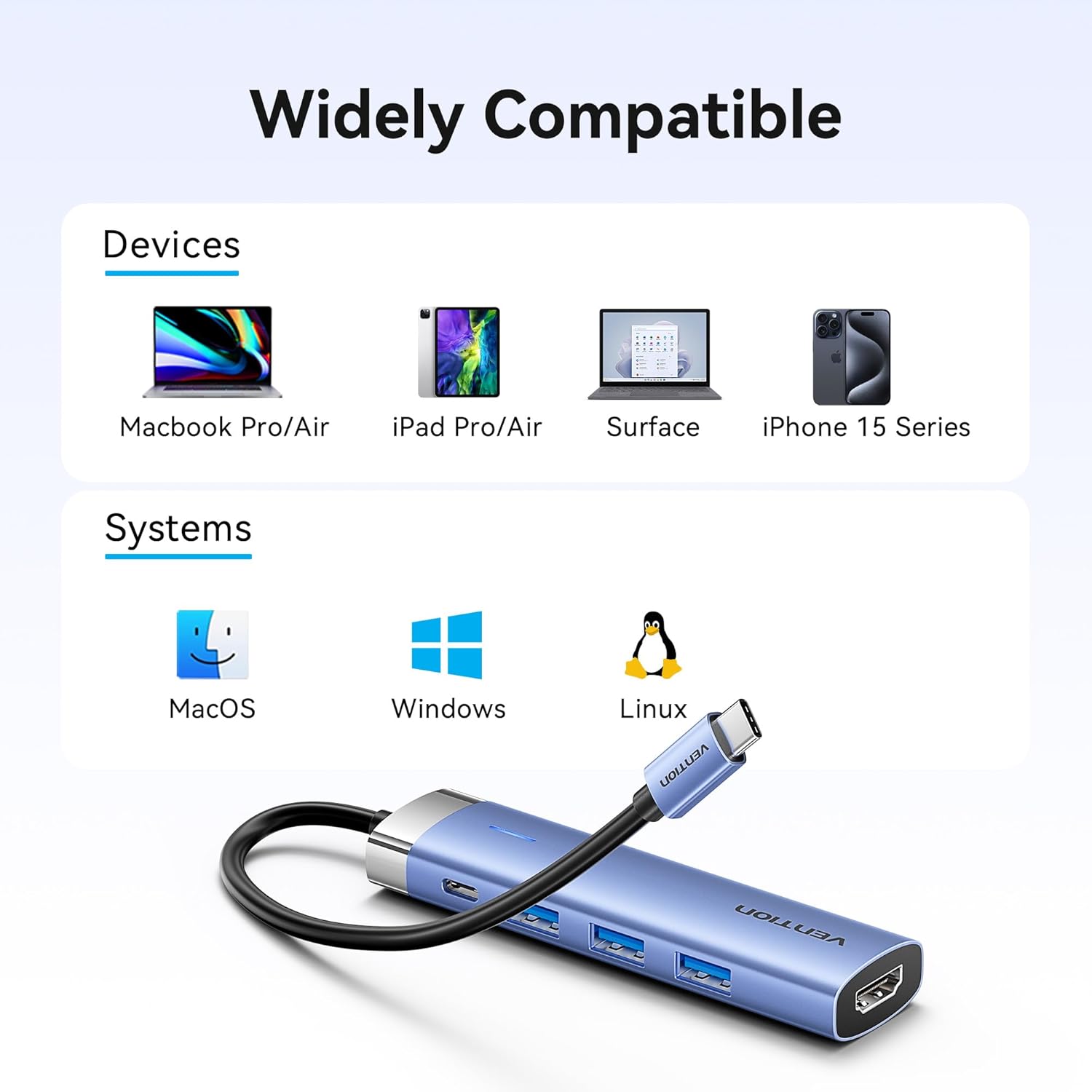
Image: A graphic illustrating the wide compatibility of the VENTION USB C Hub with various devices such as MacBook Pro/Air, iPad Pro/Air, Surface, and iPhone 15 Series, as well as operating systems like macOS, Windows, and Linux.
6. Техникалык тейлөө
- Тазалоо: Хабды тазалоо үчүн жумшак, кургак чүпүрөктү колдонуңуз. Суюк тазалоочу каражаттарды же абразивдүү материалдарды колдонбоңуз.
- Сактагыч: Түздөн-түз күндүн нурунан жана экстремалдык температурадан алыс салкын, кургак жерде борборду сактаңыз.
- Колдонуу: Avoid dropping the hub or subjecting it to strong impacts. Do not attempt to disassemble the device.
7. Кыйынчылыктарды
- HDMI аркылуу дисплей чыгаруу жок:
- HDMI кабели хабга жана дисплейге бекем туташтырылганын текшериңиз.
- Verify your host device's USB-C port supports video output (DisplayPort Alternate Mode).
- Тышкы монитор туура аныкталганын жана конфигурацияланганын текшерүү үчүн компьютериңиздеги дисплей жөндөөлөрүн текшериңиз.
- Try a different HDMI cable or monitor to rule out cable/monitor issues.
- No Power Delivery (PD) Charging:
- Ensure your USB-C power adapter is connected to the PD port on the hub and is functioning correctly.
- Кубат адаптериңиздин жетиштүү кубат берээрин текшериңизtage for your device (e.g., 100W for a MacBook Pro).
- Check if the host device's USB-C port supports Power Delivery.
- USB түзмөктөрү таанылбай жатат же маалымат жай өткөрүлүүдө:
- Ensure USB devices are fully inserted into the hub's USB-A ports.
- Try connecting the USB device directly to your computer to confirm it functions independently.
- For optimal speed, ensure your USB devices are USB 3.0 compatible.
- Avoid connecting high-power consumption devices (e.g., multiple external hard drives) without external power if your host device's USB-C port has limited power output.
- Hub Overheating:
- It is normal for the hub to become warm during extended use, especially when charging or using multiple ports.
- Борттун айланасында жетиштүү желдетүүнү камсыз кылыңыз.
- If the hub becomes excessively hot, disconnect it and allow it to cool down before resuming use.
8. Техникалык шарттар
| Модель номери | TGESB |
| Порттар | 1x HDMI (4K@30Hz), 1x USB-C PD (100W), 3x USB 3.0 (5Gbps) |
| Power Delivery | Up to 100W (input) |
| Маалыматтарды өткөрүү ылдамдыгы | 5 Гбит/сек чейин (USB 3.0) |
| Материал | Алюминий эритмеси |
| Түс | Боз |
| Өлчөмдөрү (LxWxH) | 2.95 x 0.69 x 4.92 дюйм |
| Элемент Салмагы | 1.76 унция |
9. Кепилдик маалыматы
This VENTION product is covered by a manufacturer's warranty. Please refer to the product packaging or the official VENTION webКепилдиктин белгилүү бир шарттары жана эрежелери менен сайттан таанышсаңыз болот. Кепилдик боюнча дооматтар үчүн сатып алганыңызды тастыктаган документти сактап коюңуз.
10. Колдоо
For technical support, troubleshooting assistance, or further inquiries, please contact VENTION customer service through the following channels:
- Онлайн колдоо: Visit the official VENTION webКөп берилүүчү суроолор жана колдоо булактары үчүн сайт.
- Электрондук почта колдоо: Refer to your product packaging or the VENTION webбайланыш электрондук почта үчүн сайт.
- Amazon дүкөнү: Сиз да зыярат кылсаңыз болот Vention Official Store on Amazon for product information and seller contact options.


