1. Киришүү
The SONOFF SNZB-02P is a Zigbee-based temperature and humidity sensor designed for indoor environmental monitoring. This device provides accurate, real-time data, enabling smart home automation and comfort management. It requires a Zigbee 3.0 hub for operation and can integrate with platforms like Alexa and Google Home for remote monitoring and voice control.

Image 1.1: The SONOFF SNZB-02P Zigbee Temperature Humidity Sensor and its retail packaging.
2. Кутуда эмне бар
Each SONOFF SNZB-02P package typically includes the following components:
- SONOFF SNZB-02P Zigbee Temperature Humidity Sensor
- 1 x Lithium Metal battery (pre-installed or included)
- Колдонуучунун Колдонмосу (бул документ)
- Mounting adhesive or screw (may vary by package)

Image 2.1: The SONOFF SNZB-02P sensor and its packaging, indicating included items.
3. Орнотуу жана орнотуу
3.1 Батареяны орнотуу
The SNZB-02P sensor comes with a pre-installed Lithium Metal battery. If the battery tab is present, gently pull it out to activate the sensor. If replacing the battery, open the sensor casing and insert a new CR2450 Lithium Metal battery, ensuring correct polarity.

Image 3.1: The SNZB-02P sensor with its battery compartment open, illustrating battery placement.
3.2 Zigbee Hub менен жупташуу
The SONOFF SNZB-02P requires a Zigbee 3.0 compatible hub to function. Follow these general steps to pair the sensor:
- Ensure your Zigbee hub is powered on and in pairing mode. Refer to your hub's specific instructions for entering pairing mode.
- On the SNZB-02P sensor, press and hold the reset/pairing button (usually a small pinhole button) for approximately 5 seconds until the LED indicator flashes rapidly.
- The sensor will attempt to connect to the nearest Zigbee hub. Once successfully paired, the LED indicator will stop flashing or turn solid, depending on the sensor's design.
- Confirm the sensor's connection within your Zigbee hub's application or interface.
The SNZB-02P is compatible with various Zigbee 3.0 gateways, including SONOFF's own hubs, Aeotec Smart Home Hub, Smartthings Hub, Echo Show, Echo 4th Gen, and Echo Plus 2nd Gen.

Image 3.2: The SNZB-02P sensor demonstrating compatibility with multiple Zigbee 3.0 gateways.
3.3 Орнотуу
Place the sensor in the desired location for temperature and humidity monitoring. For accurate readings, avoid placing it near heat sources, direct sunlight, or in areas with significant airflow (e.g., directly in front of an air vent). The sensor features a magnetic mount for easy attachment to metal surfaces, or it can be affixed using adhesive or screws (if provided).

Image 3.3: The SNZB-02P sensor mounted on a wall, illustrating typical placement.
4. Иштөө нускамалары
4.1 Маалыматтарды реалдуу убакыт режиминде көзөмөлдөө
Once paired, the SNZB-02P sensor will transmit temperature and humidity data to your Zigbee hub. You can view this data in real-time through your hub's dedicated mobile application or smart home interface. The data refreshes quickly, typically within 5 seconds, when temperature and humidity fluctuate.

Image 4.1: A smartphone screen showing real-time temperature and humidity readings from the SNZB-02P sensor.
4.2 Маалыматтарды сактоо жана экспорттоо
The sensor supports cloud-based historical data recording. Temperature and humidity data for each day, month, or even six months can be stored and accessed through the associated application. This allows for detailed analysis of environmental trends and can help in optimizing your living environment. Data export functionality is also available.
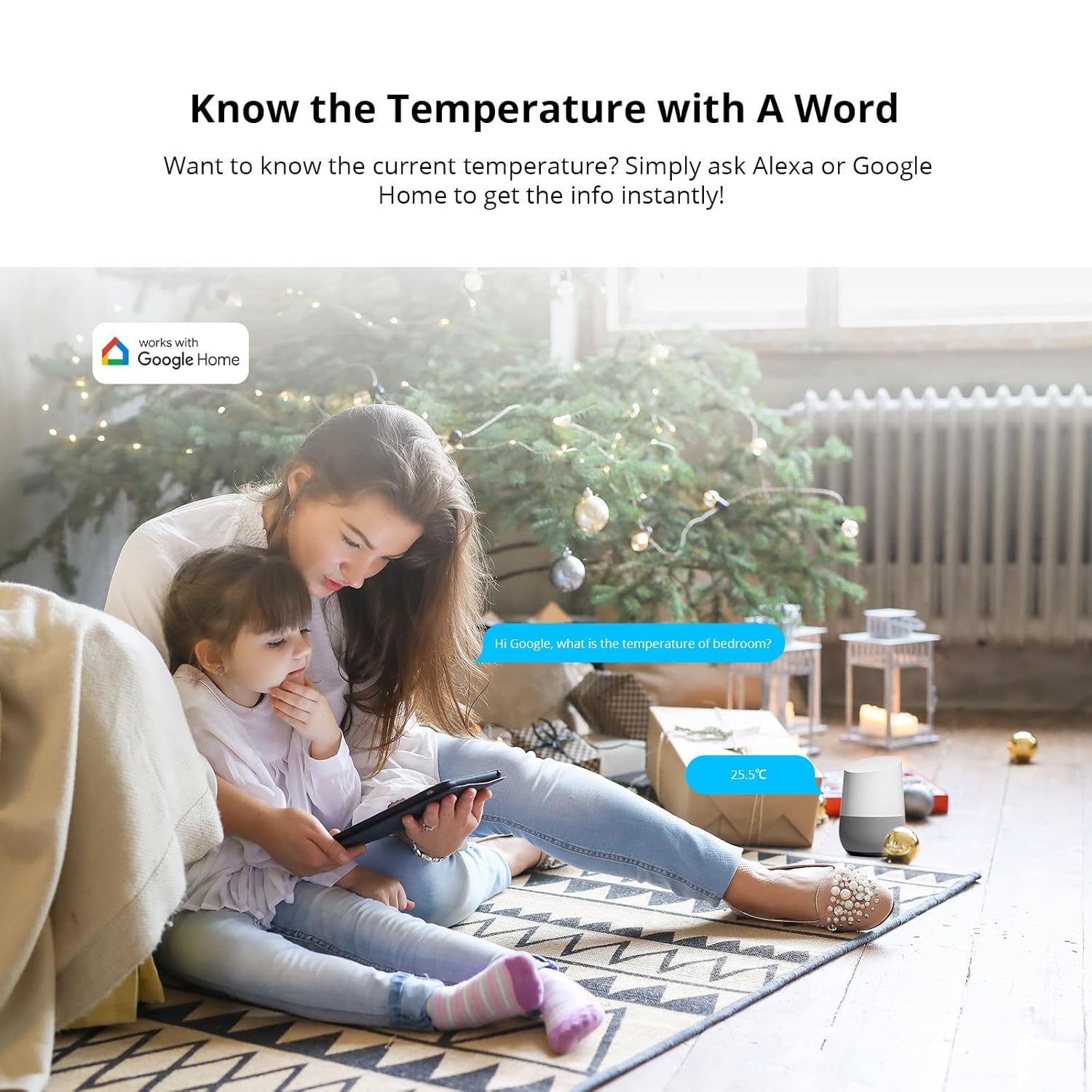
Image 4.2: Historical data viewing and export options within the mobile application, showing daily, monthly, and half-yearly trends.
4.3 Smart Scene Creation and Alerts
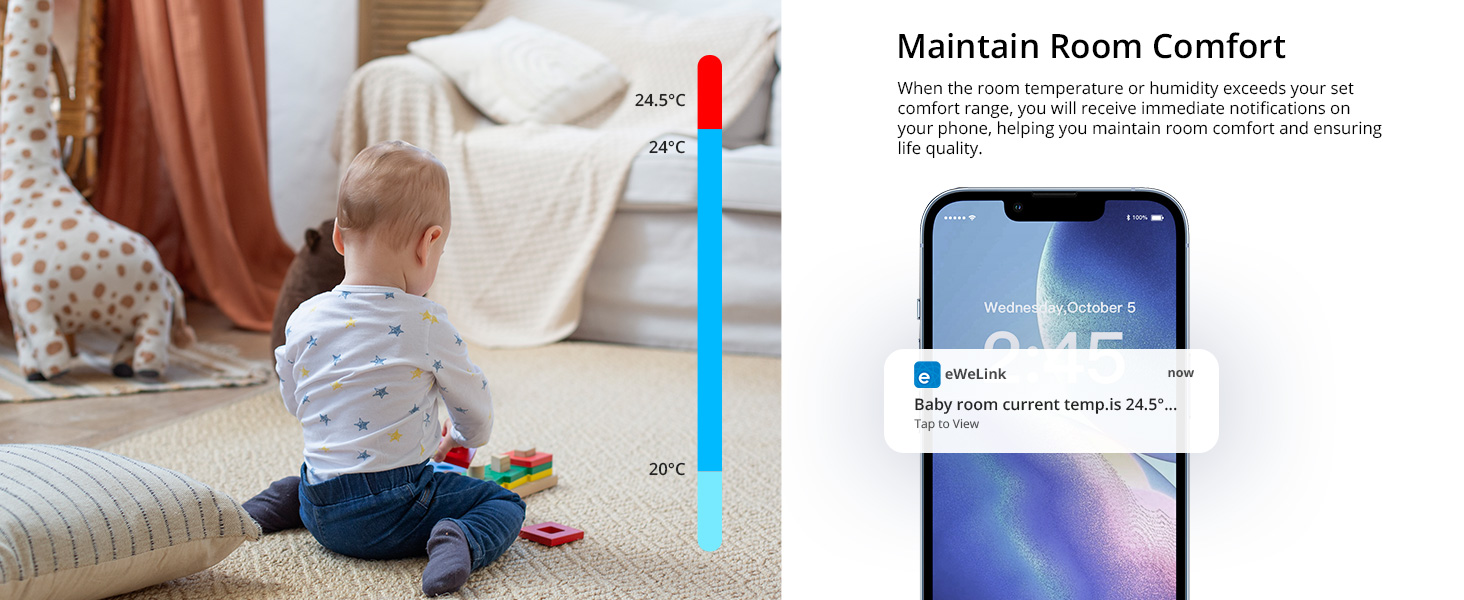
Leverage the sensor's data to create smart scenes and automation rules within your Zigbee hub's ecosystem. For example, you can set up rules to automatically turn on a fan if the temperature exceeds a certain threshold (e.g., >28°C) or activate a humidifier if humidity drops below a set level (e.g., <45% RH). You can also receive immediate notifications on your phone if the room temperature or humidity exceeds your predefined comfort range.
Сүрөт 4.3: Мисamples of smart scenes: fan activation based on high temperature and humidifier activation based on low humidity.
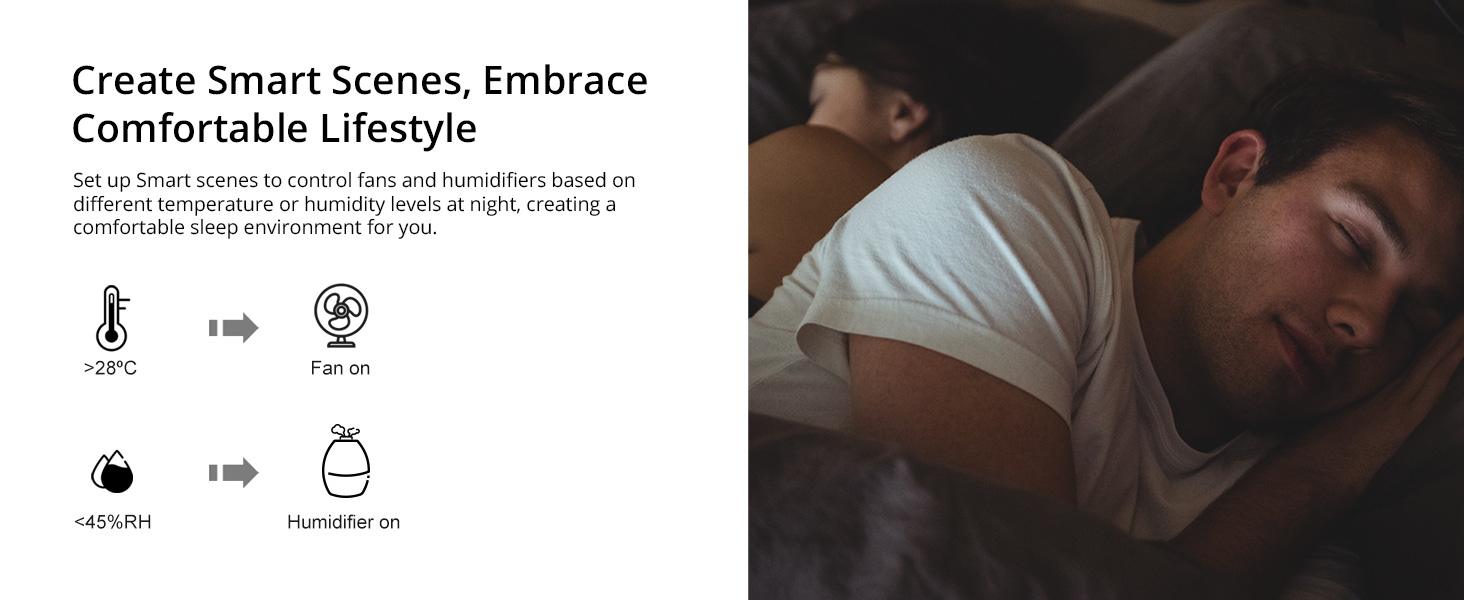
Image 4.4: A mobile phone showing a notification for temperature exceeding a set comfort range.
4.4 Үн менен башкаруунун интеграциясы
The SNZB-02P sensor can be integrated with voice assistants like Amazon Alexa and Google Home through your Zigbee hub. Once integrated, you can simply ask your voice assistant for the current temperature or humidity readings in the room where the sensor is located.

Image 4.5: A user asking Google Home for the current room temperature, demonstrating voice control functionality.
5. Техникалык тейлөө
5.1 Батареянын иштөө мөөнөтү жана алмаштыруу
The SNZB-02P sensor is designed for extended battery life, typically lasting more than four years under normal usage conditions. When the battery level is low, your Zigbee hub's application may notify you. To replace the battery, open the sensor casing and insert a new CR2450 Lithium Metal battery, ensuring correct polarity. Dispose of old batteries responsibly.
5.2 Тазалоо
To clean the sensor, gently wipe the exterior with a soft, dry cloth. Do not use liquid cleaners or abrasive materials, as these can damage the device or affect its performance.
6. Кыйынчылыктарды
- Сенсор хабга туташпай жатат:
- Ensure the Zigbee hub is powered on and in pairing mode.
- Verify the sensor's battery is installed correctly and has sufficient charge.
- Press and hold the sensor's reset/pairing button until the LED flashes.
- Move the sensor closer to the Zigbee hub during the pairing process.
- Башка зымсыз түзмөктөрдөн кандайдыр бир тоскоолдук бар экенин текшериңиз.
- Туура эмес окуулар:
- Ensure the sensor is not placed near direct heat sources (e.g., radiators, direct sunlight), cold drafts, or in areas with significant temperature fluctuations.
- Verify the sensor is clean and free from dust or debris that might obstruct the sensors.
- Compare readings with another calibrated thermometer/hygrometer to confirm discrepancy.
- Data Not Updating:
- Check the Zigbee network connection. A weak signal can cause delayed updates.
- Ensure the sensor's battery is not critically low.
- Restart your Zigbee hub.
- If issues persist, try re-pairing the sensor with your hub.
7. Техникалык шарттар
| Өзгөчөлүк | Деталь |
|---|---|
| Модель номери | СНЗБ-02П |
| Байланыш | Zigbee 3.0 |
| Температуранын тактыгы | ±0.2°C |
| Нымдуулуктун тактыгы | ±2% RH |
| Батарея түрү | CR2450 Литий Металл (кошулган) |
| Болжолдуу батареянын иштөө мөөнөтү | >4 жыл |
| Өлчөмдөр | 3.7 x 2.01 x 1.02 дюйм |
| Салмагы | 3.21 унция |
| Өндүрүүчү | SONOFF |

Image 7.1: Key accuracy specifications for the SNZB-02P sensor, including temperature and humidity precision.
8. Кепилдик жана колдоо
8.1 Кепилдик маалыматы
Кепилдик боюнча толук маалымат алуу үчүн, расмий SONOFF караңыз webсайтка же продуктуңузга кошулган кепилдик картасы. Кепилдиктин шарттары жана шарттары аймакка жана сатуучуга жараша өзгөрүшү мүмкүн.
8.2 Кардарларды колдоо
If you encounter any issues or have questions regarding your SONOFF SNZB-02P sensor, please visit the official SONOFF support page or contact their customer service. You can find contact details and FAQs on the Amazon'догу SONOFF бренд дүкөнү же алардын кызмат адамы webсайт.


