Продукт бүттүview
The Scosche CR4000SWF radio interface is designed to seamlessly integrate an aftermarket stereo into select 2004-20 Chrysler, Dodge, and Jeep vehicles. This kit ensures that essential factory features, such as steering wheel controls and OEM amplifier functionality, are retained after upgrading your car's audio system.
Crafted with OEM quality construction, the CR4000SWF provides a secure and precise fit for your radio wiring, ensuring long-lasting performance. It simplifies the installation process for both DIY enthusiasts and professional installers, offering a hassle-free solution for enhancing your in-car audio experience with modern features like Bluetooth, Apple CarPlay, or Android Auto.
Негизги өзгөчөлүктөрү:
- Seamless Integration: Connects aftermarket stereo to factory radio harness, utilizing standard wire color codes for easy installation.
- Enhanced Control: Retains steering wheel controls and factory safety/warning chimes, allowing safe operation of your new radio while driving.
- Advanced Connectivity: Enhances sound quality and performance with stable data output for reliable audio reproduction.
- Comprehensive Features: User-friendly design for easy installation, enabling modern car stereo capabilities like Apple CarPlay or Android Auto.
- Alleviates Compatibility Woes: Specifically designed for Select 2004-20 Chrysler, Dodge & Jeep Vehicles for optimal performance.
- Trusted Brand: Backed by Scosche's Lifetime Tech Support and Limited Warranty.
Кутуда эмне бар
- Factory Stereo Replacement Interface
- Электр зымдары
- User Manual

Image: The Scosche CR4000SWF kit, showing the main interface module and the included wiring harnesses.
Орнотуу боюнча колдонмо
This section provides a step-by-step guide for installing the Scosche CR4000SWF interface. For a visual demonstration, please refer to the official installation video below.
Video: Official Scosche Factory Stereo Replacement Interface Installation Guide. This video demonstrates the complete installation process for the CR4000SWF, including wiring connections and final setup.
Этап-этабы менен орнотуу:
- Батареяны ажыратыңыз: Before beginning any electrical work, disconnect the negative terminal of your vehicle's battery to prevent electrical shorts.

Image: A person disconnecting the negative terminal of a car battery, a crucial first step for safety during installation.
- Prepare Wiring Harnesses: Lay out the Scosche CR4000SWF interface module, the vehicle harness connector, the steering wheel control connections, and the harness included with your new aftermarket stereo.

Image: All components of the Scosche CR4000SWF kit, including the interface module and various wiring harnesses, laid out on a dark surface.
- Зым байланыштары: Using splice connectors (or preferred wiring method), connect the wires from the aftermarket stereo harness to the Scosche interface harness. Match the wire colors according to the EIA (Electronics Industry Association) wire color code chart provided in your stereo's owner's manual and the Scosche manual. Ensure secure connections.

Image: A detailed chart showing the Electronics Industry Association (EIA) standard wire color codes for car stereo installations.
Note: Some wires, such as amplifier turn-on, parking sense, and specific steering wheel control connections, may not connect directly to the vehicle harness and might require separate connections as per your aftermarket stereo's instructions.
- Connect to Vehicle and Stereo: Plug the vehicle harness into the corresponding port in your vehicle's dashboard. Then, connect the radio harness from the Scosche interface to your new aftermarket radio.
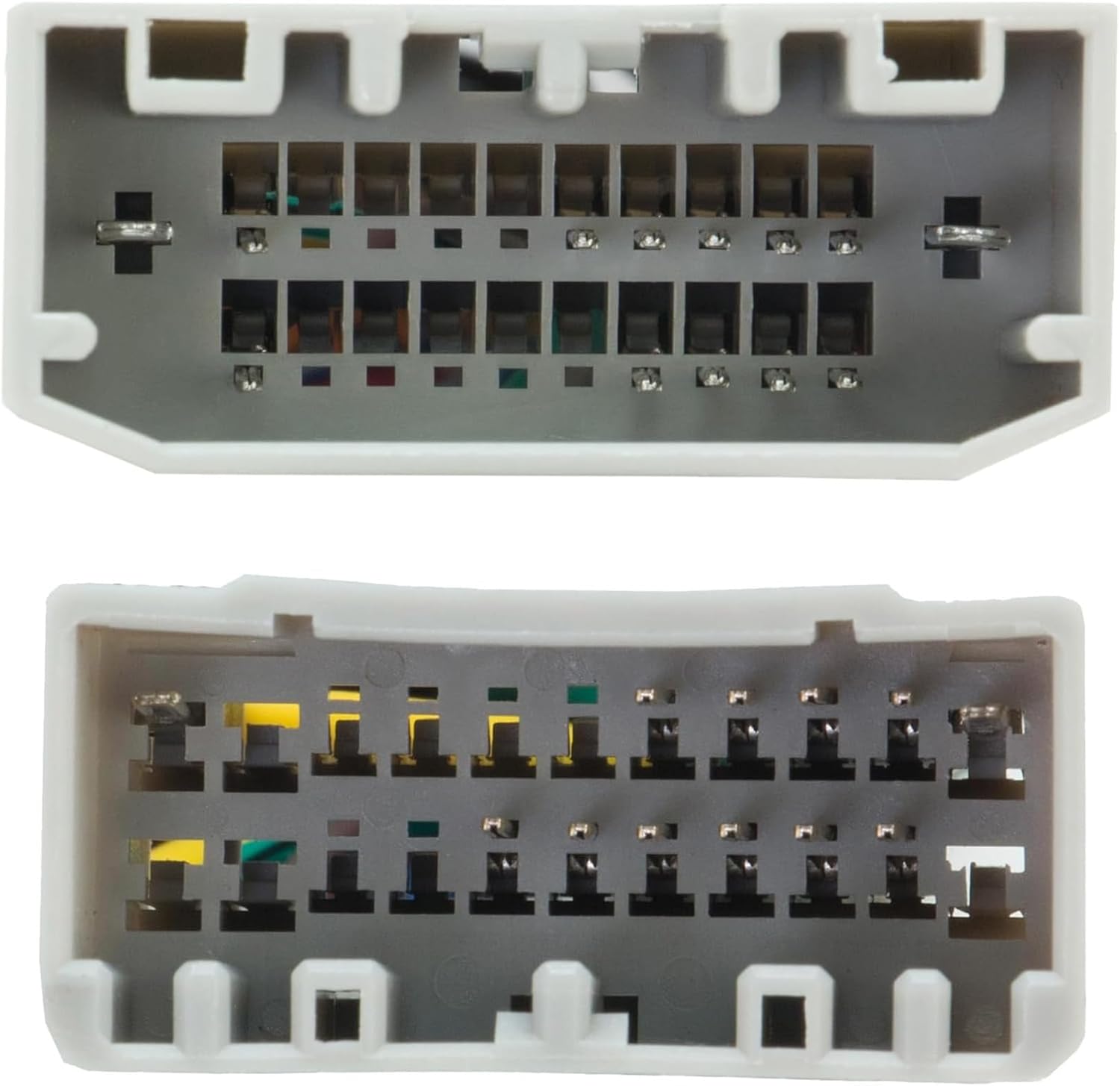
Image: A person connecting the wiring harnesses within the vehicle's dashboard, ensuring proper fit and connection.
- Secure the Radio: Carefully slide the new stereo into the dashboard opening and secure it using the appropriate screws or mounting brackets.

Image: A person securing the newly installed aftermarket stereo into the vehicle's dashboard using a screwdriver.
- Батареяны кайра туташтыруу: Унааңыздын аккумуляторунун терс терминалын кайра туташтырыңыз.
- Сыноо функциясы: Turn on your vehicle's ignition and power on the new radio. Verify that all functions, including audio output, steering wheel controls, and any retained factory features, are working correctly.
Иштөө нускамалары
The Scosche CR4000SWF interface operates automatically once installed, enabling communication between your new aftermarket stereo and your vehicle's factory systems. There are no specific user-adjustable settings on the interface module itself.
To operate your audio system, refer to the owner's manual of your aftermarket stereo. The CR4000SWF ensures that your factory steering wheel controls will function with your new stereo, allowing you to manage volume, tracks, and other audio functions directly from your steering wheel. It also maintains the functionality of your OEM amplifier and factory safety/warning chimes.
Ensure your aftermarket stereo is properly configured to recognize and utilize the steering wheel control signals provided by the CR4000SWF. This may involve a setup menu within your new stereo's settings.
Техникалык тейлөө
The Scosche CR4000SWF interface is designed for long-term reliability and requires minimal maintenance. Keep the area around the installed module clean and free from debris.
- Мезгил-мезгили менен бардык зымдарды байланыштарды текшерип туруңуз, алар коопсуз жана коррозиядан таза бойдон калууда.
- Avoid exposing the interface module to extreme temperatures or moisture.
- Do not attempt to open or modify the interface module, as this will void the warranty.
Проблемаларды чечүү
If you encounter issues after installing the CR4000SWF, refer to the following common troubleshooting steps:
| Көйгөй | Мүмкүн себеп | Чечим |
|---|---|---|
| No power to new stereo | Incorrect wiring, blown fuse, loose battery connection. | Check all power and ground connections. Verify vehicle fuses. Ensure battery terminals are securely reconnected. |
| Рулдун башкаруулары иштебейт | Incorrect SWC wiring, stereo not configured for SWC. | Ensure the 3.5mm jack or SWC wires are correctly connected. Refer to your aftermarket stereo's manual for SWC programming. |
| Аудио жок же бурмаланган аудио | Incorrect speaker wiring, amplifier issue (if applicable), loose connections. | Double-check all speaker wire connections. If your vehicle has an OEM amplifier, ensure it's properly integrated. |
| Factory chimes not working | Interface module not receiving power or incorrect connection. | Verify all connections to the interface module, especially power and ground. |
If these steps do not resolve the issue, please contact Scosche customer support.
Техникалык шарттар
| Өзгөчөлүк | Деталь |
|---|---|
| Модель номери | CR4000SWF |
| Шайкеш унаалар | Select 2004-20 Chrysler, Dodge & Jeep Vehicles |
| Материал | Жез, поливинилхлорид (ПВХ) |
| Туташтыргыч түрү | Deutsch Dt |
| Элемент Салмагы | 5.6 унция |
| Пакеттин өлчөмдөрү | 5.71 x 4.33 x 3.19 дюйм |
| Түс | Кара |

Image: Compatibility chart for the Scosche CR4000SWF, listing compatible Chrysler, Dodge, Jeep, Mitsubishi, and Volkswagen models and years.
Кепилдик жана колдоо
The Scosche CR4000SWF is backed by Scosche's Lifetime Tech Support and Limited Warranty, ensuring peace of mind for your purchase.
For detailed warranty information, technical assistance, or further support, please visit the official Scosche webсайтка же толугу менен карагыла Орнотуу боюнча колдонмо (PDF).


