1. Киришүү
Thank you for choosing the BOYA Omic-D Wireless Lavalier Microphone. This system is designed to provide high-quality audio recording for your iPhone and iPad devices with Lightning ports. Featuring MFi certification, noise cancellation, and a convenient magnetic clip, the Omic-D is ideal for video recording, vlogging, interviews, and live streaming. Please read this manual carefully to ensure proper operation and to maximize the performance of your device.
2. Пакеттин мазмуну
Колдонуудан мурун, төмөндө келтирилген нерселердин баары пакетиңизге камтылганын текшериңиз:
- 2 x Omic TX Transmitters (Microphones)
- 1 x Omic RXD Receiver (Lightning Connector)
- 2 x Fur Windshields
- 1 x USB-A - USB-C кабели
- 1 x Omic CC заряддоо кутусу
- 1 х көтөрүп баштык

Image: Contents of the BOYA Omic-D package.
3. Продукт бүтүп калдыview
The BOYA Omic-D system consists of two compact transmitters (microphones), a receiver, and a portable charging case. Each component is designed for ease of use and portability.
3.1. Transmitters (TX)
The transmitters are small, lightweight microphones equipped with a magnetic clip for secure attachment to clothing. They feature a built-in omnidirectional microphone and a button for noise cancellation.
3.2. Receiver (RXD)
The receiver plugs directly into your iPhone or iPad's Lightning port. It facilitates the wireless connection between the transmitters and your device, enabling audio capture without additional cables.
3.3. Charging Case (CC)
The charging case not only protects your microphones and receiver but also recharges them on the go. It supports both USB-C wired charging and wireless charging.

Image: The BOYA Omic-D wireless clip microphone and charging case.
4. Орнотуу
The BOYA Omic-D system is designed for plug-and-play operation, requiring minimal setup.
- Түзмөктөрдү заряддоо: Ensure both transmitters and the charging case are fully charged before first use. Place the transmitters into the charging case. Connect the charging case to a power source using the provided USB-A to USB-C cable or place it on a wireless charger.
- Автоматтык жупташтыруу: Open the charging case. The transmitters will automatically power on and attempt to pair with each other and the receiver.
- Алуучуну туташтыруу: Plug the Omic RXD receiver directly into the Lightning port of your iPhone or iPad. The receiver will automatically connect to the transmitters. A blue indicator light on the transmitters signifies a successful connection.
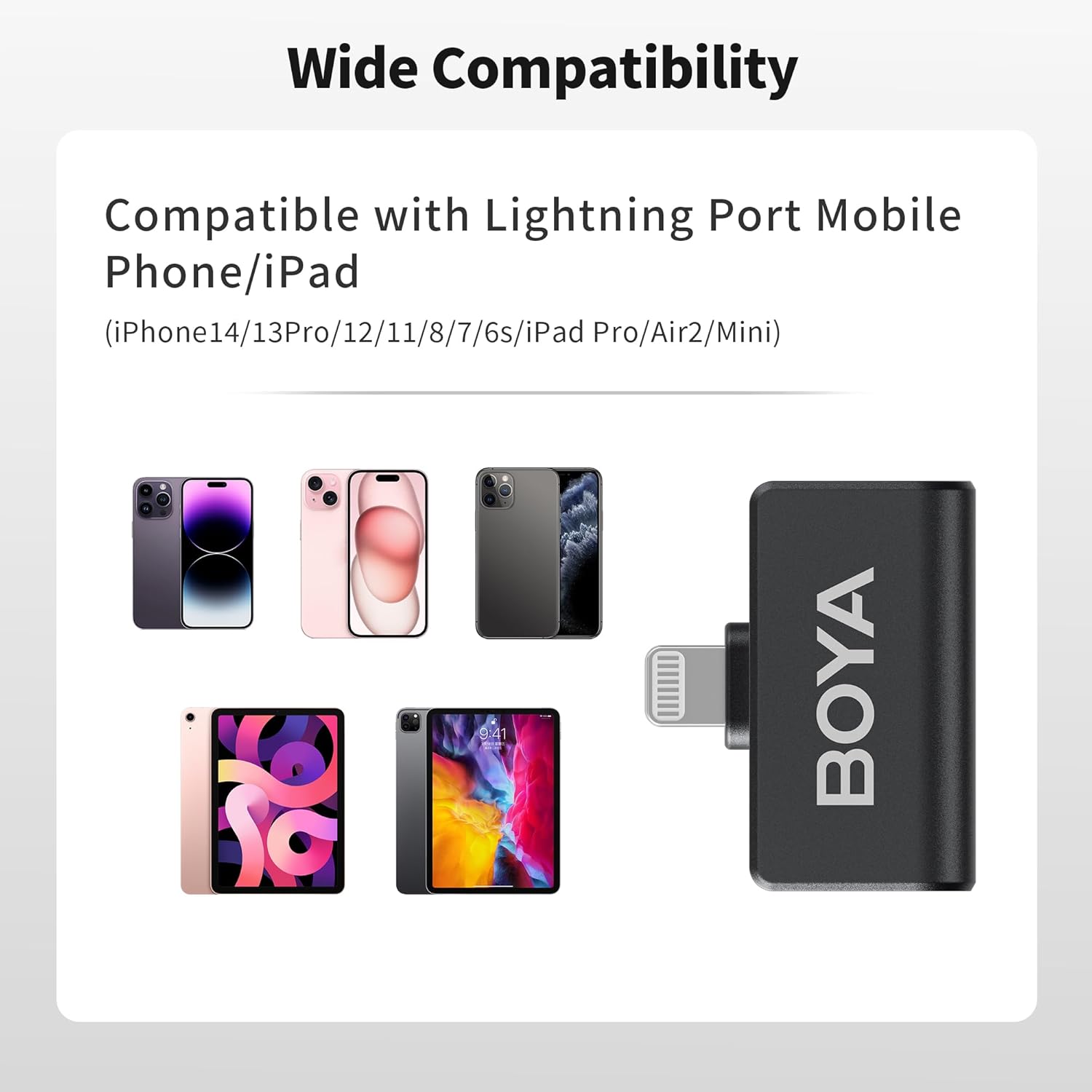
Image: Wide compatibility of the Omic-D with Lightning port devices.
5. Иштөө нускамалары
5.1. Күйгүзүү/өчүрүү
- Күйгүзүү: Open the charging case, and the transmitters will automatically power on.
- Өчүрүү: Place the transmitters back into the charging case, and they will automatically power off.
5.2. Wearing the Microphone
The transmitters can be worn in two ways:
- Магниттик тиркеме: Use the integrated magnetic clip to attach the transmitter securely to your clothing.
- Клип: Alternatively, use the traditional clip-on method to secure the microphone.
For optimal audio quality, position the microphone approximately 6-8 inches (15-20 cm) from your mouth.

Image: Various ways to wear the Omic-D microphone using magnetic or clip-on methods.
5.3. Шуудан баш тартуу
The BOYA Omic-D features an active noise cancellation algorithm to reduce ambient noise. To activate or deactivate noise cancellation, press the designated button on the transmitter. A change in the indicator light may signify the mode change.

Image: Illustration of the noise cancellation feature on the Omic-D microphone.
5.4. Windshields
For outdoor recording or in windy conditions, attach the provided fur windshields to the transmitters to minimize wind noise and improve audio clarity.
5.5. Ойнотуу
The Omic-D receiver utilizes exclusive audio analysis technology, allowing you to play back audio directly through your phone's built-in speaker without needing to unplug the receiver.
5.6. Телефонуңузду кубаттоо
The receiver includes a built-in USB-C port. This port allows you to connect a power source to charge your iPhone or iPad while the microphone system is in use, supporting fast charging up to 3A.
6. Заряддоо
The BOYA Omic-D system offers flexible charging options:
- Заряддоо кутусу: The charging case itself can be charged via the USB-C port using the included cable or wirelessly by placing it on a compatible wireless charging pad.
- Өткөргүчтөр: Place the transmitters into the charging case to recharge them. The case provides multiple full charges for the transmitters.
A fully charged transmitter provides approximately 5 hours of continuous recording. The charging case extends the total operating time to up to 15 hours.

Image: Rechargeable digital battery case features and capacity.
7. Шайкештик
The BOYA Omic-D is MFi certified and compatible with a range of Apple devices:
- iPhone 14 / 14 Pro / 14 Pro Max
- iPhone 13 / 13 Pro
- iPhone 12 / XR / X
- iPad Pro Series with Lightning Port
NOTE: This device is NOT compatible with iPhone 15 series or any USB-C port iPad models. For these devices, please choose the BOYA Omic-U model.
8. Техникалык шарттар
| Өзгөчөлүк | Деталь |
|---|---|
| Микрофон форма фактору | Lavalier |
| Полярдык үлгү | Көп багыттуу |
| Байланыш технологиясы | 2.4GHz Зымсыз |
| Туташтыргыч түрү | Чагылган |
| Берүүнүн диапазону | Ачык жерлерде 50 метрге чейин (164 фут) |
| Frequency Response | 20 Гц - 20 КГц |
| Ызы-чуунун катышы | 80 дБ |
| Каналдардын саны | 2 |
| Батарея түрү | Литий полимери (кошулган) |
| Transmitter Салмагы | Болжол менен 2 грамм (0.071 унция) |
| Заряддоо кутусунун кубаттуулугу | 300mAh (approximate) |
| Өзгөчөлүктөр | Battery Indicator Light, Clip, Noise Reduction, Runs on Plug-In Power, Volume Control |

Image: The BOYA Omic-D offers up to 164ft (50m) transmission range.
9. Кыйынчылыктарды
If you encounter issues with your BOYA Omic-D microphone, please refer to the following common solutions:
- No Sound/Microphone Not Recognized:
- Ensure the receiver is fully inserted into your iPhone/iPad's Lightning port.
- Verify that both transmitters are powered on and paired (indicated by a steady blue light).
- Check your device's audio input settings to ensure the external microphone is selected, if applicable.
- Confirm your device is compatible (not an iPhone 15 series or USB-C iPad).
- Restart your iPhone/iPad and try reconnecting.
- Poor Audio Quality/Excessive Noise:
- Ensure the microphone is positioned correctly, approximately 6-8 inches from the sound source.
- Activate the noise cancellation feature if in a noisy environment.
- Attach the fur windshields when recording outdoors or in windy conditions.
- Check for obstructions between the transmitter and receiver that might interfere with the wireless signal.
- кубаттоо маселелери:
- Ensure the USB-C cable is securely connected to both the charging case and a power source.
- If using wireless charging, ensure the case is correctly placed on a compatible wireless charging pad.
- Кубат булагынын иштеп турганын текшериңиз.
10. Техникалык тейлөө
To ensure the longevity and optimal performance of your BOYA Omic-D microphone system, follow these maintenance guidelines:
- Тазалоо: Түзмөктөрдү тазалоо үчүн жумшак, кургак чүпүрөктү колдонуңуз. Катуу химиялык заттарды же абразивдүү материалдарды колдонуудан алыс болуңуз.
- Сактагыч: Store the microphones and receiver in their charging case when not in use to protect them from dust, moisture, and physical damage.
- Экстремалдуу шарттарды болтурбоо: Аппараттарды экстремалдык температурага, түз күндүн нуруна же жогорку нымдуулукка дуушар кылбаңыз.
- Этияттык менен мамиле кылуу: Түзмөктөрдү түшүрүүдөн же катуу таасирлерге дуушар кылуудан качыңыз.
11. Кепилдик жана колдоо
BOYA offers a 2 жылдык кепилдик for the Omic-D Wireless Lavalier Microphone. This warranty covers manufacturing defects and malfunctions under normal use.
If you experience any issues or require technical assistance, please contact BOYA customer support. You can find contact information on the official BOYA webсайт же сатып алуу платформасы аркылуу.
For more information and product updates, visit the official BOYA Store.


