1. Киришүү
Thank you for choosing the RORRY D2 Portable Charger. This compact and versatile power bank is designed to keep your Apple Watch, iPhone, AirPods, and other compatible devices charged while you are on the go. Please read this manual carefully to ensure safe and optimal use of your device.
Кутуда эмне бар:
- RORRY Portable Charger (1 unit)
- 1M USB-C to USB-C Charging Cable (1 unit)
- Колдонуучунун колдонмосу (1 бирдик)
2. Негизги өзгөчөлүктөрү
- Жалпы шайкештик: Designed for Apple Watch Ultra/11/10/9/8/7/6/SE, iPhone 17/16/15/14/13/12/11/Pro/Pro Max, AirPods, and Android devices.
- 5000mAh чоң сыйымдуулугу: Provides approximately 7-10 charges for Apple Watch, 1 full charge for iPhone 15, and 6-8 charges for AirPods.
- Бир убакта заряддоо: Capable of charging multiple devices concurrently, including Apple Watch, iPhone, AirPods, and other Android devices.
- Портативдик дизайн: Features a compact and lightweight keychain design for easy portability in pockets or attached to backpacks.
- Жогорку коопсуздук: Equipped with built-in protection against over-temperature, over-current, over-voltagд, жана кыска туташуу.
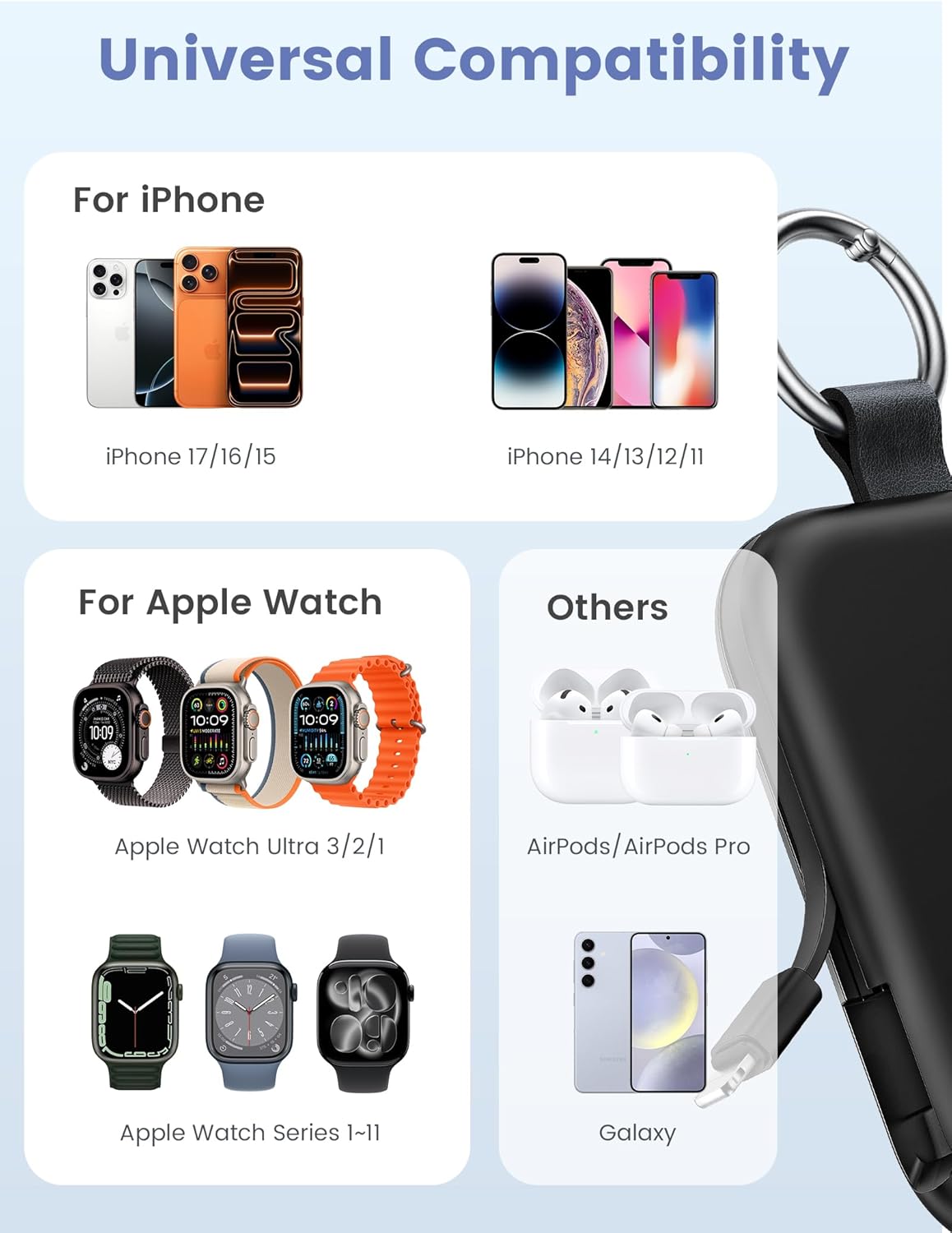
Image: Universal compatibility of the RORRY portable charger with various devices.
3. Орнотуу жана баштапкы заряддоо
3.1 Power банкты заряддоо
- Connect the provided USB-C to USB-C charging cable to the USB-C input port on the RORRY D2 Portable Charger.
- Кабелдин экинчи учун шайкеш келген USB-C дубал адаптерине туташтырыңыз (кошулмада жок).
- The LED indicator lights on the power bank will illuminate to show the charging status. A full charge typically takes approximately 2.5 hours.
- Once fully charged, all LED indicators will be solid. Disconnect the power bank from the charger.

Image: Charging the RORRY D2 Portable Charger using the included USB-C cable.
4. Иштөө нускамалары
4.1 Apple Watch'ту кубаттоо
- Press the power button on the side of the RORRY D2 Portable Charger to activate the wireless charging pad.
- Place your Apple Watch onto the magnetic charging pad located on the top surface of the power bank.
- Ensure the watch is properly aligned for optimal charging. The watch screen will indicate charging status.
4.2 Charging iPhone and USB-C Devices
- Locate the built-in Lightning cable (for iPhone) or USB-C cable (for Android/other USB-C devices) on the sides of the power bank.
- Gently pull out the appropriate cable.
- Connect the cable to your device's charging port. The device should begin charging automatically.
- To charge multiple devices simultaneously, use the wireless charging pad for Apple Watch and the built-in cables for other devices.

Image: RORRY D2 Portable Charger actively charging an Apple Watch and an iPhone.

Сүрөт: бүттүview of charging times and capacities for various devices with the RORRY D2.
4.3 Кубат көрсөткүчү
The LED lights on the front of the power bank indicate the remaining battery level. Press the power button once to check the current battery status.
Video: Demonstration of the RORRY Portable Apple Watch Charger's features and usage.
5. Техникалык шарттар
| Модель номери | D2 |
| Батарея сыйымдуулугу | 5000 миллионamp Саат |
| Продукциянын өлчөмдөрү | 3.86 x 2.82 x 0.65 дюйм |
| Элемент Салмагы | 4.4 унция |
| Туташтыргыч түрү | Built-in Cable L+C, USB-C Port |
| Өзгөчөлүктөр | Compact, Built-in Cables, All-in-one, Keychain Design |
6. Safety Features and Precautions
The RORRY D2 Portable Charger is equipped with multiple safety features to protect your devices and the power bank itself:
- Ашыкча температурадан коргоо: Заряддоо жана разряддоо учурунда ысып кетүүнүн алдын алат.
- Ашыкча ток коргоо: Ашыкча ток агымынан коргойт.
- Ашык-томtage Коргоо: т. каршы коргойтtagд толкундары.
- Кыска туташуулардан коргоо: Кыска туташуу болгон учурда автоматтык түрдө өчөт.
Жалпы коопсуздук чаралары:
- Do not disassemble, squeeze, or hit the device.
- Keep away from fire, water, and heat sources.
- Балдар жетпеген жерде сактаңыз.
- Do not use the power bank in extremely high or low temperatures.
- Аппаратты жерге түшүрүүдөн же катуу таасирлерден сактаныңыз.
7. Кароо жана тейлөө
- Power банкты жумшак, кургак чүпүрөк менен тазалаңыз. Катуу химиялык заттарды же абразивдүү материалдарды колдонбоңуз.
- Аппаратты колдонбогондо салкын, кургак жерде сактаңыз.
- If the power bank will not be used for an extended period, charge it fully at least once every three months to maintain battery health.
8. Кыйынчылыктарды
Түзмөк кубатталбай жатат:
- Powerbank жетиштүү заряддалганын текшериңиз. LED индикаторлорун текшериңиз.
- Verify that the charging cables are securely connected to both the power bank and your device.
- For Apple Watch, ensure it is correctly placed on the magnetic charging pad and the power button has been pressed.
- Try using a different charging cable or wall adapter to charge the power bank itself.
Жай кубаттоо:
- Ensure you are using a compatible wall adapter for optimal charging speed.
- Бир эле учурда бир нече түзмөктү кубаттоо ар бир түзмөктүн кубаттоо ылдамдыгын төмөндөтүшү мүмкүн.
Powerbank күйбөй жатат:
- Charge the power bank fully. If the battery is completely depleted, it may take a few minutes for the LED indicators to light up.
9. Кепилдик жана колдоо
RORRY products are designed and manufactured to the highest quality standards. For warranty information, after-sales service, or technical support, please refer to the contact details provided in the packaging or visit the official RORRY webсайт.
Байланыш маалыматы:
- Өндүрүүчү: Shenzhen Xianyang Innovation Technology Co., Ltd
- Webсайт: www.rorry.com (Эскертүү: Бул толтургуч URL, refer to actual product for correct webсайт)