Introduction
This manual provides comprehensive instructions for the setup, operation, and maintenance of your XTUGA USB Condenser Microphone (Model X-4). Please read this manual thoroughly before using the product to ensure proper functionality and longevity.
Негизги өзгөчөлүктөрү
- Four Pickup Patterns: Stereo, Cardioid, Bidirectional, and Omnidirectional for versatile recording applications.
- Instant Mute Button: Physical mute button for immediate audio cutoff during live streams or recordings.
- Интегралдык үндү көзөмөлдөө каражаттары: Separate knobs for microphone gain and headphone monitoring volume.
- реалдуу убакыт мониторинг: 3.5mm headphone output for zero-latency audio monitoring.
- Узак металл конструкциясы: Aircraft-grade aluminum unibody for enhanced durability and protection.
- Universal Plug & Play: USB-C and USB-A compatibility for instant connection to various devices.
- 3/8" Threaded Mount: Compatible with standard microphone boom arms for flexible positioning.
Пакеттин мазмуну
Орнотууну улантуудан мурун бардык элементтер бар экенин текшериңиз:
- XTUGA USB Condenser Microphone (X-4)
- USB-C - USB-A кабели
- USB-C - USB-C кабели
- Портативдик куту
- Көрсөтмө (бул документ)
Орнотуу колдонмосу
1. Unpacking the Microphone
Carefully open the carrying case and remove the microphone and accessories. The case is designed to protect the microphone during transport.

Сүрөт: The XTUGA USB Condenser Microphone (X-4) positioned on a wooden desk, showcasing its design and integrated stand.
2. Түзмөгүңүзгө туташуу
The X-4 microphone is plug-and-play compatible with most computers and recording devices. Use the provided USB-C to USB-A or USB-C to USB-C cable to connect the microphone to your device.
- PC/ноутбук үчүн: Connect the USB-C end of the cable to the microphone's port (located at the bottom) and the USB-A or USB-C end to an available port on your computer.
- Башка түзмөктөр үчүн: Ensure your device supports USB audio input and use the appropriate cable.

Сүрөт: Diagram illustrating the USB-C interface and wide compatibility of the XTUGA USB Condenser Microphone (X-4) with computers and mobile devices.

Сүрөт: Жакын план view of the bottom of the XTUGA USB Condenser Microphone (X-4), highlighting the earphone output, power interface, and audio output ports.
3. Тирөөчтү тууралоо
The integrated stand allows for 360° rotation, enabling optimal positioning for your recording needs. Loosen the knobs on the sides of the microphone to adjust the angle, then tighten them to secure the position.

Сүрөт: Visual representation of the XTUGA USB Condenser Microphone's integrated stand, demonstrating its 360° rotation capability and non-slip mat.
For alternative mounting, the microphone features a 3/8" threaded interface at the bottom, compatible with standard boom arms (not included).
Иштөө нускамалары
1. Selecting Pickup Patterns
The X-4 microphone offers four distinct pickup patterns, selectable via the "DIRECTIVITY" knob on the front of the microphone. Choose the pattern that best suits your recording environment and purpose:
- Кардиоид: Ideal for solo podcasts, streaming, and gaming. Focuses on sound directly in front of the microphone, minimizing background noise.
- Стерео: Captures a wide, immersive soundstage. Suitable for musical performances or ambient recordings.
- аташы: Picks up sound from all directions (360°). Best for conference calls, group discussions, or capturing room ambiance.
- Эки багыттуу: Records sound from the front and rear of the microphone, while rejecting side noise. Perfect for two-person interviews or duets.

Сүрөт: Visual guide illustrating the four available pickup patterns (Stereo, Cardioid, Bidirectional, Omnidirectional) for the XTUGA USB Condenser Microphone (X-4).

Сүрөт: Close-up of the XTUGA USB Condenser Microphone (X-4) highlighting the Four Pickup Patterns Switch and the Mute Button.
2. Үнсүз функция
Press the physical Mute button on the front of the microphone to instantly cut off audio input. The button will illuminate or blink to indicate the mute status. Press again to unmute.

Сүрөт: Promotional image demonstrating the one-click mute function of the XTUGA USB Condenser Microphone (X-4), showing the light flicker when muted.
3. Volume Controls and Monitoring
The microphone features two volume knobs on its front panel:
- Microphone Volume (Top Knob): Adjusts the input gain of the microphone. Turn clockwise to increase sensitivity, counter-clockwise to decrease.
- Headphone Volume (Bottom Knob): Controls the volume of the 3.5mm headphone output for real-time monitoring.
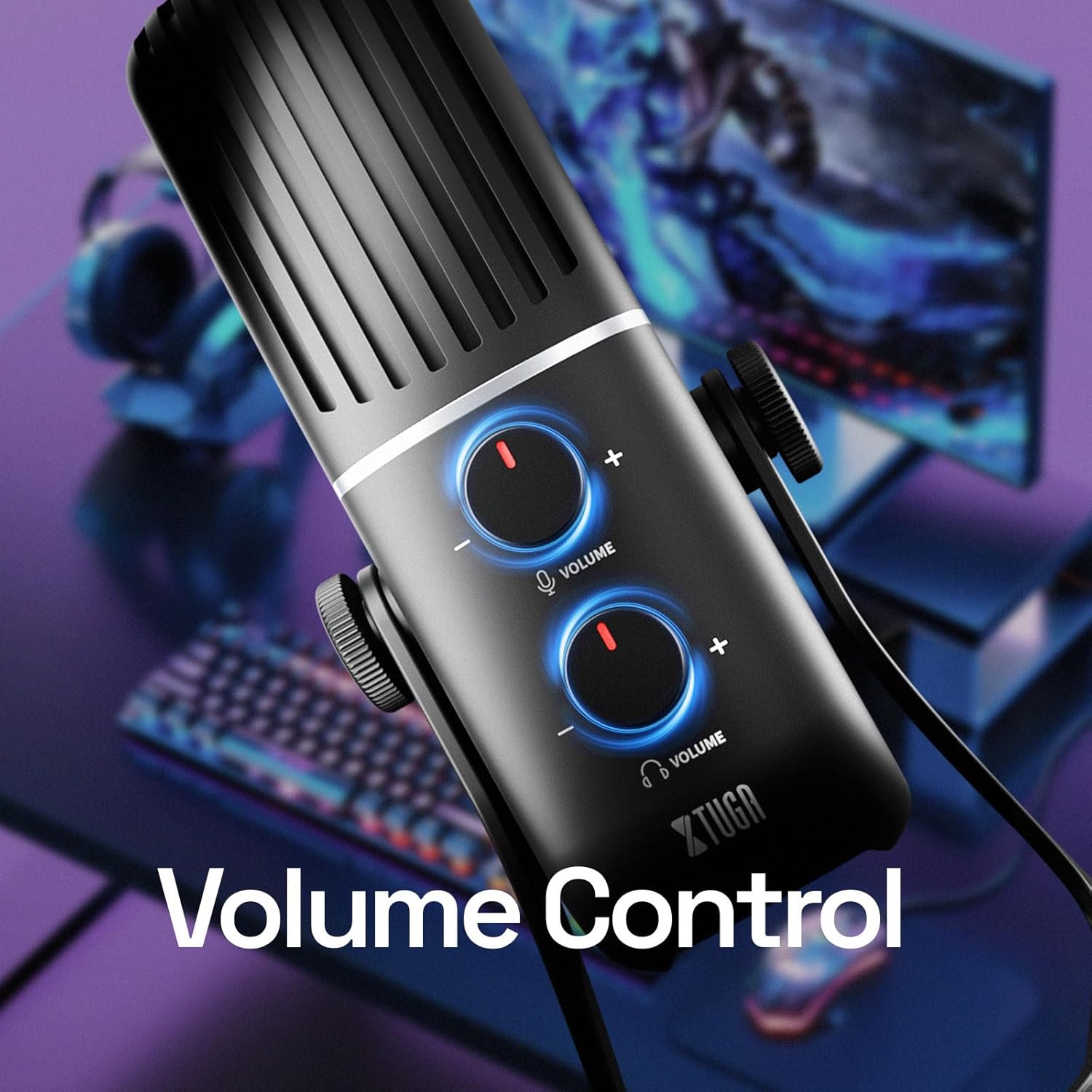
Сүрөт: Close-up of the XTUGA USB Condenser Microphone (X-4) showing the two volume control knobs for microphone input and headphone output.

Сүрөт: The XTUGA USB Condenser Microphone (X-4) with headphones connected, illustrating the real-time monitoring feature for zero-latency audio feedback.
Техникалык тейлөө
- Тазалоо: Микрофондун сыртын тазалоо үчүн жумшак, кургак чүпүрөктү колдонуңуз. Катуу химиялык заттарды же абразивдүү материалдарды колдонуудан алыс болуңуз.
- Сактагыч: Микрофонду колдонбогон учурда, аны чаңдан, нымдуулуктан жана физикалык зыяндан коргоо үчүн берилген кутучасында сактаңыз.
- Колдонуу: Микрофонду этияттык менен кармаңыз. Аны түшүрүп албаңыз же өтө жогорку температурага же нымдуулукка дуушар кылбаңыз.
Проблемаларды чечүү
| Көйгөй | Мүмкүн себеп | Чечим |
|---|---|---|
| No sound output from microphone. | Микрофондун үнү өчүрүлгөн. Туура эмес киргизүү түзмөгү тандалды. Кабель туташуу бош. | Press the Mute button to unmute. Check your computer's sound settings and select "XTUGA X-4" as the input device. Ensure USB cable is securely connected to both microphone and computer. |
| Наушниктен үн чыкпайт. | Headphone volume is too low. Loose headphone connection. Туура эмес чыгаруу түзмөгү тандалды. | Increase the Headphone Volume knob. Кулакчындардын 3.5 мм уячага толугу менен сайылып турганын текшериңиз. Check your computer's sound settings and ensure "XTUGA X-4" is selected as the output device for monitoring. |
| Sound is distorted or too quiet/loud. | Microphone gain is too high/low. Proximity to microphone. | Adjust the Microphone Volume knob. Adjust your distance from the microphone. Speak 6-12 inches away for optimal sound. |
| Background noise is prominent. | Incorrect pickup pattern selected. Экологиялык ызы-чуу. | Switch to Cardioid pattern for single-source recording. Жаздыруу чөйрөңүздөгү айлана-чөйрөдөгү ызы-чууну азайтыңыз. |
Техникалык шарттар
| Өзгөчөлүк | Деталь |
|---|---|
| Модель номери | X-4 |
| Микрофон түрү | Конденсатор |
| Полярдык үлгүлөр | Stereo, Cardioid, Omnidirectional, Bidirectional |
| Байланыш | USB Type-C |
| Frequency Response | 18000 Hz (up to 48 KHz maximum frequency) |
| Ызы-чуунун катышы | 66 дБ |
| Ызы-чуу деңгээли | 85 дБ |
| Импеданс | 16 Ом |
| Материал | Metal (Aircraft-grade aluminum unibody) |
| Элемент Салмагы | 4.2 фунт |
| Шайкеш түзмөктөр | PC, Laptop, Gaming Console, Audio Interface, Audio Mixer |
Кепилдик жана колдоо
For warranty information and technical support, please visit the official XTUGA webсайтка же түздөн-түз кардарларды тейлөөгө кайрылыңыз. Кепилдик дооматтар үчүн сатып алуу дүмүрчөгүңүздү сактаңыз.
XTUGA Official Store: Visit XTUGA Store on Amazon


