1. Продукт бүтүп калдыview
The Kidzone Smart Bumper Car is an electric ride-on toy designed for toddlers and children aged 1.5 to 6 years old. It features a 12V power system with two speed settings, LED lights, Bluetooth connectivity for music, and a 360-degree spin function. Control options include a joystick for the child, a 2.4G remote control for parental supervision, and a dedicated mobile application.

Image: A blue Kidzone Smart Bumper Car with a child seated inside, highlighting its compact design and safety harness. The image also shows icons for 5-point harness, accelerated speed setting, and Bluetooth speaker.
2. Коопсуздук маалыматы
This bumper car is constructed from durable, non-toxic plastic and complies with ASTM/CPSIA/CPSC/CA Prop 65/FCC safety regulations. For safe operation, please observe the following:
- Always ensure the adjustable 5-point seat belt is securely fastened.
- The car features anti-flat tires and a cushioned rubber bumper to minimize impact.
- A slow start safety feature ensures smooth acceleration.
- максималдуу салмагы кубаттуулугу 66 LBS болуп саналат.
- Suitable for children aged 18-72 months (1.5-6 years).
- Ар дайым чоңдордун көзөмөлү талап кылынат.
- Do not operate near stairs, pools, or other hazardous areas.
- The vehicle must be OFF and cannot be operated when charging.
- Fully charge the battery for 8-12 hours before first use. Do not charge for more than 20 hours.
- Батарея толугу менен түгөнгөндө зыян келтириши мүмкүн.
- Charge the battery at least once a month even if not operating the vehicle to maximize battery life.
- A racing flag is included for increased visibility.
3. Пакеттин мазмуну
Your Kidzone Smart Bumper Car package includes:
- 1 x Ride on Car
- 1 х заряддагыч
- 1 x Алыстан башкаруу
- 1 x Instruction Manual
- DIY Stickers (letters, numbers, decorative elements)
4. Орнотуу жана чогултуу
Before first use, some minor assembly and battery connection are required. You will need a Phillips head screwdriver (not included).
- Carefully unpack all components from the color box.
- Locate the battery compartment, typically under the seat. The battery may be disconnected for shipping.
- Using a Phillips head screwdriver, remove the screws securing the seat cover.
- Connect the battery terminals as instructed in the detailed manual (refer to the included paper manual for specific diagrams).
- Securely reattach the seat cover.
- Insert the flag into its designated slot on the rear of the bumper car.
- For the remote control, unscrew the battery compartment cover on the back and insert two AAA batteries (not included).
- Fully charge the bumper car for 8-12 hours before initial use.
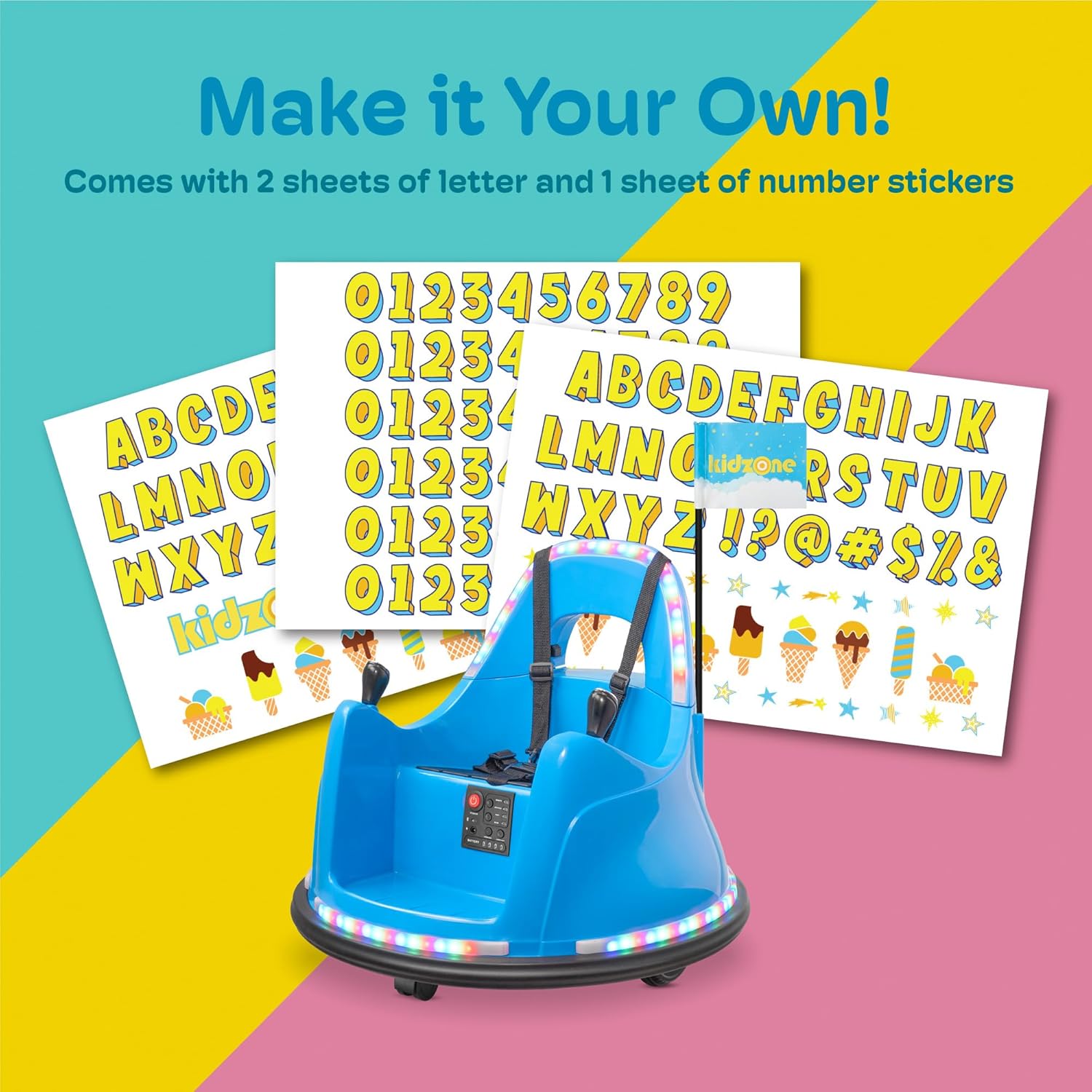
Image: Sheets of colorful DIY stickers with letters, numbers, and fun icons, ready to personalize the bumper car.
5. Иштөө нускамалары
The Kidzone Smart Bumper Car offers three driving modes: joystick, remote control, and APP control.
5.1 Күйгүзүү/өчүрүү
To power on the bumper car, press the red power button located on the control panel. The LED lights will illuminate, and a startup sound will play. To power off, press and hold the power button until the lights turn off.
5.2 Joystick Control (Child Operation)
Ensure the control panel is set to "Joystick" mode. The child can use the two joysticks to control movement:
- Push both joysticks forward to move forward.
- Pull both joysticks backward to move backward.
- Push one joystick forward and pull the other backward to spin 360 degrees.
5.3 Remote Control (Parental Operation)
Ensure the control panel is set to "Remote" mode. The included 2.4G remote control allows parents to steer and stop the car for younger children or for safety interventions.
- Use the directional buttons on the remote to control forward, backward, left, and right movement.
- The remote also features speed selection (fast/slow) and an emergency stop button.

Image: An adult holding the remote control for the bumper car, demonstrating parental control capability.
5.4 APP Control
Download the free Kidzone APP on your iOS or Android device. The app allows control over direction, speed, lights, and music. It also includes "Play Mode" for interactive games.
- Connect your device to the bumper car via Wi-Fi as per the app instructions.
- Use the on-screen controls to operate the car.
- Pro'ну ыңгайлаштырууfiles and track progress in games.

Image: A smartphone displaying the Kidzone app interface, illustrating options for app control and interactive activities.
5.5 Ылдамдык жөндөөлөрү
The bumper car has two speed options (0.75 - 1.3 mph). Select "Fast" or "Slow" on the control panel or via the remote/app to adjust the speed.
5.6 LED Lights and Bluetooth
The bumper car features multi-colored LED lights on the upper and lower sections. These can be controlled from the panel or app. Bluetooth connectivity allows you to play music or audio files through the car's speaker.
6. Заряддоо инструкциясы
The bumper car includes a 12V rechargeable battery and a charger. An 8-12 hour charge provides approximately 40 minutes of playtime.
- Ensure the bumper car is powered OFF before charging.
- Башкаруу панелинен заряддоо портун табыңыз.
- Plug the charger into the charging port and then into a standard wall outlet.
- The battery indicator lights on the control panel will show the charging status.
- Charge for 8-12 hours for a full charge. Do not exceed 20 hours of charging.
- Charge the battery at least once a month to maintain battery health, even if not in use.
7. Техникалык тейлөө
- Regularly inspect the bumper car for any loose parts, damage, or wear.
- Clean the car with a damp кездеме. Катуу химиялык заттарды же абразивдүү тазалагычтарды колдонбоңуз.
- Колдонулбаган учурда унаанын бамперин кургак, салкын жерде, күн нуру түз тийбеген жерде сактаңыз.
- Ensure the battery is charged regularly to prolong its lifespan.
8. Кыйынчылыктарды
If you encounter issues with your Kidzone Smart Bumper Car, try the following:
- Унаа жүрбөй жатат: Check if the power is on, battery is charged, and all connections are secure. Ensure the correct driving mode (joystick/remote/app) is selected.
- Пульт иштебей жатат: Check the batteries in the remote. Ensure the car is in "Remote" mode.
- Жарыктар иштебейт: Check the light buttons on the control panel or in the app. Ensure the battery has sufficient charge.
- Reduced playtime: The battery may not be fully charged or may be nearing the end of its lifespan. Ensure regular charging.
9. Техникалык шарттар
| Продукциянын өлчөмдөрү | 26.77"D x 25.98"W x 19.69"H |
| Элемент Салмагы | 12.4 фунт |
| Сунушталган Жаш | 18 ай - 6 жыл |
| Максималдуу Салмагы | 66 фунт |
| Батарея | 12V Rechargeable (Lead-acid) |
| Мотор | 2 x 15W |
| Заряддоо убактысы | 8-12 саат |
| Оюн убактысы | Болжол менен 40 мүнөт |
| Өндүрүүчү | Kidzone |
10. Расмий продукт Videos
Watch these official videos for more information and demonstrations of the Kidzone Smart Bumper Car:
Kidzone Smart Bumper Car for Toddler & Kids APP Control
Video: A demonstration of the Kidzone Smart Bumper Car, focusing on its APP control features and overall functionality. This video is provided by the seller, Align Inc.


