Продукт бүттүview
The ODK Corner Desk is a versatile and robust L-shaped desk designed to optimize your workspace, whether for home office tasks or immersive gaming. It integrates essential features like power outlets and USB charging ports, a dedicated CPU stand, and a headphone hook, all built on a stable and durable frame.
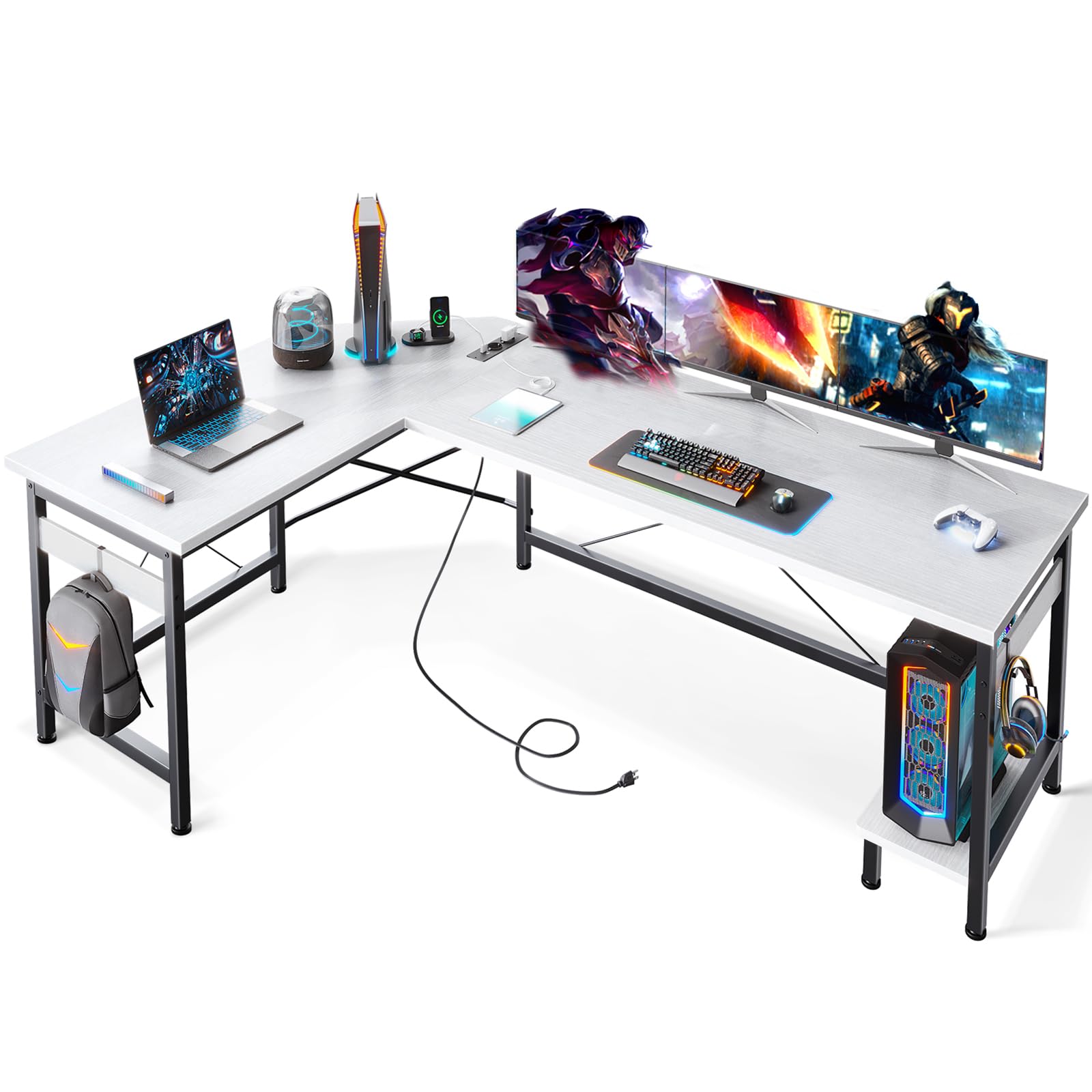
Image: The ODK Corner Desk configured for a comprehensive gaming and work setup, showcasing its spacious L-shaped design and integrated features.
Коопсуздук маалыматы
For your safety and to ensure the longevity of your ODK Corner Desk, please adhere to the following guidelines:
- Ensure the desk is assembled and placed on a flat, level surface to prevent wobbling or instability.
- Utilize the provided diagonal struts and adjustable leg pads to enhance stability and compensate for uneven flooring.
- Before placing heavy objects on the desk, verify that the load capacity of the desk surface is not exceeded. Distribute weight evenly.
- Keep liquids away from the integrated power outlets and USB ports to prevent electrical hazards.
Орнотуу жана чогултуу
The ODK Corner Desk is designed for straightforward assembly. Clear and detailed instructions are included in the packaging to guide you through each step. It is recommended to assemble the desk in the room where it will be used.
- Бардык компоненттерди таңгактан чыгарып, нускамада берилген тетиктердин тизмеси менен салыштырып текшериңиз.
- Кадам-кадам схемаларды жана көрсөтмөлөрдү кылдаттык менен аткарыңыз.
- Ensure all screws and fasteners are securely tightened, but do not overtighten to avoid damaging the materials.
- Adjust the leg pads as needed to ensure the desk is stable and level on your floor.
Иштөө нускамалары
Интеграцияланган кубат розеткалары жана USB порттору
The ODK Corner Desk features a built-in power strip with 3 standard AC sockets and 2 USB charging ports, providing convenient access to power for your electronic devices.
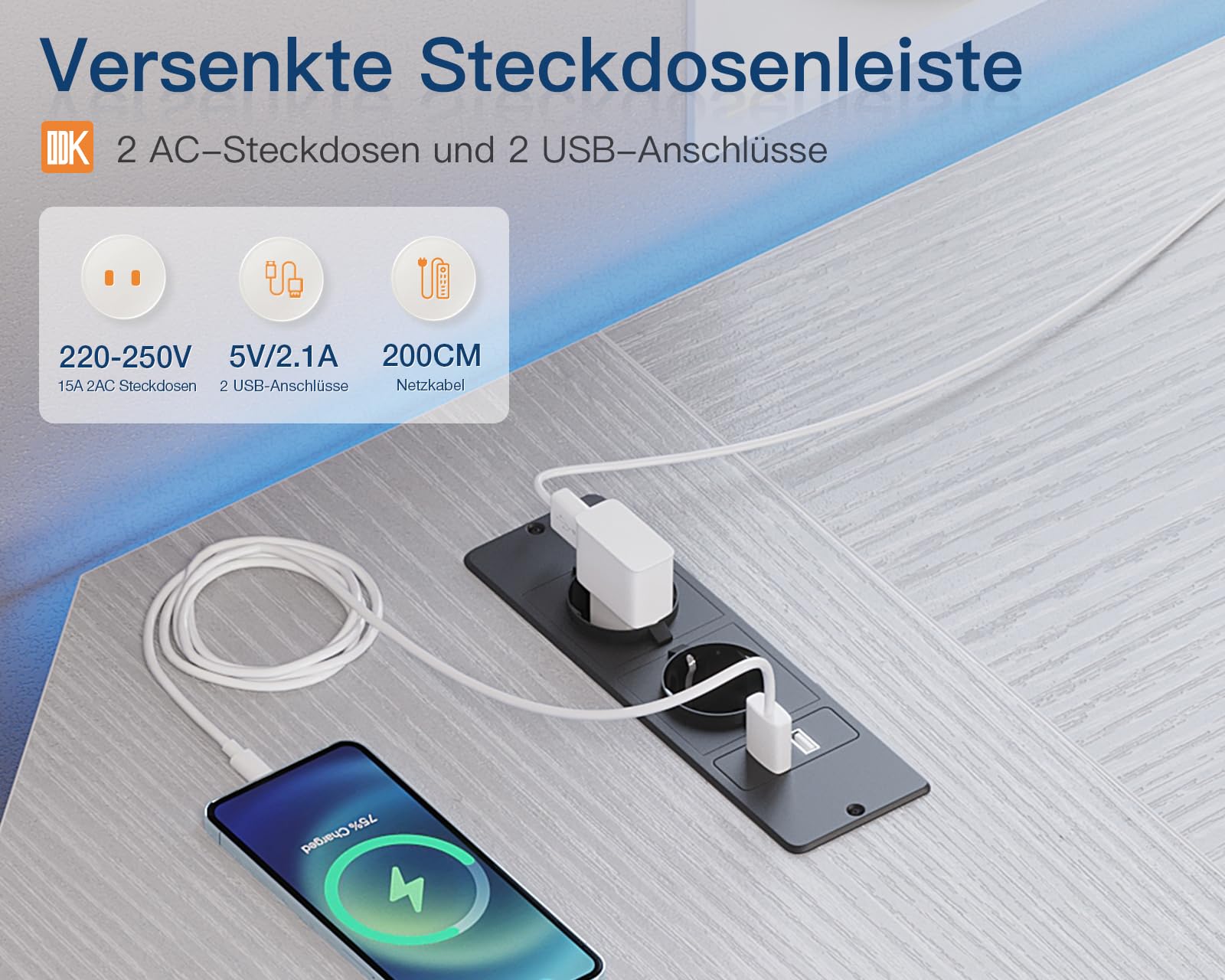
Сүрөт: деталдуу view of the desk's integrated power strip, highlighting the AC sockets and USB charging ports in use.
- Connect the desk's main power cord to a wall outlet.
- Plug your laptop, monitor, printer, or other devices into the 3 standard AC sockets.
- Смартфондорду, планшеттерди же башка USB аркылуу иштеген түзмөктөрдү кубаттоо үчүн 2 USB портун колдонуңуз.
- Avoid overloading the power strip. Refer to the specifications for maximum power output.
CPU стенди
A dedicated CPU stand is integrated into the desk's design, allowing for convenient and organized placement of your computer tower.
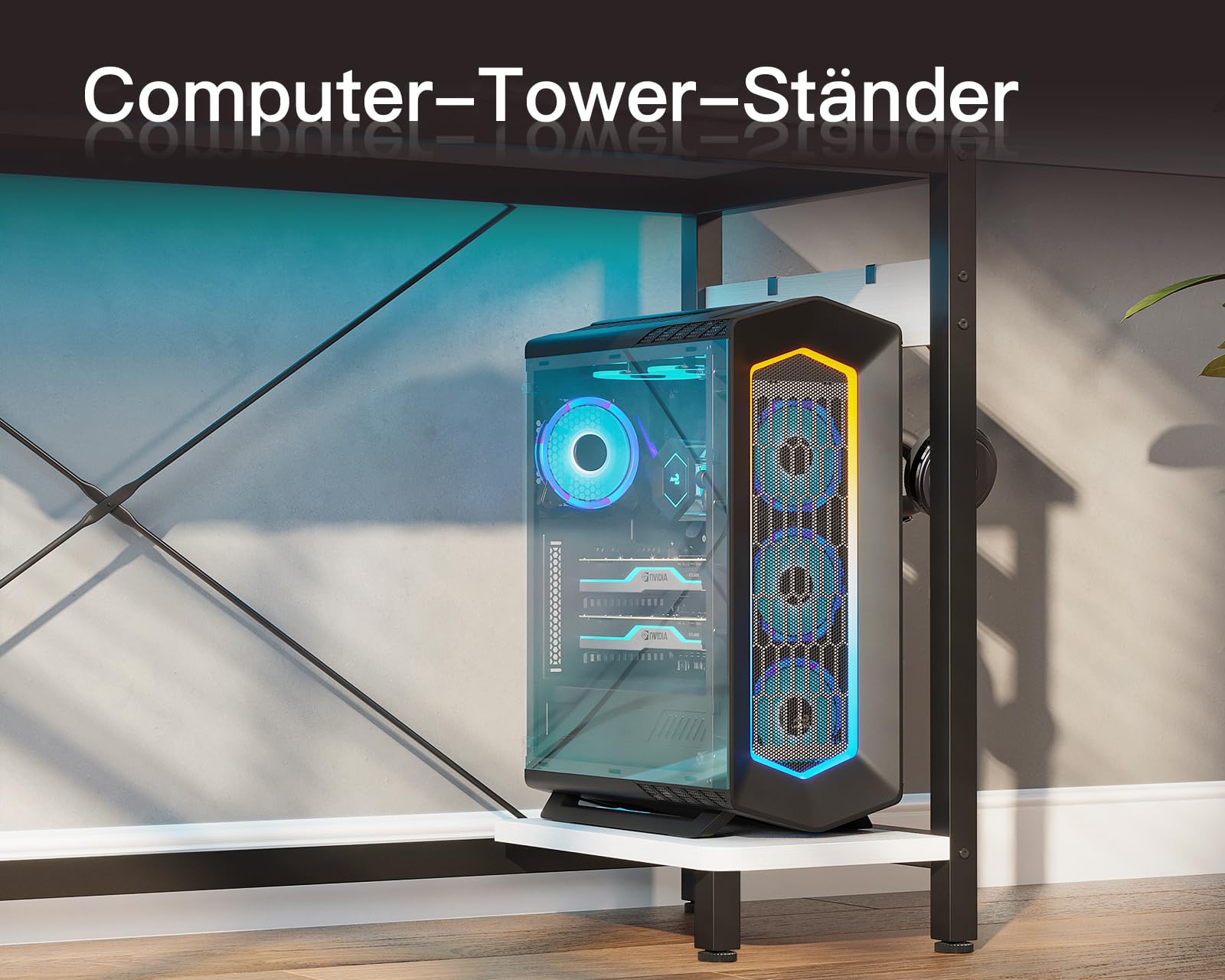
Image: The dedicated CPU stand, providing a stable and accessible location for your computer tower.
- Place your computer tower securely on the CPU stand.
- Ensure adequate ventilation around your computer tower to prevent overheating.
Наушник илгич
An iron hook is provided for convenient storage of your headphones, keeping them within reach and off your desk surface.
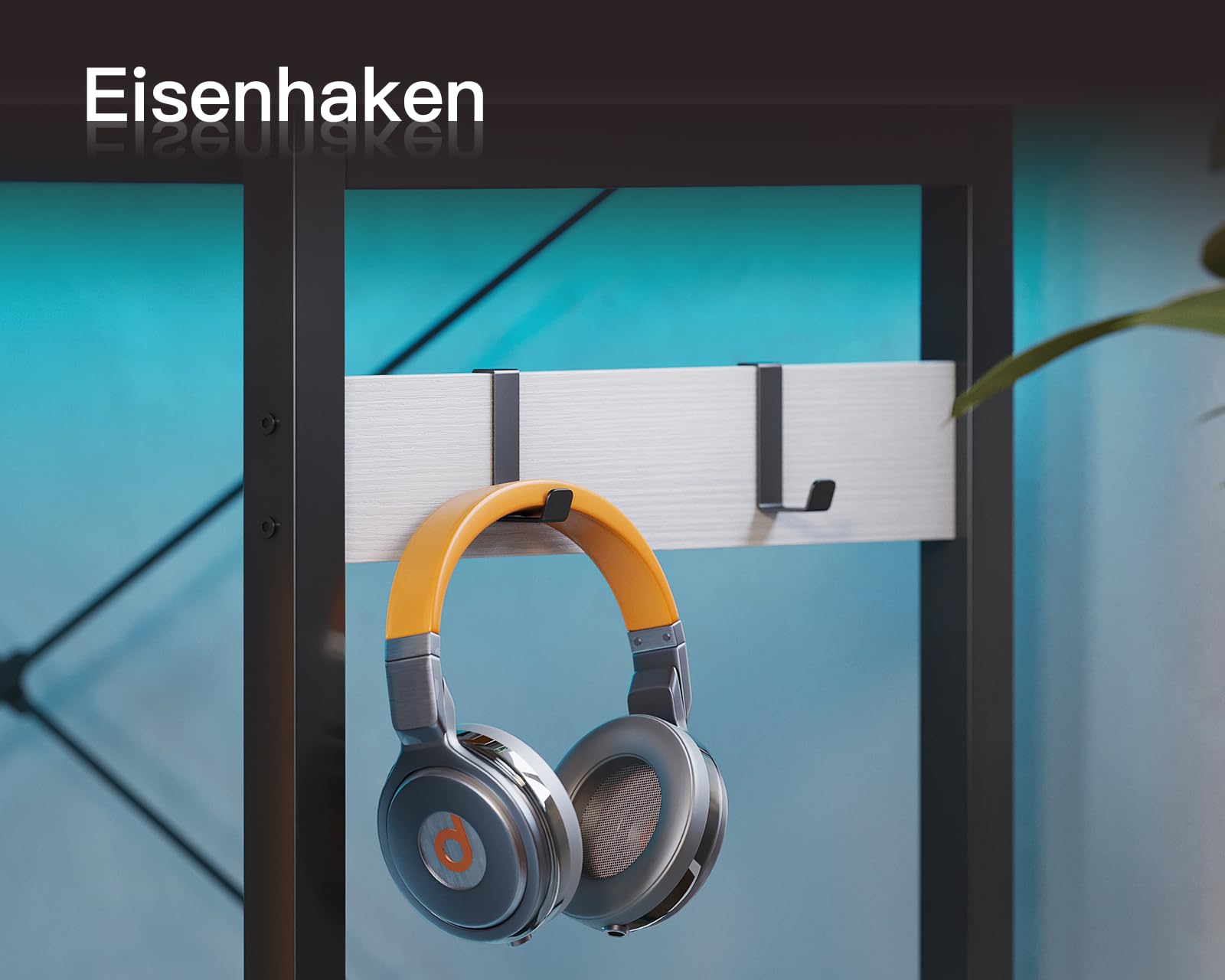
Image: The sturdy iron hook designed for hanging headphones, promoting a tidy workspace.
- Hang your headphones on the designated iron hook when not in use.
Техникалык тейлөө
Proper care and maintenance will help preserve the appearance and functionality of your ODK Corner Desk.
- Тазалоо: Беттерди жумшак менен сүртүңүз, гamp cloth. Avoid harsh chemicals or abrasive cleaners that could damage the engineered wood or metal finish.
- Төгүлүүлөр: Immediately wipe up any spills to prevent moisture damage to the wood.
- Текшерүү: Мезгил-мезгили менен бардык бурамалар жана бекиткичтер бекем болушу үчүн текшерип туруңуз. Керек болсо кайра тартыңыз.
- Жайгашкан жери: Avoid placing the desk in direct sunlight or near heat sources, which can cause warping or discoloration.
Проблемаларды чечүү
If you encounter any issues with your ODK Corner Desk, consider the following common solutions:
- Үстөлдүн солкулдашы: Ensure the desk is on a flat surface. Adjust the individual leg pads by rotating them until the desk is stable and level. Check that all assembly screws are tightened.
- Электр розеткалары иштебейт: Verify that the desk's main power cord is securely plugged into a functioning wall outlet. Check if the wall outlet itself has power by testing with another device.
- Чогултуудагы кыйынчылыктар: Re-read the assembly instructions carefully, paying close attention to diagrams. Ensure you are using the correct hardware for each step. If a part seems misaligned, double-check its orientation.
For persistent issues or problems not covered here, please contact customer support.
Техникалык шарттар
| Өзгөчөлүк | Деталь |
|---|---|
| Бренд | ODK |
| Модель номери | ZJZ-DXJZCZ |
| Түс | Ак |
| Продукциянын өлчөмдөрү (L x W x Y) | 168 x 120 x 73.3 см |
| Элемент Салмагы | 20.3 килограмм |
| Материал | Engineered Wood (Top & Base) |
| Frame Material | Металл |
| Өзгөчөлүктөр | L-shaped design, Integrated Power Outlets (3 AC, 2 USB), CPU Stand, Headphone Hook, Adjustable Leg Pads |
| Аяктоо түрү | Лакталган |
| Үстөлдүн дизайны | Компьютердик стол |
| Дата биринчи жеткиликтүү | 11-апрель 2024-жыл |
Кепилдик маалымат
Specific warranty details for the ODK Corner Desk are typically provided with your purchase documentation. Please refer to the warranty card or information included in your product packaging for terms, conditions, and duration of coverage. Keep your proof of purchase for any warranty claims.
Кардарларды колдоо
Should you require further assistance, have questions about assembly, operation, or encounter any issues with your ODK Corner Desk, our professional 24-hour online customer service team is available to help.
Please refer to the contact information provided in your product packaging or on the official ODK webэң акыркы колдоо каналдары үчүн сайт.


