1. Киришүү
Thank you for choosing the Maxcom FW58 Vanad Pro Smartwatch. This manual provides essential information for setting up, operating, and maintaining your device. The FW58 Vanad Pro is designed to enhance your daily life by offering comprehensive health monitoring, seamless communication, and robust activity tracking capabilities. Its lightweight design and customizable features make it an ideal companion for both busy individuals and active sports enthusiasts.
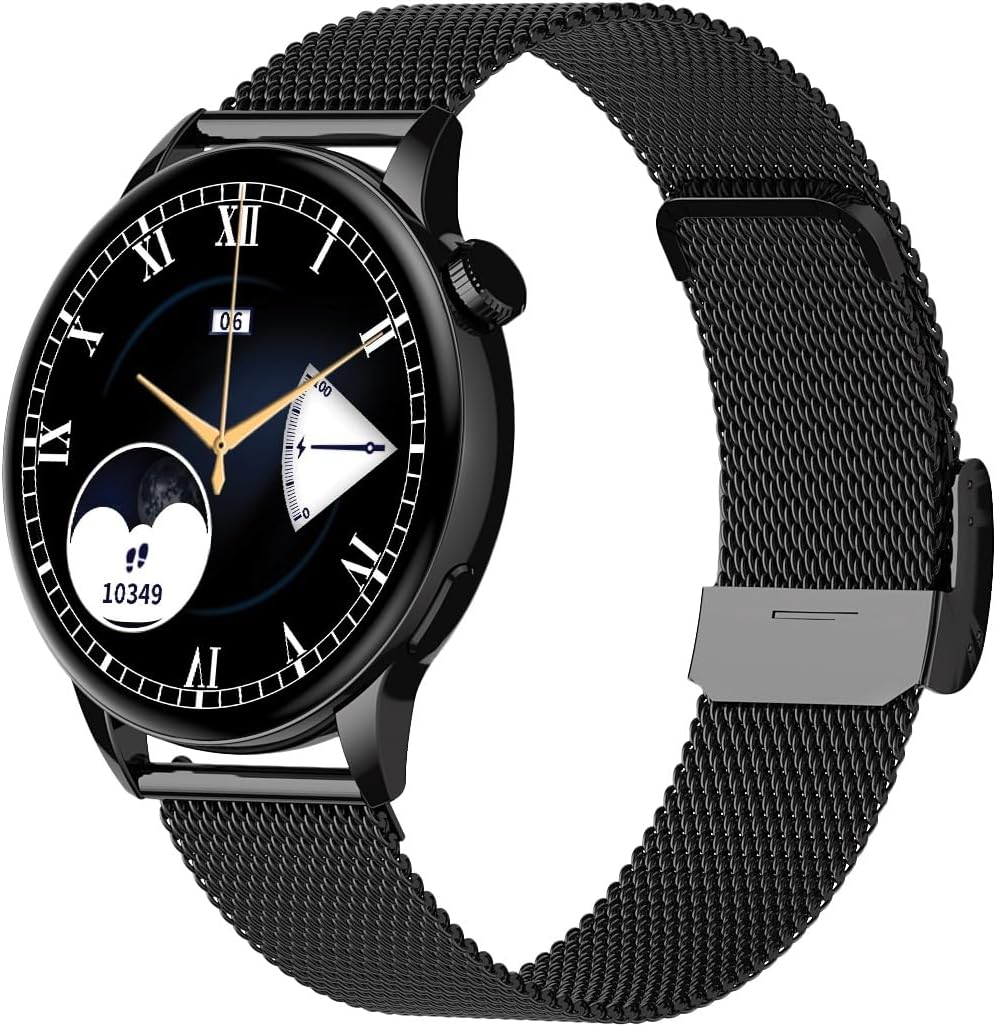
Image 1.1: Maxcom FW58 Vanad Pro Smartwatch, showcasing its elegant design with a black mesh strap and a classic watch face.
2. Орнотуу
2.1. Пакеттин мазмуну
Баштоодон мурун, пакетиңизде бардык элементтер бар экенин текшериңиз:
- Maxcom FW58 Vanad Pro Smartwatch
- Магниттик кубаттоочу кабель
- Additional Silicone Strap
- Колдонуучунун Колдонмосу (бул документ)
2.2. Акылдуу саатты заряддоо
For optimal performance, fully charge your smartwatch before first use.
- Магниттик кубаттоочу кабелди акылдуу сааттын арткы бетиндеги кубаттоочу контакттарга туташтырыңыз. Төөнөгүчтөрдүн туура тегизделгенин текшериңиз.
- Кабелдин USB учунун стандарттуу USB кубат адаптерине (5V/1A сунушталат) же компьютердин USB портуна сайыңыз.
- Сааттын дисплейи заряддын абалын көрсөтөт. Толук кубаттоо адатта болжол менен 2 саатты талап кылат.

Сүрөт 2.1: Арткы view of the Maxcom FW58 Smartwatch, highlighting the optical sensor for health monitoring and the magnetic charging contacts.
2.3. Смартфонуңуз менен жупташуу
To unlock all features, pair your smartwatch with the dedicated Maxcom smartwatch application on your smartphone.
- Download the official Maxcom smartwatch application from your smartphone's app store (e.g., Google Play Store or Apple App Store). Издөө "Maxcom Smartwatch" or refer to the QR code in the quick start guide if provided.
- Смартфонуңузда Bluetooth иштетилгенин текшериңиз.
- Open the Maxcom app and follow the on-screen instructions to add a new device.
- Select "FW58" from the list of available devices. Confirm the pairing request on both your phone and the smartwatch.
3. Акылдуу саатты иштетүү
3.1. Негизги навигация
The Maxcom FW58 features a responsive touchscreen and a side button/crown for navigation.
- Сенсордук экран: Менюларды жана функцияларды чабыттоо үчүн солго/оңго, өйдө/ылдый сүрүңүз. Тандоо үчүн таптаңыз.
- Каптал баскычы/Таажысы: Press to wake the screen, return to the home screen, or access the app menu. Rotate the crown (if applicable) to scroll through lists or adjust settings.

Сүрөт 3.1: Side profile of the Maxcom FW58 Smartwatch, illustrating the physical crown and button for intuitive control and navigation.
3.2. Байланыш өзгөчөлүктөрү
- Чалууларды кабыл алуу/кабыл алуу: Once paired, you can answer incoming calls directly from your smartwatch. You can also initiate calls from your watch's call log or contacts (synced via the app).
- Эскертмелер: Receive real-time notifications for SMS messages, app alerts, emails, social media updates, and news directly on your wrist. Manage notification settings through the Maxcom app.
3.3. Ден соолуктун мониторинги
The smartwatch provides various health metrics to help you monitor your well-being.
- Жүрөктүн кагышы: Жүрөктүн кагышын үзгүлтүксүз же талап боюнча көзөмөлдөө.
- Кан басымы: Measure your blood pressure (for reference only, not a medical device).
- Кандагы кычкылтек (SpO2): Сиздин кандын кычкылтек менен каныккан деңгээлин көзөмөлдөңүз.
- Уйкуга көз салуу: Automatically monitors your sleep patterns, including deep sleep, light sleep, and awake times.
3.4. Activity Tracking & Sports Modes
Күнүмдүк иш-аракеттериңизди жана атайын машыгууларыңызды көзөмөлдөңүз.
- Күнүмдүк аракет: Records steps taken, calories burned, and distance traveled (mileage).
- Спорт режимдери: Select from various sports modes such as fitness, hiking, running, badminton, cycling, and football to track specific workout data.
3.5. Музыкалык башкаруу
Control music playback on your connected smartphone directly from your smartwatch. Play, pause, skip tracks, and adjust volume without needing to access your phone.
3.6. Ыңгайлаштыруу
Personalize your smartwatch experience.
- Бетти көрүү: Choose from over 100 pre-installed watch face models or download more via the Maxcom app to match your style or mood.
- Меню стили: Customize the layout and appearance of your smartwatch menu.
- Боону алмаштыруу: Easily change between the included mesh and silicone straps to suit different occasions or activities.

Image 3.2: A digital watch face on the Maxcom FW58 Smartwatch, showing steps and heart rate data.

Image 3.3: The Maxcom FW58 Smartwatch showcasing a dynamic and colorful digital watch face option.
4. Техникалык тейлөө
4.1. Cleaning the Smartwatch
Түзмөктү үзгүлтүксүз тазалоо анын көрүнүшүн жана иштешин сактоого жардам берет.
- Экранды жана денени жумшак, түксүз чүпүрөк менен сүртүңүз.
- өжөр тактар үчүн, бир аз гampчүпүрөктү суу менен. Катуу химиялык заттарды же абразивдүү материалдарды колдонуудан алыс болуңуз.
- Так көрсөткүчтөрдү камсыз кылуу үчүн сааттын арткы бетиндеги сенсордук аймакты үзгүлтүксүз тазалап туруңуз.
4.2. Батареяга кам көрүү
Батареянын иштөө мөөнөтүн узартуу үчүн:
- Ашыкча температурадан сактаныңыз.
- Саатты көп убакытка толук зарядсыз калтырбаңыз.
- Charge the device using only the provided charging cable.
4.3. Сууга туруктуулук (IP67)
The Maxcom FW58 Vanad Pro Smartwatch is rated IP67, meaning it is protected against dust ingress and can withstand immersion in water up to 1 meter for up to 30 minutes. While it is suitable for daily use and splashes, it is not recommended for swimming, diving, or high-pressure water activities.
5. Кыйынчылыктарды
Акылдуу саатыңызда көйгөйлөргө туш болсоңуз, төмөнкү чечимдерди колдонуп көрүңүз:
| Көйгөй | Чечим |
|---|---|
| Саат күйбөйт | Ensure the watch is fully charged. Press and hold the side button for 5-10 seconds. |
| Смартфон менен жупташтыруу мүмкүн эмес | Ensure Bluetooth is on. Restart both the watch and phone. Clear app cache/data. Try pairing again. |
| Туура эмес ден соолук көрсөткүчтөрү | Ensure the watch is worn snugly on your wrist. Clean the sensor area. Remain still during measurements. |
| Билдирмелер алынган жок | Check app notification permissions on your phone. Ensure the watch is connected via Bluetooth. Verify notification settings within the Maxcom app. |
5.1. Заводдук абалга кайтаруу
If problems persist, you may need to perform a factory reset. This will erase all data on the smartwatch and restore it to its original settings. Navigate to 'Settings' on your smartwatch, then look for 'System' or 'Reset' options.
6. Техникалык шарттар
| Өзгөчөлүк | Деталь |
|---|---|
| Модель номери | FW58 |
| Дисплей өлчөмү | 1.5 дюйм |
| Батареянын иштөө мөөнөтү | 6-10 days (intensive use) |
| Салмагы | 46г |
| Иштин өлчөмдөрү | 44 x 38 x 10 мм |
| Боо Size | 255 x 20 мм |
| Суу каршылык | IP67 (1 мүнөткө 30 метрге чейин) |
| Байланыш | Bluetooth |
| Included Straps | Mesh and Silicone |
7. Кепилдик жана колдоо
7.1. Кепилдик маалыматы
Maxcom products are manufactured to the highest quality standards. For detailed warranty terms and conditions, please refer to the warranty card included with your purchase or visit the official Maxcom webсайт. Кепилдик дооматтар үчүн сатып алганыңыздын далилин сактаңыз.
7.2. Кардарларды колдоо кызматы
If you require further assistance or have questions not covered in this manual, please contact Maxcom customer support:
- Webсайт: Visit the official Maxcom support website for FAQs, software updates, and contact forms.
- Электрондук почта/Телефон: Refer to the contact information provided on the Maxcom webсайтка же продуктунун таңгагына.


