Introduction
This manual provides detailed instructions for the proper use and maintenance of your MAYBESTA WM355-baise Professional Wireless Lavalier Microphone. Please read this manual thoroughly before operating the device to ensure optimal performance and longevity.
Пакеттин мазмуну
Пакетиңизде бардык буюмдар бар экенин текшериңиз:
- Wireless Lavalier Microphone (Transmitter)
- Receiver (with Lightning and USB-C compatibility)
- Clip(s)
- USB заряддоо кабели
- Колдонуучунун Колдонмосу (бул документ)
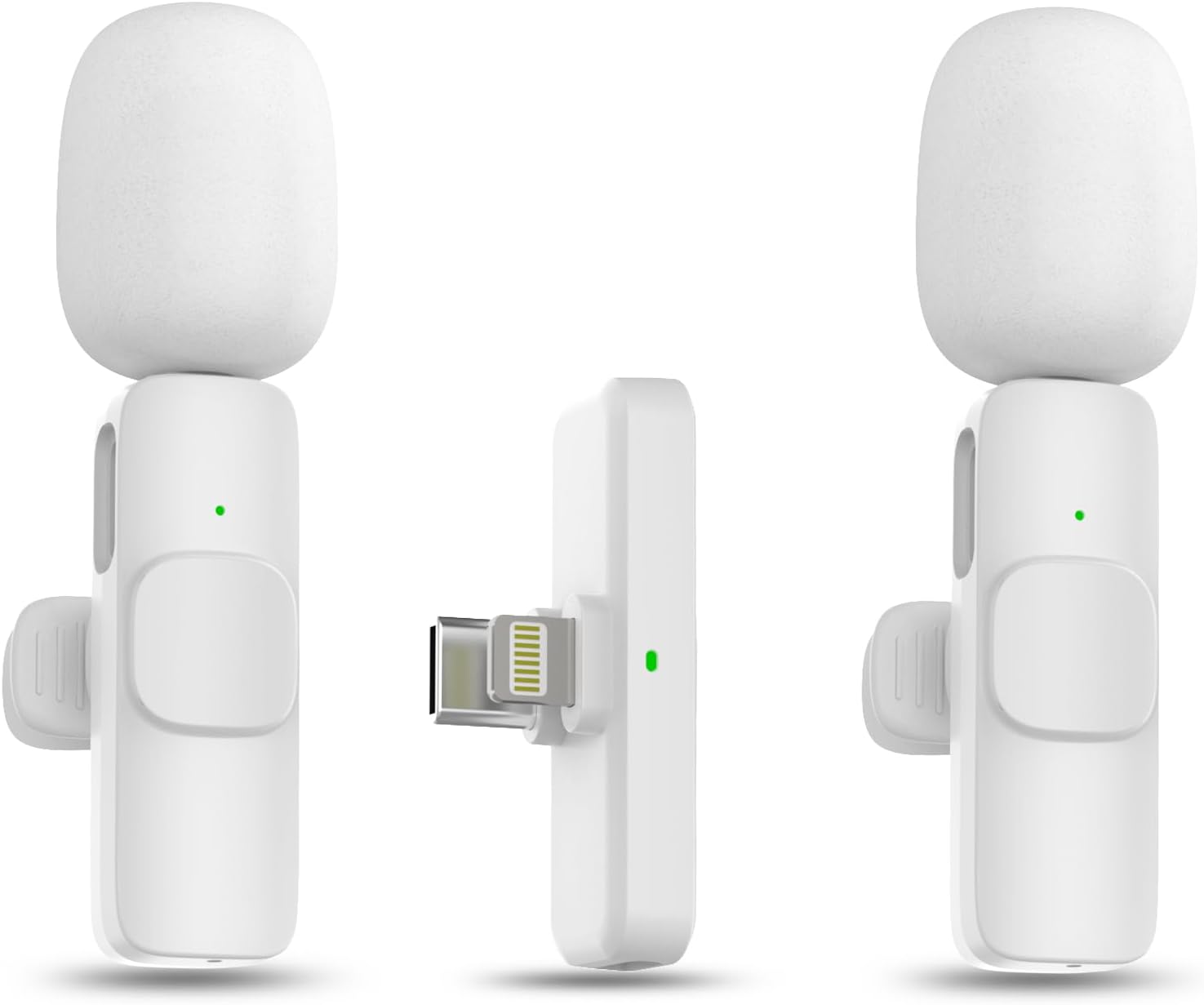
Image: The MAYBESTA Wireless Lavalier Microphone set, showing the transmitter and receiver units.
Продукт бүттүview
The MAYBESTA WM355-baise is a compact, professional-grade wireless lavalier microphone system designed for mobile devices. It features automatic connection, omnidirectional sound reception, and intelligent noise cancellation for clear audio recording.
Негизги өзгөчөлүктөрү:
- Автоматтык туташуу: Plug-and-play functionality for quick setup.
- Кеңири шайкештик: Supports both Lightning and USB-C ports for iOS and Android devices.
- Omnidirectional Sound Reception: Captures audio from all directions.
- Intelligent Noise Cancellation: Reduces ambient background noise for clearer recordings.
- Зымсыз эркиндик: Bluetooth technology provides up to 50 feet of transmission range.
- Кош микрофонду колдоо: Package includes two microphones for recording two subjects simultaneously.
Орнотуу нускамалары
1. Микрофонду заряддоо
Before first use, ensure the microphone (transmitter) is fully charged. Connect the microphone to a power source using the provided USB charging cable. The indicator light will show charging status.
2. Connecting to Your Device (Plug and Play)
- Ресиверди сайыңыз: Insert the receiver into the charging port of your smartphone or tablet. Ensure your device is unlocked. The receiver is equipped with both Lightning and USB-C connectors for broad compatibility.
- Power On the Microphone: Press and hold the power button on the wireless microphone (transmitter) for approximately 3 seconds. A solid green light will illuminate on both the receiver and the microphone, indicating a successful connection.
- Begin Recording: Once connected, you can open your preferred audio or video recording application and start recording. No additional apps or Bluetooth pairing steps are required.

Image: Visual guide demonstrating the three-step plug-and-play connection process: Plug, Press, Connected.
Эскертүү: If your phone case is thick and prevents the receiver from fully inserting, please remove the case before plugging in the receiver.
Иштөө нускамалары
1. Wearing the Microphone
The microphone can be held in hand or clipped to your clothing using the included clip. For optimal sound quality, position the microphone approximately 6-8 inches from your mouth.

Image: A woman demonstrating how to wear the lavalier microphone clipped to her shirt collar.
2. Recording with Two Microphones
If your package includes two microphones, both can be connected to the single receiver simultaneously. This allows for recording audio from two individuals at the same time, ideal for interviews or dual-host content.

Image: Two individuals wearing lavalier microphones while recording, demonstrating the dual-mic capability.
3. Шуудан баш тартуу
The microphone features an intelligent chip for noise reduction, which helps to filter out ambient sounds and deliver clear audio. This function is automatically active when the microphone is in use.
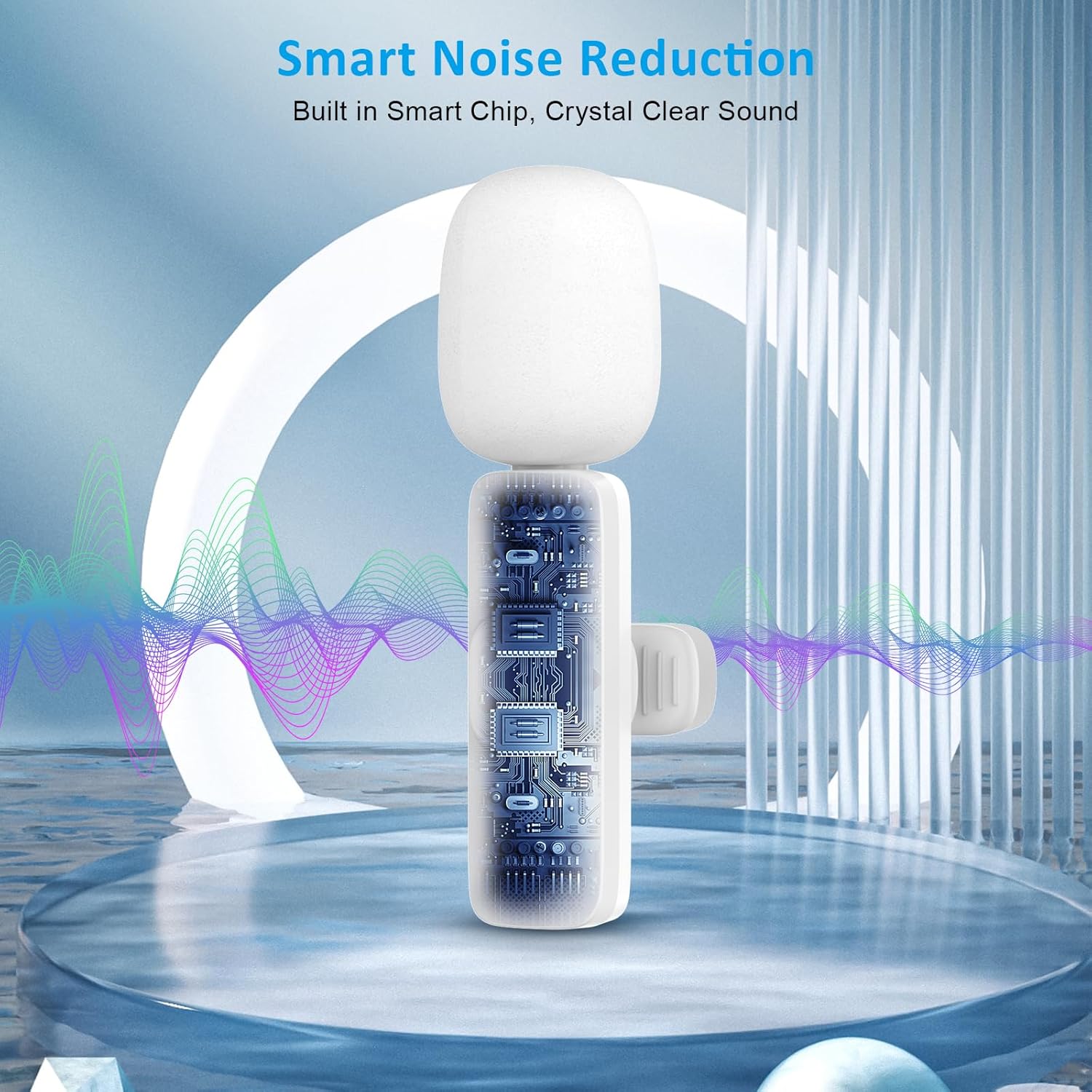
Сүрөт: ички view of the microphone highlighting the smart chip responsible for noise reduction.
4. Шайкештик жана колдонуу сценарийлери
The MAYBESTA WM355-baise microphone is compatible with a wide range of devices and applications, including:
- iOS түзмөктөрү: All iPhone and iPad series, including iPhone 15 and iPad Pro (USB-C models).
- Android түзмөктөрү: Android 6.0 жана андан жогорку версиялары менен шайкеш келет.
- Тиркемелер: Suitable for video recording, interviewing, podcasting, vlogging, live streaming, and online teaching on platforms like YouTube, TikTok, and other social media.

Image: A detailed chart outlining compatible iPhone, iPad, and Android models.

Image: Collage showing the microphone being used for interviewing, vlogging, and podcasting, alongside logos of popular social media platforms.
Техникалык тейлөө
- Тазалоо: Use a soft, dry cloth to clean the microphone and receiver. Avoid using liquids or abrasive cleaners.
- Сактагыч: Аппаратты түз күн нурунан жана экстремалдык температурадан алыс салкын, кургак жерде сактаңыз.
- Батареяга кам көрүү: To prolong battery life, avoid fully discharging the microphone frequently. Charge it regularly, even if not in constant use.
- Колдонуу: Handle the microphone and receiver with care to prevent damage from drops or impacts.
Проблемаларды чечүү
| Көйгөй | Мүмкүн себеп | Чечим |
|---|---|---|
| Микрофон туташпай жатат. | Receiver not fully inserted; microphone not powered on; low battery. | Ensure receiver is fully inserted. Press and hold microphone power button for 3 seconds. Charge the microphone. |
| Үн жок же үн сапаты начар. | Microphone too far from source; recording app settings; interference. | Position microphone closer to the speaker. Check your device's recording app settings. Move away from strong electromagnetic interference. |
| Кыска зымсыз диапазон. | Тоскоолдуктар; айлана-чөйрөнүн кийлигишүүсү. | Ensure a clear line of sight between microphone and receiver. Avoid using in environments with many wireless devices. |
| Green light not solid. | Not connected or low battery. | Re-attempt connection steps. Charge the microphone. |
Техникалык шарттар
- Модель аты: зымсыз микрофон
- Модель номери: WM355-baise
- Бренд: MAYBESTA
- Микрофон форма фактору: Lavalier
- Полярдык үлгү: Көп багыттуу
- Байланыш технологиясы: Bluetooth
- Туташтыргыч түрү: Чагылган, USB түрү-C
- Шайкеш түзмөктөр: Smartphone, Tablet (iOS, Android 6.0+)
- Кубат булагы: Батарея менен иштейт (1 C батарейкасы камтылган)
- Материал: Acrylonitrile бутадиен Styrene
- Элемент Салмагы: 20 грамм (0.705 унция)
- Продукциянын өлчөмдөрү (L x W x Y): 0.55 x 0.27 x 2.56 дюйм
- Ызы-чуунун катышы: 78 дБ
- Өзгөчөлүктөр: Батареянын индикаторунун жарыгы, клип, үнсүз функция, ызы-чууну азайтуу
Кепилдик жана колдоо
For warranty information or technical support, please refer to the contact details provided with your purchase documentation or visit the official MAYBESTA webсайт. Кепилдик дооматтар үчүн сатып алганыңыздын далилин сактаңыз.
Өндүрүүчү: MAYBESTA
Биринчи жеткиликтүү болгон күнү: 29-ноябрь, 2023-жыл


