Introduction
This manual provides essential instructions for setting up, operating, and maintaining your VTech ES2001 DECT cordless phone system. Please read this guide thoroughly to ensure proper use and to take full advantage of all available features.

Image: The VTech ES2001 DECT cordless phone system, featuring two handsets and their respective charging bases.
Жайгашуу
1. таңгактан чыгаруу
Carefully remove all components from the packaging. The box should contain the cordless phone handsets, base station(s), power adapters, and telephone line cord. Verify that all items are present.
2. Батареяны орнотуу
- Ар бир телефондун артындагы батарея бөлүкчөсүнүн капкагын ачыңыз.
- Insert the supplied rechargeable batteries, observing the correct polarity (+ and - markings). Four product-specific batteries are required and included.
- Батарея уясынын капкагын бекем жабыңыз.
3. Базалык станцияны туташтыруу
- Телефон линиясынын шнурунун бир учун базалык станциядагы TEL LINE уячасына туташтырыңыз.
- Телефон линиясынын экинчи учуна телефонуңуздун уячасына туташтырыңыз.
- Plug the small end of the power adapter into the POWER jack on the base station.
- Кубат адаптеринин чоң учун стандарттуу электр розеткасына сайыңыз.
4. Баштапкы заряддоо
Place each handset onto its respective base station or charger. The handset display will indicate charging. For optimal battery performance, allow the handsets to charge for at least 16 hours before initial use, even if the display indicates a full charge sooner.
Иштөө нускамалары
Негизги чалуу функциялары
- Чакыруу: басыңыз TALK / FLASH баскычын басып, андан кийин номерди териңиз.
- Чалууга жооп берүү: Телефон шыңгыраганда, басыңыз TALK / FLASH баскычы.
- Чалууну аяктоо: басыңыз END баскычын басыңыз же телефонду кайра базага/зарядкычка коюңуз.
Volume Booster
The handset features a volume booster to amplify incoming tones, enhancing clarity and loudness during calls. This is particularly useful for users with hearing impairments or those who prefer higher call volume. Activate this feature via the handset menu or a dedicated button if available.
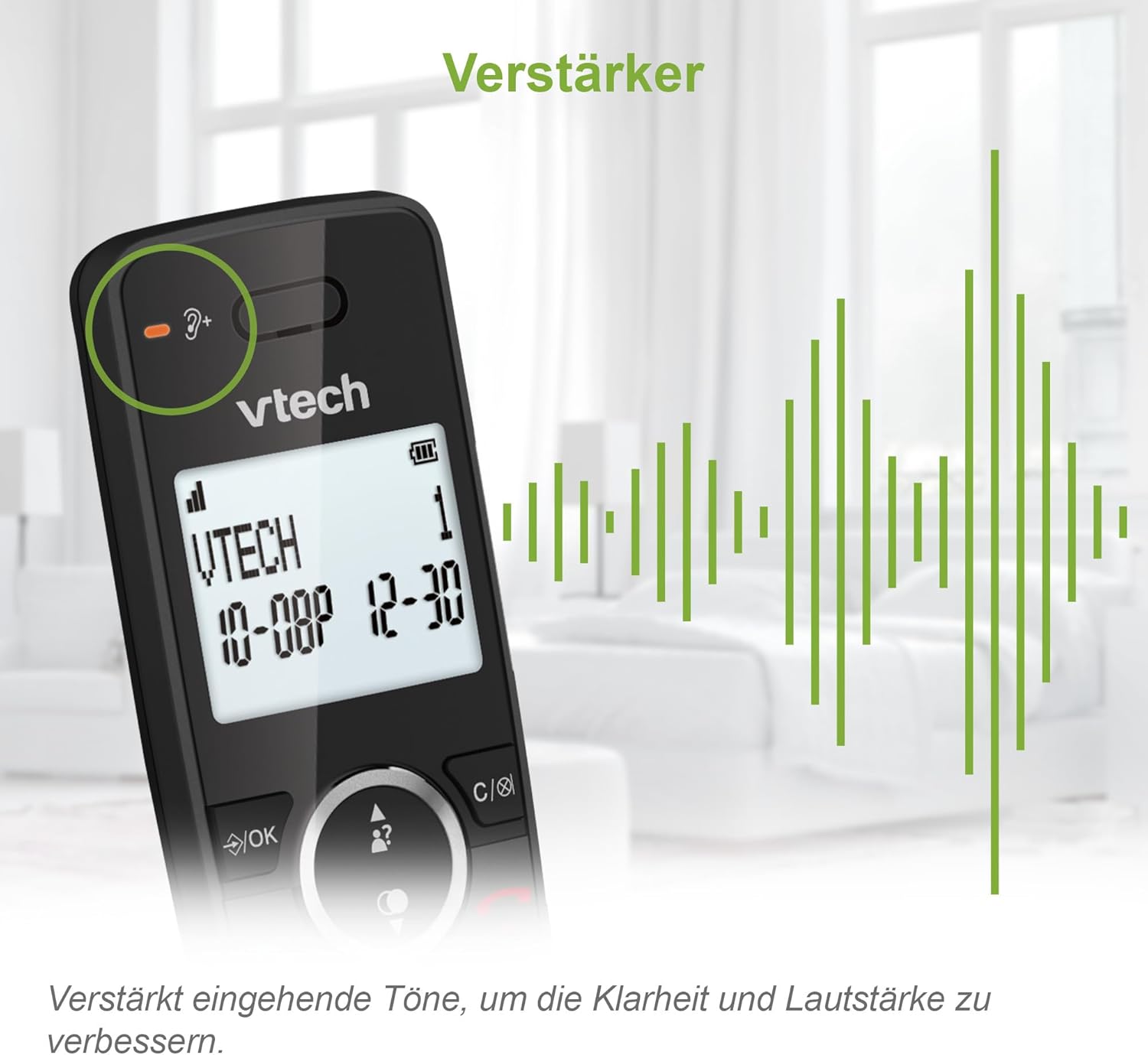
Image: A close-up of the VTech ES2001 handset display, illustrating the volume booster icon and visual representation of ampлифттелген үн толкундары.
Чалуу бөгөттөөчү
Avoid nuisance and unwanted calls using the VTech call blocker function. You can block up to 100 numbers by adding them to the blacklist. This prevents unwanted calls and calls from unknown numbers from reaching you.

Image: The VTech ES2001 handset on a table, with a family enjoying television in the background, highlighting the call blocker feature icon.
Телефон китепчеси
Store up to 100 names and numbers in the phonebook for quick and easy dialing. Access the phonebook through the handset menu.
Кайра терүү
The phone stores the last 10 dialed numbers, allowing for convenient redialing. Press the РЕДИАЛ button to access the list.
Caller ID / Call Waiting
The handset displays the caller's number (and name if stored in the phonebook) for incoming calls. It also supports call waiting, allowing you to see and switch to a second incoming call. The system stores up to 20 caller ID entries.

Image: A visual collage demonstrating key VTech ES2001 features, including the 100-entry phonebook, a list of 20 caller ID entries, the redial function for the last 10 numbers, and the impressive 18-hour talk time / 250-hour standby time.
Колу бош Функция
Engage the high-quality hands-free speakerphone function for convenient conversations without holding the handset.
Домофон
Utilize the intercom feature to communicate between handsets or between a handset and the base station. This allows for easy internal communication within your home or office without using the external phone line.

Image: Two VTech ES2001 handsets, one in its base and one in a charger, with arrows indicating the intercom functionality between the base and handset.
3 тараптуу конференция
The VTech ES2001 supports 3-way conference calls, allowing multiple users to participate in a conversation simultaneously through call forwarding and the intercom function.

Image: Three individuals engaged in separate phone conversations, visually representing the 3-way conference call capability of the VTech ES2001.
ЭКО режими
The handset automatically adjusts its radio frequency power based on the distance between the handset and the base station. This eco-friendly DECT technology ensures reduced energy consumption.
Дисплей жана Ариптакта
The entire LCD display and keypad are backlit, making it easier to read and operate the phone in low-light conditions.
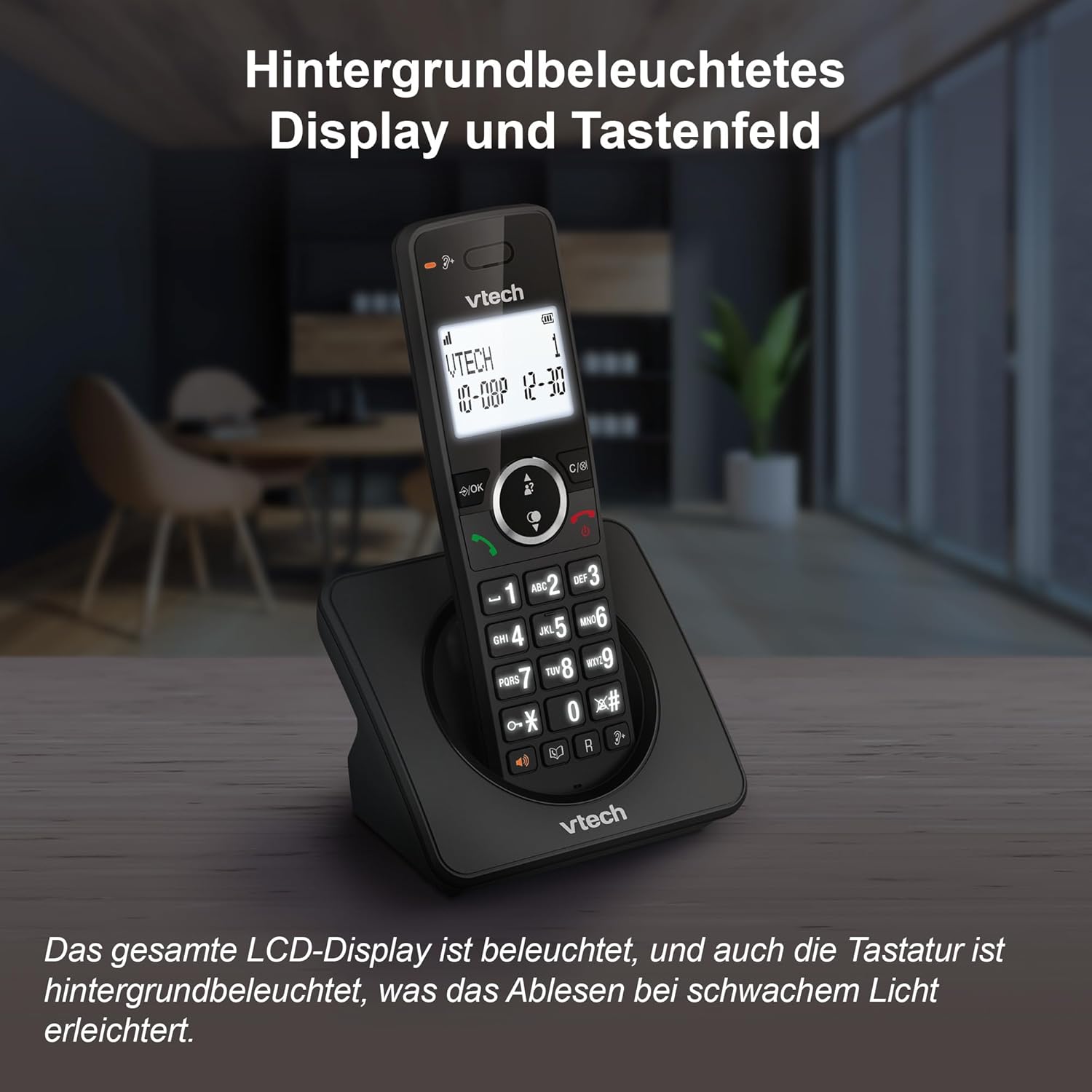
Image: The VTech ES2001 handset, showcasing its illuminated LCD display and backlit keypad, designed for easy readability in low-light environments.
Кошумча функциялар
- Ойготкуч: Эстеткичтер үчүн ойготкучтарды коюу.
- Үнсүз: Чалуу учурунда микрофонуңуздун үнүн өчүрүңүз.
- Adjustable Ringer: Customize ringer volume and melodies.
- Тез терүү: Program up to 3 speed dial numbers.

Image: The VTech ES2001 handset highlighting simple functions such as mute/alarm, adjustable ringer volume and melodies, and the high-quality hands-free feature.
Техникалык тейлөө
Тазалоо
Телефонуңузду тазалоо үчүн жумшак,amp кездеме. Тазалоочу чачыраткычтарды же катуу химиялык заттарды колдонбоңуз, анткени алар каптамага же электрдик компоненттерге зыян келтириши мүмкүн.
Батареяга кам көрүү
The VTech ES2001 offers a long battery life of up to 18 hours talk time and 250 hours standby time. To prolong battery life, always return the handset to its base or charger when not in use. Avoid exposing batteries to extreme temperatures.
Проблемаларды чечүү
Эгерде сиз VTech ES2001 менен көйгөйлөргө туш болсоңуз, төмөнкү кеңири таралган көйгөйлөрдү жана чечимдерди караңыз:
| Көйгөй | Мүмкүн чечим |
|---|---|
| Терүү үнү жок | Ensure the telephone line cord is securely connected to both the base station and the wall jack. Check if the power adapter is properly connected. |
| Чалууларды жасоо/кабыл алуу мүмкүн эмес | Check if the handset is registered to the base. Ensure the phone line is active. Verify that the call blocker is not preventing desired calls. |
| Үн сапаты начар | Move closer to the base station. Check for interference from other electronic devices. Ensure the handset batteries are sufficiently charged. |
| Телефон заряддалбай жатат | Ensure the handset is correctly seated in the charging cradle. Clean the charging contacts on both the handset and the base/charger with a dry cloth. |
| Дисплей бош | Charge the handset batteries. If the problem persists, try resetting the handset by removing and reinserting the batteries. |
Аппаратты баштапкы абалга келтирүү
If your phone is not functioning correctly, a simple reset may resolve the issue. Disconnect the power adapter from the base station for approximately 15 seconds, then reconnect it. For handsets, remove the batteries for a few seconds and then reinsert them.
Техникалык шарттар
- Модель номери: ES2001
- Телефон түрү: Зымсыз DECT телефону
- Түсү: Кара
- Материал: Пластик
- Кубат булагы: Battery Powered (4 product-specific batteries included)
- Сүйлөшүү убактысы: 18 саатка чейин
- Күтүү убактысы: 250 саатка чейин
- Телефон китепчесинин сыйымдуулугу: 100 ысымдар жана сандар
- Call Blocker Capacity: 100 номерге чейин
- Чалуучунун ID тарыхы: 20 жазуу
- Эстутумду кайра терүү: Акыркы 10 сан
- Conference Capability: 3-жол
- Дисплей: Арткы жарыктуу LCD
- Баскычтоп: Арткы жарык
- ЭКО режими: Ооба
- Өндүрүүчү: VTECH ТЕЛЕКОММУНИКАЦИЯЛАР ЖЧКсы
- Келип чыккан өлкө: Кытай
Кепилдик маалымат
Specific warranty details for the VTech ES2001 DECT Cordless Phone may vary by region and retailer. Please refer to the warranty card included with your product or contact your point of purchase for detailed information regarding warranty coverage and terms.
Колдоо
For further assistance, technical support, or service inquiries, please contact VTech customer support or refer to the official VTech website for your region. Contact information can typically be found in the product packaging or on the manufacturer's webсайт.


