Introduction
This manual provides detailed instructions for the Ajazz AK33 3-in-1 Wired Gaming Keyboard and Mouse Set. This set includes an 82-key mechanical keyboard, a lightweight gaming mouse, and a mouse pad, designed for a comprehensive gaming and typing experience. Please read this manual thoroughly before using the product to ensure proper setup and operation.

Image: The Ajazz AK33 3-in-1 Gaming Keyboard and Mouse Set, featuring the 82-key keyboard with green backlighting, the honeycomb shell mouse with RGB lighting, and a black mouse pad.
Пакеттин мазмуну
- Ajazz AK33 82-Key Mechanical Gaming Keyboard
- Ajazz Wired Gaming Mouse with Honeycomb Shell
- Mouse Pad
- Detachable Type-C USB Cable (for keyboard)
- Баскыч капкагын тарткыч
- Тазалоочу щетка
- Колдонуучунун Колдонмосу (бул документ)
Орнотуу нускамалары
- Баскычтопту туташтыруу: Locate the Type-C port on the back of the keyboard. Connect one end of the provided Type-C USB cable to the keyboard and the other end to an available USB port on your computer.
- Чычканды туташтыруу: Connect the USB cable of the gaming mouse to another available USB port on your computer.
- Place the Mouse Pad: Position the mouse pad on your desk for optimal mouse performance.
- Драйверди орнотуу: The keyboard and mouse are plug-and-play for basic functionality. For advanced customization (e.g., programmable mouse buttons, specific RGB settings), you may need to download the official driver software from the Ajazz website. Refer to the manufacturer's website for driver availability and installation instructions.

Image: Illustration showing the detachable Type-C cable connecting to the keyboard's port.
Once connected, your operating system should automatically detect and install the necessary drivers for basic functionality. The devices are compatible with Windows 98 / 2000 / 2003 / 7 / 8 / 10 / XP / Vista / MAC, etc.

Image: Visual representation of the product's compatibility with Windows XP, Windows 7/8, Windows 10/11, macOS, and Linux operating systems.
Иштөө нускамалары
Баскычтоптун функциялары
The Ajazz AK33 keyboard features an 82-key compact layout with mechanical blue switches, offering tactile feedback and an audible click. It includes anti-ghosting technology for simultaneous key presses.

Сүрөт: жакын план view of the Ajazz AK33 82-key mechanical keyboard, highlighting its compact form factor and green backlighting.
Арткы жарыкты башкаруу
- The keyboard features 8 different backlight effects. Use the designated function keys (often in combination with the Fn key) to cycle through these effects.
- Adjust backlight brightness and speed using specific key combinations, typically involving the Fn key and arrow keys or other designated keys. Refer to the keyboard's keycap legends for specific controls.
Мультимедиа кыска жол ачкычтары
The keyboard includes 12 multimedia shortcut keys, accessible by pressing the Fn key in combination with the F1-F12 keys. These keys provide quick access to functions such as volume control, media playback, and more.

Image: Diagram illustrating the 12 multimedia shortcut functions available on the keyboard, activated by combining the Fn key with F1-F12.
Чычкан функциялары
The gaming mouse features an ergonomic design with a honeycomb shell for lightweight performance (approximately 65 grams). It offers up to 12000 DPI and includes 7 buttons, 6 of which are programmable.

Image: The lightweight gaming mouse with its honeycomb shell design, showcasing its ergonomic shape and RGB lighting.
DPI тууралоо
- Use the DPI loop +/- button (typically located near the scroll wheel) to cycle through different DPI settings. The mouse supports a range from 800 to 12000 DPI.
- The current DPI setting may be indicated by a change in the mouse's RGB lighting pattern or color.
Программалануучу баскычтар
The mouse features 7 buttons, including Left, Right, Mid (scroll wheel click), Forward, Backward, and DPI Loop +/-. Six of these buttons are programmable. To customize these buttons, you will need to install the official mouse driver software from the Ajazz webсайт.

Image: Diagram labeling the six main buttons on the gaming mouse: DPI Loop +/-, Backward Button, Right Button, Mid Button, Forward Button, and Left Button.
RGB Backlight Effects (Mouse)
The mouse offers 26 kinds of backlight effects. These can typically be cycled through using a dedicated button on the mouse (often on the bottom) or customized via the driver software.
Advanced Features
- Hot-Swappable Mechanical Switches: The keyboard's PCB supports both 3-pin and 5-pin mechanical switches. This allows users to replace switches without soldering, enabling customization of typing feel and extending the keyboard's lifespan. The included switches are blue switches, known for their clicky and tactile feedback.
- Толук арбактарга каршы: All keys on the keyboard are conflict-free, meaning multiple key presses are registered simultaneously and accurately, which is beneficial for gaming and fast typing.
- Ergonomic and Lightweight Mouse Design: The mouse's honeycomb shell reduces its weight to approximately 65 grams, contributing to faster movements and reduced fatigue during extended use. Its ergonomic shape is designed for comfortable grip.
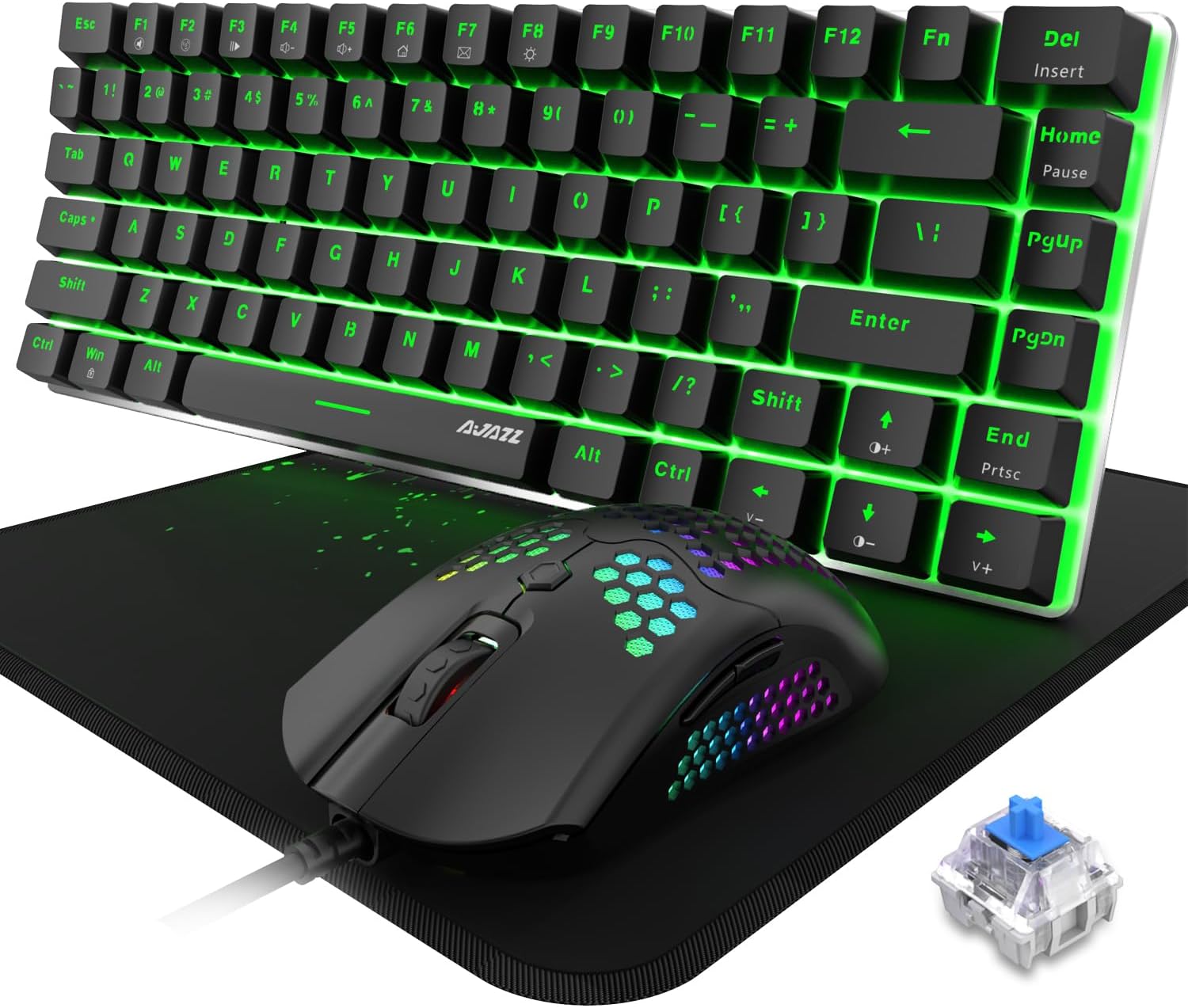
Image: The Ajazz AK33 keyboard and mouse set, with a close-up inset of a blue mechanical switch, illustrating the hot-swappable feature.
Техникалык тейлөө
- Баскычтопту тазалоо:
- Кылдат тазалоо үчүн берилген ачкыч капкактарын этияттык менен алып салуу үчүн берилген ачкыч капкактарын тартуучу каражатты колдонуңуз.
- Use the cleaning brush to remove dust and debris from between the keys and switches.
- Wipe keycaps with a soft, damp cloth. Ensure the keyboard is completely dry before reattaching keycaps and using.
- Чычканды тазалоо:
- Чычкандын бетин сүртүү үчүн жумшак, кургак чүпүрөктү колдонуңуз.
- For the honeycomb shell, use a soft brush or compressed air to remove dust and debris from the perforations.
- Жалпы кам көрүү: Avoid exposing the devices to excessive moisture, extreme temperatures, or direct sunlight. Do not use harsh chemicals or abrasive materials for cleaning.
Проблемаларды чечүү
| Көйгөй | Мүмкүн себеп | Чечим |
|---|---|---|
| Баскычтоп/чычкан жооп бербей жатат | Бош USB туташуу, туура эмес USB порт, драйвер маселеси. |
|
| Backlight not working or incorrect | Backlight settings, software conflict. |
|
| Чычкандын DPI өзгөрбөй жатат | DPI button malfunction, driver issue. |
|
| Программалоочу баскычтар иштебейт | Driver not installed or configured. |
|
Техникалык шарттар
| Өзгөчөлүк | Деталь |
|---|---|
| Продукт аты | Ajazz AK33 3-in-1 Wired Gaming Keyboard and Mouse Set |
| Модел | AK33 |
| Баскычтоптун жайгашуусу | 82 Keys, Compact |
| Баскычтоптун которгучунун түрү | Mechanical Blue Switch (Hot-Swappable 3-pin/5-pin compatible) |
| Баскычтоптун арткы жарыгы | Rainbow LED Backlit (8 effects) |
| Баскычтоптун өзгөчөлүктөрү | Full Anti-Ghosting, 12 Multimedia Buttons, Detachable Type-C Cable |
| Чычкандын дизайны | Ergonomic, Lightweight (65g), Honeycomb Shell |
| Чычкан DPI | 12000 DPI чейин (Жөнгө салынуучу) |
| Чычкан баскычтары | 7 баскычтар (6 программалоочу) |
| Чычкандын арткы жарыгы | RGB Backlit (26 effects) |
| Байланыш | Зымдуу USB |
| Шайкештик | Win98 / 2000 / 2003 / 7 / 8 / 10 / XP / Vista / MAC, etc. |
| Элемент Салмагы | 2 фунт (жалпы пакет) |
| Пакеттин өлчөмдөрү | 12 x 6 x 3 дюйм |
Кепилдик жана колдоо
For warranty information and technical support, please refer to the official Ajazz webсайтка же түздөн-түз кардарларды тейлөөгө кайрылыңыз. Сатып алуу квитанциясын кепилдик дооматтары үчүн сатып алуунун далили катары сактаңыз.
Official Ajazz Webсайт: www.ajazz.com (Эскертүү: Бул толтургуч URL as the actual URL was not provided in the product data. Please replace with the correct URL if available.)


