
Introduction
This manual provides essential information for the setup, operation, and maintenance of your eufy X8 Pro Robot Vacuum. The eufy X8 Pro is designed for efficient home cleaning, featuring Twin-Turbine suction, iPath Laser Navigation, and an Active Detangling Roller Brush, making it particularly effective for homes with pets and carpets.
Негизги өзгөчөлүктөрү
- Hair-Free Cleaning: The eufy X8 Pro utilizes powerful 2× 4,000 Pa Twin-Turbine suction to effectively remove pet hair from deep within carpets and other surfaces.

Visual representation of the Twin-Turbine suction technology.
- Tangle-Free Cleaning: Equipped with a patented Active Detangling Roller Brush, the robot vacuum automatically detangles hair during operation, reducing the need for manual brush cleaning.

The Active Detangling Roller Brush mechanism, shown clean compared to a standard brush.
- Precise iPath Laser Navigation: Advanced iPath Laser Navigation creates accurate maps of your home, enabling the vacuum to track efficient cleaning routes, avoid obstacles, and cover a wider range of areas.

The robot vacuum utilizing iPath Laser Navigation to map and clean.
- Customizable AI.Map 2.0: The AI.Map 2.0 feature allows for personalized cleaning by creating detailed home maps. Users can set No-Go Zones, virtual boundaries, and specific cleaning areas through the companion application.
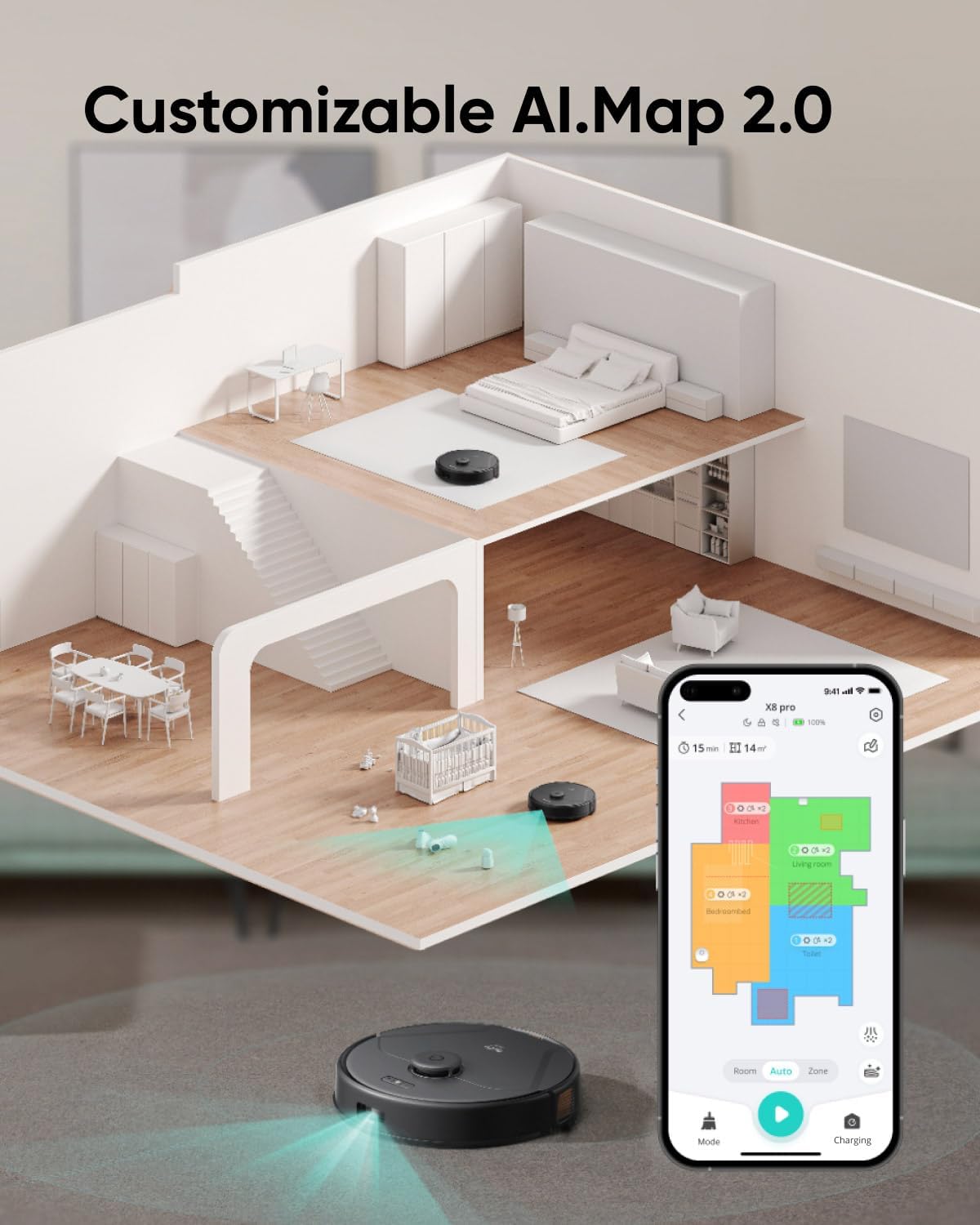
The AI.Map 2.0 feature displayed on a mobile device, showing customized cleaning zones.
- Carpet Deep Cleaning: Optimized for carpets, the X8 Pro ensures thorough cleaning by adjusting suction power and brush action to extract embedded dirt and pet hair.

The eufy X8 Pro demonstrating its deep cleaning capabilities on carpet.
Орнотуу колдонмосу
- Кутудан чыгаруу: Carefully remove all components from the packaging. Ensure all accessories, including the charging base, power adapter, and side brushes, are present.
- Заряддоо базасынын жайгашуусу: Place the charging base against a wall in an open area, ensuring there are no obstacles within 1 meter (3 feet) to the sides and 1.5 meters (5 feet) in front. Connect the power adapter to the charging base and a power outlet.
- Баштапкы төлөм: Place the eufy X8 Pro onto the charging base. The indicator lights will show charging status. Allow the robot to fully charge before its first use.
- App Installation & Pairing: Download the eufy Clean app from your device's app store. Follow the in-app instructions to pair your robot vacuum with your smartphone. This will enable advanced features and control.
- Алгачкы картага түшүрүү: For optimal navigation, allow the robot to complete an initial mapping run of your home. Clear any potential obstacles to ensure an accurate map is created.
Operating Your eufy X8 Pro
The eufy X8 Pro offers flexible operation through its physical buttons and the eufy Clean app.
- Starting/Stopping Cleaning: Press the power button on the robot once to start a cleaning cycle. Press it again to pause. To send the robot back to its charging base, press the home button.
- Using the eufy Clean App: The app provides comprehensive control over your robot vacuum. You can:
- Schedule cleaning times for specific days or multiple times a day.
- Select different cleaning modes, such as Quiet, Standard, Max, or Super Vacuum mode, depending on your cleaning needs.
- Define specific rooms or zones for cleaning.
- Set 'No-Go Zones' or 'Virtual Walls' to restrict the robot from entering certain areas.
- View cleaning history and real-time map progress.
- Үн менен башкаруу: The eufy X8 Pro is compatible with Amazon Echo, allowing for voice-activated commands. Refer to the app for instructions on connecting to smart home assistants.
Техникалык тейлөө жана кам көрүү
Regular maintenance ensures optimal performance and extends the lifespan of your eufy X8 Pro.
- Dustbin and Filter Cleaning: Empty the dustbin after each cleaning cycle. Clean the high-performance filter and foam filter regularly by tapping off debris. Washable filters should be air-dried completely before reinstallation.
- Active Detangling Roller Brush: While the brush is designed to detangle automatically, occasional inspection is recommended. Remove any remaining hair or debris from the roller brush and its ends. The Pro-Detangle Comb assists in this process.
The Tangle Eliminator mechanism with automatic detangling via the roller brush and Pro-Detangle Comb.
Demonstration of the X8 Pro's effective automatic detangling after every clean.
- Каптал щеткалар: Check side brushes for wear or damage. Replace them if they are bent or worn to ensure effective edge cleaning.
- Sensors and Charging Pins: Wipe the cliff sensors, anti-drop sensors, and charging pins on both the robot and the charging base with a clean, dry cloth to remove dust and debris.
- Дөңгөлөктөр: Clean any hair or debris that may have accumulated around the driving wheels and the universal wheel.
Жалпы көйгөйлөрдү чечүү
If you encounter issues with your eufy X8 Pro, refer to the following common solutions:
- Робот заряддалбай жатат: Ensure the charging pins on both the robot and the base are clean and making proper contact. Verify the power adapter is securely plugged into the wall outlet and the charging base.
- Navigation Problems: Clean all sensors on the robot. Ensure there are no new obstacles or changes in the environment that might confuse the navigation system. Resetting the map in the app may be necessary for significant layout changes.
- Кыскартылган соргуч кубаттуулугу: Check and empty the dustbin. Clean or replace the filters if they are clogged. Inspect the roller brush for any blockages or excessive hair accumulation.
- Robot Stuck: Clear any loose cables, rugs with long fringes, or small objects from the cleaning path. Use 'No-Go Zones' in the app to prevent the robot from entering problematic areas.
- Колдонмонун туташуу маселелери: Ensure your Wi-Fi network is stable and the robot is within range. Restart both the robot and your router. Re-pair the device if necessary.
For more detailed troubleshooting or persistent issues, consult the eufy Clean app or contact customer support.
Продукт спецификациялары
| Өзгөчөлүк | Спецификация |
|---|---|
| Бренд | eufy |
| Модель аты | X8 Pro |
| Өзгөчө өзгөчөлүк | Logical Navigation, Obstacle Avoidance |
| Түс | Кара |
| Чыпка түрү | Картридж |
| Батареянын иштөө мөөнөтү | 100 мүнөт |
| Таштанды кутусунун сыйымдуулугу | 335 миллилитр |
| Power Source | Батарея менен иштейт |
| Шайкеш түзмөктөр | Amazon Echo |
| Форма фактору | Робот |
| UPC | 194644185602 |
| Продукциянын өлчөмдөрү | 13.5 x 13.5 x 3.8 дюйм |
| Элемент Салмагы | 10.58 фунт |
| Батареялар | 1 литий-иондук батарейка талап кылынат (кошулган) |
Кепилдик жана Кардарларды колдоо
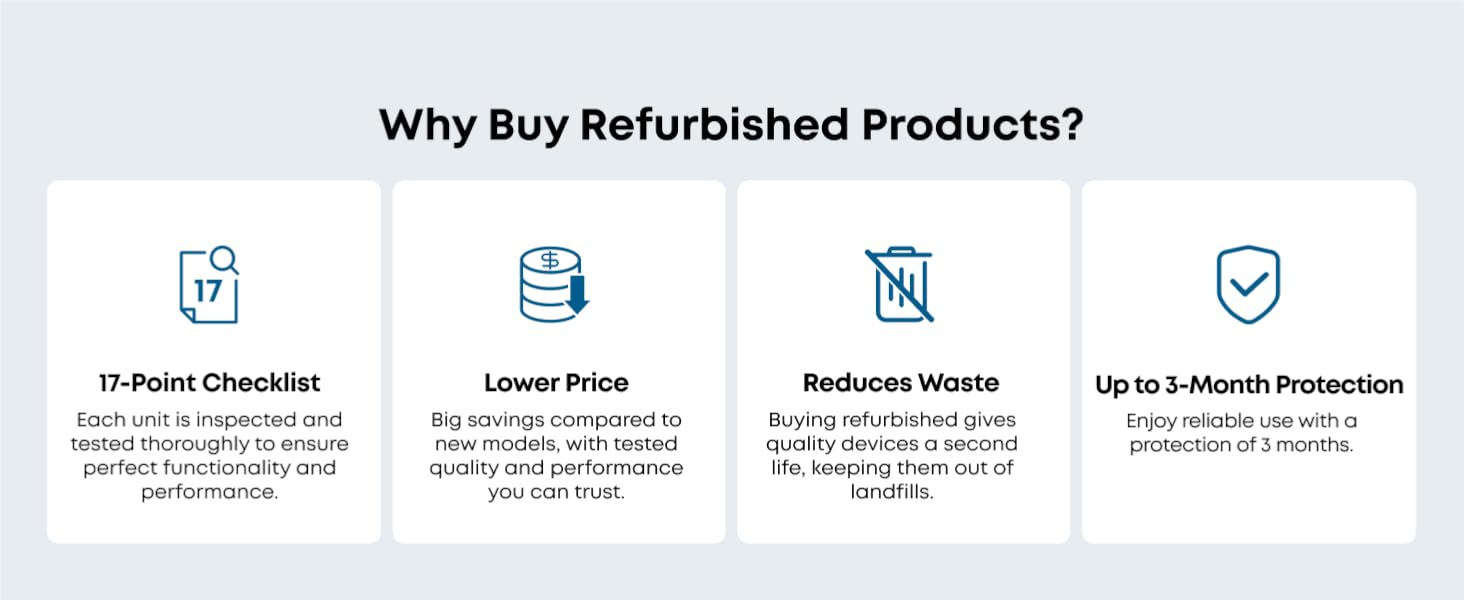
This eufy X8 Pro Robot Vacuum is a Certified Refurbished product. Each unit undergoes professional inspection, testing, and restoration to meet strict performance standards. While it works like new, it may show minor scratches or imperfections.
Certified Refurbished eufy products typically come with a 3 айлык коргоо планы, ensuring reliable use. For specific warranty details, please refer to the documentation included with your product or contact eufy customer support directly.
For any technical assistance, troubleshooting, or warranty claims, please visit the official eufy support webсайтына кириңиз же алардын кардарларды тейлөө кызматына кайрылыңыз. Тезирээк тейлөө үчүн сатып алуу дүмүрчөгүңүздү жана продуктунун сериялык номерин жаныңызда сактап коюңуз.


