Introduction
Thank you for choosing the LINQ 3-in-1 Qi2 Wireless Charging Base. This device is designed to provide a seamless and efficient charging experience for your compatible smartphone, Apple Watch, and wireless earbuds simultaneously. Please read this manual carefully before use to ensure proper operation and to maximize the lifespan of your product.

Figure 1: The LINQ 3-in-1 Qi2 Wireless Charging Base in operation, charging a smartphone, Apple Watch, and wireless earbuds.
Пакеттин мазмуну
Пакетиңизде бардык буюмдар бар экенин текшериңиз:
- LINQ 3-in-1 Qi2 Wireless Charging Base
- USB-C to USB-C Charging Cable (Power adapter not included)
- User Manual
Орнотуу нускамалары
- Аппаратты таңгактан чыгаруу: Carefully remove the charging base and all accessories from the packaging.
- Туташуу кубаты: Insert one end of the provided USB-C cable into the USB-C port on the back of the charging base. Connect the other end of the cable to a compatible USB-C power adapter (not included) with a minimum output of 20W or higher for optimal performance.
- Жайгашкан жери: Place the charging base on a stable, flat surface away from direct sunlight, heat sources, and liquids.
- Күйгүзүү: Once connected to a power source, the base is ready for use.

Figure 2: The LINQ 3-in-1 Charging Stand positioned on a desk, illustrating its compact footprint and readiness for use.
Иштөө нускамалары
The LINQ 3-in-1 Qi2 Wireless Charging Base allows for simultaneous charging of up to three devices:
1. Charging a Smartphone (Qi2 Compatible)
- Place your Qi2-compatible smartphone onto the upright charging pad. The magnetic alignment will ensure correct positioning.
- The phone can be charged in either portrait or landscape orientation.
- A charging indicator will appear on your phone's screen to confirm charging has begun.
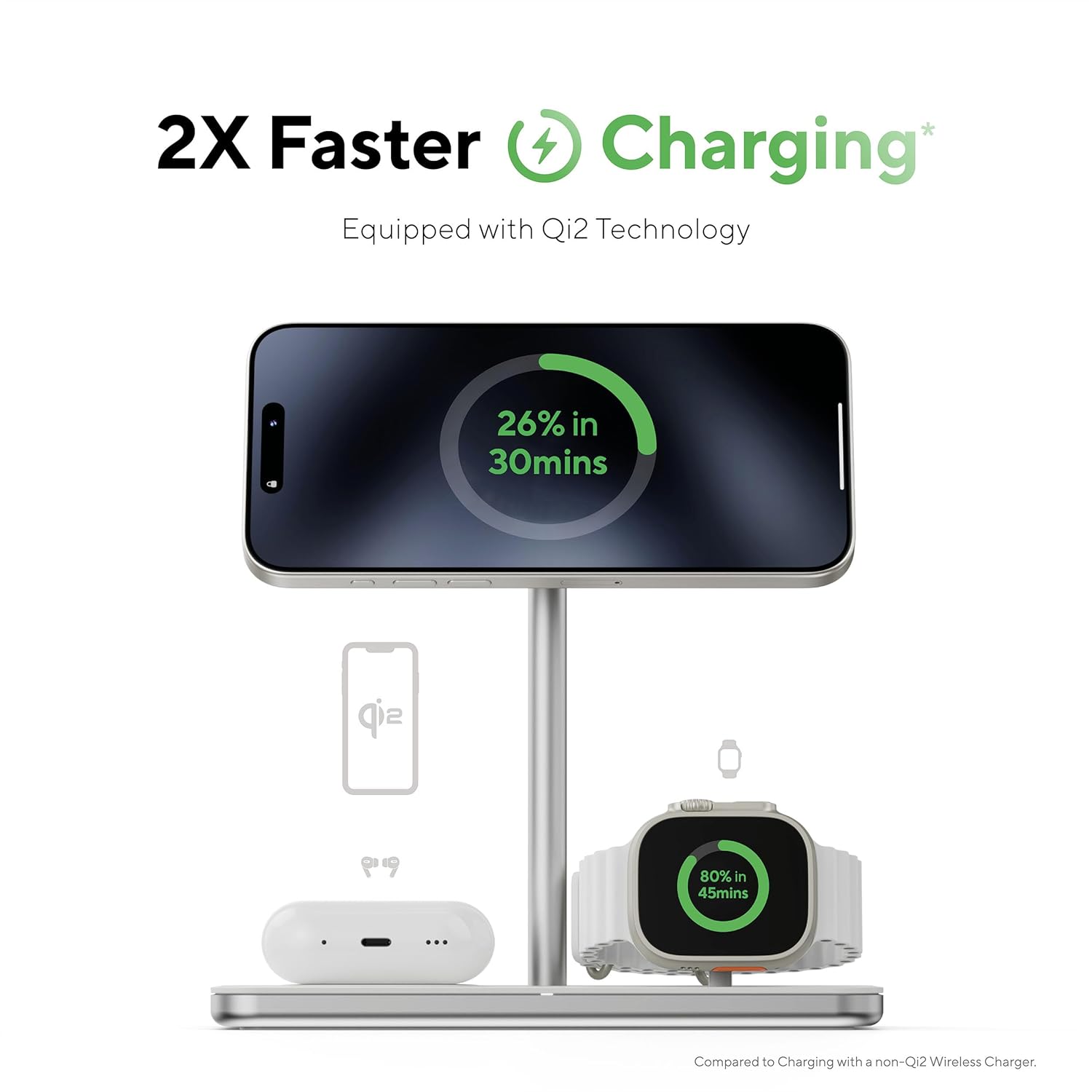
Figure 3: A smartphone charging on the main pad, demonstrating the fast charging capabilities of Qi2 technology.
2. Charging an Apple Watch
- Place your Apple Watch onto the dedicated Apple Watch charging module.
- The module supports both upright (NightStand mode) and flat charging positions. Adjust the hinge as needed.
- Ensure the watch is securely seated and the charging icon appears on its screen.
- This charger is licensed by Apple and supports Apple Watch Fast Charge, reaching 80% charge in approximately 45 minutes.

Figure 4: An Apple Watch charging on its dedicated module, indicating fast charging performance and Apple licensing.
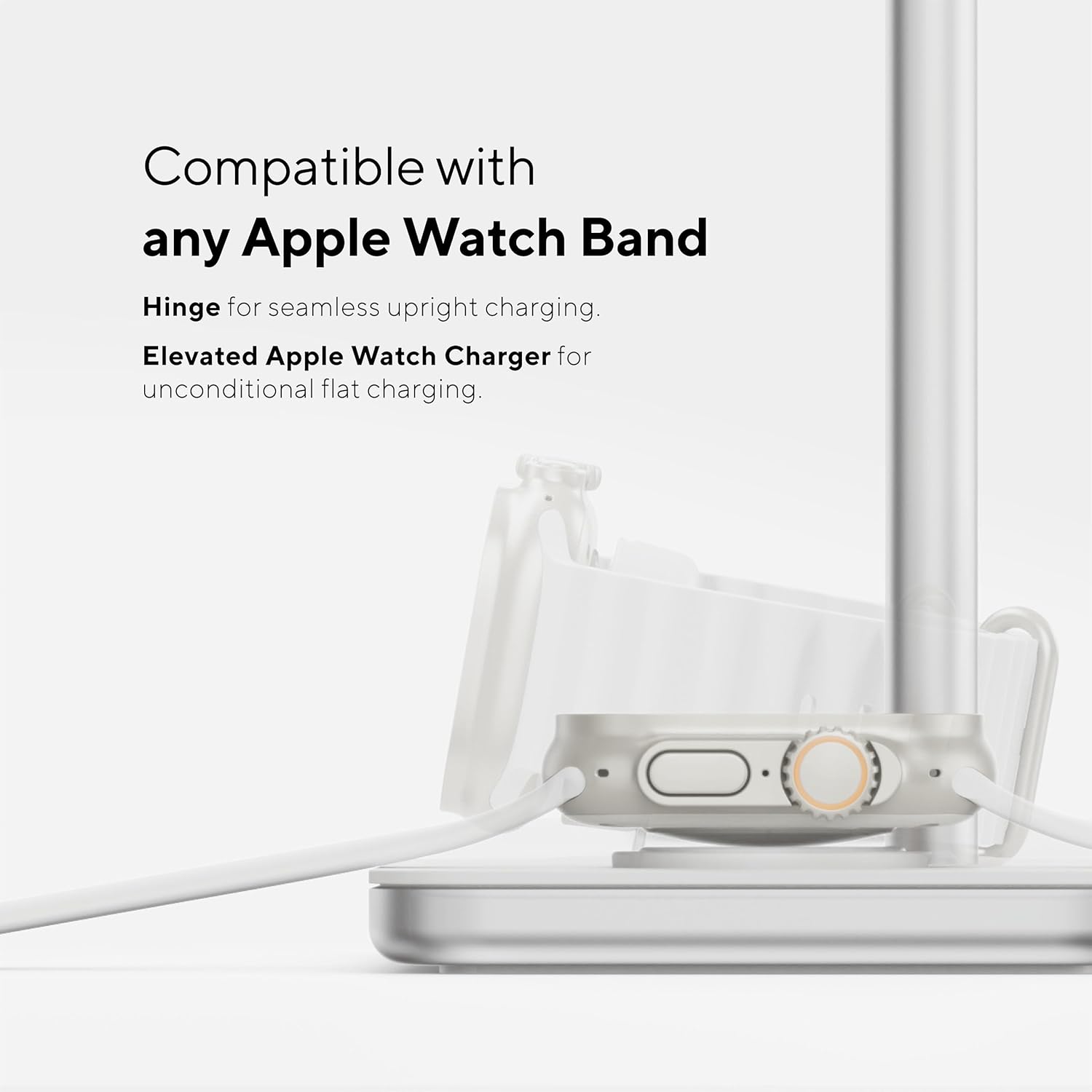
Figure 5: The Apple Watch charging module, demonstrating its adjustable hinge and compatibility with all Apple Watch bands for flexible charging.
3. Charging Wireless Earbuds
- Place your Qi-compatible wireless earbud case onto the flat charging pad located at the base of the stand.
- Ensure the earbud case is centered on the charging area.
- A charging indicator on your earbud case (if available) will confirm charging.

Figure 6: The LINQ 3-in-1 charging base demonstrating its ability to charge a phone upright, an Apple Watch flat, and earbuds simultaneously.
Негизги өзгөчөлүктөрү
- 3-бирде заряддоо: Simultaneously charges a smartphone, Apple Watch, and wireless earbuds.
- Qi2 Technology: Provides faster and more efficient wireless charging for compatible smartphones with magnetic alignment.
- Apple Watch Fast Charge: Licensed by Apple, enabling rapid charging for your Apple Watch.
- Жөнгө салынуучу Viewбурч: The smartphone charging pad can be adjusted from 17 to 55 degrees for optimal viewing during charging.
- Versatile Apple Watch Charging: Supports both upright (NightStand mode) and flat charging, compatible with all Apple Watch bands.
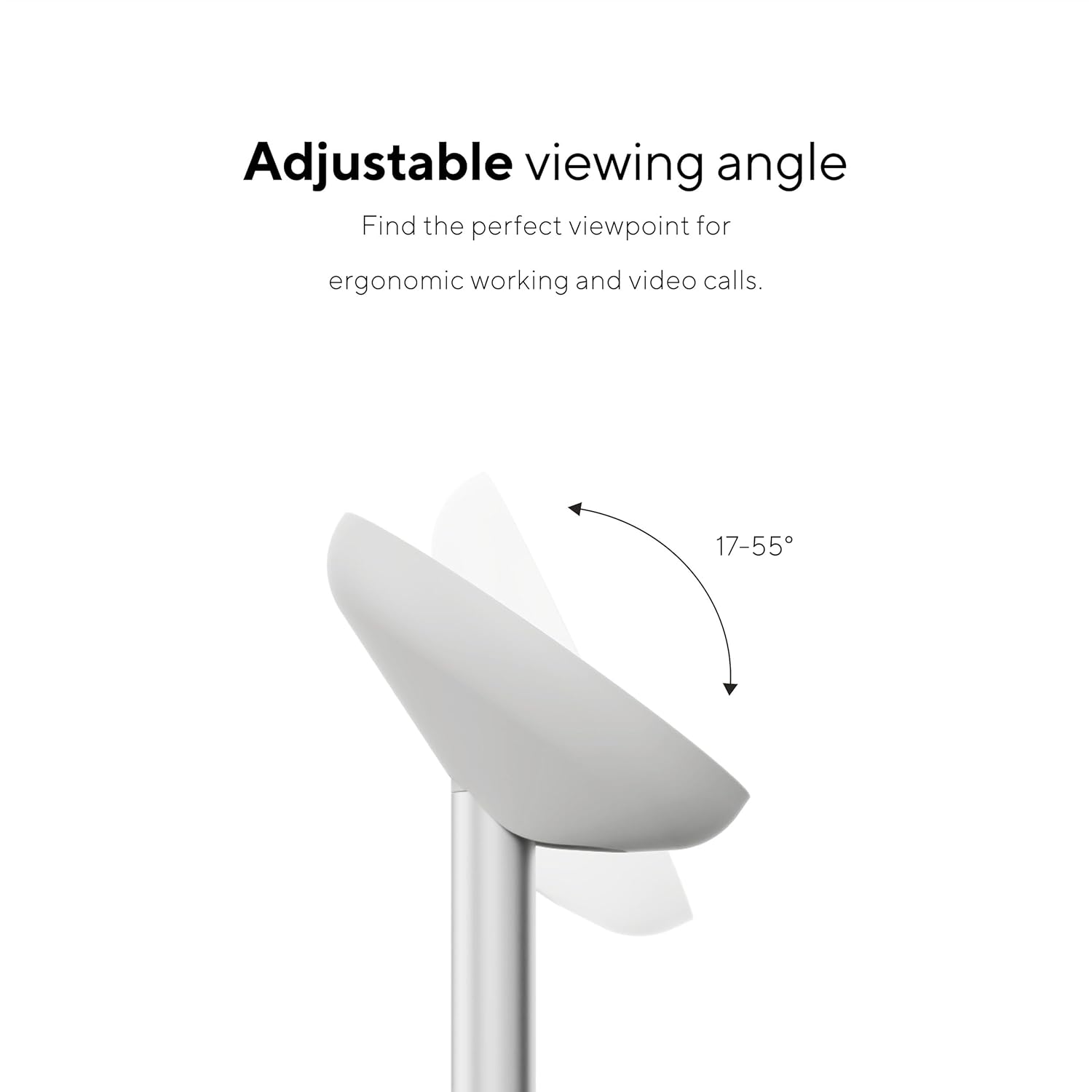
Figure 7: The adjustable viewing angle feature of the smartphone charging pad, allowing for ergonomic use and video calls.
Техникалык тейлөө жана кам көрүү
- Тазалоо: Disconnect the power before cleaning. Use a soft, dry, lint-free cloth to wipe the surface of the charging base. Do not use abrasive cleaners, solvents, or chemical sprays.
- Сактагыч: Узак мөөнөткө колдонулбаганда, аппаратты салкын, кургак жерде сактаңыз.
- Зыяндан качуу: Do not drop, disassemble, or attempt to repair the device yourself. Avoid exposing it to extreme temperatures, humidity, or liquids.
Проблемаларды чечүү
| Көйгөй | Мүмкүн себеп | Чечим |
|---|---|---|
| Түзмөк заряддалбай жатат. |
|
|
| Жай кубаттоо. |
|
|
| Заряддоо учурунда ысып кетүү. |
|
|
Техникалык шарттар
| Модель номери | LQ48038 |
| Өлчөмдөр | 6.77 x 6.69 x 3.35 дюйм |
| Салмагы | 15.9 унция (450 грамм) |
| Киргизүү | USB-C (Power adapter not included) |
| Зымсыз кубаттоо стандарты | Qi2 (for smartphone), Qi (for earbuds), Apple Watch Fast Charge (for Apple Watch) |
| Өндүрүүчү | TELCO ACCESSORIES - LINQ PERIPHE |
| Дата биринчи жеткиликтүү | 1-январь, 2023-жыл |
Маанилүү коопсуздук маалыматы
- Аппаратты сууга же нымга тийгизбеңиз.
- Do not place metal objects, magnetic cards, or other foreign materials between the charging base and your device during charging.
- Балдар жетпеген жерде сактаңыз.
- Аппаратты ажыратпаңыз, өзгөртпөңүз же оңдоого аракет кылбаңыз.
- Ашыкча температурадан (ысык же муздак) сактаныңыз.
- Use only certified power adapters.
Кепилдик жана колдоо
For warranty information or technical support, please refer to the official LINQ website or contact their customer service. Details are typically provided on the product packaging or the manufacturer's webсайт.
Өндүрүүчү: TELCO ACCESSORIES - LINQ PERIPHE


