1. Киришүү
Thank you for choosing the STRICH SDP-300S Digital Piano. This manual provides essential information for the proper setup, operation, and maintenance of your instrument. Please read it thoroughly before use to ensure optimal performance and longevity of your digital piano.
The STRICH SDP-300S features 88 hammer-action weighted keys with simulated ivory texture, designed to replicate the feel of a grand piano. It includes 25W x 2 speakers, 900 preset timbres, 700 drum rhythms, and 128 polyphony. Connectivity options include USB-MIDI and wireless capabilities, allowing for versatile use with teaching apps and other devices.
2. Коопсуздук маалыматы
- Ensure all parts are complete and undamaged before installation.
- Read all installation and operating instructions carefully before using the instrument.
- Use only the provided power adapter (Input AC: 100V-240V, Output DC: 12V 3A, Adapter Transformer DC: 5.5mm x 2.2mm).
- Keep the instrument away from direct sunlight, heat sources, and moisture.
- Пианиного оор буюмдарды коюудан алыс болуңуз.
- Do not attempt to disassemble or repair the instrument yourself. Contact qualified service personnel.
3. Орнотуу жана чогултуу
The STRICH SDP-300S Digital Piano is designed for straightforward assembly. Ensure you have adequate space and a clean surface for unpacking and assembly.
3.1. Unpacking the Piano
Carefully open the packaging. The box contains the main piano body, four metal legs, a three-pedal unit, a music stand, power adapter, and the user manual. Inspect all components for any signs of damage during transit.

Image: Components neatly packed within the product box.
Text Description: A view inside the cardboard box showing the main piano body, wrapped in plastic, surrounded by protective foam. Various accessories are also visible in their compartments.
3.2. Стендди чогултуу
- Place the main piano body upside down on a soft, clean surface or on the provided styrofoam packaging to protect the keys and finish.
- Attach the four metal legs to the designated points on the underside of the piano using the provided screws. Ensure all screws are tightened securely for stability.
- Carefully flip the piano upright onto its assembled legs.

Image: Close-up of the underside of the piano showing screw holes for leg attachment.
Text Description: The bottom of the piano body, made of wood, with pre-drilled holes and metal plates where the four legs are to be attached using screws. This view highlights the sturdy construction for the stand.
3.3. Кубат жана педальдарды туташтыруу
- Locate the power input port on the back panel of the piano. Plug in the provided power adapter.
- Connect the three-pedal unit cable to the MIDI port located on the underside of the piano.
- Place the music stand into the slot on the top panel of the piano.

Сүрөт: деталдуу view of the back panel of the piano, showing various input/output ports including power, USB, MIDI, phone, input, and sustain pedal connections.
Text Description: The back panel of the piano features an on/off switch, MIDI and USB ports, a power input (DC 12V), headphone jacks, an audio input, and a dedicated port for the sustain pedal unit. All ports are clearly labeled.

Image: The three-pedal unit with its connecting cable.
Text Description: A close-up of the three-pedal unit, designed to resemble traditional piano pedals, with a cable extending from its back for connection to the piano. The pedals are silver-colored against a wooden base.
4. Иштөө нускамалары
The STRICH SDP-300S Digital Piano offers a wide range of features for an enriching musical experience. Familiarize yourself with the control panel and functions.
4.1. Powering On and Basic Playback
- Press the ON/OFF switch on the back panel to power on the piano. The display will illuminate.
- Adjust the master volume using the VOLUME knob on the control panel.
- The default tone is Grand Piano (001). Begin playing the keys to experience the hammer-action feel and rich sound.
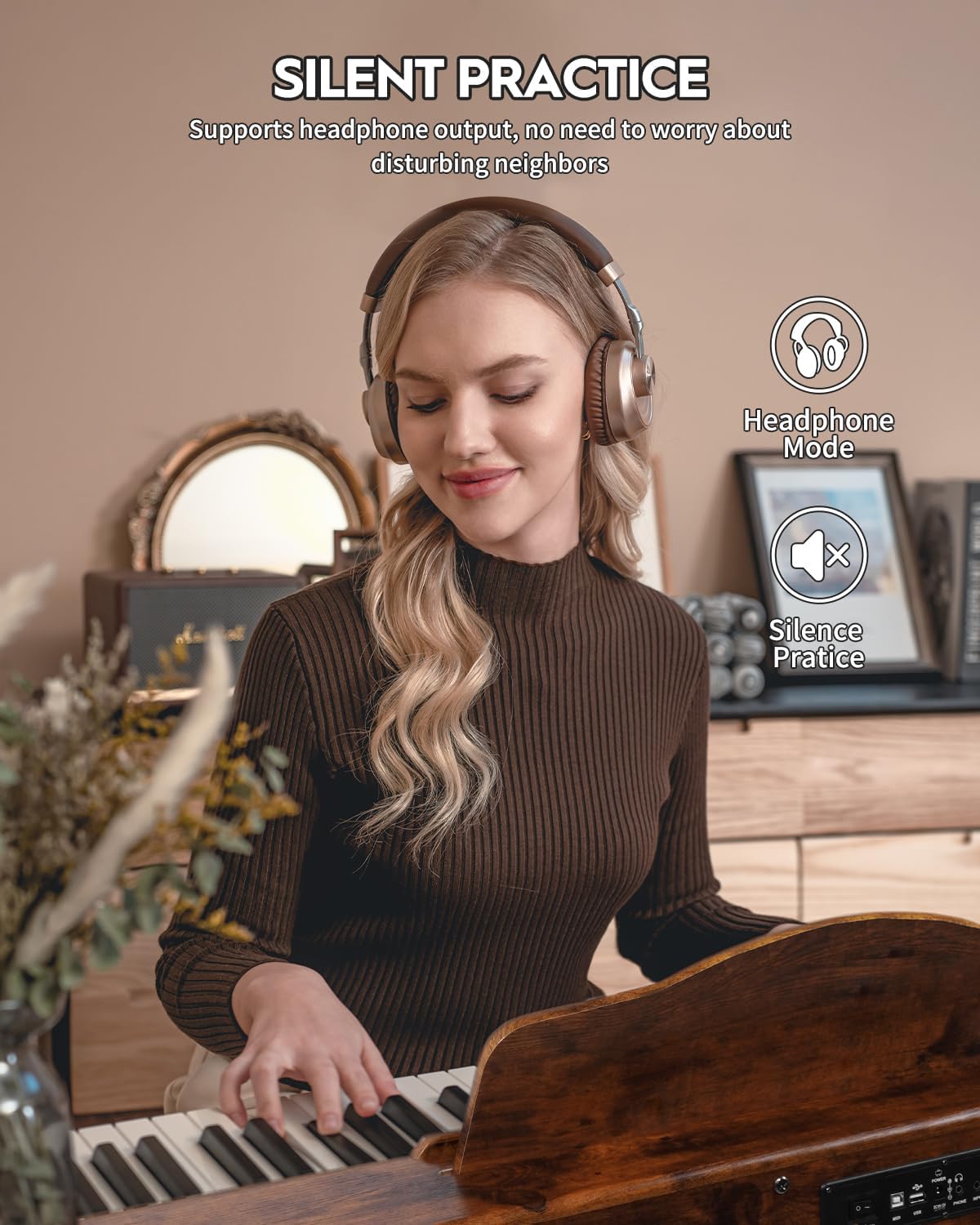
Image: Close-up of the control panel located on the left side of the piano keys.
Text Description: The control panel features a digital display, volume knob, and buttons for functions like Tone, Rhythm, Transpose, Tempo, Chord, Record, Play, Split, and Demo All. The power button is also integrated into this panel.
4.2. Обондорду жана ритмдерди тандоо
- To select a tone, press the "TONE" button. The display will show the current tone number. Use the number keys (0-9) on the keyboard to input the desired tone number (e.g., 001 for Grand Piano).
- To select a rhythm, press the "RHYTHM" button. Use the number keys to input the desired rhythm number.
- The piano offers 900 preset timbres and 700 drum rhythms. Refer to the user manual for a complete list of available tones and rhythms.
4.3. Атайын мүмкүнчүлүктөрдү колдонуу
- Которуу: Use the "TRANSPOSE" button to change the key of the piano.
- Темп: Adjust the playback speed of rhythms and demos using the "TEMPO" buttons.
- Аккорд: Activate the intelligent auto chord function using the "CHORD" button for automatic chord accompaniment.
- Split/Layer: Use the "SPLIT" button to divide the keyboard into two sections with different tones, or "LAYER" to combine two tones simultaneously.
- Жаздыруу/Ойнотуу: Use the "REC" button to record your playing and the "PLAY" button to listen to it.
- Гарнитура уячасы: Plug headphones into the 6.35mm jack for silent practice.

Image: A woman wearing headphones while playing the digital piano, illustrating the silent practice feature.
Text Description: The image shows a user engaged in playing the STRICH SDP-300S Digital Piano. The presence of headphones indicates the silent practice mode, allowing for private playing without disturbing others. This feature is ideal for focused learning sessions.
5. Техникалык тейлөө
Proper maintenance ensures the longevity and optimal performance of your STRICH SDP-300S Digital Piano.
- Clean the piano surface with a soft, dry cloth. Avoid abrasive cleaners or solvents.
- Keep the keys clean by wiping them gently with a slightly damp кездеме.
- Protect the piano from dust by covering it when not in use.
- Avoid exposing the piano to extreme temperatures or humidity changes.
6. Кыйынчылыктарды
If you encounter any issues with your digital piano, refer to the following common troubleshooting steps:
- Үн жок: Ensure the power adapter is securely connected and the piano is turned on. Check the volume level and ensure headphones are not plugged in if you intend to use the speakers.
- Ачкычтар жооп бербейт: Verify that the piano is powered on and not in a demo mode that prevents manual playing.
- Педаалдар иштебейт: Ensure the three-pedal unit is correctly connected to the MIDI port on the underside of the piano.
- Bluetooth туташуу маселелери: Ensure the piano's wireless function is enabled and your device's Bluetooth is turned on and discoverable.
For persistent issues, consult the full user manual or contact STRICH customer support.
7. Техникалык шарттар
| Өзгөчөлүк | Деталь |
|---|---|
| Модель аты | SDP-300S |
| Ачкычтардын саны | 88 |
| Ачкыч түрү | Hammer Action, Weighted, Simulated Ivory Texture |
| Баяндамачылар | 25W х 2 |
| Timbres | 900 Алдын ала коюлган |
| Барабан ритмдери | 700 |
| Полифония | 128 (макс) |
| Байланыш | USB-MIDI, Wireless, 6.35mm Jack, USB 2.0 |
| Продукциянын өлчөмдөрү | 12.4"D x 51.2"W x 29.2"H |
| Элемент Салмагы | 47.3 фунт |
| Power Source | Corded Electric (Input AC: 100V-240V, Output DC: 12V 3A) |
8. Продукт видеолору
8.1. High cost performance: 88-key fully weighted electric piano
Video Description: This video provides a detailed overview of the 88-key fully weighted electric piano, highlighting its features and performance. It showcases the piano's sound quality, key action, and various functions, emphasizing its value for money.
8.2. STRICH Digital Piano 88 Keys SDP-300S
Video Description: A concise video demonstrating the STRICH SDP-300S Digital Piano. It offers a quick look at the piano's design and some of its sound capabilities, providing a brief introduction to the product.
9. Кепилдик жана колдоо
For warranty information, technical support, or service inquiries, please refer to the contact details provided in your user manual or visit the official STRICH webсайт.
The product is sold by Massenan Music and fulfilled by Amazon. Standard return policy applies.
Тектеш документтер - SDP-300S
 |
STRICH SDP-120 Көп функциялуу 88 баскычтар Электрондук клавиатура Колдонуучунун колдонмосу Бул колдонуучу колдонмо STRICH SDP-120 көп функциялуу 88 баскычтуу электрондук клавиатураны иштетүү боюнча комплекстүү нускамаларды камтыйт. Ал Bluetooth байланышын, көйгөйлөрдү аныктоону, функцияны киргизүүнү, демо ырларды, ритмдерди, аккорддорду, жаздырууларды, эффекттерди өзгөртүүнү, динамикалык башкарууну, бөлүү функциясын, барабан функциясын, MP3 функциясын жана баскычтардын кеңири сүрөттөмөлөрүн камтыйт. |
 |
STRICH 2x2 профессионалдык жогорку тактыктагы аудио интерфейсин иштетүү боюнча колдонмо STRICH 2x2 профессионалдык жогорку тактыктагы аудио интерфейси үчүн комплекстүү операциялык колдонмо. Орнотууларды, туташууларды, PC/Mac конфигурациясын, көйгөйлөрдү оңдоону, техникалык мүнөздөмөлөрдү жана таңгактоо тизмесин камтыйт. |
 |
STRICH LOOPER ээсинин колдонмосу - гитара эффект педалы STRICH LOOPER гитара эффект педалы үчүн колдонуучу колдонмосу. Укмуш тректерди сактоо үчүн 3 уяча, аудио импорттоо/экспорттоо үчүн USB, 90 мүнөт жаздыруу убактысы жана чыныгы айланып өтүү. |
 |
STRICH клавиатура стенди орнотуу боюнча колдонмо STRICH клавиатура стенди үчүн кыскача орнотуу көрсөтмөсү, камтылган бөлүктөрү жана этап-этабы менен монтаждоо көрсөтмөлөрү. |
 |
STRICH лопер жана барабан машинасынын колдонуучусунун колдонмосу - өзгөчөлүктөрү, нускамалары, мүнөздөмөлөрү STRICH Looper&Drum Machine үчүн толук колдонуучу колдонмосу. Анын функциялары, looper жана барабан машинасынын функцияларын кантип колдонуу, тышкы түзмөктөрдү туташтыруу, редактор программасын колдонуу жана башкалар жөнүндө билип алыңыз. view техникалык мүнөздөмө. |
 |
STRICH SPS-30 MAX колдонуучу колдонмосу: Гитара педалын кубат булагы STRICH SPS-30 MAX гитара педалын кубат булагы үчүн колдонуучунун колдонмосу. Бул изоляцияланган педаль тактасынын кубат булагы үчүн иштөө, туташтыруу, коопсуздук жана аксессуарлар боюнча көрсөтмөлөрдү берет. |