1. Киришүү
Сатып алганыңыз үчүн рахматasing the MUSE M-15 Alarm Clock Radio. This manual provides essential information for the safe and efficient operation of your device. Please read it thoroughly before use and retain it for future reference.
2. Коопсуздук маалыматы
- Кубат булагы: Use only the specified battery type (1 AA battery). Ensure correct polarity when inserting batteries.
- Суу жана ным: Do not expose the device to water, rain, or excessive moisture. Avoid placing it near liquids.
- Жылуулук: Түзмөктү радиаторлор, жылыткычтар, плиталар же башка жылуулук булактарынан (анын ичинде ampкөтөргүчтөр) жылуулукту пайда кылуучу.
- Тазалоо: Кургак чүпүрөк менен гана тазалаңыз. суюк тазалагычтар же аэрозолдук тазалагычтар колдонгон жок.
- Тейлөө: Бул продуктту өзүңүз тейлөөгө аракет кылбаңыз. Бардык тейлөөнү квалификациялуу тейлөө кызматкерлерине тапшырыңыз.
- Жоюу: Батареяларды жана түзмөктү жергиликтүү эрежелерге ылайык жок кылыңыз. Батареяларды отко таштабаңыз.
3. Продукт бүтүп калдыview
Familiarize yourself with the components of your MUSE M-15 Alarm Clock Radio.
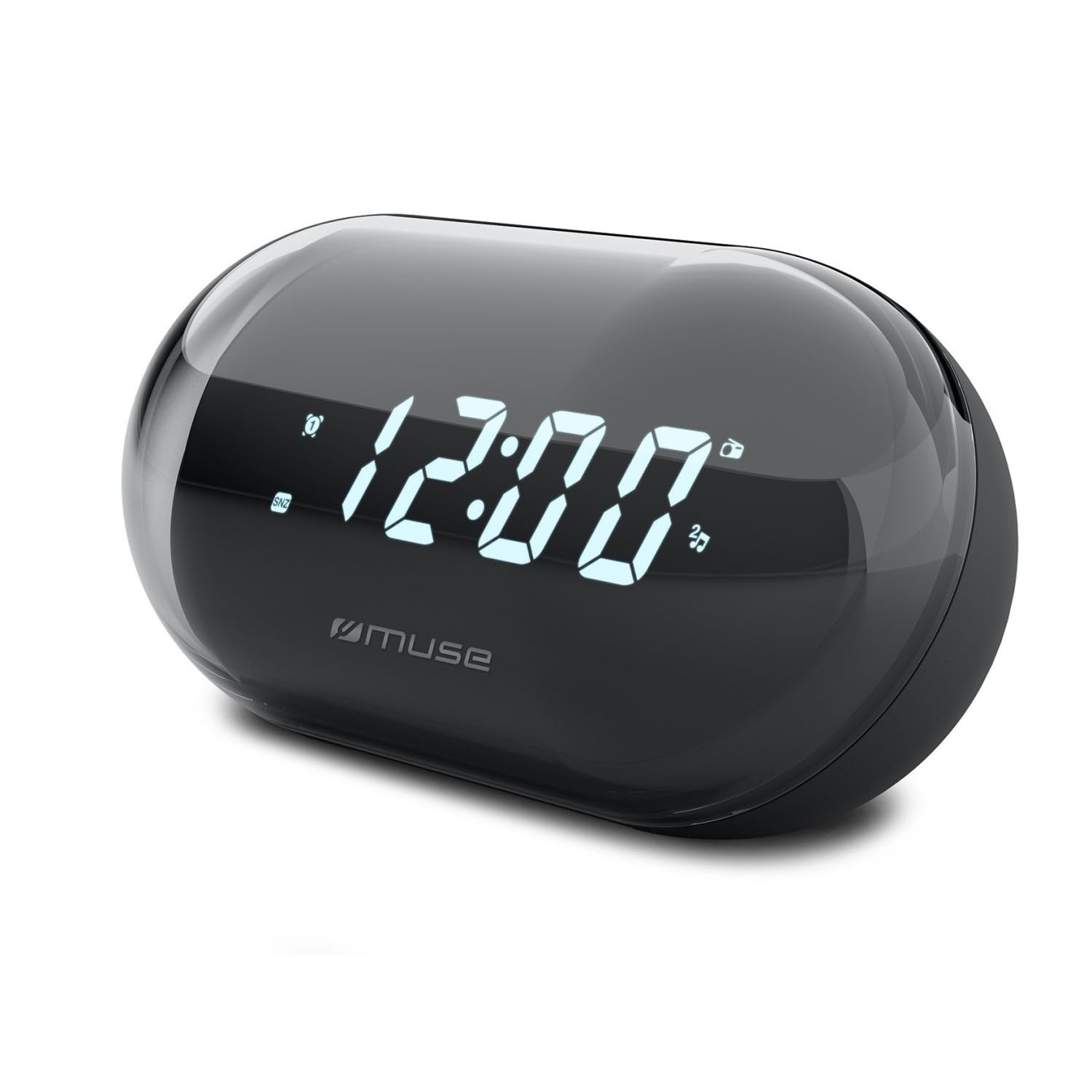
Сүрөт: алдыңкы view of the MUSE M-15 Alarm Clock Radio, showing the digital display and control buttons.
Башкаруу жана Функциялар:
- Санариптик дисплей: Убакытты, сигналдын абалын жана радио жыштыгын көрсөтөт.
- Убакытты коюу баскычы: Used to adjust the current time.
- Ойготкуч орнотуу баскычы: Ойготкучту коюу жана иштетүү/өчүрүү үчүн колдонулат.
- Tuning Buttons (+/-): Used to adjust radio frequency.
- Үндү көзөмөлдөө: Аудио чыгаруу деңгээлин тууралайт.
- Кубат / режим баскычы: Turns the device on/off and switches between radio and clock modes.
- Тындырма баскычы: Ойготкучтун үнүн убактылуу өчүрөт.
- Батарея бөлүмү: Located on the back, for 1 AA battery.
4. Орнотуу
4.1 Батареяны орнотуу
- Аппараттын артындагы батарея бөлүкчөсүнүн капкагын табыңыз.
- Бөлүмдү ачуу үчүн капкакты жылдырыңыз же көтөрүңүз.
- Insert one (1) AA battery, ensuring the correct polarity (+ and -) matches the diagram inside the compartment.
- Батарея бөлүкчөсүнүн капкагын бекем орнотуңуз.
Note: The MUSE M-15 is battery-powered and does not require an external power adapter.
5. Иштөө нускамалары
5.1 Убакытты коюу
- Саат режиминде, басып туруңуз Убакытты орнотуу баскычы until the hour digits begin to flash.
- колдонуу Tuning Buttons (+/-) to adjust the hour. Press the Убакытты орнотуу баскычы саатты ырастоо жана мүнөттөргө жылдыруу үчүн кайрадан басыңыз.
- колдонуу Tuning Buttons (+/-) to adjust the minutes. Press the Убакытты орнотуу баскычы one more time to save the time and exit time setting mode.
5.2 Сигналды коюу
- басып, кармап туруңуз Ойготкучту орнотуу баскычы until the alarm hour digits begin to flash.
- колдонуу Tuning Buttons (+/-) to adjust the alarm hour. Press the Ойготкучту орнотуу баскычы ырастоо үчүн кайра басыңыз жана мүнөттөргө жылдырыңыз.
- колдонуу Tuning Buttons (+/-) to adjust the alarm minutes. Press the Ойготкучту орнотуу баскычы one more time to save the alarm time.
- Ойготкучту иштетүү же өчүрүү үчүн, баскычын кыскача басыңыз Ойготкучту орнотуу баскычы. An alarm icon will appear on the display when activated.
5.3 Using the Radio
- басыңыз Кубат/Режим баскычы to switch to radio mode. The display will show the radio frequency.
- колдонуу Tuning Buttons (+/-) to manually tune to your desired radio station.
- Үнүн колдонуп, үнүн жөндөңүз Үндү көзөмөлдөө.
- Радиону өчүрүү үчүн басыңыз Кубат/Режим баскычы again to return to clock mode or turn off the device.
5.4 Тындыруу функциясы
Ойготкуч басылганда, басыңыз Чакыруу баскычы to temporarily silence the alarm for a few minutes. The alarm will sound again after the snooze period ends.
6. Техникалык тейлөө
6.1 Тазалоо
Wipe the exterior of the device with a soft, dry cloth. Do not use abrasive cleaners, waxes, or solvents as they may damage the finish.
6.2 Батареяны алмаштыруу
When the display dims or the device functions become erratic, it is time to replace the battery. Follow the battery installation steps in Section 4.1.
7. Кыйынчылыктарды
| Көйгөй | Мүмкүн себеп | Чечим |
|---|---|---|
| Түзмөк күйбөй жатат. | Батарея өлүп калган же туура эмес салынган. | AA батареясын алмаштырыңыз же анын полярдуулугун текшериңиз. |
| Ойготкуч угулбайт. | Ойготкуч иштетилген эмес же үн өтө төмөн. | Ensure the alarm icon is visible on the display. Increase the volume. |
| Радио кабыл алуу начар. | Алсыз сигнал же тоскоолдук. | Reposition the device or extend the antenna (if applicable). Try tuning to a stronger station. |
| Убакыт/Ойготкуч жөндөөлөрү баштапкы абалга келтирилди. | Батареянын кубаттуулугу өтө аз. | AA батареясын алмаштырыңыз. |
8. Техникалык шарттар
- Модел: MUSE M-15
- Продукциянын өлчөмдөрү (L x W x Y): 15 x 3.81 x 10 см (5.9 x 1.5 x 3.9 дюйм)
- Салмагы: 300 грамм (0.66 фунт)
- Кубат булагы: 1 x AA Батарея (киргизилген эмес)
- Дисплей түрү: Санарип
- Өзгөчөлүктөрү: Alarm, Radio, Digital Time Display
- Монтаж түрү: Стол орнотуу
9. Кепилдик жана колдоо
This product is covered by a standard manufacturer's warranty. For detailed warranty information, please refer to the warranty card included with your purchase or visit the official MUSE webсайт.
For technical support, troubleshooting assistance, or spare parts inquiries, please contact MUSE customer service through their official webсайт же продукт таңгагында көрсөтүлгөн байланыш маалыматы.
Please have your model number (M-15) and purchase date available when contacting support.


