1. Киришүү
Thank you for choosing the boAt Wave Flex Connect Smart Watch. This manual provides essential information for setting up, operating, and maintaining your device. Please read it carefully to ensure optimal performance and longevity of your smartwatch.
2. Кутуда эмне бар
- boAt Wave Flex Connect Smart Watch
- Заряддоо кабели
- User Manual
- Кепилдик картасы
3. Орнотуу
3.1 Алгачкы заряддоо
Before first use, fully charge your boAt Wave Flex Connect Smart Watch. Connect the charging cable to the watch's charging port and plug the USB end into a compatible power adapter (not included) or a computer's USB port. The watch display will indicate charging status.

Image: The smartwatch screen showing 100% battery, indicating a full charge. This image highlights the impressive battery life of up to 10 days on normal use and 30 days on standby.
3.2 Смартфонуңуз менен жупташуу
- Download the "boAt Crest" app from your smartphone's app store (Google Play Store for Android or Apple App Store for iOS).
- Смартфонуңузда Bluetooth иштетилгенин текшериңиз.
- Open the boAt Crest app and follow the on-screen instructions to create an account or log in.
- Select "Add Device" within the app and choose "Wave Flex Connect" from the list of available devices.
- Смартфонуңузда да, акылдуу саатыңызда да жупташтыруу өтүнүчүн ырастаңыз.
4. Акылдуу саатыңызды иштетүү
4.1 Негизги навигация
The boAt Wave Flex Connect features a responsive touch display and a physical button for navigation.
- Өйдө/ылдый сүрүү: Эскертмелерди, менюларды же тез жөндөөлөрдү карап чыгыңыз.
- Солго/Оңго сүрүү: Access different widgets like activity tracking, heart rate, weather, or music control.
- таптаңыз: Бир нерсени тандаңыз же колдонмону ачыңыз.
- Баскычты басыңыз: Башкы экранга кайтуу же дисплейди ойготуу.
4.2 Bluetooth чалуу
The Wave Flex Connect supports Bluetooth calling, allowing you to make and receive calls directly from your wrist when connected to your smartphone.

Image: The smartwatch screen showing an incoming call notification, demonstrating the Bluetooth calling feature. Users can accept or decline calls directly from the watch.
4.3 Дисплейдин өзгөчөлүктөрү
Experience clear visuals on the 1.83" HD Display with a resolution of 240 x 280. The 2.5D Curve Display and 550 Nits Brightness ensure excellent readability even in bright conditions. The Wake Gesture feature allows you to simply raise your wrist to activate the screen.

Image: A close-up of the smartwatch display, emphasizing its 1.83" HD screen, 240x280 resolution, 2.5D curve, and 550 Nits brightness for clear visibility.
4.4 Health & Wellness Monitoring
The boAt Wave Flex Connect helps you keep track of your health with various monitoring features:
- Жүрөктүн кагышын көзөмөлдөө: Күн бою жүрөгүңүздүн кагышын тынымсыз көзөмөлдөңүз.
- Кандагы кычкылтектин (SpO2) мониторинги: Каныңыздын кычкылтек деңгээлин өлчөңүз.
- Уйкунун мониторинги: Analyze your sleep patterns (deep sleep, light sleep, awake time).
- Кыймылсыз эскертүүлөр: Кыймылы жок убакыттан кийин жылдыруу үчүн эскертүүлөрдү алыңыз.
4.5 Utility Features
Your smartwatch comes equipped with several convenient utility functions:
- Ойготкуч: Ойготкучтарды түз саатыңыздан коюңуз.
- Weather Update: реалдуу убакыт аба ырайы маалымат алуу.
- Музыкалык башкаруу: Туташкан смартфонуңузда музыканы ойнотууну башкарыңыз.
- Камераны башкаруу: Саатыңызды телефонуңуздун камерасы үчүн алыстан жапкыч катары колдонуңуз.
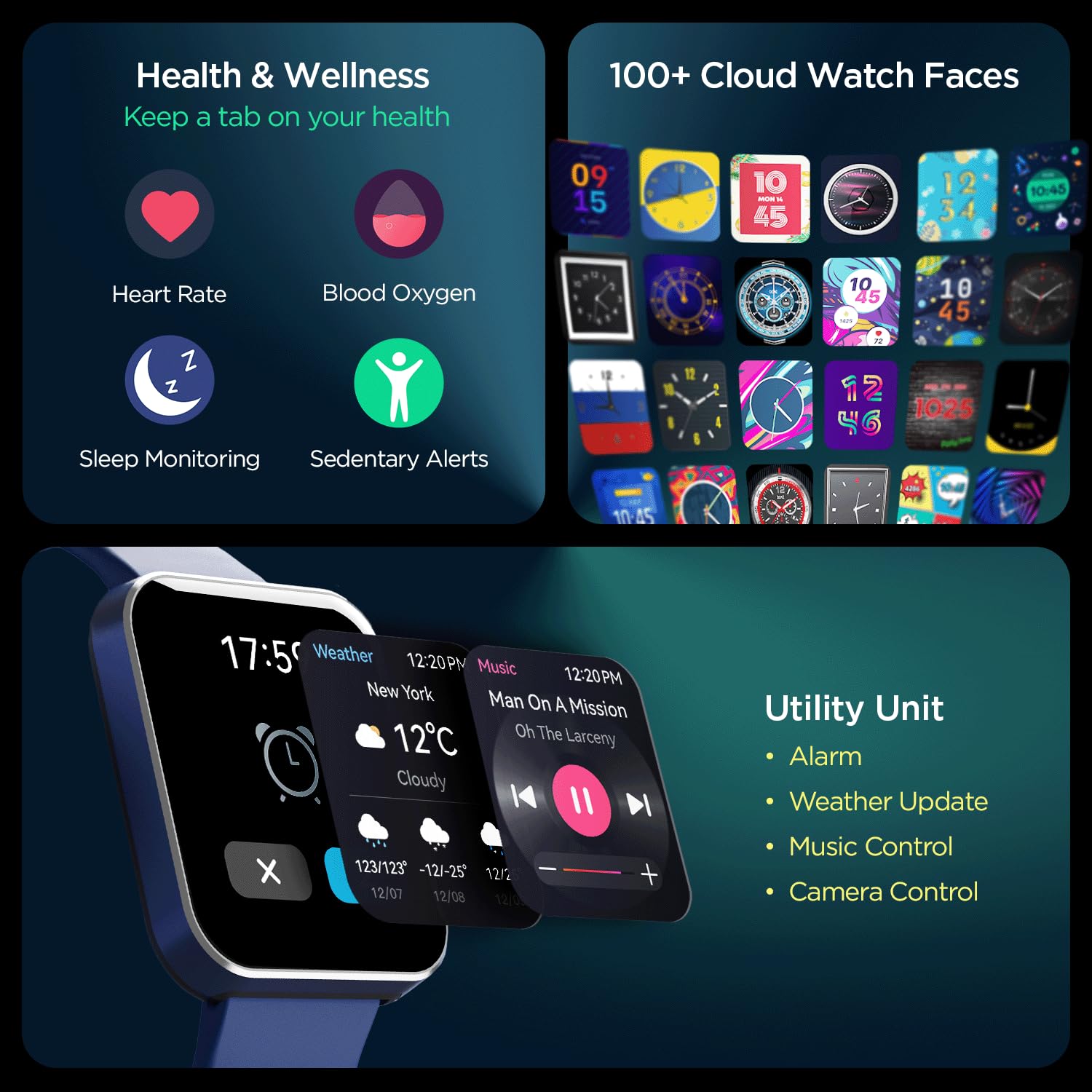
Сүрөт: комплекстүү view of the smartwatch's capabilities, including health tracking (heart rate, SpO2, sleep, sedentary alerts), a wide selection of watch faces, and practical utilities like weather, music, and camera control.
4.6 boAt Coins Integration
Earn rewards via boAt Coins on the boAt Crest App by engaging with your smartwatch and the ecosystem.

Image: The smartwatch paired with a smartphone showing the boAt Crest app interface, highlighting the boAt Coins reward system and available vouchers.
5. Техникалык тейлөө
- Тазалоо: Саатты жана боону жумшак, кургак чүпүрөк менен дайыма сүртүп туруңуз. өжөр кир үчүн, бир аз d колдонууamp чүпүрөк жана кылдат кургатуу.
- Суу каршылык: Refer to the product specifications for water resistance ratings. Avoid exposing the watch to hot water, steam, or high-pressure water jets.
- Заряддоо: Use only the provided charging cable. Avoid using damaged cables or chargers.
- Сактагыч: Саатты күн нурунан жана экстремалдык температурадан алыс салкын, кургак жерде сактаңыз.
6. Кыйынчылыктарды
6.1 Саат күйбөйт
- Саат толук заряддалганын текшериңиз. Аны заряддагычка кеминде 30 мүнөт туташтырыңыз.
- Мажбурлап кайра баштоо үчүн каптал баскычын 10-15 секунд басып туруңуз.
6.2 Жупташтыруу маселелери
- Смартфонуңузда жана саатыңызда Bluetooth иштетилгенин текшериңиз.
- Саат телефонуңуздун Bluetooth диапазонунда (адатта 10 метр) экенин текшериңиз.
- Смартфонуңузду да, акылдуу саатыңызды да өчүрүп күйгүзүңүз.
- Forget the device in your phone's Bluetooth settings and try pairing again through the boAt Crest app.
6.3 Ден соолук боюнча так эмес маалыматтар
- Саат билегиңизге бекем тагылганын, туурасы билек сөөгүнөн бир манжага жакын экенин текшериңиз.
- Keep the sensor clean and free from dirt or sweat.
- Айлана-чөйрөнүн факторлору жана жеке физиология сенсордун тактыгына таасир этиши мүмкүн экенин эске алыңыз.
7. Техникалык шарттар
| Өзгөчөлүк | Деталь |
|---|---|
| Бренд | кайык |
| Модель аты | Wave Flex Connect |
| Дисплей өлчөмү | 1.83 дюйм |
| Резолюция | 240 x 240 пиксель |
| Дисплей түрү | Санарип LCD |
| Жарыктык | 550 нитке чейин |
| Батареянын иштөө мөөнөтү | Up to 10 days (normal use), 30 days (standby), 3 days (with Bluetooth Calling) |
| Батарея түрү | Литий полимери |
| Байланыш | Bluetooth |
| Шайкеш түзмөктөр | Смартфон |
| Операция системасы | Smartwatch OS |
| Элемент Салмагы | 51 г |
| Өндүрүүчү | Imagine Marketing Limited. |
8. Кепилдик жана колдоо
8.1 Кепилдик маалыматы
Your boAt Wave Flex Connect Smart Watch comes with a 1 жылдык кепилдик from the date of purchase. Please retain your purchase receipt and the warranty card for any warranty claims. The warranty covers manufacturing defects and does not cover damage caused by misuse, accidents, unauthorized repairs, or normal wear and tear.
8.2 Кардарларды колдоо
For any queries, technical assistance, or warranty claims, please contact boAt customer support. You can find contact details on the official boAt webсайтына кириңиз же өнүмүңүздүн таңгагына кирген кепилдик картасын караңыз.
Manufacturer: Imagine Marketing Limited., info@imaginemarketingindia.com


