Model: Omega S
This manual provides detailed instructions for the safe and effective use of your Labelife Omega S Embossing Label Maker. Please read this manual thoroughly before operating the device to ensure proper function and longevity. This label maker is designed for creating embossed labels for various organizational and crafting needs without the use of batteries or ink.
Төмөндө тизмеленген нерселердин баары пакетиңизге камтылганын текшериңиз:

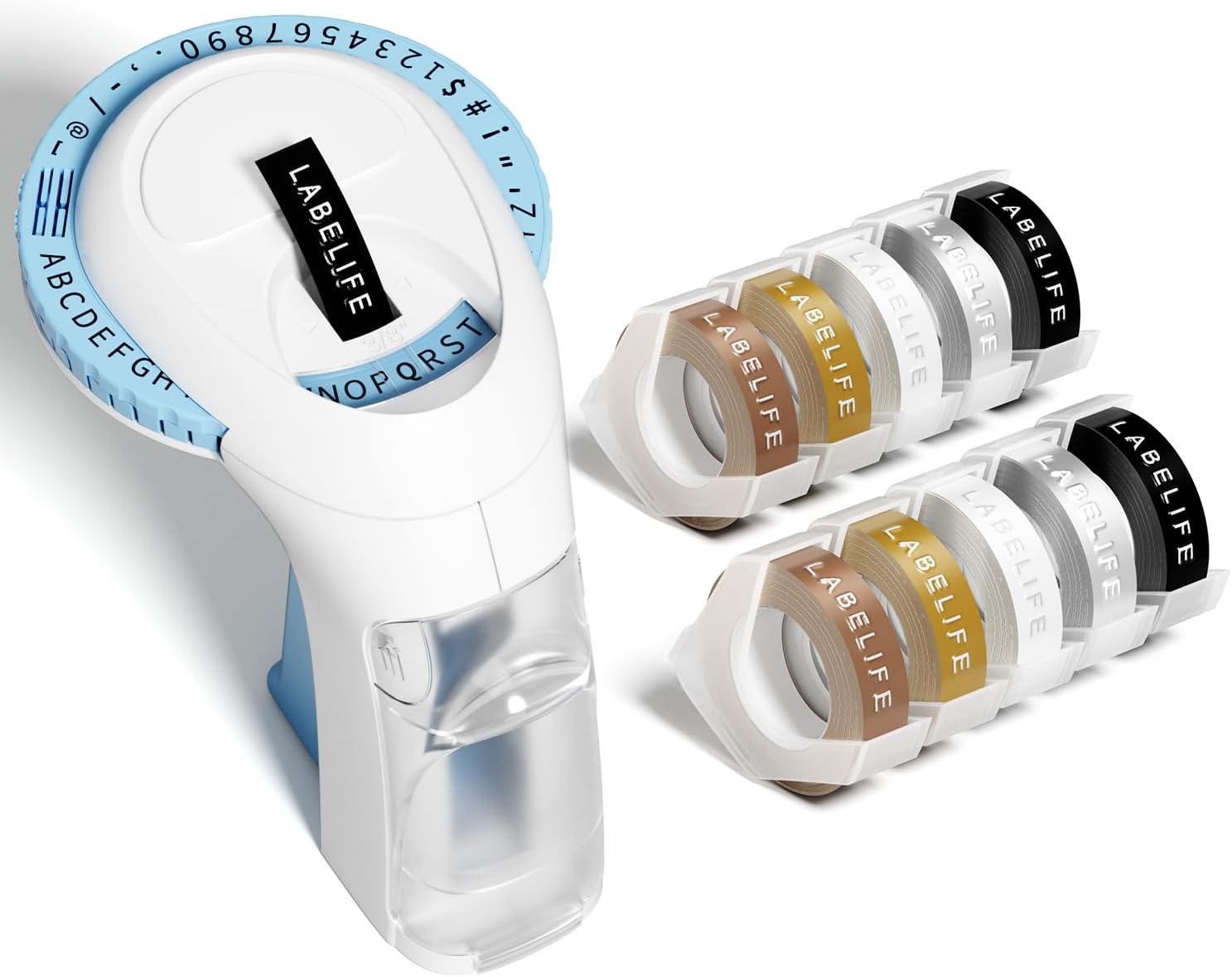
Image: The package contents, including the blue label maker, ten rolls of 9mm embossing tape in various colors, and a user manual.

Image: The label maker's character dial, highlighting the 48 available characters (A-Z, 0-9, and symbols) and the "Turn-and-Click" system.

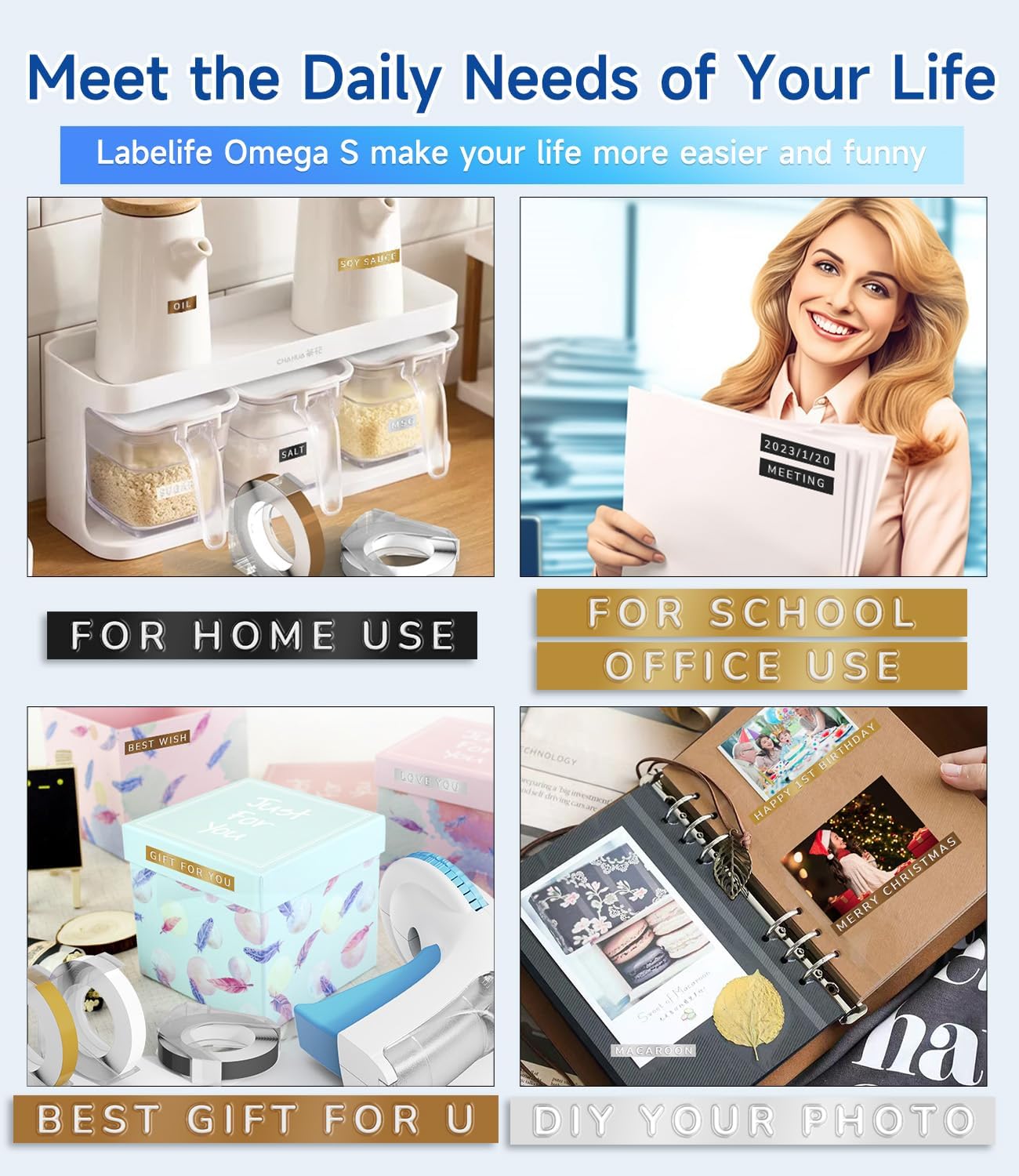
Image: Visual representation of the label tapes' properties, including easy peeling, 3D effect, water resistance, abrasion resistance, and strong adhesive.
| Бренд | Labellife |
| Модель аты | Omega S Embossing Label Maker |
| Басма технологиясы | Эмбоссация |
| Байланыш технологиясы | Manual |
| Максималдуу медиа өлчөмү | 9mm (3/8" Inches) |
| Принтердин сыя түрү | Сыя талап кылынбайт |
| Продукциянын өлчөмдөрү | 4.96 x 3.62 x 4.64 дюйм (D x W x H) |
| Элемент Салмагы | 11.3 унция |

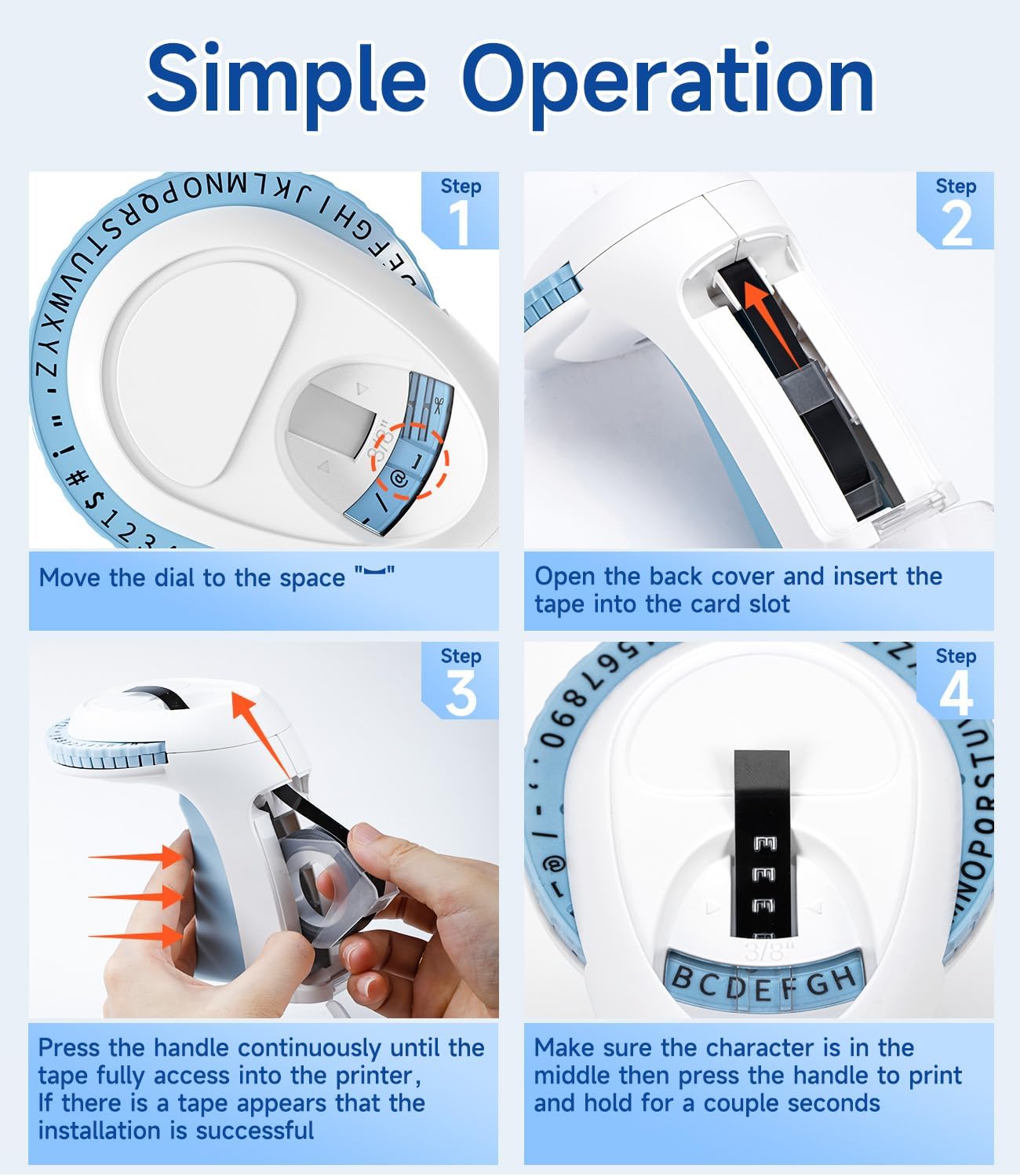
Image: Visual steps for loading the label tape, showing how to open the cover, insert the tape, and advance it by pressing the handle.

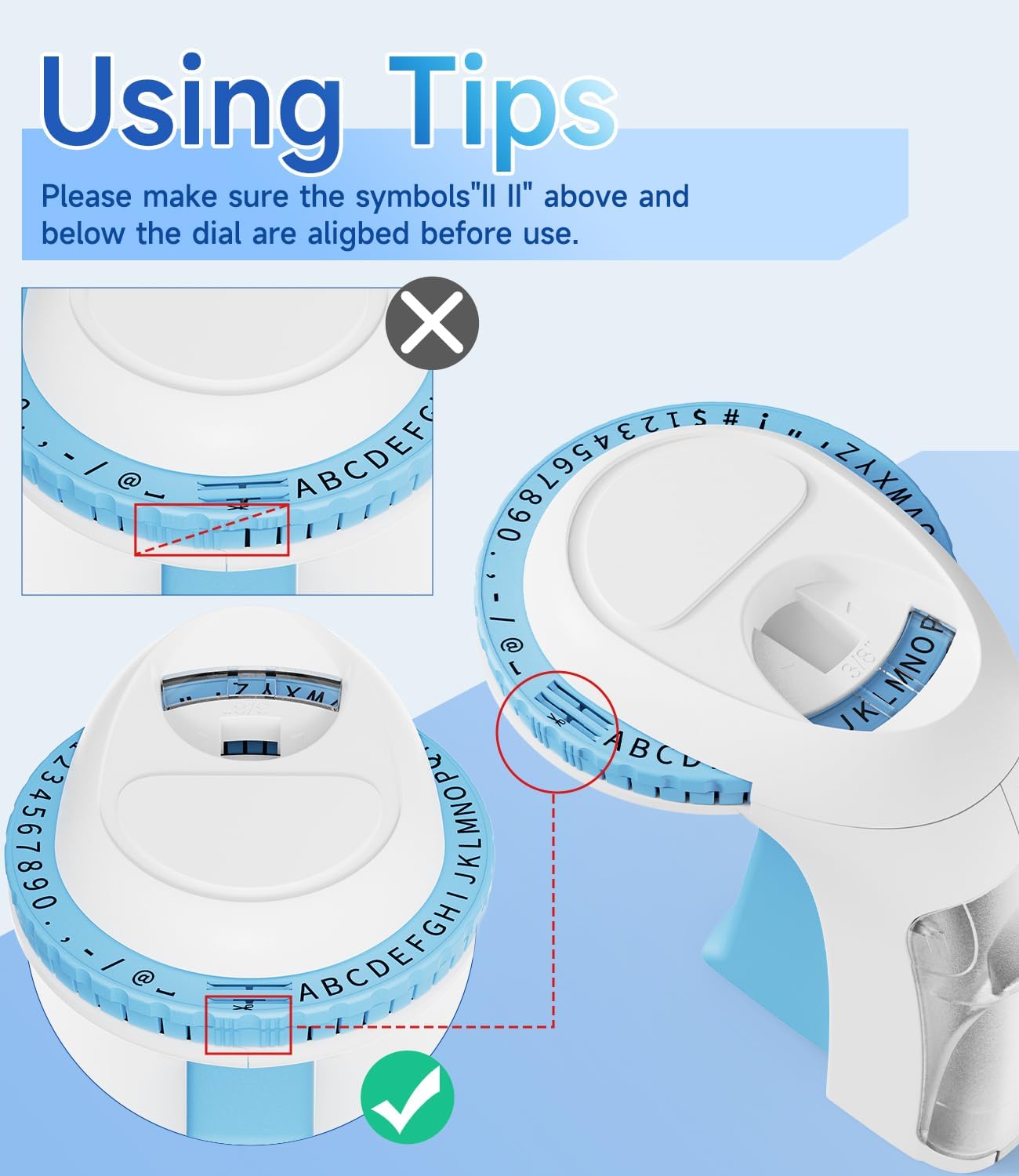
Сүрөт: деталдуу view of the character dial, illustrating the importance of aligning the indicator marks for accurate character embossing.
The Labelife Omega S Embossing Label Maker requires minimal maintenance. Follow these guidelines to ensure its longevity:
| Көйгөй | Мүмкүн себеп | Чечим |
|---|---|---|
| Characters are unclear or faint. | Insufficient pressure applied to the handle. | Press the handle more firmly and hold for a couple of seconds for each character. |
| Letters are not aligned or appear crooked. | Character dial not perfectly aligned before pressing. | Ensure the alignment marks on the dial are precisely matched with the indicator before pressing the handle for each character. |
| Тасма азыктанбайт же кептелбейт. | Tape incorrectly loaded or debris in the tape path. | Open the back cover, remove the tape, and check for any obstructions. Re-insert the tape carefully, ensuring it is seated correctly. |
| Label does not cut cleanly. | Insufficient pressure when cutting or cutter blade is dull. | Ensure the dial is set to the scissor symbol and press the handle firmly to cut. If the issue persists, contact customer support. |
| Difficulty peeling off the tape backing. | The pre-cut divider may not have been fully created. | The tapes are designed with pre-cut dividers for easier peeling. If difficulty occurs, try gently bending the label to separate the backing or use a sharp, thin object to start the peel from a corner. |
For warranty information or technical support, please refer to the documentation included with your purchase or contact Labelife customer service directly. Keep your purchase receipt as proof of purchase.
You can visit the official Labelife store for more information: Labelife Store
![]() |
Labelife Label Maker: Easy Label Tape орнотуу боюнча колдонмо Этап жасоочуга этикеткаларды кантип туура орнотуу керектиги боюнча Labelife компаниясынын комплекстүү колдонмосу, визуалдык кадам-кадам инструкциялары жана көйгөйлөрдү чечүү боюнча кеңештер. |
![]() |
M221 Көп функциялуу Portable Label Maker Колдонуучу колдонмосу M221 Көп функционалдуу Portable Label Maker үчүн колдонуучунун колдонмосу, продуктту киргизүү, баштоо, кагаз түрмөгүн алмаштыруу, энбелгилердин өлчөмдөрүн аныктоо, PC тиркемесин орнотуу, колдонмонун колдонуучу көрсөтмөсү, коопсуздук нускамалары, тазалоо жана тейлөө, оператор панелинин нускамалары жана ченемдик маалымат. |
![]() |
Labelife D210S колго кармалуучу этикетка принтеринин колдонуучу колдонмосу Labelife D210S колго кармалуучу этикетка принтеринин мүнөздөмөлөрүн, баштапкы орнотууларын, негизги колдонуусун, бузулууларды оңдоону жана кепилдик жөнүндө маалыматты камтыган кеңири колдонуучу колдонмосу. |
![]() |
Ыкчам баштоо колдонмосу: PM-241-BT этикетканын принтери PM-241-BT этикеткасы принтерин орнотуу жана колдонуу боюнча кыска нускама, орнотууну, мобилдик жана компьютердик байланышты жана басып чыгаруу нускамаларын камтыйт. |
![]() |
Labelife App Колдонуучунун колдонмосу: Басып чыгаруу жана энбелгилерди түзүү Labelife колдонмосу үчүн кеңири колдонуучу колдонмосу, принтерлерди кантип туташтыруу, PDFти басып чыгаруу боюнча кеңири маалымат fileс, энбелгилердин өлчөмүн ыңгайлаштырыңыз жана энбелгилерди түзүү үчүн өркүндөтүлгөн мүмкүнчүлүктөрдү колдонуңуз. |
![]() |
Labelife программасы: Bluetooth термикалык этикетка принтерин орнотуу боюнча колдонмо Labelife программасын колдонуп, Bluetooth аркылуу Labelife термикалык этикетка принтериңизди орнотуу жана туташтыруу боюнча этап-этабы менен көрсөтмө. Этикеткаларды кантип түзүүнү, кагаз жөндөөлөрүн конфигурациялоону жана басып чыгаруу үчүн Bluetooth байланышын кантип орнотууну үйрөнүңүз. |