1. Продукт бүтүп калдыview
The Codnida 3MP Security Camera is an advanced outdoor IP CCTV system designed for comprehensive surveillance. It offers high-definition 2K resolution, versatile night vision modes, and intelligent motion detection capabilities. This manual provides detailed instructions for installation, operation, and maintenance to ensure optimal performance of your security camera system.

Image: Two Codnida 3MP Security Cameras, illustrating the product design and dual antenna setup.
2. Пакеттин мазмуну
Орнотууну баштоодон мурун, пакетиңизде бардык компоненттер бар экенин текшериңиз:
- Codnida 3MP Security Camera (2 units for 2-pack)
- Кубат адаптери (шнурдуу электр)
- Монтаждоо бурамалар жана дубал сайгычтар
- User Manual
Note: An SD card (up to 128GB) is required for local storage and is not included in the package.
3. Орнотуу колдонмосу
3.1. Физикалык орнотуу
Камера дубалга орнотуу үчүн иштелип чыккан. Каалаган жерди тандаңыз viewing angle and is within reach of a power outlet. Ensure the mounting surface is stable and can support the camera's weight.
- Mark the drilling points using the camera's mounting bracket as a template.
- Белгиленген позицияларда тешиктерди бургула.
- Бургуланган тешиктерге дубал сайгычтарды салыңыз.
- Align the camera bracket with the holes and secure it using the provided screws.
- Камераны орнотулган кронштейнге бекем бекитиңиз.

Image: A Codnida security camera securely mounted on an outdoor wall, demonstrating proper installation.
3.2. Power Connection
Connect the camera to a power source using the provided corded electric adapter. The camera operates at 4 watts.

Image: The Codnida camera connected to its power adapter, ready for operation.
3.3. Колдонмону орнотуу жана Wi-Fi туташуусу
The camera connects to the CloudEdge APP via a 2.4GHz Wi-Fi connection (5GHz is not supported).
- Download the 'CloudEdge' app from your mobile device's app store (iOS or Android).
- Жаңы аккаунтка катталыңыз же сизде мурунтан эле бар болсо кириңиз.
- Follow the in-app instructions to add your new device. This typically involves powering on the camera and scanning a QR code displayed on your phone screen with the camera's lens.

Image: A smartphone displaying the CloudEdge app icon, indicating the application used for camera control.

Image: A hand holding a smartphone displaying a QR code, which is being scanned by the camera lens for initial setup.
3.4. SD картаны орнотуу
The camera supports local video and image storage on an SD card up to 128GB. The SD card slot is typically located under a protective cover on the camera body.
- Power off the camera before inserting or removing the SD card.
- Locate the SD card slot, usually covered by a rubber stopper or screw-on cap.
- Insert the SD card into the slot with the contacts facing the correct direction until it clicks into place.
- Коргоочу капкакты алмаштырыңыз.
- Power on the camera. You may need to format the SD card via the CloudEdge app for first-time use.

Image: A close-up of the camera showing the SD card slot and a microSD card being inserted, with icons for local and cloud storage.
4. Иштөө нускамалары
4.1. Түз эфир View жана PTZ Control
Access the live feed of your camera through the CloudEdge app. The camera features Pan-Tilt-Zoom (PTZ) functionality, allowing you to adjust the viewалыстан бурчу.
- Open the CloudEdge app and select your camera.
- Use the on-screen controls to pan horizontally up to 355° and tilt vertically up to 90°.

Image: A visual representation of the camera's 355-degree horizontal and 90-degree vertical PTZ capabilities, controlled via a smartphone app.
4.2. Эки тараптуу аудио
The built-in two-way intercom allows for real-time communication through the camera.
- Түз эфирден view in the CloudEdge app, tap the microphone icon to speak.
- Камеранын жайгашкан жеринен аудио угуу үчүн динамик сүрөтчөсүн таптаңыз.

Image: A delivery person at a door, with a speech bubble indicating two-way audio communication via the security camera.
4.3. Жаздыруу жана сактоо
The camera supports 24/7 recording and offers flexible storage options.
- SD карта сактагычы: Videos and images are stored locally on the inserted SD card (up to 128GB).
- Булуттагы сактагыч: A 7-day free trial of cloud storage is available. Subscription options may be available after the trial period.
- Жазылган footage via the 'History' or 'Cloud' sections within the CloudEdge app.

Image: A smartphone displaying the CloudEdge app interface with a video playback timeline, indicating 24/7 recording and options for cloud or TF card storage.
4.4. Түнкү көрүнүш
The camera provides both black and white infrared night vision and full-color night vision.
- Кара жана ак режим: Utilizes 4 infrared LEDs for clear 2K images in low light conditions, with a night vision range of up to 10 meters.
- Түс режими: Activates the built-in floodlight to capture crisp, full-color video even in complete darkness.
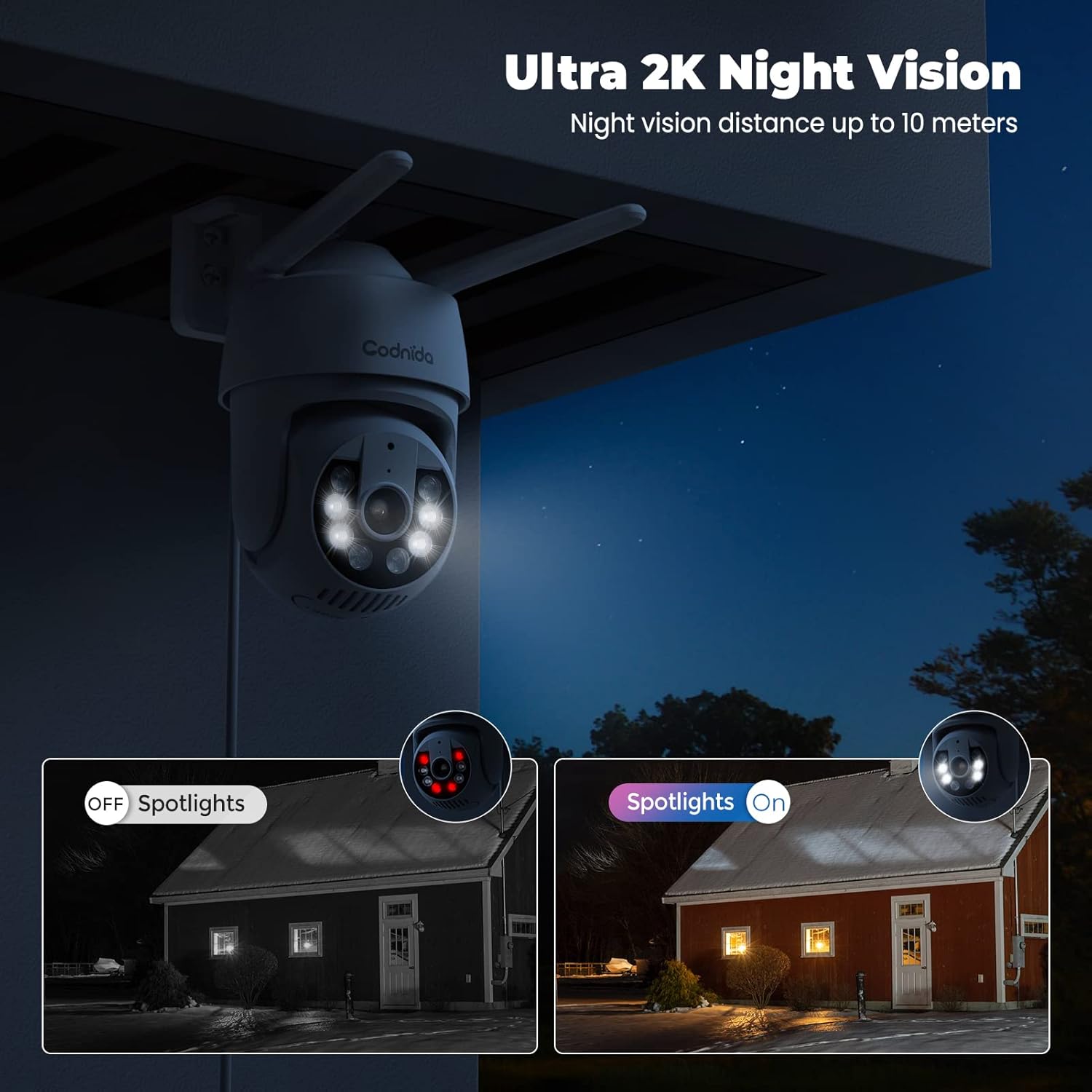
Image: A split image demonstrating the difference between spotlights off (infrared night vision) and spotlights on (color night vision) at night.
4.5. Smart Motion Detection and Alerts
The camera features a PIR human detection sensor to minimize false alarms and provide instant notifications.
- When human movement is detected, the camera will send an immediate notification to your phone.
- The camera can activate a sound alarm and/or light alarm to deter intruders.
- Customize detection areas within the app to focus on specific zones and reduce unnecessary alerts.
- The camera supports AI automatic tracking, following detected motion within its field of view.
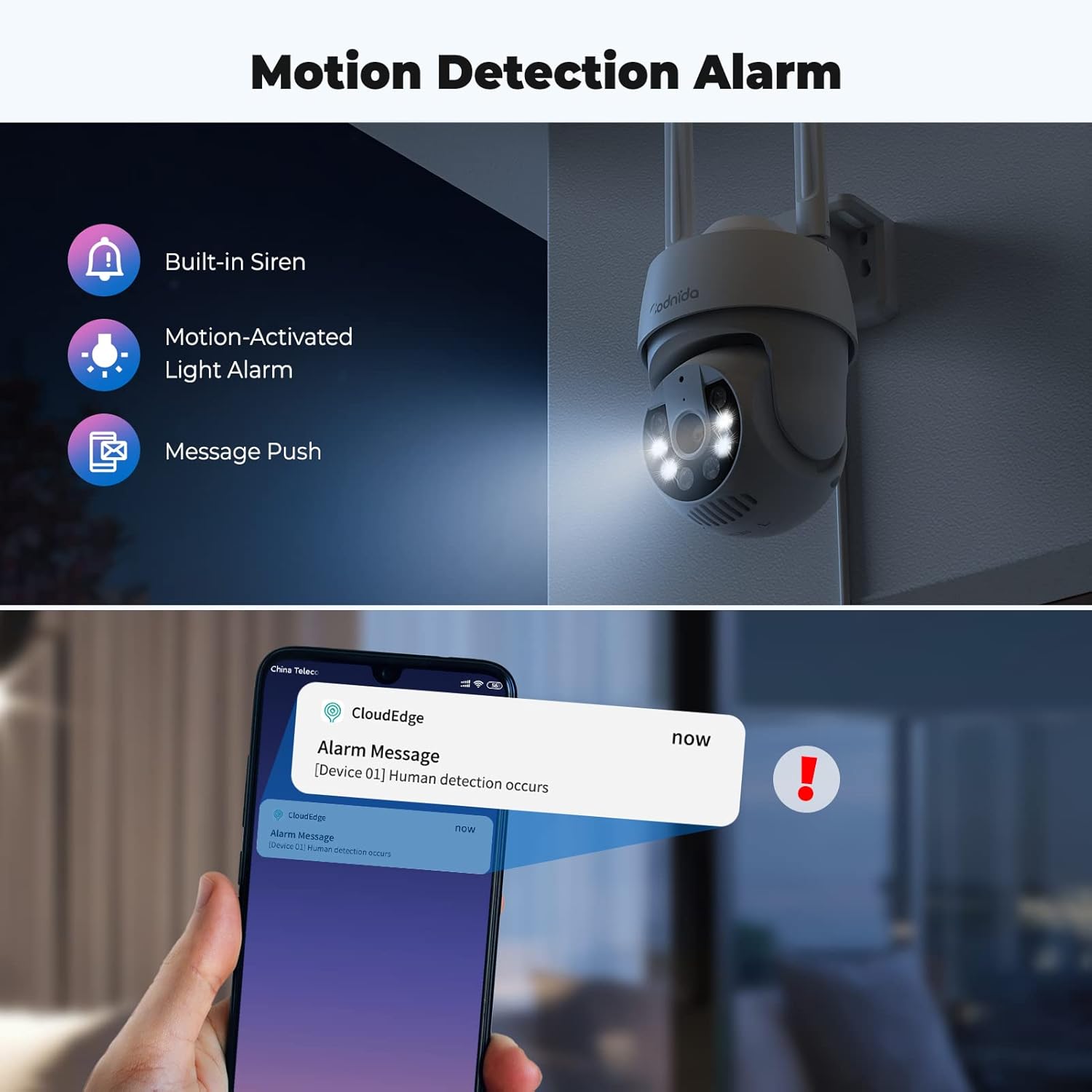
Image: An illustration showing the camera's motion detection alarm features, including a built-in siren, motion-activated light alarm, and push notifications to a smartphone.

Image: A visual demonstrating the AI automatic tracking feature, showing the camera following a child's movement across a yard.
4.6. Alexa Compatibility and Onvif Support
- The camera is compatible with Alexa, allowing for voice control and integration into your smart home system. Refer to the CloudEdge app or Alexa app for specific setup instructions.
- The camera supports Onvif, enabling integration with other Onvif-compliant network video recorders (NVRs) or surveillance systems.
5. Техникалык тейлөө
Regular maintenance ensures the longevity and optimal performance of your Codnida security camera.
- Тазалоо: Мезгил-мезгили менен камеранын линзасын жана корпусун жумшак, гamp Чаңды жана кирди кетирүү үчүн кездеме колдонуңуз. Абразивдүү тазалоочу каражаттардан же эриткичтерден алыс болуңуз.
- Программалык камсыздоонун жаңыртуулары: Check the CloudEdge app regularly for available firmware updates. Keeping the firmware updated ensures access to the latest features and security enhancements.
- Аба ырайын коргоо: The camera is IP66 weatherproof, designed to withstand rain, snow, and shine. However, ensure proper installation to prevent water accumulation around connections.
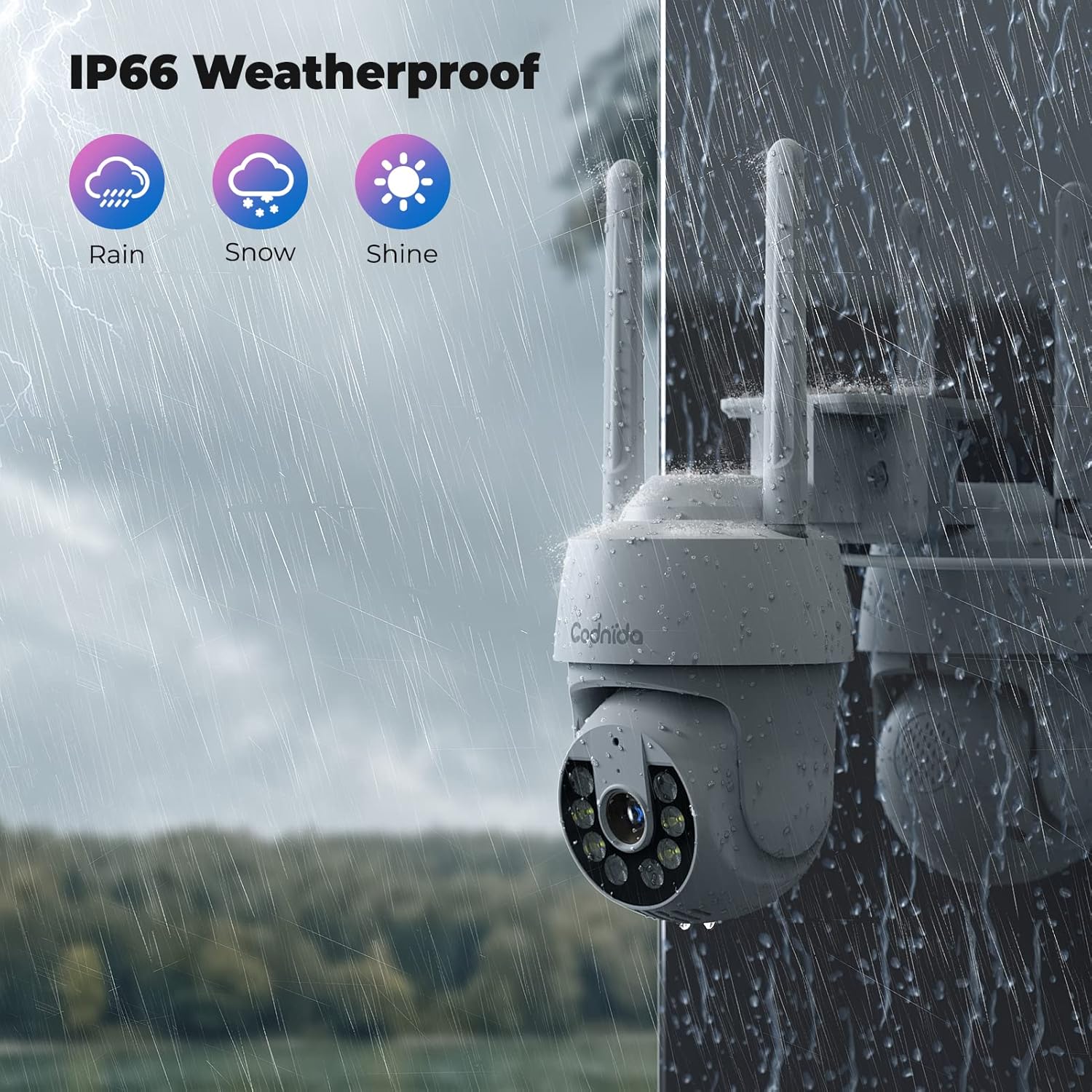
Image: A Codnida camera shown in a rainy environment, highlighting its IP66 weatherproof rating against rain, snow, and shine.
6. Кыйынчылыктарды
If you encounter issues with your Codnida security camera, refer to the following common problems and solutions:
| Көйгөй | Мүмкүн себеп | Чечим |
|---|---|---|
| Камера Wi-Fi'га туташпай жатат | Incorrect Wi-Fi password; 5GHz network used; camera too far from router; network congestion. | Ensure correct 2.4GHz Wi-Fi password. Move camera closer to router. Restart router and camera. |
| Видеонун сапаты начар же кечигүү | Weak Wi-Fi signal; network bandwidth issues; camera lens dirty. | Improve Wi-Fi signal strength. Reduce network traffic. Clean the camera lens. |
| Кыймылды аныктоо иштебей жатат же өтө көп жалган сигналдар | Incorrect sensitivity settings; detection area not configured; environmental factors (e.g., swaying trees). | Adjust PIR sensitivity in the app. Customize detection zones to exclude irrelevant areas. |
| Two-way audio issues (poor sound pickup) | Microphone obstruction; environmental noise; software glitch. | Ensure microphone is clear. Test in a quieter environment. Restart camera. |
| Камера PTZ башкаруу элементтерине жооп бербей жатат | Weak Wi-Fi signal; temporary app/camera glitch. | Check Wi-Fi connection. Restart the CloudEdge app and camera. |
| SD карта жаздырылбай жатат | SD card full; not formatted; faulty card; incorrect recording settings. | Check SD card capacity. Format the SD card via the app. Ensure recording settings are enabled. Replace faulty card if necessary. |
For further assistance, please refer to the CloudEdge app's help section or contact Codnida customer support.
7. Техникалык шарттар
| Өзгөчөлүк | Деталь |
|---|---|
| Модель аты | Q30 |
| Ички/тышкы колдонуу | Тышкы, ички |
| Power Source | Электр зымдары |
| Connectivity Protocol | Wi-Fi (2.4 ГГц гана) |
| Controller Type | CloudEdge колдонмосу |
| Монтаж түрү | Дубалга орнотуу |
| Видео тартуунун резолюциясы | 3 МП (2К) |
| Каналдардын саны | 2 (for 2-pack) |
| Форма фактору | Купол |
| Түнкү көрүү диапазону | 10 метр |
| Материал | Пластик |
| Ватtage | 4 ватт |
| Элементтин өлчөмдөрү (L x W x Y) | 50 x 50 x 50 миллиметр |
| Сууга туруктуулук деңгээли | Суу өткөрбөйт (IP66) |
| Өзгөчөлүктөр | 2 Way Audio, HD Resolution, Color Night Vision, PIR Human Detection, PTZ (355° Pan, 90° Tilt), Alexa Compatible, Onvif Support |
| Сактагыч параметрлери | SD карта (128 ГБ чейин), булут сактагычы |
| Элемент Салмагы | 1.15 кг |
8. Кепилдик жана колдоо
For information regarding product warranty, please refer to the purchase documentation or contact Codnida directly through their official website or the seller from whom you purchased the product. Codnida is committed to providing high-quality security cameras and offers professional customer support to resolve any product issues.
For technical support or inquiries, please visit the Codnida official website or use the support features within the CloudEdge application.


