Introduction
This manual provides comprehensive instructions for the setup, operation, maintenance, and troubleshooting of your SABLUTE KL3 PRO Wireless Keyboard and Mouse Combo. Please read this manual thoroughly before using the product to ensure optimal performance and longevity.
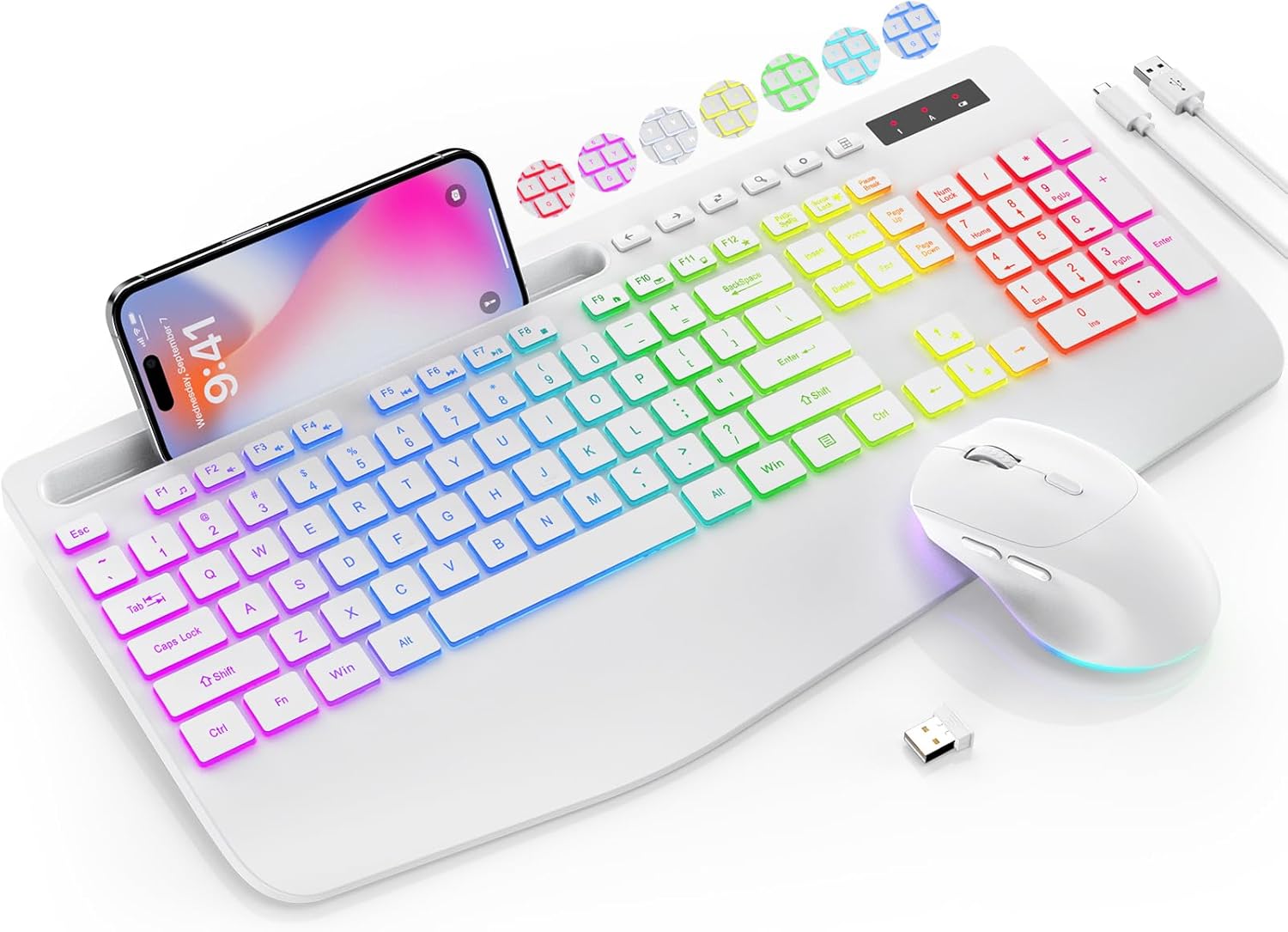
Image: The SABLUTE KL3 PRO Wireless Keyboard and Mouse Combo, featuring a full-size keyboard with a phone holder, a wireless mouse, and a USB receiver.
Пакеттин мазмуну
Пакетти ачканда, төмөнкү нерселердин бардыгы камтылганын текшериңиз:
- SABLUTE KL3 PRO Wireless Keyboard
- SABLUTE зымсыз чычкан
- 2.4G USB кабыл алгыч (донгл)
- USB Type-C кубаттоочу кабель
- Колдонуучунун Колдонмосу (бул документ)

Image: The SABLUTE KL3 PRO keyboard and mouse, along with the USB receiver and charging cables, as they appear in the package.
Орнотуу нускамалары
1. Түзмөктөрдү заряддоо
Both the keyboard and mouse are rechargeable. Before initial use, it is recommended to fully charge both devices.
- Connect the provided USB Type-C charging cable to the charging port on the keyboard and mouse.
- Кабелдин экинчи учун USB кубат булагына сайыңыз (мисалы, компьютердин USB порту, USB дубал адаптери).
- Charging typically takes 2-3 hours for a full charge. The indicator light will change to show charging status.
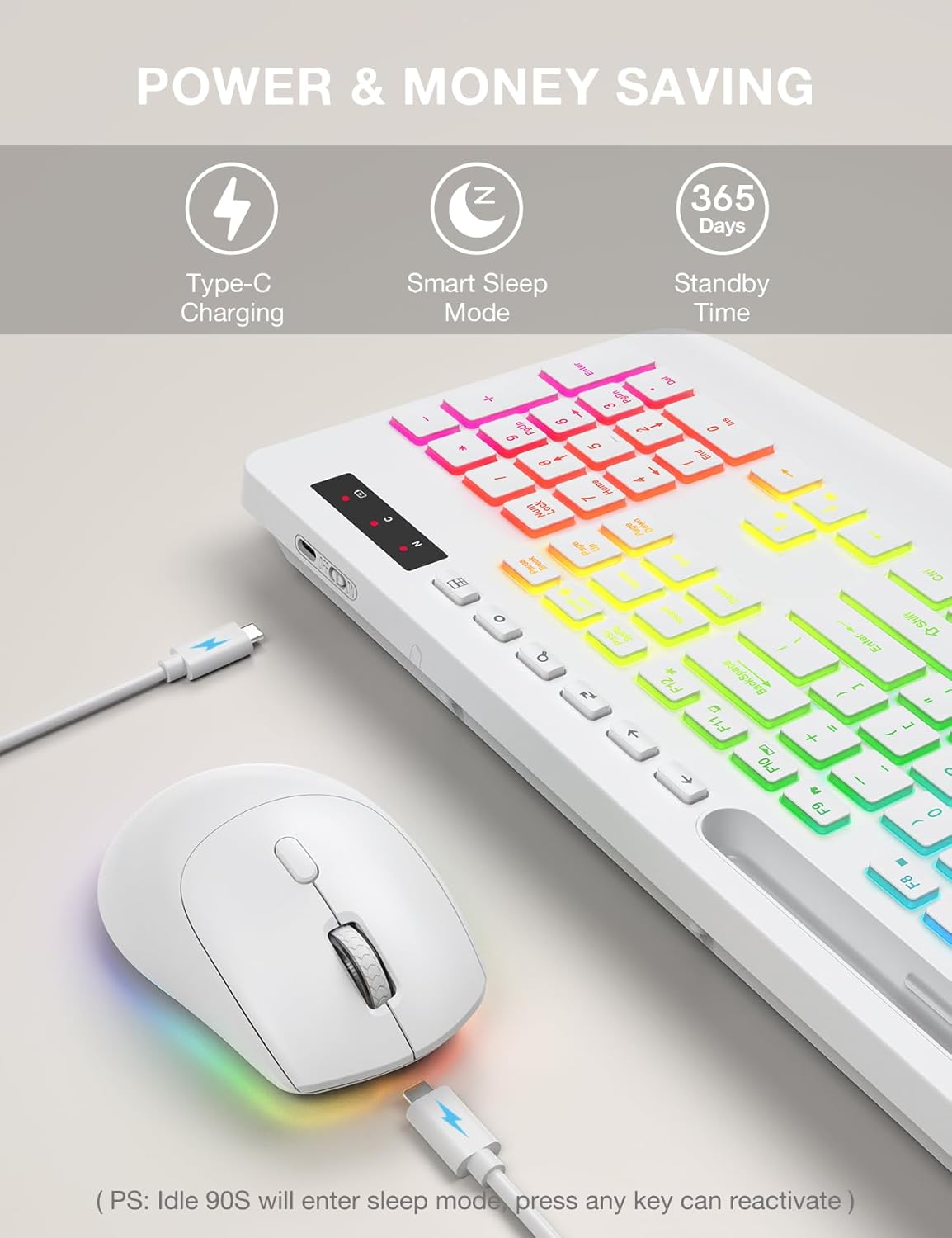
Image: The SABLUTE keyboard and mouse connected to charging cables, illustrating the Type-C charging ports.
2. Түзмөгүңүзгө туташуу
The SABLUTE KL3 PRO combo uses a 2.4G wireless connection via a single USB receiver.
- Locate the 2.4G USB receiver. It is typically stored in the mouse's battery compartment or within the product packaging.
- Plug the USB receiver into an available USB-A port on your computer or laptop.
- Клавиатура менен чычканды күйгүзүңүз, алардын тиешелүү кубат которгучтары.
- The devices should connect automatically within seconds. No additional drivers are usually required for most operating systems.
Шайкештик: This combo is compatible with Windows, Chrome OS, Linux, and Mac devices. Please note that multimedia keys may have limited functionality on Mac operating systems.
Маанилүү эскертүү: A USB-C dongle is not included. This keyboard and mouse combo cannot connect directly to tablets or phones without a compatible USB-A adapter (not included).

Image: The keyboard and mouse operating wirelessly with a laptop and monitor, demonstrating the 2.4G wireless connectivity and plug-and-play setup.
Иштөө нускамалары
Баскычтоптун өзгөчөлүктөрү
- Арткы жарык эффекттери: Choose from 7 solid colors and 1 rainbow backlight color. There are 3 distinct backlight modes available.
- Жарыкты башкаруу:
- Басыңыз Fn + PrtSc/SysRq арткы жарыкты күйгүзүү же өчүрүү үчүн.
- Басыңыз Fn + Scroll Lock to switch between different backlight modes.
- Басыңыз Fn + Өйдө жебе or Fn + Төмөн жебе to adjust the backlight brightness (3 levels).
- Эргономикалык билек эс алуу: The keyboard features an extra-wide 2.8-inch wrist rest designed to reduce wrist fatigue during extended use.
- Интегралдык телефон кармагыч: A built-in holder accommodates devices up to 11.9 inches, allowing for convenient multitasking.
- Мультимедиа ачкычтары: Access 6 one-touch media keys and F1-F12 shortcuts for streamlined daily tasks.
- Тынч терүү: The keyboard is designed for silent operation, minimizing disturbance in shared environments.
- Low-Profile Баскыч капкактары: Features 1mm low-profile keycaps for easier cleaning and quieter typing.

Image: Illustration of the keyboard's 7 color options and the key combinations for controlling backlight on/off, mode switching, and brightness adjustment.
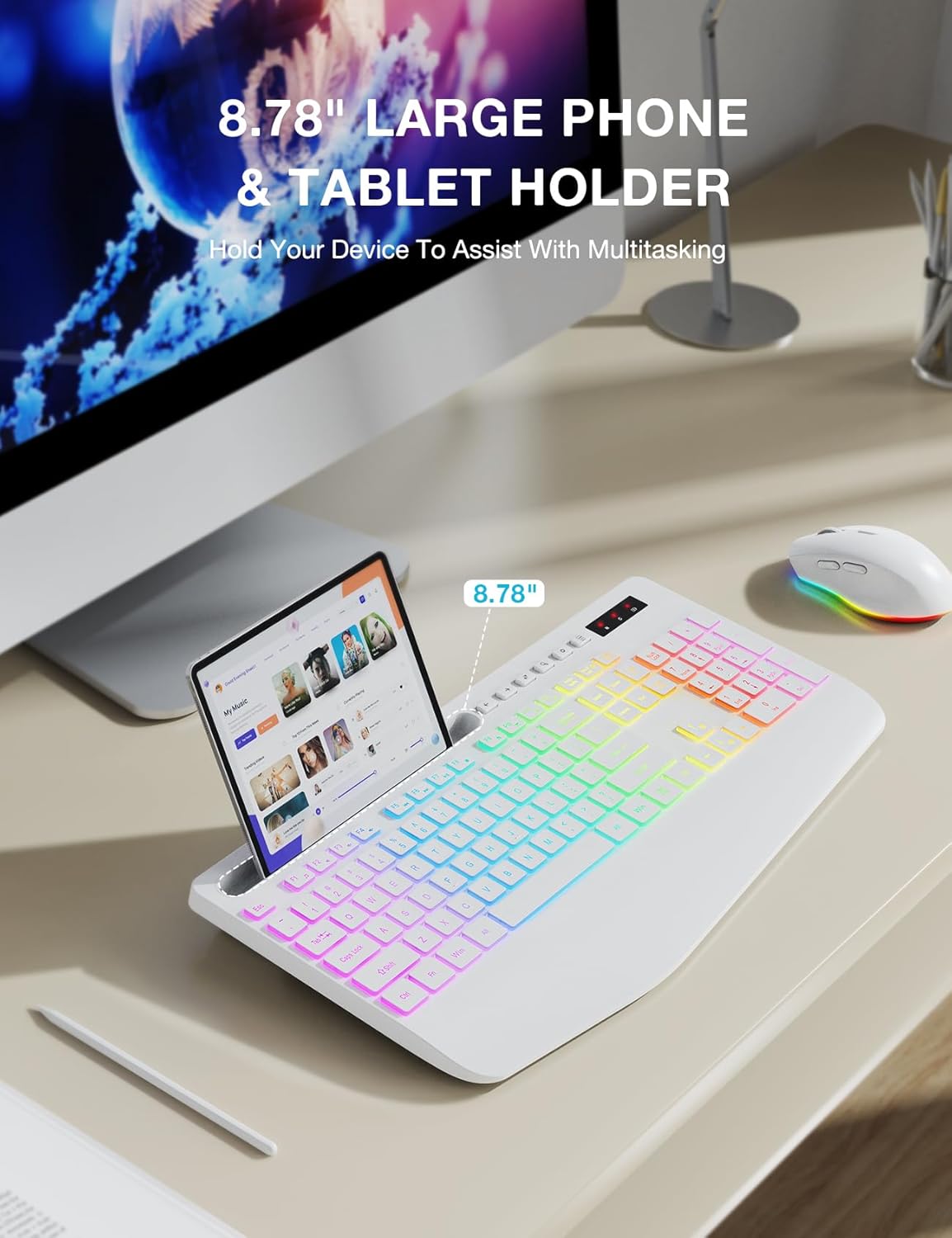
Image: The keyboard displaying a phone securely placed in its integrated holder, highlighting the 8.78-inch capacity for multitasking.
Чычкан өзгөчөлүктөрү
- 6 баскычтуу дизайн: Includes standard left/right click, scroll wheel, DPI button, and forward/backward buttons for enhanced navigation.
- Жөнгө салынуучу DPI: Cycle through 3 DPI levels (800/1200/1600) to adjust tracking speed for different tasks.
- Quiet Clicking: The mouse is designed for silent clicks, providing a quiet working environment.
- Арткы жарык эффекттери: Features 15 light effects that can be switched or turned off.

Сүрөт: деталдуу view of the SABLUTE wireless mouse, labeling its 6 buttons including the scroll wheel, left/right click, DPI button, and forward/backward buttons.
Power Management
The SABLUTE KL3 PRO combo is designed with energy-saving features to extend battery life.
- Акылдуу уйку режими: If idle for 90 seconds, the devices will enter a smart sleep mode to conserve power. Press any key on the keyboard or move the mouse to reactivate.
- Узак күтүү убактысы: With the backlight off, the devices can achieve up to 365 days of standby time on a full charge.

Image: An illustration highlighting the energy-saving features of the SABLUTE keyboard and mouse, including 365 days standby time and smart sleep mode activation after 90 seconds of inactivity.
Техникалык тейлөө жана кам көрүү
To ensure the longevity and optimal performance of your SABLUTE KL3 PRO combo, follow these maintenance guidelines:
- Тазалоо: Тергичтин жана чычкандын беттерин сүртүү үчүн жумшак, кургак чүпүрөктү колдонуңуз. өжөр кир үчүн, бир аз гamp жумшак самын менен кездеме колдонсо болот, бул аппаратка суюктук кирбесин.
- Клавиатураны тазалоо: Төмөн профессионалfile keycaps are designed for easier cleaning. Use compressed air to remove debris from between keys.
- Сактагыч: Түзмөктөрдү күн нурунан жана экстремалдык температурадан алыс салкын, кургак жерде сактаңыз.
- Суюктуктардан алыс болуңуз: Do not expose the keyboard or mouse to excessive moisture or liquids.
- Этияттык менен мамиле кылуу: Түзмөктөрдү түшүрүүдөн же катуу таасирлерге дуушар кылуудан качыңыз.
Проблемаларды чечүү
If you encounter any issues with your SABLUTE KL3 PRO combo, please refer to the following common solutions:
| Көйгөй | Мүмкүн чечим |
|---|---|
| Баскычтоп/чычкан жооп бербей жатат |
|
| Кечигүү же кечигүү менен жооп берүү |
|
| Арткы жарык иштебейт |
|
| Missing USB receiver |
|
| Devices enter sleep mode too quickly |
|
Техникалык шарттар
| Өзгөчөлүк | Деталь |
|---|---|
| Модель номери | KL3 PRO |
| Продукциянын өлчөмдөрү | 16.85 x 8.46 x 1.38 дюйм |
| Элемент Салмагы | 2 фунт |
| Батареялар | 1 Литий Металл батарейкасы талап кылынат (кошулган) |
| Байланыш технологиясы | 2.4G USB зымсыз |
| Өзгөчөлүктөр | 3-level DPI, Backlit, Ergonomic Wrist Rest, Phone Holder, Shortcut Keys, Low-profile клавиатура |
| Шайкеш түзмөктөр | Персоналдык компьютер, ноутбук |
| Өндүрүүчү | SABLUTE |
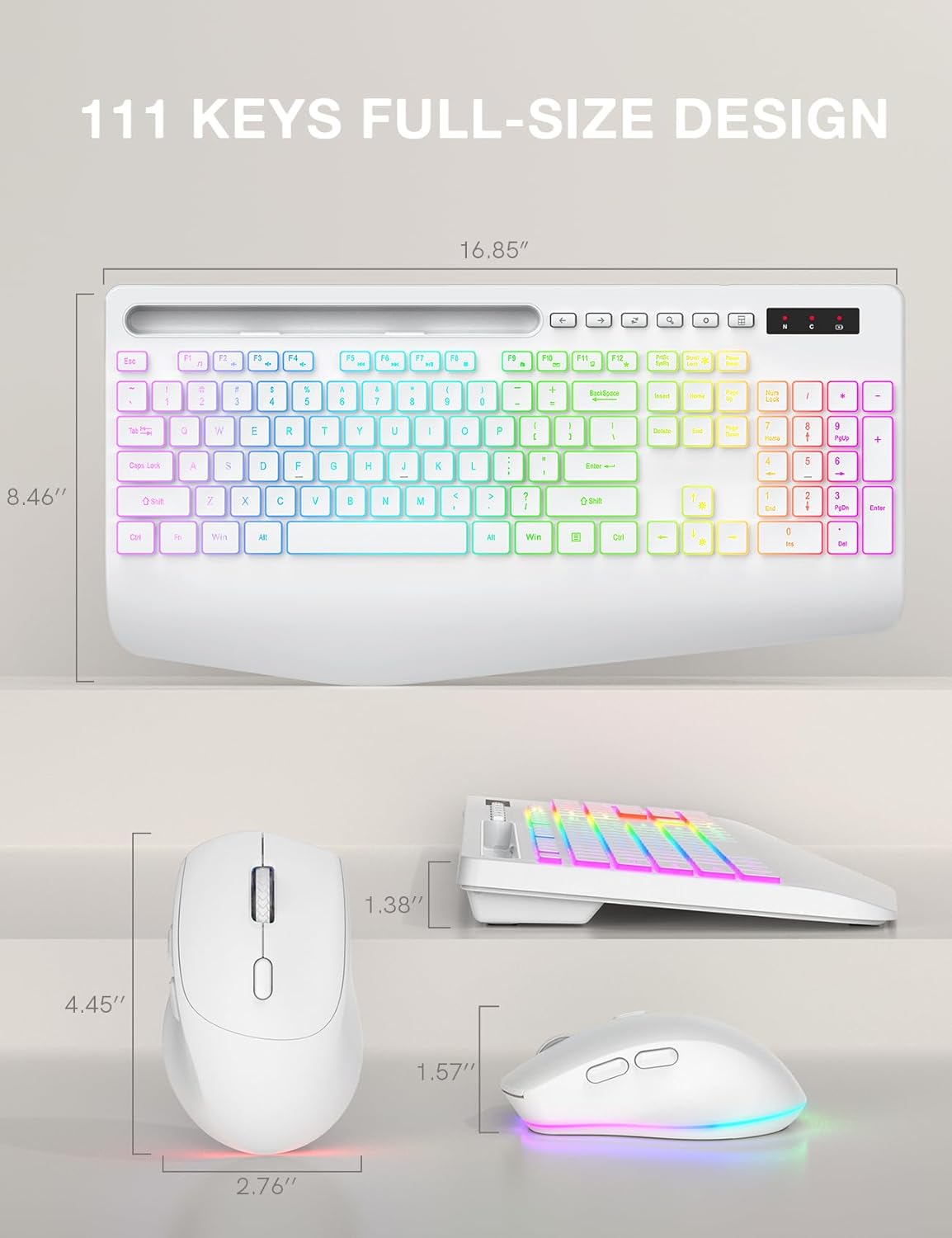
Image: Technical drawing showing the dimensions of the SABLUTE KL3 PRO keyboard and mouse.
Кепилдик жана колдоо
SABLUTE is committed to providing quality products and customer satisfaction. Your KL3 PRO Wireless Keyboard and Mouse Combo comes with the following support:
- 90 күндүк алмаштыруу: For any manufacturing defects or issues within 90 days of purchase.
- Өндүрүүчүнүн 360 күндүк кепилдиги: Сатып алынган күндөн тартып 360 күндүн ичинде материалдардын жана жасалгалоодогу кемчиликтерди жабат.
Колдоо кызматы менен байланышыңыз
For pre-sales questions, troubleshooting assistance, accessory reissue, or returns and exchanges, please contact us:
- Электрондук почта колдоо: sabluteservices@outlook.com
- Телефон аркылуу колдоо (АКШ): +1-888-858-1618 (Monday-Friday, 9 AM - 1 PM PST, 2 PM - 6 PM PST)


