1. Киришүү
SHIDU үнүн тандаганыңыз үчүн рахмат Amplifier Model 2023-308. This portable PA system is designed to amplify your voice clearly, making it ideal for teachers, tour guides, trainers, and public speakers. It supports various audio playback options including Bluetooth, TF card, and U-Disk. Please read this manual carefully to ensure proper use and optimal performance of your device.
2. Пакеттин мазмуну
Сураныч, пакетте төмөнкү нерселерди текшериңиз:
- SHIDU Voice Ampкөтөргүч бирдиги
- Зымдуу микрофон гарнитура
- USB заряддоо кабели
- Adjustable Waist/Shoulder Strap
3. Продукт бүтүп калдыview
The SHIDU 2023-308 Voice Amplifier is a compact and lightweight device designed for clear voice amplification and versatile audio playback.
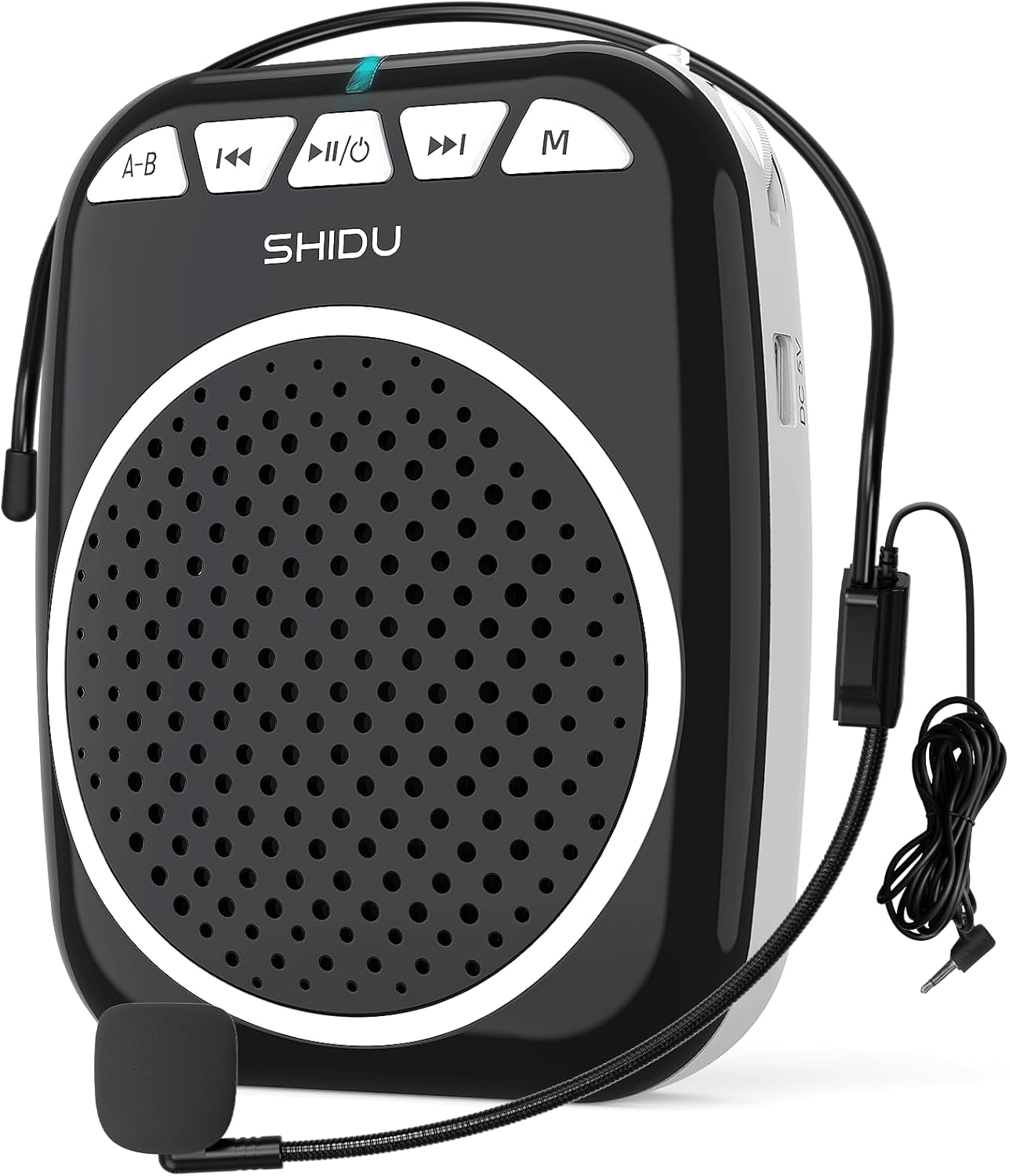
1-сүрөт: SHIDU үнү Amplifier Model 2023-308 with wired microphone headset.
Негизги өзгөчөлүктөрү:
- Таза үн Ampжашоо: Projects voice clearly to audiences of up to 120 people.
- Жеңил жана портативдик: Weighs approximately 0.3 pounds (10.5 ounces) for easy transport.
- Көп функциялуу ойнотуу: Supports Bluetooth, TF card, and U-Disk for music playback.
- Батареянын узак иштөө мөөнөтү: Built-in rechargeable battery provides up to 7.5 hours of ampжашоо.
- Туруктуу курулуш: Made from Acrylonitrile Butadiene Styrene (ABS).

Figure 2: Illustration of the voice amplifier's coverage area and audience capacity.
4. Компонентти идентификациялоо

3-сүрөт: алдыңкы жана каптал viewнын с amplifier with labeled ports and buttons.
- A-B / Repeat Key: Used for repeating sections in audio playback.
- Мурунку трек баскычы: Navigates to the previous audio track.
- Power On/Off & Play/Pause Button: Controls power and audio playback.
- Кийинки трек баскычы: Navigates to the next audio track.
- Режим баскычы (M): Switches between Bluetooth, TF Card, U-Disk, and AUX modes.
- Индикатор жарыгы: Displays device status (e.g., charging, power on, Bluetooth pairing).
- TF карта уячасы: Аудио ойнотуу үчүн TF (Micro SD) картасын салыңыз.
- USB слоту: Insert a U-Disk (USB flash drive) for audio playback.
- Mic Slot: Connect the wired microphone headset.
- DC 5V заряддоо порту: USB кубаттоо кабелин туташтырыңыз.
- Үндү көзөмөлдөө: Rotary knob for adjusting ampлификация көлөмү.
- Артка клип: Тиркелүү үчүн ampкөтөргүчтү курга же чөнтөккө салыңыз.
5. Орнотуу нускамалары
5.1. Аппаратты заряддоо
- Connect the small end of the USB charging cable to the DC 5V Charging Port on the ampөмүрлүү.
- USB кабелинин экинчи учун стандарттуу USB кубат адаптерине (кошумча эмес) же компьютердин USB портуна туташтырыңыз.
- The indicator light will illuminate during charging. It typically takes 2-4 hours for a full charge.
- A full charge provides approximately 7.5 hours of amplification time.
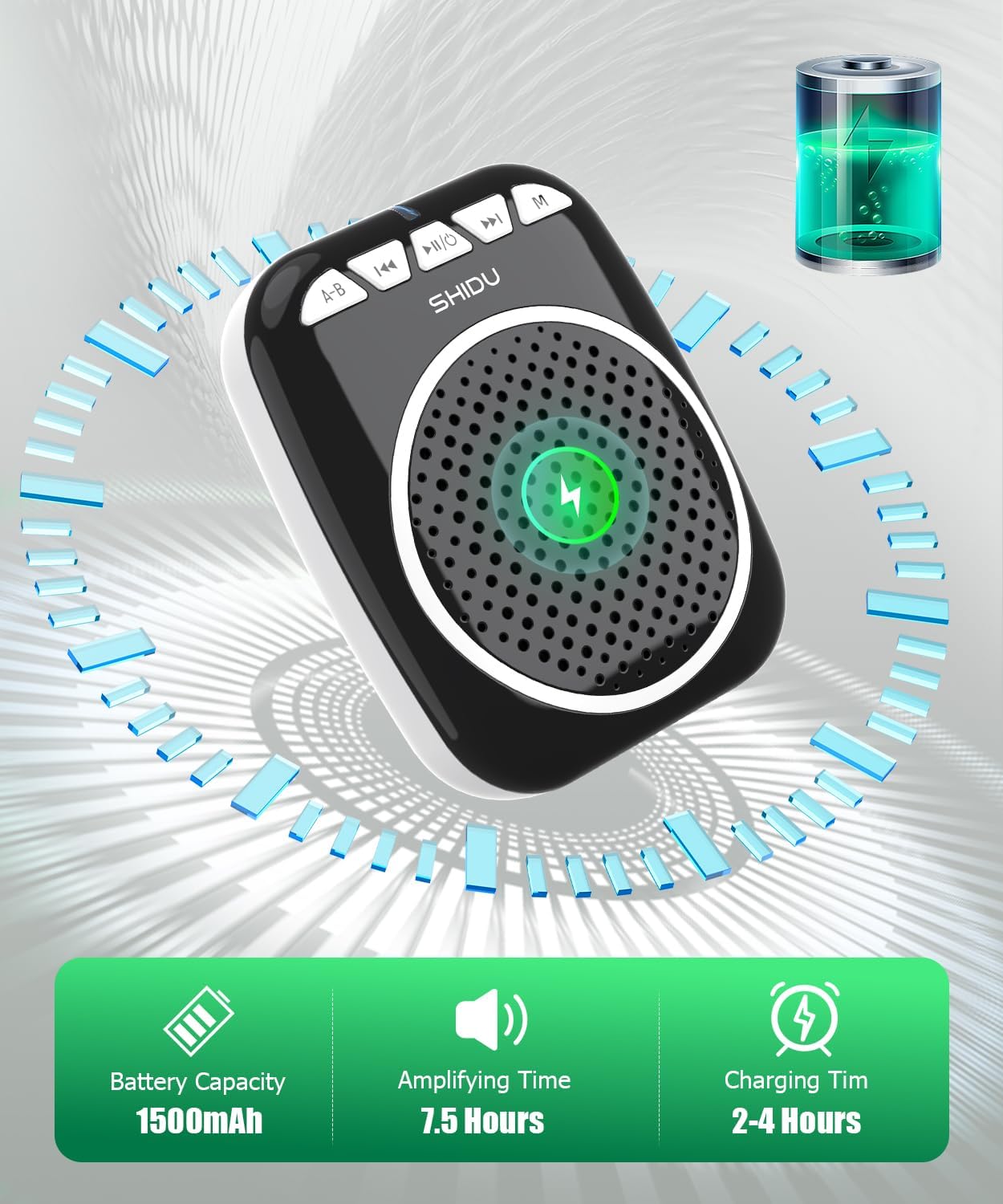
Figure 4: Battery capacity, amplifying time, and charging time information.
5.2. Микрофонду туташтыруу
- Insert the 3.5mm jack of the wired microphone headset into the Mic Slot on the ampөмүрлүү.
- Position the microphone headset comfortably on your head, ensuring the microphone is close to your mouth for optimal voice pickup.
5.3. кийүү Ampөмүрлүү
The amplifier can be carried in multiple ways:
- Артка клип: тиркөө amplifier to your belt or pocket using the integrated back clip.
- Waist Strap: Use the adjustable strap to wear the amplifier around your waist.
- Shoulder/Neck Strap: Use the adjustable strap to hang the amplifier over your shoulder or neck.

Figure 5: Demonstrates various carrying options for the voice ampөмүрлүү.
6. Иштөө нускамалары
6.1. Күйгүзүү/өчүрүү
- Күйгүзүү үчүн: басып, кармап туруңуз Power On/Off & Play/Pause button for a few seconds until the indicator light illuminates.
- Өчүрүү үчүн: басып, кармап туруңуз Power On/Off & Play/Pause button again for a few seconds until the indicator light turns off.
6.2. Үн Ampжашоо
- Ensure the microphone headset is securely connected to the Mic Slot.
- Кубат күйгүзүлдү ampөмүрлүү.
- Акырындык менен айлантыңыз Үндү көзөмөлдөө knob to increase the volume to your desired level.
- Микрофонго так сүйлө.
- Эскертүү: To avoid feedback, keep the microphone away from the speaker and avoid pointing the microphone directly at the speaker.
6.3. Bluetooth режими
- Кубат күйгүзүлдү ampөмүрлүү.
- басыңыз Режим (M) button until you hear a voice prompt indicating "Bluetooth Mode" or see the indicator light flashing blue.
- On your device (smartphone, tablet, computer), enable Bluetooth and search for "SHIDU" or "2023-308".
- тандаңыз amplifier from the list to pair. Once paired, you will hear a confirmation sound, and the indicator light will turn solid blue.
- Эми сиз түзмөгүңүздөн аудиону ойното аласыз ampкөтөргүч. колдонуу Мурунку трек, Ойнотуу/Тыныгуу, жана Кийинки трек ойнотууну башкаруу үчүн баскычтар.

Figure 6: Seamless Bluetooth connectivity with various devices.
6.4. TF Card / U-Disk Playback
- Кубат күйгүзүлдү ampөмүрлүү.
- Insert a TF (Micro SD) card into the TF карта уячасы or a U-Disk into the USB уячасы.
- The amplifier will automatically detect the storage device and begin playing audio fileс. Болбосо, басыңыз Режим (M) туура режимге которуу үчүн баскычты басыңыз.
- колдонуу Мурунку трек, Ойнотуу/Тыныгуу, жана Кийинки трек ойнотууну башкаруу үчүн баскычтар.
- басыңыз A-B / Repeat Key to repeat the current track or a specific section.
7. Техникалык тейлөө
- Тазалоо: Аппаратты жумшак, кургак чүпүрөк менен сүртүңүз. Абразивдүү тазалагычтарды же эриткичтерди колдонбоңуз.
- Сактагыч: сактаңыз ampтүз күндүн нурунан жана экстремалдык температурадан алыс салкын, кургак жерде liifier.
- Батареяга кам көрүү: Батареянын иштөө мөөнөтүн узартуу үчүн, аппаратты тез-тез колдонбосо дагы, дайыма заряддаңыз. Батареяны узак убакытка толук зарядсыздандырбаңыз.
- Микрофонго кам көрүү: Handle the wired microphone headset gently. Avoid bending the cable sharply or exposing it to excessive moisture.
8. Кыйынчылыктарды
| Көйгөй | Мүмкүн себеп | Чечим |
|---|---|---|
| Үн жок ampөмүрлүү. | Device is off; volume is too low; microphone not connected properly; battery is low. | Ensure device is powered on. Increase volume. Check microphone connection. Charge the battery. |
| Кайтарым байланыш (кычыраган үн). | Microphone too close to speaker; volume too high; microphone pointed at speaker. | Move microphone further from speaker. Reduce volume. Adjust microphone position. |
| Bluetooth байланышы көйгөйлөрү. | Amplifier not in Bluetooth mode; device not discoverable; interference. | Press 'M' button to enter Bluetooth mode. Ensure Bluetooth is enabled on your device. Move closer to the amplifier. Try re-pairing. |
| TF card/U-Disk not playing. | Туура эмес file format; card/disk not inserted correctly; amplifier in wrong mode. | аудиону камсыз кылуу files are in a compatible format (e.g., MP3). Reinsert card/disk. Press 'M' button to switch to TF/USB mode. |
| Батареянын иштөө мөөнөтү кыска. | Not fully charged; aging battery. | Ensure full charge (2-4 hours). If battery life significantly degrades over time, contact support. |
9. Техникалык шарттар
| Өзгөчөлүк | Деталь |
|---|---|
| Модель номери | 2023-308 |
| Бренд | ШИДУ |
| Монтаж түрү | Portable |
| Power Source | Батарея менен иштейт |
| Туташтыргыч түрү | Көмөкчү, USB |
| Материал | Акрилонитрил бутадиен стирол (ABS) |
| Элемент Салмагы | 0.3 килограмм (10.5 унция) |
| Каналдардын саны | 1 |
| Аудио киргизүү | Микрофон |
| Продукциянын өлчөмдөрү (L x W x Y) | 1 x 12 x 4.3 дюйм |
| Байланыш технологиясы | AUX, Bluetooth, USB |
| Түс | Кара |
| Шайкеш түзмөктөр | Headset, Smartphone |
| Батарея сыйымдуулугу | 1500mAh |
| Ampжашоого убакыт | 7.5 саатка чейин |
| Заряддоо убактысы | 2-4 саат |
10. Кепилдик жана колдоо
SHIDU is committed to providing high-quality products. For any questions or issues regarding your SHIDU Voice Amplifier Model 2023-308, please contact SHIDU customer support. Refer to your purchase documentation for specific warranty details.
You can often find support information on the official SHIDU webсайты же продуктуну сатып алган сатуучу аркылуу.


