1. Киришүү
This user manual provides detailed instructions for the Phomemo WiFi Thermal Label Printer PM-344-WF. This printer is designed for efficient and high-quality label printing, featuring WiFi and USB connectivity, 300DPI resolution, and compatibility with various operating systems and label sizes.
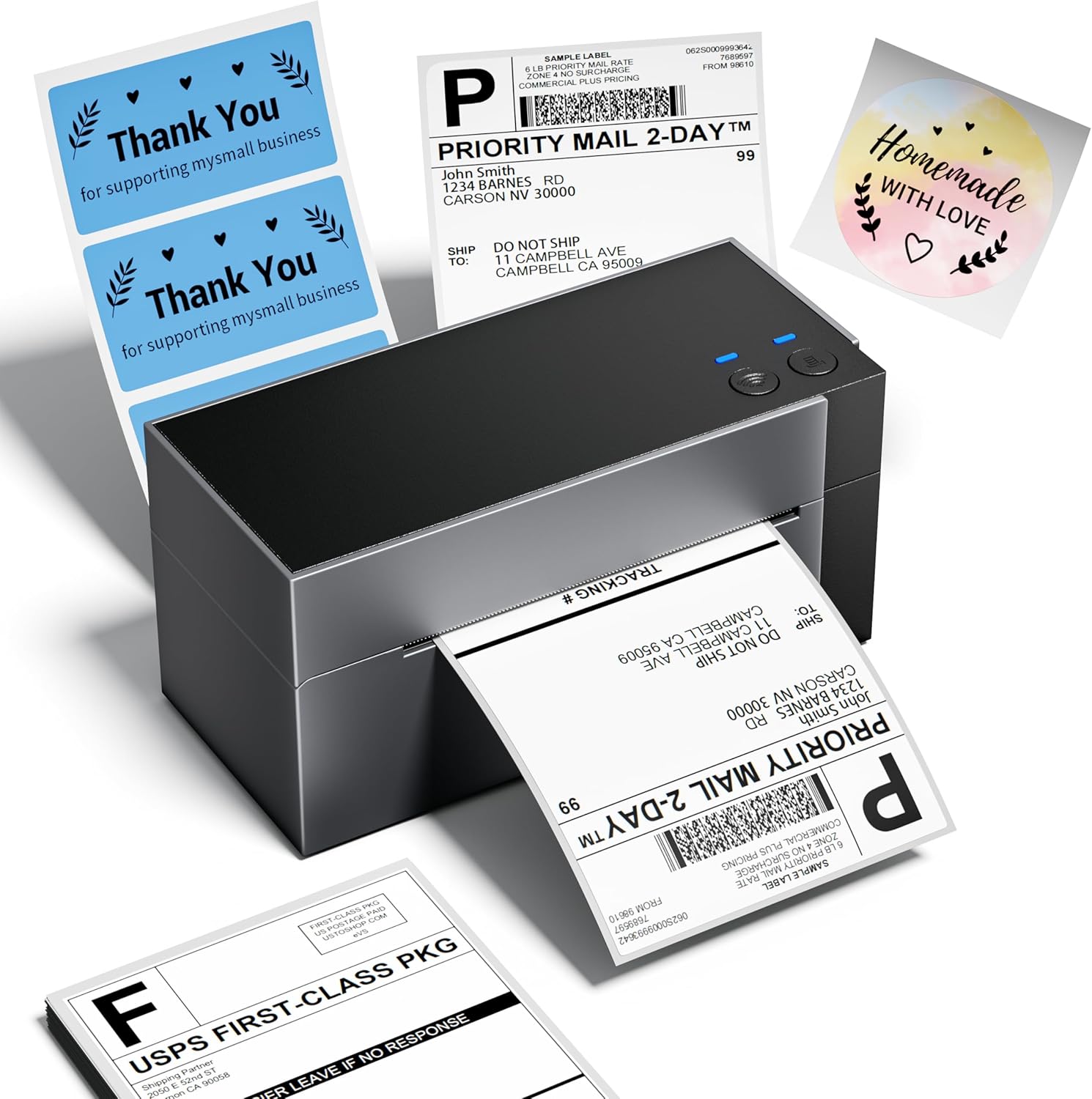
2. Кутуда эмне бар
Кутучаны ачканда, бардык компоненттердин бар экендигин текшериңиз:
- Phomemo WiFi Thermal Label Printer (PM-344-WF)
- Кубаттуу адаптер
- USB-A - USB-C кабели
- Mac USB Adapter
- Sample 4x6 Labels
- Колдонуучунун Колдонмосу (бул документ)
3. Орнотуу колдонмосу
3.1 Аппараттык туташуу
- Принтерди туруктуу, тегиз бетке коюңуз.
- Connect the power adapter to the printer's power port and then to a power outlet.
- If using USB, connect the USB-A to USB-C cable from your computer to the printer. Use the Mac USB adapter if necessary.
- Load thermal labels into the rear slot of the printer. The printer will automatically feed and calibrate the label.
3.2 Программалык камсыздоону жана драйверди орнотуу
For full functionality, install the appropriate drivers and the Labelife application.
- Windows/macOS: Download drivers and the Labelife application from the official Phomemo webсайт. Орнотуу үчүн экрандагы нускамаларды аткарыңыз.
- iOS/Android: Download the "Labelife" app from the App Store (iOS) or Google Play Store (Android).
- ChromeOS/Linux: USB connectivity is supported. Ensure your system has generic printer drivers or install specific drivers if available from the Phomemo webсайт.
3.3 WiFi туташуу
The PM-344-WF supports 5GHz WiFi for stable and fast wireless printing.
- Принтериңиз күйгүзүлгөнүн текшериңиз.
- Open the Labelife application on your device (smartphone, tablet, computer).
- Follow the in-app instructions to connect the printer to your WiFi network. This typically involves selecting your WiFi network and entering the password.
- Once connected, the WiFi indicator light on the printer will illuminate steadily.


4. Иштөө нускамалары
4.1 этикеткаларды жүктөө
The printer supports thermal labels with widths ranging from 1 inch to 4.6 inches.
- Принтер күйгүзүлгөнүн текшериңиз.
- Gently insert the stack of thermal labels into the rear feed slot, print-side up.
- The printer will automatically detect the label and feed it to the correct starting position.

4.2 Этикеткаларды басып чыгаруу
Use the Labelife application or your computer's printing dialogue to send print jobs.
- From Labelife App:
- Open the Labelife app and select the document or image you wish to print.
- Adjust print settings such as label size, orientation, and quantity.
- Tap the print button.
- From Computer (Windows/macOS):
- Open the document (e.g., PDF shipping label) in your preferred application.
- Select "Print" and choose the Phomemo PM-344-WF as your printer.
- Adjust printer preferences (e.g., paper size, quality) to match your label.
- "Басып чыгаруу" баскычын чыкылдатыңыз.


4.3 Расмий продукт Video
5. Техникалык тейлөө
Принтериңиздин үзгүлтүксүз техникалык тейлөөсү анын оптималдуу иштешин камсыздайт жана анын иштөө мөөнөтүн узартат.
- Басып чыгаруу башын тазалоо: Жеңил чүпүрөктү колдонуңуз dampбасып чыгаруучу башты акырын сүртүү үчүн изопропил спирти менен эритип коюңуз. Тазалоодон мурун принтер өчүрүлүп, муздаганын текшериңиз.
- Пластина роликтерин тазалоо: Плита роликти айландырып, аны жарнама менен сүртүңүзamp желим калдыктарын же чаңды кетирүү үчүн кездеме.
- Тышкы тазалоо: Wipe the exterior of the printer with a soft, dry cloth. Avoid abrasive cleaners.
- Сактагыч: Принтерди салкын, кургак жерде, күндүн түз нурунан жана ашыкча чаңдан алыс сактаңыз.
6. Кыйынчылыктарды
| Көйгөй | Мүмкүн себеп | Чечим |
|---|---|---|
| Printer not responding / Red light blinking | Paper jam, out of labels, or connection issue. |
|
| Басып чыгаруу сапаты начар (алсыз, бүдөмүк) | Dirty print head, low quality labels, or incorrect settings. |
|
| WiFi аркылуу туташуу мүмкүн эмес | Incorrect WiFi password, printer too far from router, or 2.4GHz/5GHz band issue. |
|
| Labels not aligning correctly | Improper label loading or calibration issue. |
|
Көбүрөөк жардам алуу үчүн, сураныч, Колдоо бөлүмүн караңыз.
7. Техникалык шарттар
| Өзгөчөлүк | Деталь |
|---|---|
| Модель аты | PM-344-WF |
| Басма технологиясы | Термикалык |
| Байланыш технологиясы | Wi-Fi, USB |
| Print Resolution | 300 x 300 DPI |
| Макс басып чыгаруу ылдамдыгы (монохромдуу) | 150 mm/s (approx. 72 sheets of 4x6 labels per minute) |
| Максималдуу медиа өлчөмү | 4 x 6 дюйм |
| Колдоого алынган энбелгилердин кеңдиги | 1 inch to 4.6 inches |
| Шайкеш түзмөктөр | Ноутбуктар, компьютерлер, смартфондор, планшеттер |
| Controller Type | Android, iOS |
| Продукциянын өлчөмдөрү | 7.18"D x 3.48"W x 3.52"H |
| Элемент Салмагы | 1.59 фунт |
| Өндүрүүчү | Phomemo |
8. Кепилдик маалыматы
The Phomemo WiFi Thermal Label Printer PM-344-WF comes with a Limited Warranty. For specific terms and conditions of your warranty, please refer to the warranty card included in your product packaging or visit the official Phomemo webсайт. Кепилдик дооматтар үчүн сатып алганыңыздын далилин сактаңыз.
Кеңейтилген камсыздандыруу үчүн кошумча коргоо пландары жеткиликтүү болушу мүмкүн. Чоо-жайын билүү үчүн сатуучуга кайрылыңыз.
9. Кардарларды колдоо кызматы
Should you encounter any issues or have questions regarding your Phomemo printer, please contact our customer support team. Phomemo offers lifetime technical support.
- Онлайн колдоо: Расмий Phomemo сайтына кириңиз website for FAQs, driver downloads, and online chat support.
- Электрондук почта колдоо: Продуктуңуздун таңгагына же расмий өкүлгө кайрылыңыз webкардарларды колдоо электрондук почта дареги үчүн сайт.
- Телефондук колдоо: Contact numbers may be available on the official Phomemo webсайт.


