1. Киришүү
Сатып алганыңыз үчүн рахматasing the Claiks Electric Standing Desk. This manual provides essential information for the safe assembly, operation, and maintenance of your new desk. Please read these instructions carefully before use and retain them for future reference.

Image 1.1: The Claiks Electric Standing Desk, illustrating its dimensions (120cm width, 60cm depth, 72-118cm height) and integrated features like storage hooks and cable clips.
2. Коопсуздук маалыматы
Коопсуз иштөөнү камсыз кылуу жана жаракат алуунун же бузулуунун алдын алуу үчүн төмөнкү коопсуздук көрсөтмөлөрүн сактаңыз:
- Балдарды жана үй жаныбарларын бийиктикти тууралоодо столдон алыс кармаңыз.
- Столдун кыймылынын жолунда (өйдө же ылдый) эч кандай тоскоолдуктар жок экенине ынаныңыз.
- Үстөлдү ашыкча жүктөбөңүз. Максималдуу жүк көтөрүмдүүлүгү 80 кг (176.4 фунт).
- Партага отурбаңыз жана турбаңыз.
- Берилген кубат адаптерин жана кабелин гана колдонуңуз.
- If the desk makes unusual noises or movements, discontinue use immediately and contact customer support.
- Суюктуктарды түздөн-түз башкаруу панелине же электрдик тетиктердин жанына коюудан алыс болуңуз.
3. Пакеттин мазмуну
Before assembly, verify that all components are present and undamaged. If any parts are missing or damaged, please contact Claiks customer support.

Image 3.1: All components included in the Claiks Electric Standing Desk package, laid out for assembly. This includes the tabletop (in two sections), leg frames, motor, control panel, screws, and tools.
Компоненттердин тизмеси:
- Tabletop (2 sections)
- Буттун рамкалары (2)
- Crossbar/Support Beam
- Мотор жана башкаруу кутучасы
- Башкаруу панели
- Кубаттуу адаптер жана кабель
- Storage Hooks (2)
- Кабелдик клиптер
- Монтаждоо жабдыктары (буроолор, шайбалар, аллен ачкычы)
4. Орнотуу жана чогултуу
Assembly typically requires one person. An electric drill (not included) is recommended for faster and more secure screw fastening, especially for the tabletop.
- Компоненттерди таңгактан чыгаруу: Таңгактан кылдаттык менен бардык бөлүктөрүн алып салыңыз жана чийилип калбаш үчүн таза, жумшак бетке жаткызыңыз.
- Бут алкактарын чогултуу: Attach the feet to the bottom of each leg column using the provided screws.
- Туташуу тилкеси: Secure the crossbar/support beam between the two leg columns. Ensure all screws are tightened.
- Моторду жана башкаруу кутучасын бекитүү: Mount the motor and control box to the designated positions on the frame, typically under the tabletop area. Connect the motor cables to the control box.
- Үстөлдүн үстүнкү бетинин абалы: Place the tabletop sections upside down on a soft surface. Carefully align the assembled frame onto the tabletop.
- Коопсуз стол: Fasten the tabletop to the frame using the provided screws. Ensure the tabletop sections are flush and securely joined.
- Башкаруу панелин орнотуу: Mount the control panel to the front edge of the tabletop, typically on the right side, and connect its cable to the control box.
- Аксессуарларды тиркөө: Install the storage hooks and cable clips as desired.
- Туташуу кубаты: Кубат адаптерин башкаруу кутусуна, андан кийин розеткага сайыңыз.
- Initial Calibration (if necessary): Refer to the operating instructions for initial setup or calibration steps if the desk does not respond immediately.
5. Иштөө нускамалары
Your Claiks Electric Standing Desk features intuitive controls for height adjustment and memory functions.

Image 5.1: The multi-function control panel with LED display, memory buttons (1, 2, 3), and up/down adjustment buttons.
5.1 Бийиктигин тууралоо
- Өйдө/ылдый баскычтары: колдонуу Өйдө (▲) жана Төмөн (▼) arrow buttons to adjust the desk height. The desk will move smoothly at a speed of 20 mm/s.
- The adjustable height range is from 72 cm (28.3 inches) to 118 cm (46.5 inches).
- The current height is displayed on the LED screen.
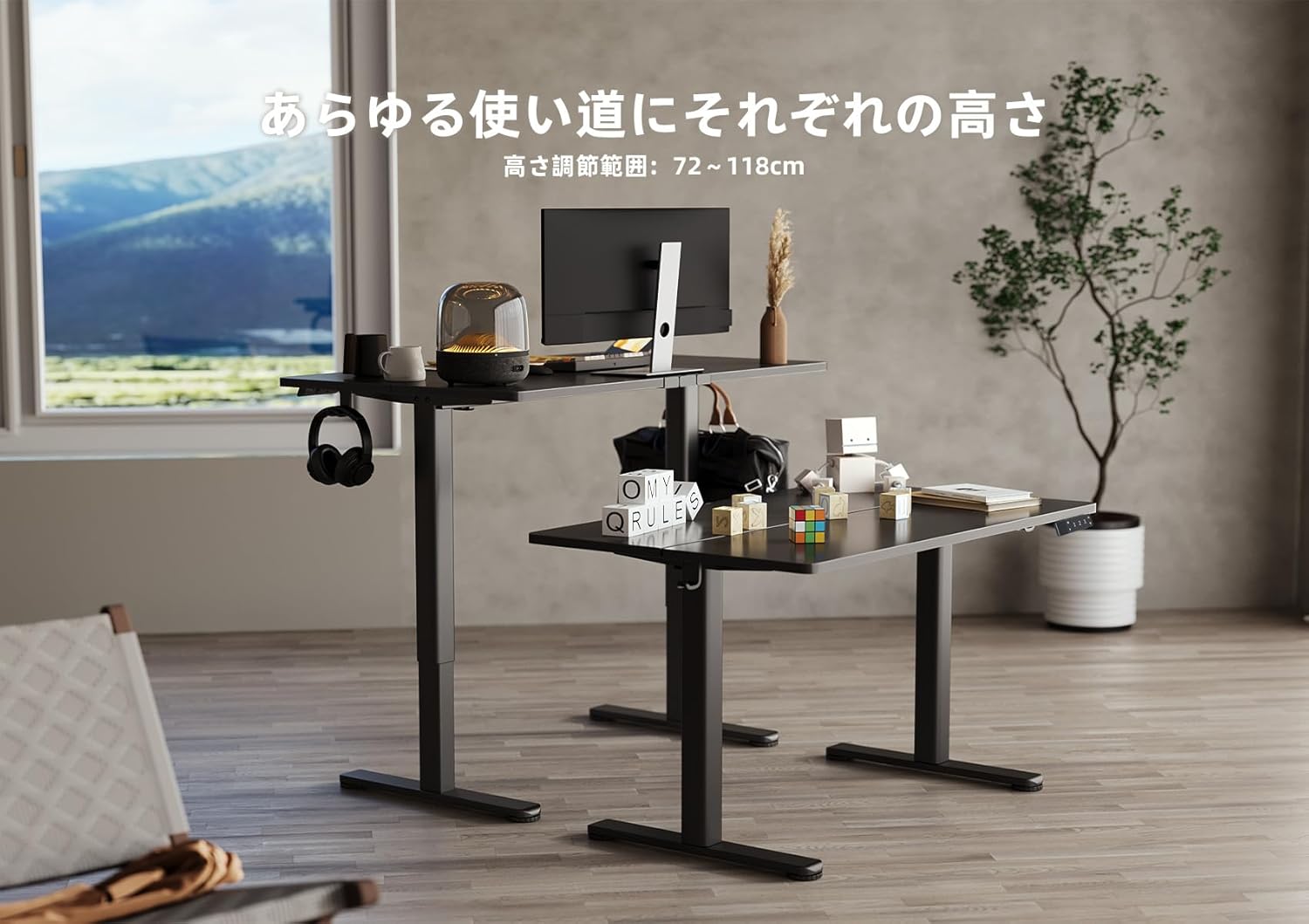
Image 5.2: Two Claiks Electric Standing Desks demonstrating the adjustable height range, suitable for various uses.
5.2 Эстутум функциясы
The desk can store up to three preferred height settings.
- Эстутум ордун коюу: Өйдө/Төмөн баскычтары менен үстөлдү каалаган бийиктикке тууралаңыз.
- басыңыз "М" баскычы. LED дисплей күйөт.
- 3 секунддун ичинде сан баскычтарынын бирин басыңыз ("1", "2", же "3") to save the current height to that position. The display will show "S-1", "S-2", or "S-3" to confirm.
- Эстутумдагы позицияны кайра чакырыңыз: Жөн гана тиешелүү сан баскычын басыңыз ("1", "2", же "3"). Үстел сакталган бийиктикке автоматтык түрдө жылат.
6. Техникалык тейлөө
Proper maintenance ensures the longevity and optimal performance of your Claiks Electric Standing Desk.
- Тазалоо: The tabletop is made of melamine resin, which is resistant to water, heat, and dirt. Wipe the surface with a soft, damp кездеме жана жумшак жуугуч. Абразивдүү тазалагычтардан же катуу химиялык заттардан алыс болуңуз.
- Кабелдик башкаруу: Regularly check and organize cables to prevent tangling or damage, especially during height adjustments. Use the provided cable clips.
- Текшерүү: Мезгил-мезгили менен бардык бурамалар менен байланыштарды текшерип, алардын бекемдигин текшерип туруңуз. Керек болсо кайра тартыңыз.
- Мотор багуу: The motor is designed for durability. Avoid obstructing its movement or attempting to disassemble it.
7. Кыйынчылыктарды
Үстөлүңүздө көйгөйлөргө туш болсоңуз, төмөнкү жалпы көйгөйлөрдү жана чечимдерди караңыз:
| Көйгөй | Мүмкүн себеп | Чечим |
|---|---|---|
| Иш стол кыймылдабайт. | Электр кабели ажыратылган; Ашыкча жүктөө; Мотор катасы. | Check power connections. Reduce weight on desk. Unplug for 10 seconds, then plug back in to reset. |
| Үстел бир калыпта эмес кыймылдайт же адаттан тыш үн чыгарат. | Бош туташуулар; тоскоолдук; салмактын бирдей эмес бөлүштүрүлүшү. | Check all assembly screws. Ensure no objects are interfering with leg movement. Redistribute weight evenly. |
| Ката коду башкаруу панелинде көрсөтүлөт. | Өзгөчө система катасы. | Refer to the specific error code in a more detailed troubleshooting guide (if available) or contact customer support. Often, a power cycle (unplug and replug) can resolve temporary errors. |
If the problem persists after attempting these solutions, please contact Claiks customer support for assistance.
8. Техникалык шарттар
- Бренд: Claiks
- Модель номери: P1.01.001.0004.JP
- Продукциянын өлчөмдөрү: 120 cm (Width) x 60 cm (Depth) x 70 cm (Height, minimum static)
- Жөнгө салынуучу бийиктик диапазону: 72 см - 118 см (28.3 дюйм - 46.5 дюйм)
- Көтөрүү ылдамдыгы: 20 мм/с (0.8 дюйм/с)
- Максималдуу жүктөө жөндөмдүүлүгү: 80 кг (176.4 фунт)
- Элемент Салмагы: 20.8 кг
- Үстөлдүн материалы: Melamine Resin
- Негизги материал: Carbon Steel
- Түсү: Кара
- Өзгөчөлүктөр: Height Adjustment, Memory Function (3 presets), Compact, Scratch Resistant
- Бөлмө түрү: Study Room, Home Office

Image 8.1: The Claiks Electric Standing Desk demonstrating its robust 80kg load capacity.

Image 8.2: Illustration of the desk's quiet operation, comparing its 45dB noise level to common sounds.
9. Кепилдик жана колдоо
Claiks provides a 3 жылдык өндүрүүчү кепилдик for this product. This warranty covers repairs or exchanges for manufacturing defects during the warranty period.
For customer support, repairs, or exchanges, please contact Claiks directly. Our customer support team is available in multiple languages, including English and Japanese, to assist you with any inquiries or issues.
Кепилдик дооматтары үчүн сатып алганыңыздын далилин сактап коюңуз.


