Introduction
This manual provides essential information for the proper use and care of your GameSir USB-A to USB-C Cable. Please read these instructions carefully before use to ensure optimal performance and longevity of the product.
The GameSir USB-A to USB-C cable is designed for connecting GameSir controllers and other compatible USB-C devices to a USB-A port for data transfer and charging.
Продукт өзгөчөлүктөрү
- Туташтыргыч түрү: USB-Aдан USB-Cге
- Кабелдин узундугу: 1.8 метр (5.9 фут)
- Материал: Durable PVC outer jacket
- Функционалдык: Маалыматтарды өткөрүү жана заряддоо
- Шайкештик: Compatible with all GameSir controllers that support wired connection, and other USB Type-C devices.

Сүрөт: Жакын план view of the USB-A and USB-C connectors of the GameSir cable.

Image: The GameSir USB-A to USB-C cable with "GAMESIR PVC CABLE" branding, highlighting its material.

Image: The GameSir USB-A to USB-C cable coiled, illustrating its 1.8-meter (5.9-foot) length.
Жайгашуу
- Портторду аныктоо: Locate the USB-A port on your computer, gaming console, or power adapter, and the USB-C port on your GameSir controller or other compatible device.
- USB-A туташтырыңыз: Insert the USB-A end of the cable into the USB-A port of your host device (e.g., PC, console).
- USB-C туташтырыңыз: Insert the USB-C end of the cable into the USB-C port of your GameSir controller or other compatible device. Ensure the connection is firm.
- Plug and Play: The cable is designed for plug-and-play functionality. Your device should automatically recognize the connection for data transfer or charging.

Image: The GameSir USB-A to USB-C cable connected to various GameSir controllers, demonstrating wired connection support.
Иштөө нускамалары
Once connected, the GameSir USB-A to USB-C cable facilitates two primary functions:
- Маалыматтарды өткөрүү: For GameSir controllers, this enables a wired connection to your gaming platform, reducing input lag and ensuring a stable connection for gameplay. For other compatible devices, it allows for data synchronization.
- Заряддоо: When connected to a power source (e.g., a USB wall adapter or a powered USB port on a computer/console), the cable will charge your compatible USB-C device.
Ensure your device's drivers are up-to-date if experiencing connectivity issues with a computer.
Техникалык тейлөө жана кам көрүү
To ensure the longevity and optimal performance of your GameSir USB-A to USB-C cable, follow these maintenance guidelines:
- Сактагыч: Кабелди салкын, кургак жерде, күндүн түз тийген нурунан жана өтө жогорку температурадан алыс сактаңыз. Кабелди курч бурчтар менен катуу ороп же ийип албаңыз.
- Тазалоо: Use a soft, dry cloth to gently wipe the cable and connectors. Do not use harsh chemicals or abrasive cleaners.
- Колдонуу: Always grasp the connector head when plugging or unplugging the cable. Avoid pulling directly on the cable itself, as this can damage the internal wires.
- Узактыгы: The cable features a clean and durable PVC outer jacket, rigorously tested for durability through plugging, suspension, and bending simulations. However, excessive force or improper handling can still cause damage.
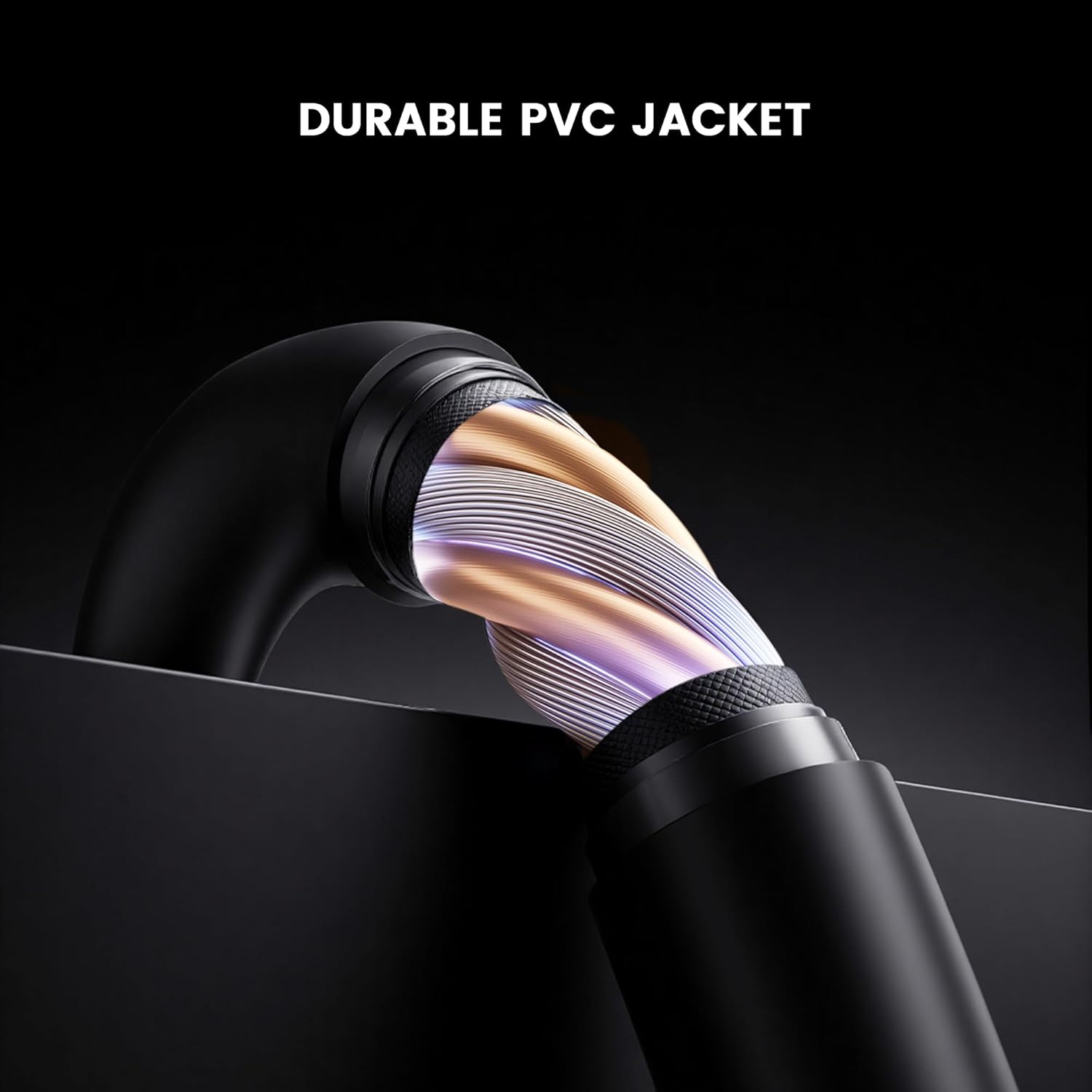
Сүрөт: кесилиши view of the GameSir USB-A to USB-C cable, highlighting its durable PVC jacket and internal construction.
Проблемаларды чечүү
If you encounter issues with your GameSir USB-A to USB-C cable, refer to the following common troubleshooting steps:
- Түзмөк таанылган жок:
- Кабелдин эки учу тең тиешелүү портторуна бекем туташтырылганын текшериңиз.
- Try connecting the cable to a different USB-A port on your host device.
- Test the cable with another compatible USB-C device to rule out an issue with the original device.
- If connecting to a computer, ensure necessary drivers for your GameSir controller or device are installed and up-to-date.
- Slow Charging or No Charging:
- Verify that the power source (e.g., wall adapter, computer USB port) is providing sufficient power.
- Ensure the cable is fully inserted into both the power source and the device.
- Try a different power source or wall adapter.
- Үзгүлтүксүз туташуу:
- Кабель же туташтыргычтарда көрүнгөн зыяндын бар-жоктугун текшериңиз.
- Ensure there is no dust or debris in the USB ports of your devices or the cable connectors.
- Avoid bending or stressing the cable during use.
Техникалык шарттар
| Бренд | GameSir |
| Модель номери | 6936685221581 |
| Туташтыргыч түрү | USB Type C (Эркек) USB Type A (Эркек) |
| Кабель түрү | USB |
| Кабелдин узундугу | 1.8 метр (5.9 фут) |
| Түс | Кара |
| Шайкеш түзмөктөр | GameSir Gaming Consoles/Controllers, other USB Type-C devices |
| Өзгөчө өзгөчөлүк | Маалыматтарды өткөрүү |
| Сырткы куртка материалы | PVC |
| Ички/тышкы колдонуу | Indoor |
| Элемент Салмагы | 1.76 унция |
Кепилдик жана колдоо
Кепилдик жөнүндө маалымат жана техникалык колдоо алуу үчүн, расмий GameSir сайтына кайрылыңыз website or contact GameSir customer service directly. Keep your purchase receipt for warranty claims.
GameSir Official Store US: Сатуучу маалымат


