Introduction
The AOC Basic-line 24B3CF2 is a 23.8-inch Full HD (1080p) LED monitor designed for enhanced productivity. It features an IPS panel for vibrant visuals and true-to-life colors, USB-C connectivity for video signal, power delivery, and data transfer, and a height-adjustable stand for ergonomic comfort. This manual provides essential information for setting up, operating, and maintaining your monitor.
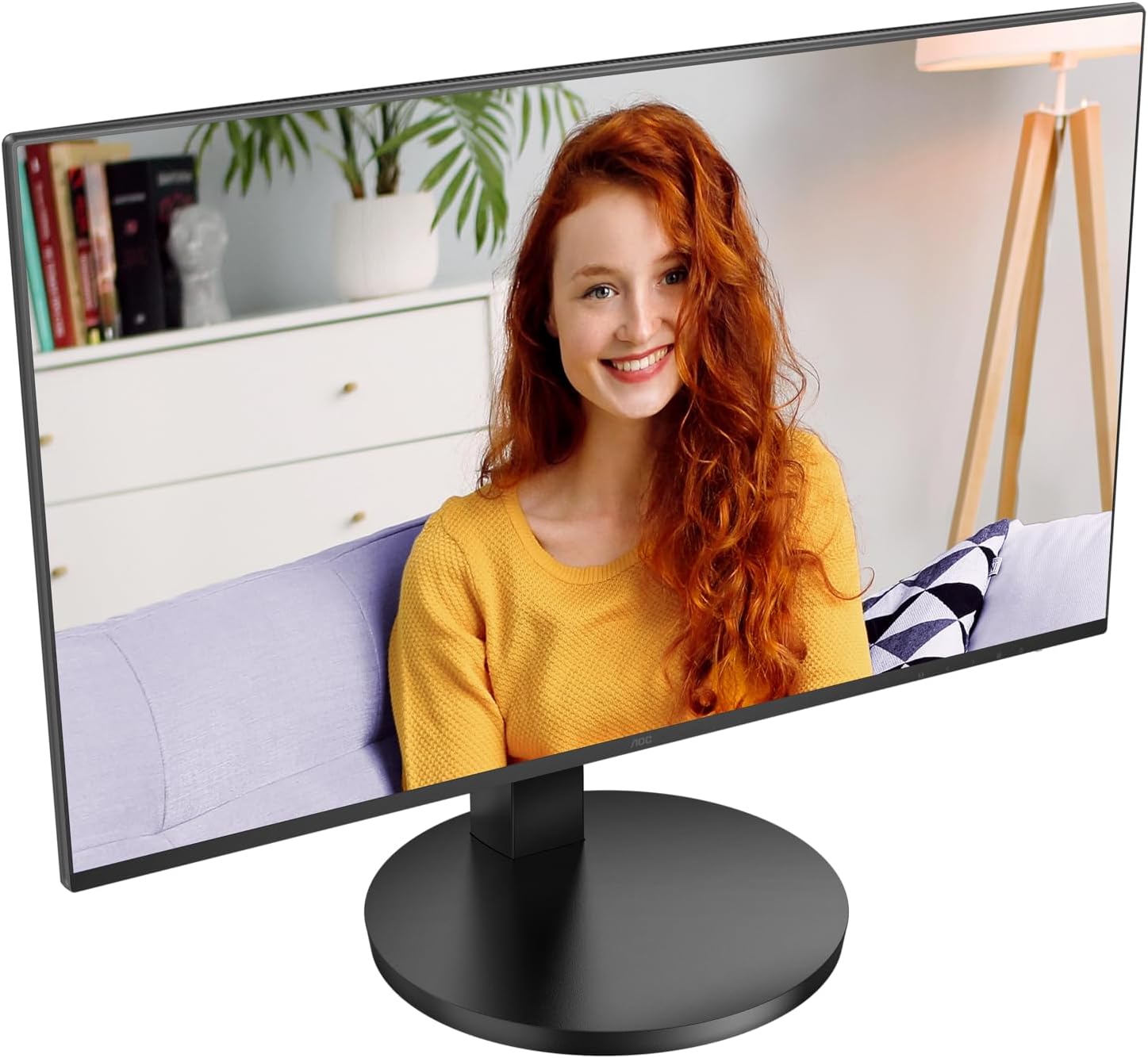
Сүрөт 1: Алдыңкы view of the AOC Basic-line 24B3CF2 monitor.

Figure 2: Key features of the AOC Basic-line 24B3CF2 monitor.
Коопсуздук маалыматы
- Always place the monitor on a stable, flat surface.
- Желдетүүчү тешиктерди жаппаңыз.
- Монитор менен кошо берилген кубат адаптерин гана колдонуңуз.
- Мониторду суудан жана ашыкча нымдуулуктан алыс кармаңыз.
- Мониторду өзүңүз тейлөөгө аракет кылбаңыз. Бардык тейлөөлөрдү квалификациялуу тейлөө кызматкерлерине тапшырыңыз.
- Тазалоодон мурун мониторду розеткадан сууруп алыңыз.
Пакеттин мазмуну
Орнотууну улантуудан мурун, пакетте бардык элементтер бар экенин текшериңиз:
- AOC 24B3CF2 Monitor Display
- Монитор стенд (негизги жана моюн)
- Электр кабели
- HDMI кабели
- USB-C Cable
- Ыкчам орнотуу көрсөтмөлөрү
Жайгашуу
1. Стендди чогултуу
- Чийилбеш үчүн мониторду кылдаттык менен жумшак, таза бетке ылдый каратып коюңуз.
- Attach the stand neck to the monitor panel. Ensure it clicks into place or is secured with screws if provided.
- Attach the stand base to the stand neck. Tighten the thumb screw or screws at the bottom of the base.

3-сүрөт: Арткы view of the monitor with stand assembly area.
2. Мониторду туташтыруу
The AOC 24B3CF2 monitor offers multiple connectivity options:
- HDMI туташуу: HDMI кабелинин бир учун компьютериңиздеги HDMI портуна, экинчи учун монитордогу HDMI портуна туташтырыңыз.
- USB-C туташуу: Connect one end of the USB-C cable to the USB-C port on your computer and the other end to the USB-C port on the monitor. This single connection can provide video, data, and power delivery (up to 65W) to your laptop.
- USB хаб функциясы: The monitor features additional USB ports. Connect the USB-C cable to enable these ports for connecting peripherals like a keyboard or mouse.

Figure 4: Available ports on the AOC 24B3CF2 monitor.
3. Power Connection
Connect the power cable to the power input on the monitor and then plug the other end into a grounded electrical outlet.
4. Күйгүзүү
Press the power button located on the monitor to turn it on. The power indicator light will illuminate.
Мониторду иштетүү
1. Негизги башкаруу элементтери
The monitor features several buttons, typically located on the bottom right side or rear, for navigating the On-Screen Display (OSD) menu and adjusting basic settings.
- Кубат баскычы: Мониторду күйгүзөт же өчүрөт.
- Меню баскычы: OSD менюсун ачат.
- Чабыттоо баскычтары (өйдө/төмөн/сол/оң): Used to navigate through OSD options and adjust values.
- Чыгуу баскычы: Exits the OSD menu or returns to the previous level.
2. Экрандагы дисплей (OSD) менюсу
The OSD menu allows you to configure various display settings. To access the OSD menu, press the Menu button.
Жалпы OSD меню категориялары:
- Жарыктык: Adjust brightness, contrast, gamma.
- Сүрөттү орнотуу: Auto-adjust, H. Position, V. Position, Clock, Phase (for analog input).
- Түс орнотуусу: Color temperature, sRGB, User Define.
- OSD орнотуу: OSD language, OSD H. Position, OSD V. Position, OSD Timeout, Transparency.
- Кошумча: Input Select (HDMI, USB-C), Reset, DDC/CI.
3. Бийиктигин тууралоо
The AOC 24B3CF2 features a height-adjustable stand. To adjust the height, gently push or pull the monitor panel up or down while holding the base firmly. This allows for optimal ergonomic positioning to reduce strain during extended use.

5-сүрөт: Каптал view illustrating the monitor's adjustable stand.
Техникалык тейлөө
Мониторду тазалоо
- Тазалоодон мурун мониторду дайыма электр розеткасынан сууруп алыңыз.
- Бир аз жумшак, түксүз кездемени колдонуңуз dampсуу же абразивдүү эмес экран тазалагыч менен иштетиңиз.
- Тазалоочу каражатты түз экранга чачпаңыз.
- Avoid using benzene, thinner, ammonia, or abrasive cleaners, as they can damage the monitor's surface.
Проблемаларды чечүү
| Көйгөй | Мүмкүн себеп | Чечим |
|---|---|---|
| Экранда сүрөт жок | Кубат кабели туташкан эмес; Видео кабель туташкан эмес; Туура эмес киргизүү булагы тандалды. | Ensure power cable is securely connected and power outlet is active. Check video cable connection (HDMI/USB-C) to both monitor and computer. Press the input select button to cycle through input sources. |
| Сүрөт бүдөмүк же бурмаланган | туура эмес чечим; Бошогон видео кабели. | Set the display resolution to the monitor's native resolution (1920x1080). Ensure video cable is securely connected. |
| No sound from monitor speakers (if applicable) | Volume too low; Incorrect audio output selected on computer; No audio signal via video cable. | Adjust monitor volume via OSD. Select the monitor as the audio output device in your computer's sound settings. Ensure the video cable (HDMI/USB-C) supports audio transmission. Note: This monitor's speakers may have limited audio quality. |
| USB порттору иштебейт | USB-C cable not connected or not fully functional; USB drivers not installed. | Ensure the USB-C cable is properly connected and supports data transfer. Check your computer's device manager for any USB driver issues. |
Техникалык шарттар
Below are the technical specifications for the AOC Basic-line 24B3CF2 monitor:

6-сүрөт: Монитордун физикалык өлчөмдөрү.
| Өзгөчөлүк | Деталь |
|---|---|
| Модель аты | AOC 24B3CF2 |
| Screen Size | 24 Inches (23.8 inches / 60.5 cm) |
| Резолюция | 1920 x 1080 (Full HD 1080p) |
| Панел түрү | IPS |
| Аспект катышы | 16:9 |
| Жооп убактысы | 1 Millisecond (MPRT) |
| Жаңыртуу ылдамдыгы | 100 Гц (макс.) |
| Сүрөттүн карама-катышы | 1000:1 |
| Viewбурч | 178 Degrees (Horizontal/Vertical) |
| Байланыш | HDMI, USB Type-C (with 65W Power Delivery), 2x USB-A |
| Энергияны керектөө (SDR) | 18.0 Вт |
| Энергияны керектөө (HDR) | 18.0 Вт |
| Күтүү режими | 0.3 Вт |
| Өчүрүү режими | 0.5 Вт |
| Өлчөмдөрү (W x Y x D) | 55 x 47 x 23 см (болжол менен) |
| Салмагы | 4.56 кг |
| Тилди колдоо | Англис, француз, немис, испан |

Figure 7: Product Information Sheet (English).
For more detailed energy information, visit the EPREL маалымат базасы.

8-сүрөт: ЕСтин энергетикалык белгиси.
Кепилдик жана колдоо
AOC provides a general guarantee for this product. The minimum guaranteed availability of software and firmware updates is 8 years from the date of placement on the market. The minimum guaranteed availability of spare parts is also 8 years from the date of placement on the market. Minimum guaranteed product support is 8 years.
For technical support, warranty claims, or service inquiries, please contact AOC customer service. Refer to the contact information provided in your product's packaging or visit the official AOC webсиздин аймак үчүн сайт.
Official AOC Webсайт: https://eu.aoc.com


