Introduction
This manual provides comprehensive instructions for setting up, operating, and maintaining your AWOW Mini PC AK10X. Please read this manual thoroughly before using the device to ensure optimal performance and longevity.

Сүрөт: алдыңкы жана арткы view of the AWOW Mini PC, highlighting its compact size and various ports including USB, HDMI, and Ethernet.
Пакеттин мазмуну
Төмөндө тизмеленген нерселердин баары пакетиңизге камтылганын текшериңиз:
- 1x AWOW Mini PC (Intel CPU N100)
- 1x Кронштейн
- 1x HDMI кабели
- 1x Power адаптер
- 1x Instruction Manual (бул документ)

Image: Visual representation of the items included in the AWOW Mini PC package, such as the mini PC unit, power adapter, HDMI cable, and mounting bracket.
Орнотуу колдонмосу
1. Перифериялык түзүлүштөрдү туташтыруу
- Дисплейди туташтыруу: Use the provided HDMI cable to connect the Mini PC to your monitor or TV. The Mini PC supports up to four screens simultaneously via its two HDMI 2.0 ports and two full-featured Type-C ports.
- Баскычтоп менен чычканды туташтыруу: Plug your USB keyboard and mouse into any of the available USB ports (2x USB 3.0, 2x USB 2.0).
- Тармакка туташуу: For a wired connection, plug an Ethernet cable into one of the RJ45 Gigabit Ethernet ports. For wireless, the device supports 2.4G/5G WiFi.
- Туташуу кубаты: Insert the power adapter into the DC Jack on the Mini PC and then plug it into a power outlet.

Сүрөт: Жакын план view of the AWOW Mini PC's rear and side ports, including HDMI, USB, Ethernet, and Type-C, with labels indicating their functions.
2. Күйгүзүү
Press the power button located on the front of the Mini PC. The indicator light will illuminate, and the system will begin to boot up.
3. Windows 11 Pro баштапкы орнотуусу
Upon first boot, you will be guided through the Windows 11 Pro setup process. Follow the on-screen prompts to configure your region, language, network, and user account settings.
Иштөө нускамалары
Көп экрандуу дисплей
The AWOW Mini PC supports up to four displays simultaneously, providing an expansive workspace for enhanced productivity or immersive entertainment. Connect your monitors to the available HDMI and full-featured Type-C ports.
- HDMI порттору: Two HDMI 2.0 ports support 4K@60Hz output.
- Type-C порттору: Two full-featured Type-C ports also support video output.
To configure multiple displays in Windows 11 Pro:
- Right-click on an empty area of your desktop and select "Display settings."
- "Бир нече дисплей" бөлүмүндө сиз мониторлоруңузду аныктап, аныктап жана иретке келтире аласыз.
- Choose your preferred display option: "Duplicate these displays," "Extend these displays," or "Show only on 1/2/3/4."
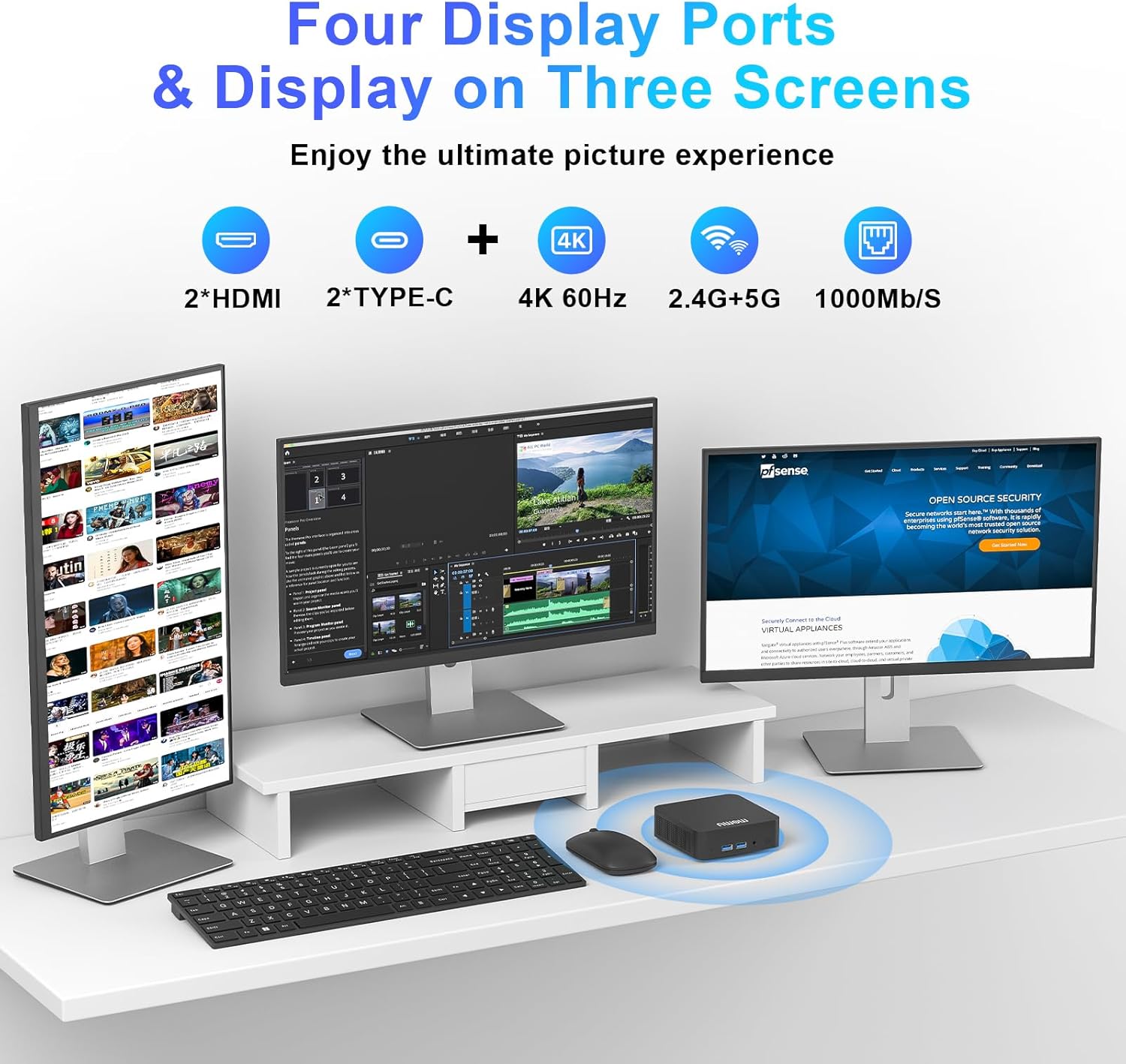
Image: An AWOW Mini PC connected to three external monitors, demonstrating its multi-display capability for an extended desktop experience.
Сактагычты кеңейтүү
The Mini PC comes with a 512GB M.2 2280 NVMe SSD. For additional storage, the device may support further expansion. Refer to the internal layout for potential additional M.2 slots or SATA connections if you plan to upgrade.

Сүрөт: жарылган view diagram of the AWOW Mini PC, illustrating its internal components such as the M.2 NVMe SSD and DDR4 RAM modules.
Техникалык тейлөө
Proper maintenance ensures the longevity and optimal performance of your AWOW Mini PC.
- Тазалоо: Use a soft, dry cloth to clean the exterior of the Mini PC. Avoid liquid cleaners or abrasive materials. For vents, use compressed air to remove dust buildup.
- Вентиляция: Ensure the Mini PC is placed in a well-ventilated area. Do not block the ventilation holes.
- Программалык камсыздоо жаңыртуулары: Regularly update your Windows 11 Pro operating system and drivers to ensure security and performance.
- Энергияны башкаруу: Always shut down the Mini PC properly through the operating system before disconnecting power.
Проблемаларды чечүү
| Көйгөй | Мүмкүн себеп | Чечим |
|---|---|---|
| Дисплей чыгаруу жок | Loose cable connection, incorrect input source on monitor, monitor off. | Check HDMI/Type-C cable connections. Ensure monitor is on and set to the correct input. Try a different port or cable. |
| Мини-компьютер күйбөйт | Кубат адаптери туташкан эмес, розеткасы бузук. | Verify power adapter is securely connected to both the Mini PC and a working power outlet. |
| Жай аткаруу | Too many applications running, insufficient free storage, outdated drivers. | Close unnecessary applications. Check available storage space. Update Windows and drivers. |
| Интернет байланышы жок (зымдуу) | Ethernet cable disconnected, router issue, network driver issue. | Check Ethernet cable connection. Restart router. Check network adapter settings in Windows. |
| Интернет байланышы жок (зымсыз) | WiFi disabled, incorrect password, router issue, signal interference. | Ensure WiFi is enabled in Windows. Re-enter WiFi password. Restart router. Move closer to router. |
Техникалык шарттар
Key technical specifications of the AWOW Mini PC AK10X:
| Өзгөчөлүк | Деталь |
|---|---|
| Процессор | Intel 12th Gen N100 (4 Cores, up to 3.4 GHz) |
| Графика | Intel UHD Graphics (24 Execution Units) |
| RAM | 16 ГБ DDR4 3200 МГц |
| Сактагыч | 512 ГБ M.2 2280 NVMe SSD |
| Операция системасы | Windows 11 Pro (Алдын ала орнотулган) |
| Video Output | 2x HDMI 2.0 (4K@60Hz), 2x Full-featured Type-C (4K UHD) - Supports Four-screen display |
| USB порттору | 2x USB 3.1 (Gen1), 2x USB 2.0 |
| Network | RJ45 Dual Gigabit Ethernet, 2.4G/5G WiFi |
| Bluetooth | Bluetooth 5.2 |
| Аудио | 1x Аудио уячасы |
| Өлчөмдөр | Approx. 4.4 x 4.4 x 1.4 inches (Package Dimensions: 5.39 x 5.39 x 3.58 inches) |
| Салмагы | Approx. 0.317 ounces (Product Weight) |

Image: The compact dimensions of the AWOW Mini PC, shown next to a smartphone for scale, highlighting its small footprint.

Сүрөт: деталдуу диаграмма showcasing the Intel Gen12 N100 processor, emphasizing its quad-core architecture, 3.40GHz speed, Intel 7nm process, 4K@60Hz UHD Graphics, 512GB SSD, and 16GB DDR4 memory.
Кепилдик жана колдоо
AWOW provides comprehensive support for your Mini PC:
- Кепилдик: The AWOW Mini PC comes with a 2-year warranty.
- Техникалык колдоо: Өмүр бою техникалык колдоо бар.
- Кардарларды тейлөө: Full 24/7 customer service is provided.
For assistance, please refer to the contact information provided on the AWOW official webсайт же сатып алуу документтери.


